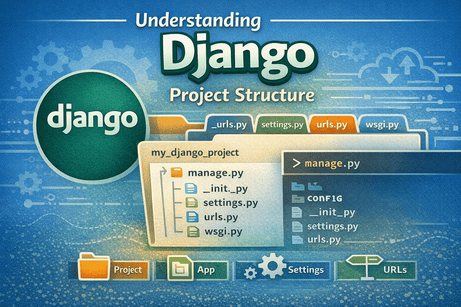
0. Introduction
When you create a new Django project for the first time, Django automatically generates a set of files and folders. For beginners, this structure may look confusing at first. However, each file has a clear role, and understanding this organization is very important if you want to work comfortably with Django.
In this tutorial, you will learn the purpose of the main files and folders in a Django project, how they work together, and why Django organizes projects in this way. By the end, you will be able to navigate a Django project with confidence.
1. Why Project Structure Matters
A Django project is not just a collection of random Python files. It follows a structured and organized layout.
This structure helps developers:
- keep code clean and readable
- separate responsibilities
- make large projects easier to manage
- work in teams more efficiently
- build reusable applications
A well-understood structure is the foundation for writing better Django code.
2. What Happens When You Create a Django Project
When you run a command like:
django-admin startproject config .Django creates a project structure similar to this:
my_django_project/
│
├── manage.py
├── config/
│   ├── __init__.py
│   ├── settings.py
│   ├── urls.py
│   ├── asgi.py
│   └── wsgi.py
If later you create an app, the structure will become larger, but for now let us focus on these core files.
3. The Root Folder
The root folder is the main project directory. It contains the overall Django project and all the files related to it.
Example:
my_django_project/This folder may also contain:
- virtual environment folder
- apps
- database file
- static files
- media files
- templates
- requirements file
It is the top-level folder where you usually run Django commands.
4. manage.py
One of the first files you will notice is:
manage.pyThis file is very important because it allows you to interact with your Django project from the command line.
What manage.py does
It acts as a command-line utility for performing project tasks such as:
- running the development server
- creating apps
- making migrations
- applying migrations
- opening the Django shell
- creating a superuser
Example commands using manage.py
python manage.py runserver
python manage.py migrate
python manage.py startapp blog
Why it matters
Without manage.py, you would have to use more complicated commands. It simplifies project management.
You will use this file in almost every Django project.
5. The Project Package Folder
Inside the root folder, Django creates another folder with the project name, for example:
config/This folder is the actual Python package for your Django project. It contains the main configuration files.
This folder usually includes:
__init__.pysettings.pyurls.pyasgi.pywsgi.py
These files define how the project behaves.
6. __init__.py
This file is usually empty:
config/__init__.pyWhat it does
Its role is to tell Python that this folder should be treated as a Python package.
In most beginner projects, you do not need to modify it.
Why it exists
Python uses __init__.py to recognize importable packages. Even if it is empty, it is still important.
7. settings.py
This is one of the most important files in a Django project:
config/settings.pyIt contains the global configuration of your project.
What settings.py controls
It defines things such as:
- installed applications
- middleware
- templates configuration
- database configuration
- language and timezone
- static file settings
- secret key
- debug mode
- allowed hosts
Example parts of settings.py
INSTALLED_APPS = [
    'django.contrib.admin',
    'django.contrib.auth',
    'django.contrib.contenttypes',
    'django.contrib.sessions',
    'django.contrib.messages',
    'django.contrib.staticfiles',
]
This section lists the apps that are active in your project.
Another example:
DEBUG = TrueThis enables debug mode during development.
And:
ALLOWED_HOSTS = []This controls which hosts are allowed to serve the project.
Why settings.py matters
You will frequently edit this file when:
- adding a new app
- changing the database
- configuring templates
- setting up static and media files
- preparing for deployment
It is the central configuration file of your Django project.
8. urls.py
The file:
config/urls.pydefines the main URL routes of your project.
What urls.py does
It tells Django which view should handle a requested URL.
For example:
from django.contrib import admin
from django.urls import path

urlpatterns = [
    path('admin/', admin.site.urls),
]
This means that when the user visits /admin/, Django opens the admin interface.
Why it matters
As your project grows, you will connect more URLs to different apps and views.
For example:
//blog//contact//shop/
This file acts like the central traffic controller of the project.
9. wsgi.py
The file:
config/wsgi.pyis used for deployment in traditional Python web server setups.
What WSGI means
WSGI stands for:
Web Server Gateway Interface
It is a standard interface between web servers and Python web applications.
What wsgi.py does
It exposes your Django application so that production servers like Gunicorn or uWSGI can serve it.
Beginner note
When you are just learning Django, you usually do not need to edit this file. But it becomes useful when deploying your project.
10. asgi.py
The file:
config/asgi.pyis similar to wsgi.py, but it is designed for modern asynchronous features.
What ASGI means
ASGI stands for:
Asynchronous Server Gateway Interface
Why it matters
ASGI supports:
- WebSockets
- asynchronous views
- real-time applications
- chat systems
- live notifications
Beginner note
For simple projects, you will not usually edit this file at the beginning. But it is part of modern Django architecture.
11. How These Files Work Together
Let us simplify the flow.
When a user visits a page:
- the request reaches the Django project
urls.pychecks the URL- Django sends the request to the correct view
- the view may interact with models and the database
- the view returns a response
- the browser displays the page
The configuration in settings.py supports all of this in the background.
So each file has a role:
manage.py→ command-line managementsettings.py→ project configurationurls.py→ URL routingwsgi.py→ deployment interfaceasgi.py→ async deployment interface__init__.py→ package initialization
12. After Creating an App
Once you create an app using:
python manage.py startapp blogDjango adds another folder:
blog/
├── __init__.py
├── admin.py
├── apps.py
├── migrations/
├── models.py
├── tests.py
├── views.py
This is where you will place app-specific logic.
Difference between project and app
This is a key concept in Django.
- Project = the full website/application
- App = a module that handles one part of the website
For example, in one project, you may have these apps:
blogusersshopdashboard
This modular structure is one of Django’s strengths.
13. Common Beginner Confusion: Project vs App
Many beginners confuse the Django project with a Django app.
Django project
The project is the complete configuration and global container of your website.
Django app
An app is a specific component with a clear responsibility.
Example
For an e-commerce website:
- project = entire online store
- app 1 = products
- app 2 = cart
- app 3 = orders
- app 4 = users
This separation helps keep code organized and reusable.
14. A More Realistic Django Structure
As your project grows, the structure often looks like this:
my_django_project/
│
├── venv/
├── manage.py
├── db.sqlite3
├── requirements.txt
├── config/
│   ├── __init__.py
│   ├── settings.py
│   ├── urls.py
│   ├── asgi.py
│   └── wsgi.py
│
├── blog/
│   ├── migrations/
│   ├── templates/
│   ├── static/
│   ├── admin.py
│   ├── models.py
│   ├── views.py
│   └── urls.py
│
├── templates/
├── static/
└── media/
This structure becomes easier to understand once you know the role of each part.
15. Why Django Uses This Structure
Django uses this organization because it promotes:
- modularity
- reusability
- scalability
- readability
- team collaboration
Instead of putting everything in one file, Django separates configuration, business logic, presentation, and app components into well-defined places.
This makes projects easier to maintain.
16. Best Practices for Beginners
When starting with Django project structure, try to follow these habits:
a) Keep names clear
Use meaningful names for the project and apps.
Examples:
configblogusersstore
b) Do not modify random files without understanding them
For example, avoid editing asgi.py or wsgi.py unless needed.
c) Learn the role of each file gradually
You do not need to master every file immediately. Start with:
manage.pysettings.pyurls.pyviews.pymodels.py
d) Keep apps focused
Each app should have one main responsibility.
17. Beginner Analogy
Think of a Django project like a university.
- the project is the entire university
- each app is a department
settings.pyis the administration office rulesurls.pyis the campus mapmanage.pyis the control panel- models are the data records
- views are the service offices
- templates are what students and visitors actually see
This analogy helps you understand that Django is built around organization and separation of roles.
18. Summary
In this tutorial, you learned the main structure of a Django project and the role of its most important files. You now know that manage.py is used for command-line tasks, settings.py holds the configuration, urls.py handles routing, and wsgi.py and asgi.py are used for deployment.
You also learned the important difference between a Django project and a Django app. This understanding is essential before moving on to creating views, templates, and models.
<hr>
19. Key Takeaways
- A Django project has a clear and organized structure.
manage.pyis used to manage the project from the terminal.settings.pycontains the main configuration.urls.pycontrols URL routing.wsgi.pyandasgi.pyare used for deployment.- A project can contain multiple apps.
- An app handles one specific part of the overall project.
20. Small Knowledge Check
- What is the role of
manage.py? - Which file contains the main project settings?
- Which file controls the main project URLs?
- What is the difference between a project and an app?
- Why does Django use a modular structure?
21. Conclusion
Understanding Django project structure is a major step for every beginner. Once you know where things belong, Django becomes much easier to learn. Instead of seeing a confusing collection of files, you begin to see a clear system where each part has its purpose.













💬 Comments
No comments yet. Be the first to comment!
Login to comment.