0. Introduction
URLs are one of the most important parts of any web application. They define how users navigate your website and how Django knows which code to execute when a request is made.
In this tutorial, you will learn how Django handles URLs, how routing works, how to define URL patterns, how to use dynamic parameters, and how to organize URLs in a clean and scalable way.
1. What Is URL Routing?
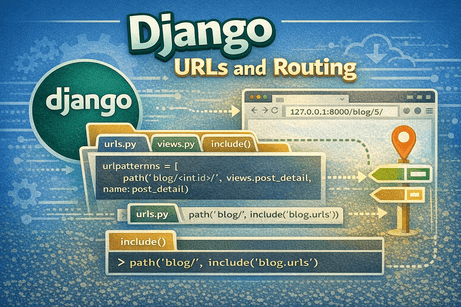
URL routing is the process of matching a URL requested by the user to a specific view (function or class) in your Django application.
Example
When a user visits:
Django needs to know:
- Which app should handle this URL?
- Which view should be executed?
- What response should be returned?
This is exactly what URL routing does.
2. How Django Handles a Request
Let’s simplify the flow:
- The user enters a URL in the browser
- Django receives the request
- Django checks
urls.py - It finds a matching URL pattern
- It calls the corresponding view
- The view returns a response
- The browser displays the result
So URLs are the entry point of your application.
3. The Main URL Configuration (urls.py)
Every Django project has a main URL file:
config/urls.pyExample:
from django.contrib import admin
from django.urls import path

urlpatterns = [
    path('admin/', admin.site.urls),
]
Explanation
path()defines a route'admin/'is the URLadmin.site.urlsis the view (admin interface)
So visiting /admin/ opens the Django admin panel.
4. The path() Function
The path() function is used to define URL patterns.
Syntax
path(route, view, name=None)Parameters
- route → the URL pattern (string)
- view → the function or class handling the request
- name → optional name for the URL
Example
path('blog/', views.home)This means:
/blog/→ callsviews.home
5. Creating URLs in an App
It is best practice to create a separate urls.py inside each app.
Step 1: Create blog/urls.py
from django.urls import path
from . import views

urlpatterns = [
    path('', views.home, name='home'),
]
Step 2: Connect it in config/urls.py
from django.urls import path, include

urlpatterns = [
    path('blog/', include('blog.urls')),
]
Result
/blog/→ handled byblog.urls''inside blog → callshomeview
6. What Is include()?
include() allows you to connect app URLs to the main project.
Why use it?
- keeps URLs organized
- separates logic per app
- makes large projects manageable
Example
path('blog/', include('blog.urls'))This means:
- All URLs starting with
/blog/go toblog.urls
7. Dynamic URLs (Path Parameters)
Sometimes URLs contain dynamic data.
Example
/blog/5/
/blog/10/
Here, 5 and 10 are dynamic values.
Django solution
path('blog/<int:id>/', views.post_detail)Explanation
<int:id>→ captures an integer- Django passes it to the view
View example
def post_detail(request, id):
    return HttpResponse(f"Post ID: {id}")
Result
/blog/5/→ shows "Post ID: 5"
8. Common Path Converters
Django provides several converters:
<int:id>→ integer<str:name>→ string<slug:slug>→ URL-friendly string<uuid:id>→ UUID<path:path>→ full path
Example
path('user/<str:username>/', views.profile)9. URL Naming (Very Important)
You can name URLs to use them later in templates and views.
Example
path('', views.home, name='home')Why use names?
Instead of writing:
/blog/you use:
<a href="{% url 'home' %}">Home</a>Benefits
- easier to maintain
- avoids hardcoding URLs
- safer when changing routes
10. Reverse URL Lookup
Django allows you to generate URLs dynamically using names.
In templates
<a href="{% url 'home' %}">Home</a>In views
from django.urls import reverse

reverse('home')
This improves flexibility and code quality.
11. Organizing URLs in Large Projects
As your project grows, URL organization becomes important.
Best practices
- each app has its own
urls.py - use
include()in main URLs - use meaningful names
- group related URLs
Example structure
config/urls.py
blog/urls.py
users/urls.py
shop/urls.py
12. Nested URL Patterns
You can organize URLs in a hierarchical way.
Example
/blog/
/blog/1/
/blog/1/edit/
Code
path('blog/', include('blog.urls'))Inside blog/urls.py:
urlpatterns = [
    path('', views.home),
    path('<int:id>/', views.detail),
    path('<int:id>/edit/', views.edit),
]
13. Using Trailing Slashes
Django usually uses trailing slashes:
/blog/
/contact/
If you forget the slash:
/blogDjango automatically redirects (if enabled).
This is controlled by:
APPEND_SLASH = True14. Difference Between path() and re_path()
path()
- simpler
- recommended for most cases
re_path()
- uses regular expressions
- more complex patterns
Example
from django.urls import re_path

re_path(r'^blog/(?P<id>[0-9]+)/$', views.detail)
For beginners, use path() first.
15. URL Order Matters
Django checks URL patterns from top to bottom.
Example
urlpatterns = [
    path('blog/<int:id>/', views.detail),
    path('blog/new/', views.new_post),
]
Problem:
/blog/new/may be treated asid
Correct order
urlpatterns = [
    path('blog/new/', views.new_post),
    path('blog/<int:id>/', views.detail),
]
Always place specific routes before dynamic ones.
16. Common Beginner Mistakes
Mistake 1: Forgetting include()
Without it, app URLs will not work.
Mistake 2: Wrong import
Forgetting:
from django.urls import path, includeMistake 3: Missing trailing slash
May cause unexpected redirects.
Mistake 4: Incorrect parameter names
URL and view parameters must match.
Mistake 5: Not using URL names
Leads to hardcoded and fragile URLs.
17. Real Example: Blog Routing
config/urls.py
urlpatterns = [
    path('blog/', include('blog.urls')),
]
blog/urls.py
urlpatterns = [
    path('', views.home, name='home'),
    path('<int:id>/', views.detail, name='detail'),
]
views.py
def home(request):
    return HttpResponse("Blog Home")

def detail(request, id):
    return HttpResponse(f"Post {id}")
18. Beginner Analogy
Think of URLs like a GPS system.
- the URL is the address
urls.pyis the map- the view is the destination
When a user enters an address, Django uses the map to find the correct destination.
19. Summary
In this tutorial, you learned how Django routes URLs to views using urls.py. You saw how to define routes with path(), organize URLs using include(), handle dynamic parameters, and use named URLs for flexibility.
URL routing is a fundamental concept because it connects user requests to your application logic.
20. Key Takeaways
- URLs connect user requests to views
urls.pydefines routingpath()is used to define routesinclude()helps organize app URLs- dynamic URLs use parameters like
<int:id> - naming URLs improves maintainability
- URL order matters
21. Small Knowledge Check
- What is the role of
urls.py? - What does
include()do? - How do you define a dynamic URL?
- Why are URL names important?
- What happens if URL order is incorrect?
22. Conclusion
Django URL routing is the backbone of your application navigation. Once you understand how URLs connect to views, you can start building dynamic and interactive web applications.













💬 Comments
No comments yet. Be the first to comment!
Login to comment.