0. Introduction
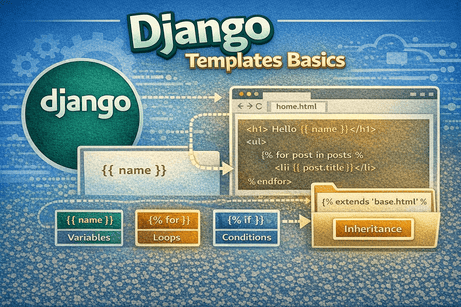
Templates are responsible for what users see in a Django application. While views handle logic, templates handle presentation (HTML). They allow you to create dynamic web pages by combining static HTML with data from your backend.
In this tutorial, you will learn how Django templates work, how to use variables, loops, conditions, and how to build reusable layouts.
1. What Is a Django Template?
A template is an HTML file that contains special Django syntax to display dynamic data.
Example:
<h1>Hello {{ name }}</h1>{{ name }}is a variable- Django replaces it with real data from the view
2. How Templates Work
The flow is:
- User visits a URL
- Django calls a view
- The view sends data to a template
- The template renders HTML
- The browser displays the page
3. Creating Your First Template
Inside your app (blog), create this structure:
blog/
└── templates/
    └── blog/
        └── home.html
Example home.html
<!DOCTYPE html>
<html>
<head>
    <title>My Blog</title>
</head>
<body>
    <h1>Welcome to my blog</h1>
</body>
</html>
4. Rendering a Template in a View
In views.py:
from django.shortcuts import render

def home(request):
    return render(request, 'blog/home.html')
Now visiting /blog/ will display your HTML page.
5. Template Variables
You can pass data from views to templates.
View:
def home(request):
    return render(request, 'blog/home.html', {
        'name': 'Youssef'
    })
Template:
<h1>Hello {{ name }}</h1>Output:
Hello Youssef6. Multiple Variables
def home(request):
    return render(request, 'blog/home.html', {
        'name': 'Youssef',
        'age': 25
    })
<p>Name: {{ name }}</p>
<p>Age: {{ age }}</p>
7. Template Filters
Filters modify variables inside templates.
Syntax:
{{ variable|filter }}Examples:
{{ name|upper }}
{{ name|lower }}
{{ name|length }}
Output:
Youssef→YOUSSEF- length →
7
8. Using Loops in Templates
Templates support loops using {% for %}.
View:
def home(request):
    posts = ['Post 1', 'Post 2', 'Post 3']
    return render(request, 'blog/home.html', {'posts': posts})
Template:
<ul>
{% for post in posts %}
    <li>{{ post }}</li>
{% endfor %}
</ul>
9. Using Conditions
Templates support conditions with {% if %}.
Example:
{% if user %}
    <p>Welcome {{ user }}</p>
{% else %}
    <p>Please login</p>
{% endif %}
10. Template Tags
Tags are used for logic in templates.
Common tags:
{% if %}{% for %}{% block %}{% extends %}{% include %}
11. Template Inheritance (Very Important)
Instead of repeating HTML, you can create a base layout.
Step 1: Create base.html
<!DOCTYPE html>
<html>
<head>
    <title>{% block title %}My Site{% endblock %}</title>
</head>
<body>
    <header>
        <h1>My Website</h1>
    </header>

    <main>
        {% block content %}{% endblock %}
    </main>
</body>
</html>
Step 2: Extend it in home.html
{% extends 'blog/base.html' %}

{% block title %}Home{% endblock %}

{% block content %}
<h1>Welcome to my blog</h1>
{% endblock %}
Benefits
- no repetition
- clean structure
- easy updates
12. Including Templates
You can reuse parts of templates.
Example:
{% include 'blog/navbar.html' %}Useful for:
- navbar
- footer
- sidebar
13. Static Files in Templates
To use CSS/JS/images, load static files.
Step 1: Load static
{% load static %}Step 2: Use it
<link rel="stylesheet" href="{% static 'css/style.css' %}">14. Comments in Templates
{# This is a comment #}15. Escaping HTML
Django automatically escapes HTML for security.
{{ user_input }}Prevents XSS attacks.
16. Common Beginner Mistakes
Mistake 1: Wrong template path
render(request, 'home.html') ❌
render(request, 'blog/home.html') ✅
Mistake 2: Forgetting {% load static %}
Mistake 3: Missing {% endfor %} or {% endif %}
Mistake 4: Using Python syntax in templates
{{ if name }} ❌
{% if name %} ✅
17. Best Practices
- keep templates clean
- avoid heavy logic in templates
- use inheritance
- use includes for reusable parts
- use clear variable names
18. Real Example: Blog Template
View:
def home(request):
    posts = [
        {'title': 'Post 1'},
        {'title': 'Post 2'}
    ]
    return render(request, 'blog/home.html', {'posts': posts})
Template:
{% extends 'blog/base.html' %}

{% block content %}
<h1>Blog</h1>
<ul>
{% for post in posts %}
    <li>{{ post.title }}</li>
{% endfor %}
</ul>
{% endblock %}
19. Beginner Analogy
Think of templates like a TV screen.
- the view prepares the content
- the template displays it
- the user watches it
20. Summary
In this tutorial, you learned how Django templates work and how to create dynamic HTML pages. You used variables, loops, conditions, filters, and template inheritance to build reusable and structured pages.
Templates are essential for creating user interfaces in Django.
21. Key Takeaways
- Templates display data
render()connects views to templates{{ }}is used for variables{% %}is used for logic- loops and conditions are supported
- template inheritance avoids repetition
- static files can be included
22. Small Knowledge Check
- What is a Django template?
- What does
{{ }}mean? - What is
{% for %}used for? - Why use template inheritance?
- What does
{% load static %}do?
23. Conclusion
Templates bring your Django application to life by displaying dynamic content to users. Once you understand templates, you can build beautiful and interactive web pages.













💬 Comments
No comments yet. Be the first to comment!
Login to comment.