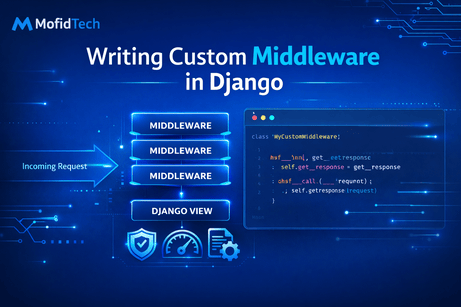
Writing custom middleware in Django is one of the points where a developer starts moving from simply using the framework to truly understanding how the framework works internally. Many Django beginners are comfortable building models, views, templates, and forms, but middleware introduces a different level of thinking. Instead of focusing on one page or one feature, middleware lets you affect the behavior of the entire request/response lifecycle. This makes it extremely useful for tasks that are global in nature, such as request logging, tracking performance, adding headers, controlling access, maintenance mode, IP filtering, tenant detection, request tracing, or enforcing project-wide rules. The key idea is that middleware is not attached to one view or one URL. It is inserted into the path that every request follows when entering and leaving your application. Because of that, custom middleware is one of the most powerful extension points in Django, but also one of the places where you need to be careful, because a mistake in middleware can affect the whole project.
To begin writing custom middleware, you should first understand its position in the lifecycle of a request. When a user sends a request to your Django application, the request does not go directly to the view. First, it passes through Django’s middleware stack in the order defined in the MIDDLEWARE setting. Each middleware receives the request and can inspect it, modify it, block it, or let it continue. If the request reaches the view, the view returns a response. Then that response passes back through the middleware stack in reverse order before being sent to the browser. This means that a middleware can do work both before and after the view is executed. This is why middleware is perfect for behaviors that wrap around the view rather than belonging inside the view itself. A useful mental image is a security checkpoint or processing pipeline: every request passes through the same corridor, and each middleware adds one layer of logic.
In modern Django, writing middleware is usually done using a simple class structure. You create a Python class that accepts get_response in its constructor and implements the __call__ method. The constructor is executed once when Django starts and loads the middleware stack. The __call__ method runs for every request. This is very important because it means you should avoid storing request-specific changing data on the middleware instance itself. That kind of data belongs inside the __call__ method or on the request object. The simplest possible custom middleware looks like this:
class SimpleMiddleware:
    def __init__(self, get_response):
        self.get_response = get_response

    def __call__(self, request):
        print("Before view")

        response = self.get_response(request)

        print("After view")
        return response
This example may look small, but it teaches the full core idea. The line before self.get_response(request) runs before the view. The line after it runs after the view. That one pattern is enough to implement a large number of useful middleware behaviors. Once you understand this structure, middleware becomes much less mysterious.
A common project organization is to create a file called middleware.py inside one of your apps or inside a shared core app. For example, imagine you have a core app in your Django project. You can create:
# core/middleware.py

class SimpleMiddleware:
    def __init__(self, get_response):
        self.get_response = get_response

    def __call__(self, request):
        print("Before view")
        response = self.get_response(request)
        print("After view")
        return response
Then in settings.py, you register it in the MIDDLEWARE list:
MIDDLEWARE = [
    'django.middleware.security.SecurityMiddleware',
    'django.contrib.sessions.middleware.SessionMiddleware',
    'django.middleware.common.CommonMiddleware',
    'core.middleware.SimpleMiddleware',
    'django.middleware.csrf.CsrfViewMiddleware',
    'django.contrib.auth.middleware.AuthenticationMiddleware',
    'django.contrib.messages.middleware.MessageMiddleware',
    'django.middleware.clickjacking.XFrameOptionsMiddleware',
]
After adding it, every request in your project will pass through this middleware. If you open any page, the console will show the “Before view” and “After view” messages. This gives you a practical way to observe that middleware is really being executed.
One of the first useful custom middleware examples is request logging. In real projects, developers often want to know which pages are being accessed, which request methods are being used, and what response codes are being returned. You could add logging code in every view, but that would create repetition and clutter. Middleware is a much better place for this because request logging is a global concern. Here is a basic logging middleware:
class RequestLoggingMiddleware:
    def __init__(self, get_response):
        self.get_response = get_response

    def __call__(self, request):
        print(f"Method: {request.method}")
        print(f"Path: {request.path}")

        response = self.get_response(request)

        print(f"Status Code: {response.status_code}")
        return response
This middleware logs the method, the path, and the final status code. While this version uses print() for learning purposes, a professional project should use Python’s logging module. Logging middleware is a good first practical example because it shows how middleware can observe both the incoming request and the outgoing response in one place.
A second classic example is timing how long requests take. Performance monitoring is another concern that applies globally, which makes it a natural middleware use case. Here is a timing middleware:
import time

class TimingMiddleware:
    def __init__(self, get_response):
        self.get_response = get_response

    def __call__(self, request):
        start_time = time.time()

        response = self.get_response(request)

        duration = time.time() - start_time
        print(f"{request.path} took {duration:.4f} seconds")
        return response
This middleware starts a timer before the request continues and calculates the duration after the response is returned. This helps identify slow pages and is often the beginning of real performance analysis. In larger systems, the timing result might be sent to logs, monitoring software, or even included in a response header. The important lesson is that middleware is ideal for “wrapping” all requests with a common behavior such as measurement.
Another powerful feature of middleware is that it can stop the request before the view is called. This is done by returning an HttpResponse early instead of calling self.get_response(request). For example, suppose you want a simple maintenance mode that blocks regular visitors while the site is undergoing updates. You could write:
from django.http import HttpResponse

class MaintenanceModeMiddleware:
    def __init__(self, get_response):
        self.get_response = get_response

    def __call__(self, request):
        maintenance_mode = False

        if maintenance_mode:
            return HttpResponse("The site is under maintenance. Please come back later.", status=503)

        return self.get_response(request)
In this middleware, when maintenance_mode is True, the request never reaches the view. Django simply returns the maintenance response immediately. This demonstrates an important capability: middleware is not only for observing or modifying requests, but also for controlling the flow itself. It can act as a gatekeeper.
A more realistic version of maintenance mode might allow staff users to bypass the restriction. That introduces an important detail about middleware ordering. Consider this example:
from django.http import HttpResponse

class StaffMaintenanceMiddleware:
    def __init__(self, get_response):
        self.get_response = get_response

    def __call__(self, request):
        maintenance_mode = True

        if maintenance_mode and not request.user.is_staff:
            return HttpResponse("The site is under maintenance.", status=503)

        return self.get_response(request)
This code uses request.user, which is made available by Django’s AuthenticationMiddleware. That means this custom middleware must be placed after AuthenticationMiddleware in your MIDDLEWARE list. If you put it too early, request.user may not yet be attached correctly. This teaches one of the most important middleware lessons: order matters. A middleware can depend on work performed by earlier middleware. If the order is wrong, your logic may fail even if the code itself is correct.
Another practical custom middleware example is adding a custom header to every response. Sometimes you may want to expose metadata such as the application name, version, request ID, or environment. Here is a simple example:
class CustomHeaderMiddleware:
    def __init__(self, get_response):
        self.get_response = get_response

    def __call__(self, request):
        response = self.get_response(request)
        response["X-App-Name"] = "MofidTech Django Project"
        return response
This middleware does not change the request at all. It works only on the outgoing response. If you inspect the network tab in your browser developer tools, you will see the X-App-Name header. This small example is useful because it shows how middleware can enrich responses without touching view code.
A slightly more advanced and very useful pattern is attaching custom data to the request itself. For example, you may want every request to have a unique ID for debugging and tracing. That ID can be logged during processing and also returned to the client for troubleshooting. Here is how you can do that:
import uuid

class RequestIDMiddleware:
    def __init__(self, get_response):
        self.get_response = get_response

    def __call__(self, request):
        request.request_id = str(uuid.uuid4())

        response = self.get_response(request)
        response["X-Request-ID"] = request.request_id
        return response
This middleware creates a unique identifier and stores it on the request object as request.request_id. Any view or later middleware can access it. Then the same value is added to the response header. This pattern is common in production systems because it helps connect logs, errors, and client-side reports to one exact request.
Sometimes middleware needs to inspect request metadata to make access decisions. For instance, you may want to block a list of IP addresses. While real-world IP filtering can be more complex because of proxies and load balancers, a basic tutorial example is still very instructive:
from django.http import HttpResponseForbidden

class BlockIPMiddleware:
    def __init__(self, get_response):
        self.get_response = get_response
        self.blocked_ips = ["127.0.0.2"]

    def __call__(self, request):
        user_ip = request.META.get("REMOTE_ADDR")

        if user_ip in self.blocked_ips:
            return HttpResponseForbidden("Access denied.")

        return self.get_response(request)
This middleware checks REMOTE_ADDR and blocks requests from listed IPs. The main lesson here is that middleware has direct access to low-level request metadata and can make routing or permission decisions before the view is reached.
Now let us discuss a very important design question: when should you write custom middleware, and when should you use something else? This is where many Django developers make architectural mistakes. Middleware is appropriate when the logic applies to many or all requests and naturally belongs to the request/response lifecycle. Good candidates include logging, timing, maintenance mode, tenant resolution, language detection, security headers, request tracing, and traffic control. Middleware is usually not the right place for business logic specific to one model or one page. For example, validating a blog comment form does not belong in middleware. Calculating a shopping cart total does not belong in middleware. Adding a common template variable usually belongs in a context processor. Restricting one specific view is often cleaner with a decorator such as @login_required. Middleware is powerful precisely because it is global, and that is why it should be used only when global behavior is truly needed.
A useful real-world example is URL-based access control. Suppose you want to block anonymous users from accessing all URLs under /dashboard/, /profile/, and /orders/. You could add login_required to many views, which is perfectly fine, but for learning purposes, here is what middleware would look like:
from django.shortcuts import redirect

class ProtectedPathsMiddleware:
    def __init__(self, get_response):
        self.get_response = get_response
        self.protected_paths = ["/dashboard/", "/profile/", "/orders/"]

    def __call__(self, request):
        if any(request.path.startswith(path) for path in self.protected_paths):
            if not request.user.is_authenticated:
                return redirect("login")

        return self.get_response(request)
This middleware checks whether the current request path begins with one of the protected prefixes. If the user is not authenticated, the middleware redirects them to the login page. Technically this works, but in a real project you would ask whether middleware is the best choice or whether view-level decorators would be clearer. This reflection is important. Middleware can do many things, but not every possible thing is a good middleware design.
Another valuable example is user agent or browser-based filtering. For instance, sometimes you want to mark requests coming from bots, crawlers, or monitoring systems. Instead of blocking them immediately, you might simply attach a flag to the request so views can react differently:
class BotDetectionMiddleware:
    def __init__(self, get_response):
        self.get_response = get_response

    def __call__(self, request):
        user_agent = request.META.get("HTTP_USER_AGENT", "").lower()
        request.is_bot = "bot" in user_agent or "crawler" in user_agent

        return self.get_response(request)
With this middleware, views can later inspect request.is_bot. For example, analytics tracking or certain expensive features might be skipped for bots. This example shows that middleware is not always about blocking or modifying responses. It can also prepare reusable request context for later layers.
It is also possible to write middleware that reacts when exceptions occur. While the modern middleware pattern centers on __call__, Django’s middleware system conceptually supports deeper hooks such as exception processing and view processing. The most important thing for now is to understand that middleware can be part of global exception handling if designed carefully. For example, you may want to log unexpected errors with the request path, user ID, and request ID. That kind of global safety net fits naturally in middleware-oriented architecture, though it should be implemented thoughtfully to avoid hiding useful debug details during development.
As your projects grow, one of the most valuable middleware patterns is tenant or site context resolution. In a multi-tenant application, you may need to detect which organization the request belongs to based on the subdomain, domain, or headers. Middleware is a common place to perform that detection because the result is needed throughout the request. A simplified educational example might look like this:
class TenantMiddleware:
    def __init__(self, get_response):
        self.get_response = get_response

    def __call__(self, request):
        host = request.get_host()
        subdomain = host.split(".")[0]

        request.tenant_name = subdomain
        return self.get_response(request)
This example only attaches the subdomain as request.tenant_name, but real projects may use it to load tenant-specific settings, themes, branding, database records, or permissions. This is a strong illustration of middleware as early request preparation.
Now let us focus on best practices for writing custom middleware. The first best practice is to keep each middleware focused on one responsibility. A middleware that both logs requests, blocks IPs, modifies headers, checks user permissions, and reads from the database is trying to do too much. Such code becomes hard to reason about and hard to debug. It is usually better to have several small middleware classes, each doing one clear job. This improves readability and makes ordering easier to manage.
The second best practice is to avoid heavy database queries in middleware unless absolutely necessary. Middleware runs on every request. If it performs expensive database work globally, it can slow down the entire application. This is especially problematic for pages that do not even need that data. If you must query the database in middleware, consider caching the result or limiting the logic to certain paths. Think carefully before placing costly operations in code that executes for all traffic.
The third best practice is to use proper logging instead of print() in serious projects. During learning, print() is fine because it helps you immediately see what is happening. But in production, you want structured logs that can be stored, searched, and analyzed. Here is how the timing middleware might look with logging:
import time
import logging

logger = logging.getLogger(__name__)

class SlowRequestMiddleware:
    def __init__(self, get_response):
        self.get_response = get_response
        self.threshold = 1.0

    def __call__(self, request):
        start_time = time.time()
        response = self.get_response(request)
        duration = time.time() - start_time

        if duration > self.threshold:
            logger.warning(
                f"Slow request: {request.method} {request.path} took {duration:.2f} seconds"
            )

        return response
This version is far more useful because it logs only requests that exceed a threshold. It reflects the idea that middleware can contribute not only to behavior but also to observability and system health monitoring.
The fourth best practice is to be very aware of middleware ordering. If your middleware relies on sessions, authentication, messages, or CSRF behavior, it must be placed appropriately relative to Django’s built-in middleware. Order bugs are among the most common middleware issues. For example, accessing request.user before AuthenticationMiddleware runs will not behave as expected. Similarly, trying to use session data before SessionMiddleware will fail. A good habit is to ask yourself: “What must already exist on the request before my middleware runs?”
The fifth best practice is to avoid request-specific mutable state on self. Since the middleware instance is initialized once and reused, storing changing request data on the instance can lead to confusing or unsafe behavior. Instead, use local variables inside __call__ or attach request-specific data directly to request.
Testing custom middleware is another essential skill. Because middleware can affect the whole project, even a small bug can have wide consequences. Django’s test client makes middleware testing manageable. Suppose you want to test that your custom header middleware adds a header to every response:
from django.test import TestCase, Client

class HeaderMiddlewareTests(TestCase):
    def setUp(self):
        self.client = Client()

    def test_custom_header_exists(self):
        response = self.client.get("/")
        self.assertIn("X-App-Name", response)
If you want to test a middleware that blocks IPs, you may need to simulate request metadata more carefully, but the general principle is the same: issue requests and assert that the middleware behavior appears in the response. Testing is especially important for middleware because problems there often affect multiple pages and can be harder to trace than a bug in one view.
One subtle but important thing to understand is the difference between middleware and decorators. Both can wrap view execution, so beginners sometimes confuse them. A decorator is attached to a specific view or a selected set of views. Middleware is global and runs for every request unless you manually filter by path or condition. If you only need behavior on one or two views, decorators are usually cleaner. If you need behavior on nearly every request, middleware is often more appropriate. For example, @login_required is perfect for protecting selected views. But request logging for the whole site belongs naturally in middleware.
Another subtle distinction is between middleware and context processors. Context processors provide data to templates. Middleware processes requests and responses. If your goal is to make site_name or user_notifications_count available in every template, a context processor may be the correct tool. If your goal is to attach a request ID, enforce a redirect, log the duration, or set a header, middleware is the correct tool. Learning Django deeply means learning these boundaries.
Let us now build a complete realistic example that combines several good middleware practices without becoming too heavy. The following middleware creates a request ID, measures the duration, and adds both pieces of information to logs and headers:
import time
import uuid
import logging

logger = logging.getLogger(__name__)

class RequestTrackingMiddleware:
    def __init__(self, get_response):
        self.get_response = get_response

    def __call__(self, request):
        request.request_id = str(uuid.uuid4())
        start_time = time.time()

        response = self.get_response(request)

        duration = time.time() - start_time
        response["X-Request-ID"] = request.request_id
        response["X-Response-Time"] = f"{duration:.4f}s"

        logger.info(
            f"[{request.request_id}] {request.method} {request.path} "
            f"-> {response.status_code} in {duration:.4f}s"
        )

        return response
This middleware feels close to something you might use in a serious application. It is still simple enough to understand clearly, but useful enough to show the real value of custom middleware. The request gets a unique ID, the response receives useful headers, and the log captures structured timing information. This example demonstrates why middleware becomes so important in advanced Django projects.
In conclusion, writing custom middleware in Django means learning how to insert your own logic into the request/response pipeline in a clean, reusable, and global way. A middleware class receives the request before the view and can also work with the response after the view. It can log, measure, enrich, restrict, redirect, block, or prepare data that the rest of the application will use. The power of middleware comes from its global reach, and that is exactly why it must be written carefully. Good middleware is focused, light, well-ordered in the MIDDLEWARE list, and used only for concerns that truly belong to request and response processing. Once you become comfortable writing custom middleware, you start understanding Django not just as a framework for views and templates, but as a layered architecture where responsibilities can be placed in the most appropriate part of the system. That is one of the major steps from intermediate Django development to advanced, professional Django design.
What you learned in this tutorial
In this tutorial, you learned how to write custom middleware in Django, how the __init__ and __call__ methods work, how to register middleware in settings.py, and how to create practical examples such as request logging, timing, maintenance mode, custom headers, request IDs, blocked IPs, protected paths, and request preparation. You also learned when to use middleware, when not to use it, how middleware differs from decorators and context processors, and what best practices to follow for clean and maintainable middleware code.













💬 Comments
No comments yet. Be the first to comment!
Login to comment.