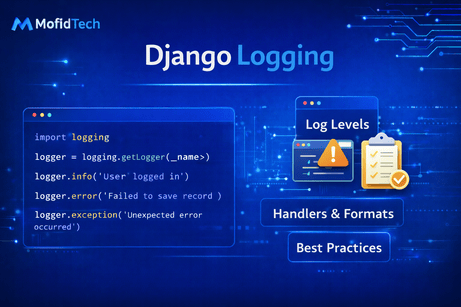
Logging in Django is one of the most important topics for building professional, maintainable, and production-ready applications. At the beginning, many developers rely on print() statements to understand what is happening inside their code. That is completely normal. When you are learning, printing variables, checking whether a view is reached, or seeing whether a condition is true can be very helpful. But as a project grows, print() quickly becomes limited. It does not provide structure, severity levels, centralized storage, proper formatting, filtering, or long-term visibility. In real-world Django applications, you need a better way to track what your application is doing, what errors are happening, what requests are failing, what warnings should be investigated, and what background processes are running. That is exactly what logging is for.
Logging is the process of recording events that happen while your application runs. These events may include normal informational messages, warnings, errors, security-related issues, or debugging details. Good logging helps developers understand application behavior during development, diagnose problems in production, monitor critical actions, and investigate incidents after they happen. In many cases, logs are the first and most valuable source of truth when something goes wrong. If a user reports that a page failed, a payment did not complete, or an email was not sent, your logs often provide the evidence you need to understand what happened.
A very important mindset to develop is that logging is not only for errors. Many developers think logs are only for crashes or exceptions, but mature applications use logs for much more. Logs can record successful events, suspicious situations, performance problems, business actions, and debugging clues. For example, you may log when a user successfully places an order, when a request takes too long, when an unexpected value appears, when an external API times out, or when an admin changes an important record. Logging is a tool for visibility, not just for failure.
Django uses Python’s built-in logging module. That means Django logging is not a separate special system invented only for Django. Instead, Django integrates with Python’s standard logging framework, which is powerful and flexible. Once you understand Django logging, you are also learning a skill that applies across many Python applications. The core ideas include loggers, handlers, formatters, filters, and log levels. These may sound abstract at first, but they become clear when seen step by step.
Let us begin with the simplest form of logging inside a Django file. In any module, you can define a logger like this:
import logging

logger = logging.getLogger(__name__)
This is the standard starting point. The __name__ value usually identifies the current Python module, which means logs can be associated with the file or component where they were created. Once you have a logger, you can write messages at different levels:
logger.debug("This is a debug message")
logger.info("This is an informational message")
logger.warning("This is a warning message")
logger.error("This is an error message")
logger.critical("This is a critical message")
These levels matter because they help categorize the importance of the message. A debug message is usually used for detailed technical information helpful during development. An info message describes normal application events. A warning suggests something unexpected happened but the application may still continue. An error indicates a failure in some part of the operation. A critical message signals a very serious problem.
Understanding these levels is essential because a properly configured logging system can decide which messages to show, store, or ignore based on their severity. For example, during development, you may want to see debug messages. In production, you may want to keep only info, warning, error, and critical logs, or even only warnings and above in some destinations.
Now let us look at a basic example in a Django view:
import logging
from django.shortcuts import render

logger = logging.getLogger(__name__)

def home(request):
    logger.info("Homepage was accessed")
    return render(request, "home.html")
This may seem small, but it already shows the principle: instead of printing that the view was reached, you write an info log that becomes part of your application’s structured behavior. If configured properly, this message could appear in the console, in a file, or in an external monitoring system.
To make logging truly useful, you need configuration. Django logging is configured in settings.py using a LOGGING dictionary. Here is a basic example:
LOGGING = {
    "version": 1,
    "disable_existing_loggers": False,
    "handlers": {
        "console": {
            "class": "logging.StreamHandler",
        },
    },
    "root": {
        "handlers": ["console"],
        "level": "INFO",
    },
}
Let us understand this carefully. The "version": 1 setting is part of Python’s logging configuration format. "disable_existing_loggers": False means Django should not disable already existing loggers. This is important because Django and other libraries already use loggers. In the "handlers" section, we define where logs should go. Here, "console" means logs are written to the terminal or standard output. Then the "root" logger is configured to use that console handler and only show messages at INFO level or higher.
With this configuration, a line like:
logger.info("Homepage was accessed")will appear in your terminal when the view runs. A logger.debug(...) call would not appear because the root level is set to INFO.
A handler is one of the most important concepts in logging. A handler determines where log records are sent. The console is one destination. A file is another common destination. For example, suppose you want to store logs in a file:
LOGGING = {
    "version": 1,
    "disable_existing_loggers": False,
    "handlers": {
        "file": {
            "class": "logging.FileHandler",
            "filename": "debug.log",
        },
    },
    "root": {
        "handlers": ["file"],
        "level": "INFO",
    },
}
Now logs will be written to debug.log. This is useful because logs remain available even after the server stops, unlike console output which may disappear from view. In real projects, file logging is very common, especially for production debugging.
You can also use both console and file handlers together:
LOGGING = {
    "version": 1,
    "disable_existing_loggers": False,
    "handlers": {
        "console": {
            "class": "logging.StreamHandler",
        },
        "file": {
            "class": "logging.FileHandler",
            "filename": "debug.log",
        },
    },
    "root": {
        "handlers": ["console", "file"],
        "level": "INFO",
    },
}
Now logs are shown in the terminal and saved to a file at the same time. This is a practical setup for many projects.
Another major concept is the formatter. A formatter controls how log messages look. Without a formatter, logs may appear as plain messages. But in professional applications, you usually want more structure, such as timestamp, level, logger name, and the message itself. Here is a formatter example:
LOGGING = {
    "version": 1,
    "disable_existing_loggers": False,
    "formatters": {
        "verbose": {
            "format": "{levelname} {asctime} {name} {message}",
            "style": "{",
        },
    },
    "handlers": {
        "console": {
            "class": "logging.StreamHandler",
            "formatter": "verbose",
        },
    },
    "root": {
        "handlers": ["console"],
        "level": "INFO",
    },
}
Now a log line may look something like this:
INFO 2026-04-16 14:20:11,234 myapp.views Homepage was accessedThis is far more useful than a plain text message because it tells you the severity level, the time, the logger name, and the message. When logs become numerous, good formatting becomes essential.
Let us now look at loggers more specifically. So far, we used the root logger, but Django logging becomes much more powerful when you define separate named loggers. For example:
LOGGING = {
    "version": 1,
    "disable_existing_loggers": False,
    "formatters": {
        "verbose": {
            "format": "{levelname} {asctime} {name} {message}",
            "style": "{",
        },
    },
    "handlers": {
        "console": {
            "class": "logging.StreamHandler",
            "formatter": "verbose",
        },
    },
    "loggers": {
        "myapp": {
            "handlers": ["console"],
            "level": "DEBUG",
            "propagate": False,
        },
    },
}
Now the logger named "myapp" will use the console handler and accept DEBUG level and above. This means code inside your app can use:
logger = logging.getLogger("myapp")
logger.debug("Detailed debugging info")
The propagate option controls whether messages are passed upward to parent loggers. Setting it to False prevents duplicate handling in some configurations. This becomes important when your logging setup grows more complex.
A common professional pattern is to use module-based loggers with __name__ and configure a logger hierarchy. For example, if your file is blog.views, then:
logger = logging.getLogger(__name__)creates a logger named blog.views. You can then configure blog or blog.views in your logging settings. This creates clean organization across the project.
Now let us examine a more realistic logging scenario in a Django view with error handling:
import logging
from django.http import HttpResponse
from .models import Article

logger = logging.getLogger(__name__)

def article_detail(request, article_id):
    logger.info(f"Article detail requested for article_id={article_id}")

    try:
        article = Article.objects.get(id=article_id)
        return HttpResponse(article.title)
    except Article.DoesNotExist:
        logger.warning(f"Article not found: article_id={article_id}")
        return HttpResponse("Article not found", status=404)
    except Exception as e:
        logger.error(f"Unexpected error in article_detail: {e}")
        return HttpResponse("Server error", status=500)
This example is very instructive. It logs normal access as info, missing data as a warning, and unexpected failures as an error. This is much better than either silence or using only one level for everything. The log messages provide a narrative of what happened.
However, there is an even better practice for unexpected exceptions: using logger.exception(). This is specially designed for exceptions and includes the traceback automatically if used inside an except block:
except Exception:
    logger.exception("Unexpected error in article_detail")
    return HttpResponse("Server error", status=500)
This is superior to manually logging only str(e) because the traceback often contains the real debugging value. In production debugging, tracebacks in logs are extremely useful.
A very important area of Django logging is request and server error logging. Django already has its own internal logging behavior for errors such as unhandled exceptions. If your logging is configured properly, Django can emit useful logs about 500 errors, suspicious requests, and more. That is one reason "disable_existing_loggers": False is often recommended: it allows Django’s built-in logging to continue working.
Let us now discuss practical uses of logging across different parts of a Django project.
In views, logging is useful for:
- tracking important requests,
- recording user actions,
- monitoring suspicious behavior,
- logging validation or permission failures,
- diagnosing errors.
In models or business logic, logging is useful for:
- recording important state changes,
- tracking workflow steps,
- logging failed operations,
- auditing specific actions.
In external API integrations, logging is extremely important. For example:
import logging
import requests

logger = logging.getLogger(__name__)

def fetch_weather():
    logger.info("Calling weather API")

    try:
        response = requests.get("https://api.example.com/weather", timeout=5)
        response.raise_for_status()
        logger.info("Weather API call succeeded")
        return response.json()
    except requests.Timeout:
        logger.warning("Weather API request timed out")
        return None
    except requests.RequestException:
        logger.exception("Weather API request failed")
        return None
This kind of logging is essential in real applications because many failures come not from your own code, but from dependencies such as APIs, email services, file storage systems, or payment gateways.
Now let us look at file logging more carefully. A simple FileHandler writes to a single file, but over time that file can grow very large. For production, rotating file handlers are often better. Python logging supports this through handlers such as RotatingFileHandler. For example:
LOGGING = {
    "version": 1,
    "disable_existing_loggers": False,
    "formatters": {
        "verbose": {
            "format": "{levelname} {asctime} {name} {message}",
            "style": "{",
        },
    },
    "handlers": {
        "rotating_file": {
            "class": "logging.handlers.RotatingFileHandler",
            "filename": "logs/django.log",
            "maxBytes": 1024 * 1024 * 5,
            "backupCount": 5,
            "formatter": "verbose",
        },
    },
    "root": {
        "handlers": ["rotating_file"],
        "level": "INFO",
    },
}
This configuration rotates the log file once it reaches about 5 MB and keeps several backups. This is much more manageable in long-running systems.
Another useful handler is AdminEmailHandler, which can email site admins when errors occur. For example:
LOGGING = {
    "version": 1,
    "disable_existing_loggers": False,
    "handlers": {
        "mail_admins": {
            "class": "django.utils.log.AdminEmailHandler",
            "level": "ERROR",
        },
    },
    "loggers": {
        "django.request": {
            "handlers": ["mail_admins"],
            "level": "ERROR",
            "propagate": True,
        },
    },
}
This can be very useful for production monitoring, though in modern systems many teams also use dedicated error tracking platforms. Still, it demonstrates how flexible Django logging is.
Another concept worth understanding is filters. Filters allow you to decide which log records should be processed. They are less commonly needed in small projects, but in larger systems they can be powerful. For example, a filter might allow only logs generated when DEBUG=False, or only records from a specific user context, or only records matching certain criteria. Filters add fine-grained control, though many applications can go quite far without custom ones.
A very common mistake in logging is including too much or too little information. If logs are too vague, they are not helpful. A message like:
logger.error("Something failed")is usually too weak. What failed? Where? With what identifier? On the other hand, logs should not expose sensitive data. Logging raw passwords, private tokens, full payment details, or highly sensitive user data is dangerous and should be avoided. Good logs are informative but careful.
For example, this is better:
logger.warning(f"Login failed for email={email}")But even here, you should think carefully depending on the context and privacy requirements. A better example for payment failure might be:
logger.error(f"Payment processing failed for order_id={order.id}")instead of logging raw card information or full personal details.
Now let us look at logging inside Django forms:
import logging
from django import forms

logger = logging.getLogger(__name__)

class ContactForm(forms.Form):
    name = forms.CharField(max_length=100)
    email = forms.EmailField()
    message = forms.CharField(widget=forms.Textarea)

    def clean_email(self):
        email = self.cleaned_data["email"]
        logger.debug(f"Validating email: {email}")
        return email
In many cases, form-level debug logging can help track validation behavior during development. However, as always, be careful not to log overly sensitive data unnecessarily.
Logging also becomes very valuable in custom middleware. For example, you can log request timing:
import logging
import time

logger = logging.getLogger(__name__)

class RequestTimingMiddleware:
    def __init__(self, get_response):
        self.get_response = get_response

    def __call__(self, request):
        start = time.time()
        response = self.get_response(request)
        duration = time.time() - start

        logger.info(
            f"{request.method} {request.path} completed in {duration:.4f}s "
            f"with status={response.status_code}"
        )

        return response
This kind of logging is extremely useful for performance monitoring. It shows that logging is not only about errors, but also about observing system behavior.
A major production best practice is to separate logging behavior by environment. In development, you may want DEBUG-level console logs. In production, you may want INFO and above in rotating files, warnings and errors sent to a monitoring system, and no noisy debug messages. This can be handled by conditional settings. For example:
import os

DEBUG = os.getenv("DEBUG", "False") == "True"

LOG_LEVEL = "DEBUG" if DEBUG else "INFO"
Then use LOG_LEVEL in the logging config. This keeps the development experience rich while keeping production logs cleaner.
It is also very useful to separate loggers by concern. For example, you might have:
djangofor framework logs,myappfor application logic,paymentsfor payment-related workflows,securityfor security-sensitive events.
This makes large projects easier to observe. For example:
payments_logger = logging.getLogger("payments")
payments_logger.info("Payment started for order_id=123")
This can later be directed to a dedicated file or external system if needed.
Now let us address the relationship between logging and debugging. Logging is not the same as interactive debugging, but they complement each other. During local development, a debugger lets you inspect state step by step. Logging provides a record of what happened over time, especially in asynchronous or production contexts where interactive debugging is not practical. In distributed or production systems, logs often become more important than direct debugging.
A helpful logging pattern is structured and contextual messages. For example:
logger.info(f"User {request.user.id} updated article {article.id}")This is much better than:
logger.info("Article updated")because the first message includes identifiers that help trace the event. Still, structured logging can be taken even further using extra context or JSON logging in advanced setups, but the main principle is already here: include enough context to make the log useful.
Testing logs is also possible and sometimes valuable. Django and Python allow capturing logs in tests to verify that important events are recorded. While not every project needs this, it can be useful for auditing-critical behavior or error reporting expectations.
Another important operational topic is log volume. Logging every tiny event at INFO level in a busy production system can create huge amounts of data. This makes logs expensive to store and hard to search. That is why choosing levels carefully matters. Debug logs are often too verbose for production. Info logs should represent meaningful events. Warnings and errors should highlight situations worth attention. Good logging is selective, not noisy.
A useful professional habit is to log at boundaries:
- when entering important workflows,
- before and after external API calls,
- when important state changes occur,
- when exceptions happen,
- when suspicious or unusual conditions appear.
This gives you visibility without flooding the system.
Let us build a stronger full example for settings.py:
LOGGING = {
    "version": 1,
    "disable_existing_loggers": False,
    "formatters": {
        "verbose": {
            "format": "{levelname} {asctime} {name} {message}",
            "style": "{",
        },
        "simple": {
            "format": "{levelname} {message}",
            "style": "{",
        },
    },
    "handlers": {
        "console": {
            "class": "logging.StreamHandler",
            "formatter": "simple",
        },
        "file": {
            "class": "logging.FileHandler",
            "filename": "logs/django.log",
            "formatter": "verbose",
        },
    },
    "loggers": {
        "django": {
            "handlers": ["console", "file"],
            "level": "INFO",
            "propagate": True,
        },
        "myapp": {
            "handlers": ["console", "file"],
            "level": "DEBUG",
            "propagate": False,
        },
    },
}
This is a solid intermediate setup. It gives console output, saves logs to a file, uses readable formatting, and separates Django logs from application logs.
Then in your app code:
import logging

logger = logging.getLogger("myapp")

def publish_article(article):
    logger.info(f"Publishing article id={article.id}")
    article.published = True
    article.save()
    logger.info(f"Article published successfully id={article.id}")
This gives a clear record of the workflow. If an exception occurs, you could log it with logger.exception(...).
In conclusion, Django logging is an essential tool for understanding, debugging, monitoring, and maintaining your application. It replaces unstructured print() debugging with a flexible system based on loggers, handlers, formatters, and severity levels. Good logging helps during development, but it becomes even more valuable in production, where you need visibility into errors, warnings, user actions, performance issues, and system behavior over time. The most important habits are to use appropriate log levels, include meaningful context, avoid sensitive data, configure useful handlers and formatters, and treat logging as a core part of your application design rather than an afterthought. Once you start using logging well, your Django applications become much easier to observe and much easier to trust.
What you learned in this tutorial
In this tutorial, you learned what logging is, why it matters in Django, how to create loggers with logging.getLogger(__name__), how log levels work, how to configure logging in settings.py, what handlers and formatters do, how to log to the console and files, how to use logger.exception() for tracebacks, how to think about logging in views, forms, middleware, and external API integrations, and what best practices help keep logs useful, secure, and production-ready.













💬 Comments
No comments yet. Be the first to comment!
Login to comment.