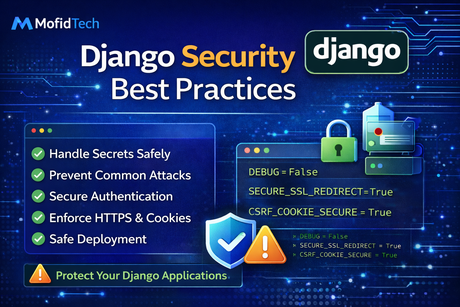
Security in Django is not a single feature that you enable once and then forget. It is a mindset and a collection of practices that work together to protect your application, your users, and your data. One of the reasons Django is widely respected is that it includes many strong security protections by default. It helps developers defend against common web vulnerabilities such as cross-site scripting, cross-site request forgery, SQL injection, clickjacking, and insecure password handling. But having a secure framework does not automatically make every project secure. Django gives you strong tools, but you still need to configure them correctly, write code carefully, and avoid risky shortcuts. That is why learning Django security best practices is essential for moving from beginner projects to professional, production-ready applications.
A useful way to think about security is that every Django application has several layers of risk. There is the code itself, which may accidentally trust user input too much. There is the configuration, which may expose debug information or use weak secrets. There is authentication, where poor password handling or broken permissions can open serious holes. There are files, APIs, forms, cookies, sessions, and deployment infrastructure, all of which can create vulnerabilities if handled carelessly. Good security means reducing risk across all these layers rather than focusing on only one.
The first and perhaps most important security best practice is simple: never deploy with DEBUG=True. In development, debug mode is extremely useful because it shows detailed error pages with tracebacks, settings information, SQL queries, local variables, and other debugging data. But in production, this becomes dangerous. If an error happens while DEBUG=True, an attacker or even an ordinary visitor may see internal information that should never be public. The correct production setting is:
DEBUG = FalseAnd it should usually be environment-controlled rather than hardcoded casually:
import os

DEBUG = os.environ.get("DJANGO_DEBUG", "False") == "True"
This is one of the most basic but most critical security rules in Django. Many real-world misconfigurations begin with debug mode being left enabled.
Closely related to this is ALLOWED_HOSTS. Django uses this setting to prevent certain host-header attacks by only accepting requests for trusted domains. In development, you may use:
ALLOWED_HOSTS = ["127.0.0.1", "localhost"]In production, you should explicitly list your real domains:
ALLOWED_HOSTS = ["mofidtech.fr", "www.mofidtech.fr"]Or load them from the environment:
ALLOWED_HOSTS = os.environ.get("DJANGO_ALLOWED_HOSTS", "").split(",")Leaving host configuration too loose or incorrect can create risk and deployment instability.
Another critical security area is the Django SECRET_KEY. This key is used for cryptographic signing in sessions, password reset tokens, and other sensitive mechanisms. It must be unique, unpredictable, and kept secret. A bad practice would be:
SECRET_KEY = "my-secret-key"A better practice is to use an environment variable:
SECRET_KEY = os.environ.get("DJANGO_SECRET_KEY")
if not SECRET_KEY:
    raise ValueError("DJANGO_SECRET_KEY is required")
This keeps the secret out of version control and makes it much harder to leak accidentally. It also helps separate development secrets from production secrets.
Now let us discuss one of Django’s strongest built-in protections: CSRF protection. CSRF stands for Cross-Site Request Forgery. This kind of attack tries to trick a logged-in user’s browser into sending unwanted requests to your application. Django protects against this using CSRF tokens. If you are using Django forms and templates correctly, you should include:
{% csrf_token %}inside every POST form. For example:
<form method="post">
    {% csrf_token %}
    <input type="text" name="title">
    <button type="submit">Save</button>
</form>
If you forget the CSRF token in a normal form, Django will reject the request. Some developers disable CSRF protection temporarily during development and then forget to restore it, which is dangerous. Unless you have a very specific API reason and know exactly what you are doing, CSRF protection should remain enabled for state-changing browser-based requests.
Another essential Django security strength is automatic escaping in templates, which helps protect against cross-site scripting (XSS). XSS happens when malicious JavaScript is injected into pages and then executed in users’ browsers. Django templates automatically escape variables by default. For example:
<p>{{ user_input }}</p>If user_input contains HTML or script tags, Django escapes them so they are shown as text instead of being executed. This is a huge protection. But it can be defeated if you use the safe filter carelessly:
{{ user_input|safe }}This tells Django not to escape the value. It should only be used when you are absolutely sure the content is trusted and sanitized. Using safe on user-generated content without strong sanitization is one of the most common XSS mistakes in Django projects.
The same principle applies in views when constructing HTML responses manually. Avoid building raw HTML from untrusted input. Let Django templates handle escaping whenever possible.
Another important topic is SQL injection. Django’s ORM protects against SQL injection when you use it correctly. For example:
Article.objects.filter(title=request.GET.get("q"))This is safe because Django handles the query parameters properly. But if you start writing raw SQL carelessly, you can reintroduce the risk:
query = f"SELECT * FROM blog_article WHERE title = '{user_input}'"This is unsafe. The safe pattern is parameterization:
from django.db import connection

with connection.cursor() as cursor:
    cursor.execute(
        "SELECT * FROM blog_article WHERE title = %s",
        [user_input]
    )
The best practice is simple: prefer the ORM whenever possible, and if raw SQL is necessary, always use parameterized queries. Never manually concatenate untrusted input into SQL strings.
Authentication and password handling are another major security domain. Django provides a mature authentication system and secure password hashing out of the box. One of the best things you can do is simply trust Django’s built-in password handling and avoid trying to invent your own. Never store raw passwords, never hash them manually with weak functions like SHA-1 or MD5, and never build your own authentication shortcuts unless you fully understand the risks. A proper user creation flow looks like this:
from django.contrib.auth.models import User

user = User.objects.create_user(
    username="mofid",
    email="user@example.com",
    password="strong-password"
)
Using create_user() ensures the password is hashed correctly. Similarly, when changing passwords, use Django’s built-in methods rather than setting password strings directly.
Access control is also a core part of security. A very common vulnerability in web apps is not that a hacker “breaks in,” but that the application simply forgets to restrict something properly. Django gives you tools such as:
@login_requiredLoginRequiredMixin- permissions
- groups
- object-level permission patterns
For example:
from django.contrib.auth.decorators import login_required

@login_required
def dashboard(request):
    ...
This prevents anonymous access. But authentication alone is not enough. You must also check authorization. For example, just because a user is logged in does not mean they should be able to edit any article or delete any user. A secure edit view often needs ownership or role checks:
from django.shortcuts import get_object_or_404
from django.http import HttpResponseForbidden

def edit_article(request, article_id):
    article = get_object_or_404(Article, id=article_id)

    if article.author != request.user:
        return HttpResponseForbidden("You are not allowed to edit this article.")

    ...
This kind of explicit authorization logic is essential. Many broken access control vulnerabilities come from forgetting this step.
A related best practice is to avoid trusting hidden form fields or URL parameters for permission decisions. For example, if a form submits user_id=5, that does not mean the user should be allowed to modify user 5’s data. Always verify permissions on the server side using authenticated session data and database checks.
Now let us discuss HTTPS and secure cookies. In production, any serious Django application that handles authentication, forms, or sensitive data should use HTTPS. Django provides helpful security settings for this:
SECURE_SSL_REDIRECT = True
SESSION_COOKIE_SECURE = True
CSRF_COOKIE_SECURE = True
SECURE_SSL_REDIRECT forces HTTP traffic to HTTPS. SESSION_COOKIE_SECURE ensures session cookies are only sent over HTTPS. CSRF_COOKIE_SECURE does the same for CSRF cookies. These settings should usually be enabled in production when HTTPS is correctly configured.
If Django runs behind a reverse proxy such as Nginx, you may also need:
SECURE_PROXY_SSL_HEADER = ("HTTP_X_FORWARDED_PROTO", "https")This helps Django recognize secure requests when HTTPS is terminated at the proxy layer.
Another excellent security setting is:
X_FRAME_OPTIONS = "DENY"This protects against clickjacking, a technique where your site is embedded in a hidden or misleading frame to trick users into clicking something they did not intend. Django already includes XFrameOptionsMiddleware by default, which helps enforce this protection.
You should also consider:
SECURE_CONTENT_TYPE_NOSNIFF = TrueThis helps prevent browsers from guessing content types in potentially unsafe ways.
And:
SECURE_BROWSER_XSS_FILTER = TrueThough modern browser behavior has evolved, this still reflects the broader principle that security headers matter.
If your site is fully HTTPS and ready for stronger transport security, you may also use HSTS:
SECURE_HSTS_SECONDS = 31536000
SECURE_HSTS_INCLUDE_SUBDOMAINS = True
SECURE_HSTS_PRELOAD = True
HSTS tells browsers to use HTTPS for your domain for a defined time. This is powerful, but it should be enabled carefully because it commits your site to HTTPS behavior.
Now let us talk about sessions. Django’s session system is generally secure when configured correctly, but a few best practices matter:
- use HTTPS in production,
- set secure cookies,
- avoid exposing session identifiers unnecessarily,
- log users out when appropriate,
- rotate sessions after login if needed through Django’s built-in behavior.
Django handles much of this well by default, but deployment configuration must support it.
Another security area is user-uploaded files. File uploads can be dangerous if you allow arbitrary content without controls. Attackers may upload malicious scripts, oversized files, or misleading file types. Best practices include:
- validating file type and size,
- not trusting file extensions alone,
- storing uploaded files outside executable paths when appropriate,
- serving media through a safe web server configuration,
- avoiding direct execution of uploaded content.
For example, if users upload profile images, you should validate them carefully instead of accepting any file named .jpg. A malicious file can be disguised. Django forms and validators can help, but your file storage and web server configuration also matter.
Another very important principle is input validation. Django forms and model validation are powerful tools, and using them properly greatly improves security. Never trust raw request data just because it came from your own frontend. Attackers can craft requests manually. Always validate server-side. For example:
from django import forms

class ContactForm(forms.Form):
    name = forms.CharField(max_length=100)
    email = forms.EmailField()
    message = forms.CharField(widget=forms.Textarea)
This is much safer than manually reading raw POST data and assuming it is valid. Django forms also integrate naturally with CSRF protection and cleaned data handling.
Rate limiting and brute-force protection are also important for login forms, password reset endpoints, contact forms, and other sensitive actions. Django itself does not provide full brute-force protection automatically for every custom view, so you should think carefully about repeated requests. Login endpoints, in particular, are frequent targets for abuse. Depending on the project, this may involve middleware, caching, third-party tools, or CAPTCHA in high-risk cases. The general principle is to avoid unlimited sensitive actions from anonymous users.
Another best practice is to keep dependencies updated. Even if your own code is careful, security issues can exist in Django itself, Python packages, servers, or infrastructure components. A professional security mindset includes:
- using supported Django versions,
- applying security patches,
- reviewing third-party packages before adding them,
- removing unused dependencies,
- avoiding abandoned libraries when possible.
Security is not only about how you write code. It is also about what code you depend on.
Now let us discuss admin security. Django admin is powerful, but it should be treated as a sensitive interface. Best practices include:
- never expose admin casually without authentication,
- use strong passwords,
- preferably use HTTPS,
- consider limiting admin access by IP or VPN in sensitive environments,
- create least-privilege staff accounts instead of giving superuser access widely.
The admin is often one of the most valuable attack targets in a Django app because it controls the whole system.
Logging and monitoring are also part of security. If authentication failures, permission denials, suspicious requests, or unexpected errors are never recorded, it becomes much harder to detect attacks or investigate incidents. Good logging can help you notice:
- repeated failed logins,
- unexpected admin actions,
- API failures,
- suspicious request paths,
- server-side exceptions.
For example:
import logging

logger = logging.getLogger(__name__)

def login_view(request):
    ...
    if login_failed:
        logger.warning(f"Failed login attempt for username={username}")
You should be careful not to log overly sensitive data, but security-relevant events should often be observable.
Another crucial best practice is never trust client-side validation alone. JavaScript validation is useful for user experience, but it is not security. Any browser-side rule can be bypassed. If your application relies on frontend code alone to enforce permissions, field restrictions, or business rules, it is insecure. Django’s real protection happens on the server side.
A practical example of a more secure production configuration might include:
DEBUG = False
ALLOWED_HOSTS = ["mofidtech.fr", "www.mofidtech.fr"]

CSRF_COOKIE_SECURE = True
SESSION_COOKIE_SECURE = True
SECURE_SSL_REDIRECT = True
SECURE_CONTENT_TYPE_NOSNIFF = True
X_FRAME_OPTIONS = "DENY"
SECURE_HSTS_SECONDS = 31536000
SECURE_HSTS_INCLUDE_SUBDOMAINS = True
SECURE_HSTS_PRELOAD = True
And use environment variables for secrets:
import os

SECRET_KEY = os.environ.get("DJANGO_SECRET_KEY")
Alongside careful form handling, permissions, HTTPS, and safe deployment.
A very helpful habit is to think in terms of attack surfaces:
- Can this endpoint be abused anonymously?
- Does this view expose more data than intended?
- Can one logged-in user access another user’s objects?
- Is this file upload path safe?
- Are secrets in environment variables instead of code?
- Are cookies protected?
- Are error pages leaking internal details?
- Is raw user input escaped, validated, and parameterized?
This kind of questioning makes your security posture much stronger.
In conclusion, Django security best practices are about using the framework’s protections correctly and consistently, while also avoiding dangerous shortcuts and insecure assumptions. Django gives you powerful defenses against CSRF, XSS, SQL injection, clickjacking, insecure password handling, and more, but those protections only work well when the application is configured and coded responsibly. The most important habits include disabling debug in production, protecting the secret key, validating hosts, using HTTPS and secure cookies, respecting CSRF protection, trusting Django’s escaping and ORM safeguards, enforcing real authorization, validating all input on the server, handling uploaded files carefully, keeping dependencies updated, and logging important events. Security in Django is not one setting or one package. It is a continuous, thoughtful way of building and maintaining the application.
What you learned in this tutorial
In this tutorial, you learned why security matters in Django, how DEBUG, ALLOWED_HOSTS, and SECRET_KEY affect safety, how Django protects against CSRF, XSS, SQL injection, and clickjacking, why HTTPS and secure cookies matter, how to handle authentication and authorization safely, why file uploads and input validation require caution, why logging and dependency updates are part of security, and how production-ready Django security comes from combining framework protections with good development practices.













💬 Comments
No comments yet. Be the first to comment!
Login to comment.