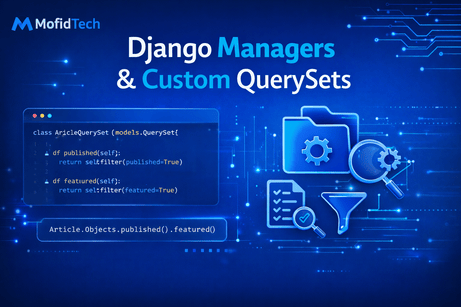
When Django developers first start working with models, they usually interact with the database through the default manager, most often written as Model.objects. At the beginning, this feels simple and natural. You create records with create(), fetch them with all(), filter(), or get(), and update them with save() or update(). That is a good starting point. But as your application grows, query logic often becomes repetitive. You start noticing the same filters, ordering rules, and business conditions appearing again and again across views, templates, services, and admin pages. For example, you may frequently need published articles only, active users only, featured products only, or recent orders only. If you keep rewriting the same query logic in many places, your codebase becomes harder to maintain, easier to break, and more difficult to read. This is exactly where Django managers and custom QuerySets become powerful. They allow you to move common query logic into reusable, expressive, model-level APIs.
The core idea is simple but important: a manager is the interface through which Django performs database operations on a model, and a custom QuerySet lets you define reusable query methods that can be chained naturally. Together, they help you create a domain-specific query language for your models. Instead of scattering logic everywhere, you centralize it in one place. That means your views become cleaner, your code becomes more expressive, and changes become easier to make. If tomorrow your definition of a “published article” changes, you update it once inside the manager or QuerySet instead of hunting for it across ten views and five templates. This is one of the clear differences between beginner Django code and more professional Django architecture.
To understand managers properly, let us start with a very simple model:
from django.db import models

class Article(models.Model):
    title = models.CharField(max_length=200)
    content = models.TextField()
    published = models.BooleanField(default=False)
    featured = models.BooleanField(default=False)
    views = models.PositiveIntegerField(default=0)
    created_at = models.DateTimeField(auto_now_add=True)

    def __str__(self):
        return self.title
Even if you do not define any manager yourself, Django automatically provides a default one called objects. That is why you can write:
Article.objects.all()
Article.objects.filter(published=True)
Article.objects.get(id=1)
This objects attribute is a manager. Its job is to return QuerySets and provide the entry point for database access on that model. In other words, a manager is the first layer, and the QuerySet is the chainable collection of records that results from manager methods.
Now imagine that your application frequently needs published articles only. In a beginner project, you might write this everywhere:
Article.objects.filter(published=True)That works, but repetition grows quickly. You may later need the same logic in your homepage, category pages, search results, APIs, admin tools, and dashboards. It becomes cleaner to place that logic in a custom manager. Here is a simple example:
from django.db import models

class PublishedArticleManager(models.Manager):
    def get_queryset(self):
        return super().get_queryset().filter(published=True)


class Article(models.Model):
    title = models.CharField(max_length=200)
    content = models.TextField()
    published = models.BooleanField(default=False)
    featured = models.BooleanField(default=False)
    views = models.PositiveIntegerField(default=0)
    created_at = models.DateTimeField(auto_now_add=True)

    objects = models.Manager()
    published_articles = PublishedArticleManager()

    def __str__(self):
        return self.title
Now you have two managers:
Article.objects.all()
Article.published_articles.all()
The first returns all articles. The second returns only published ones. This is already useful, because it gives your model a more expressive API. It also teaches an important point: if you define a custom manager and still want the default behavior, you should explicitly keep objects = models.Manager().
The reason this works is because the custom manager overrides get_queryset(). This method defines the base QuerySet returned by that manager. By calling super().get_queryset(), you start from Django’s normal QuerySet, then apply additional filters, ordering, or logic. This pattern is very common in custom managers. For example, you could create managers for featured records, active records, archived records, or public records.
Here is another example using a product model:
class ProductManager(models.Manager):
    def get_queryset(self):
        return super().get_queryset().filter(is_active=True)
This would mean Product.objects.all() only returns active products. That may be desirable in some projects, but it also raises an important architectural question: should the default manager return all records, or only “visible” records? The answer depends on your application. In many cases, it is safer to keep objects as the unrestricted manager and create additional managers like active_products or public_objects for filtered access. That way, administrative or internal features still have access to everything when needed.
Now let us move from basic custom managers to manager methods. Instead of defining an entire manager around one fixed filter, you can add methods that return different QuerySets. For example:
class ArticleManager(models.Manager):
    def published(self):
        return self.get_queryset().filter(published=True)

    def featured(self):
        return self.get_queryset().filter(featured=True)

    def popular(self):
        return self.get_queryset().filter(views__gte=1000)
And use it like this:
class Article(models.Model):
    title = models.CharField(max_length=200)
    content = models.TextField()
    published = models.BooleanField(default=False)
    featured = models.BooleanField(default=False)
    views = models.PositiveIntegerField(default=0)
    created_at = models.DateTimeField(auto_now_add=True)

    objects = ArticleManager()
Now you can write:
Article.objects.published()
Article.objects.featured()
Article.objects.popular()
This is far more expressive than repeating raw filters everywhere. It gives your model a readable query vocabulary. However, there is one limitation here: manager methods return QuerySets, but unless those methods live in a custom QuerySet class, chaining can become less elegant and less reusable. This is exactly why custom QuerySets are often a better choice for reusable filters.
A custom QuerySet is a class that inherits from models.QuerySet and defines methods that return modified QuerySets. This makes the methods chainable in a very natural way. For example:
class ArticleQuerySet(models.QuerySet):
    def published(self):
        return self.filter(published=True)

    def featured(self):
        return self.filter(featured=True)

    def popular(self):
        return self.filter(views__gte=1000)
Now connect it to the model using as_manager():
class Article(models.Model):
    title = models.CharField(max_length=200)
    content = models.TextField()
    published = models.BooleanField(default=False)
    featured = models.BooleanField(default=False)
    views = models.PositiveIntegerField(default=0)
    created_at = models.DateTimeField(auto_now_add=True)

    objects = ArticleQuerySet.as_manager()

    def __str__(self):
        return self.title
Now you can do:
Article.objects.published()
Article.objects.published().featured()
Article.objects.published().popular().order_by('-views')
This is where custom QuerySets become extremely powerful. Because each method returns another QuerySet, you can chain them together cleanly. That makes them ideal for reusable query logic. In real-world Django projects, this pattern is often preferred over putting too much logic directly in the manager.
Let us think about why chaining matters so much. Suppose you are building a homepage that should display featured published articles ordered by most views. Without a custom QuerySet, you might write:
Article.objects.filter(published=True, featured=True).order_by('-views')That is fine for one place. But if the same logic appears in multiple pages, APIs, or background tasks, it is cleaner to write:
Article.objects.published().featured().order_by('-views')This is not only shorter. It is more meaningful. The code reads closer to business language. This kind of readability is one of the biggest benefits of managers and QuerySets.
Now let us explore a more realistic model set. Suppose you have a blog application:
from django.db import models
from django.contrib.auth.models import User

class Category(models.Model):
    name = models.CharField(max_length=100)

    def __str__(self):
        return self.name


class ArticleQuerySet(models.QuerySet):
    def published(self):
        return self.filter(published=True)

    def by_category(self, category_name):
        return self.filter(category__name__iexact=category_name)

    def recent(self):
        return self.order_by('-created_at')

    def popular(self):
        return self.filter(views__gte=1000)

    def search(self, query):
        return self.filter(title__icontains=query)


class Article(models.Model):
    title = models.CharField(max_length=200)
    content = models.TextField()
    category = models.ForeignKey(Category, on_delete=models.CASCADE, related_name='articles')
    author = models.ForeignKey(User, on_delete=models.CASCADE, related_name='articles')
    published = models.BooleanField(default=False)
    views = models.PositiveIntegerField(default=0)
    created_at = models.DateTimeField(auto_now_add=True)

    objects = ArticleQuerySet.as_manager()

    def __str__(self):
        return self.title
Now your queries can become much more expressive:
Article.objects.published().recent()
Article.objects.published().by_category("Python")
Article.objects.published().search("Django").recent()
Article.objects.published().popular().by_category("Web")
This is a major improvement in code quality. The views remain short and readable, while the query rules live with the model where they logically belong.
At this point, it is important to understand the difference between a custom manager and a custom QuerySet. A custom manager is the entry point for model-level database operations. A custom QuerySet is the chainable object representing sets of records. Manager methods are useful, especially for non-chainable operations or special entry points, but QuerySet methods are often better for reusable filters because they chain naturally. In practice, many professional Django projects use both together.
A common and elegant pattern is to define a custom QuerySet and then a manager that returns it, sometimes with extra methods for things that do not belong on a QuerySet. For example:
class ArticleQuerySet(models.QuerySet):
    def published(self):
        return self.filter(published=True)

    def featured(self):
        return self.filter(featured=True)

    def recent(self):
        return self.order_by('-created_at')


class ArticleManager(models.Manager):
    def get_queryset(self):
        return ArticleQuerySet(self.model, using=self._db)

    def published(self):
        return self.get_queryset().published()

    def featured(self):
        return self.get_queryset().featured()
And then:
class Article(models.Model):
    title = models.CharField(max_length=200)
    content = models.TextField()
    published = models.BooleanField(default=False)
    featured = models.BooleanField(default=False)
    views = models.PositiveIntegerField(default=0)
    created_at = models.DateTimeField(auto_now_add=True)

    objects = ArticleManager()
This works well, but Django provides an easier shortcut with as_manager(), which is why many developers use that unless they need extra manager-specific behavior.
One very useful manager pattern is separating public data from internal data. For example, imagine a model where some articles are drafts and should not appear publicly. You may want one manager for all records and another for public ones:
class PublicArticleQuerySet(models.QuerySet):
    def visible(self):
        return self.filter(published=True)


class Article(models.Model):
    title = models.CharField(max_length=200)
    content = models.TextField()
    published = models.BooleanField(default=False)

    objects = models.Manager()
    public = PublicArticleQuerySet.as_manager()
Usage:
Article.objects.all()       # all records
Article.public.visible()    # only public records
This approach is often safer than replacing the default manager entirely, because admin features, scripts, or maintenance tools may still need unrestricted access.
Another advanced concept is the default manager and base manager. Django uses the first declared manager as the default manager in many situations. This can affect admin, serialization, related object access, and generic views. If your default manager filters records, some parts of Django may no longer “see” the hidden records. That can be useful, but it can also create surprising bugs. For that reason, many developers keep objects = models.Manager() as the unrestricted default and put filtered behavior in additional managers. This keeps the model flexible and avoids confusion.
Managers and custom QuerySets are also excellent places for annotation logic. Suppose you frequently need articles with comment counts. Instead of writing annotation code repeatedly in views, you can add it to the QuerySet:
from django.db.models import Count

class ArticleQuerySet(models.QuerySet):
    def with_comment_count(self):
        return self.annotate(comment_count=Count('comments'))
Now you can write:
Article.objects.published().with_comment_count()This keeps views clean while still allowing advanced query logic. In fact, this is one of the strongest use cases for custom QuerySets: encapsulating not only filters, but also annotations, select-related behavior, prefetches, and ordering patterns.
For example:
class ArticleQuerySet(models.QuerySet):
    def published(self):
        return self.filter(published=True)

    def with_related_data(self):
        return self.select_related('author', 'category').prefetch_related('comments')

    def homepage(self):
        return self.published().with_related_data().order_by('-created_at')[:10]
Now the homepage view becomes very simple:
articles = Article.objects.homepage()This is excellent architecture because the view only describes what it wants, not how to build the query. The details stay in the model layer.
Custom QuerySets also improve consistency. If different developers work on the same project, one person might use views__gte=1000 to define popular articles while another uses views__gt=500. Without centralized logic, definitions drift over time. A single QuerySet method like popular() gives the whole project one agreed rule:
class ArticleQuerySet(models.QuerySet):
    def popular(self):
        return self.filter(views__gte=1000)
Now everyone uses the same meaning of “popular.” This kind of consistency matters a lot in large or long-term projects.
Let us look at an e-commerce example, because managers and QuerySets are especially useful there:
class ProductQuerySet(models.QuerySet):
    def active(self):
        return self.filter(is_active=True)

    def in_stock(self):
        return self.filter(stock__gt=0)

    def featured(self):
        return self.filter(featured=True)

    def affordable(self):
        return self.filter(price__lt=100)

    def by_category(self, slug):
        return self.filter(category__slug=slug)


class Product(models.Model):
    name = models.CharField(max_length=200)
    price = models.DecimalField(max_digits=10, decimal_places=2)
    stock = models.PositiveIntegerField(default=0)
    featured = models.BooleanField(default=False)
    is_active = models.BooleanField(default=True)

    objects = ProductQuerySet.as_manager()
Now your application logic becomes elegant:
Product.objects.active().in_stock().featured()
Product.objects.active().by_category('laptops').affordable()
That reads almost like plain English. This is one reason custom QuerySets are often considered a hallmark of clean Django code.
There is also a subtle but important advantage related to testing. When query logic is spread across views, you have to test it indirectly through many endpoints. When query logic is centralized in managers or QuerySets, you can test it directly in isolation. For example:
from django.test import TestCase
from .models import Article

class ArticleQuerySetTests(TestCase):
    def test_published_returns_only_published_articles(self):
        Article.objects.create(title="A", content="x", published=True)
        Article.objects.create(title="B", content="y", published=False)

        qs = Article.objects.published()
        self.assertEqual(qs.count(), 1)
        self.assertEqual(qs.first().title, "A")
This makes your query rules more reliable and easier to maintain.
Now let us discuss when not to use managers or custom QuerySets. Not every tiny filter deserves its own method. If a query is used only once and is very simple, putting it directly in the view may be perfectly fine. The goal is not to move every line into the model layer, but to centralize repeated, meaningful, or business-important query logic. Overengineering is possible here. If you create dozens of tiny methods with unclear names, you may actually make the code harder to follow. The best custom QuerySet methods are those that express clear business meaning: published(), visible_to(user), for_homepage(), recent(), popular(), active(), in_stock(), with_comment_count(), and so on.
You should also be thoughtful with names. Method names should reflect business intent, not low-level implementation details. For example, published() is better than filter_published_true(). recent() is better than order_by_created_at_desc(). The whole point is to create a readable API. Good naming is a large part of the benefit.
Another important point is that managers can contain methods that do more than return QuerySets. For example, you might define a method that creates records with a specific business rule:
class ArticleManager(models.Manager):
    def create_published(self, title, content, **extra_fields):
        return self.create(
            title=title,
            content=content,
            published=True,
            **extra_fields
        )
Usage:
Article.objects.create_published(title="New Post", content="Hello world")This is useful when creation itself has a reusable business pattern. However, QuerySet methods are for chainable data retrieval, while manager methods can also serve as broader model-level utilities.
A common professional pattern is to combine both creation helpers and retrieval helpers:
class ArticleQuerySet(models.QuerySet):
    def published(self):
        return self.filter(published=True)

    def recent(self):
        return self.order_by('-created_at')


class ArticleManager(models.Manager):
    def get_queryset(self):
        return ArticleQuerySet(self.model, using=self._db)

    def create_published(self, title, content, **extra_fields):
        return self.create(title=title, content=content, published=True, **extra_fields)

    def published(self):
        return self.get_queryset().published()
This gives the model a strong and expressive API for both fetching and creating data.
It is also worth mentioning that custom QuerySets work very well with advanced ORM features from the previous tutorial. For example, if you frequently need optimized relations, annotations, or filtered counts, they belong nicely in QuerySet methods. A powerful QuerySet class may include methods like:
from django.db.models import Count

class ArticleQuerySet(models.QuerySet):
    def published(self):
        return self.filter(published=True)

    def with_comment_count(self):
        return self.annotate(comment_count=Count('comments'))

    def optimized(self):
        return self.select_related('author', 'category').prefetch_related('comments')
Then:
Article.objects.published().with_comment_count().optimized()This is clean, scalable, and expressive. It avoids repeating performance optimization logic across many views.
In larger applications, managers and custom QuerySets also encourage a healthy separation of concerns. The model layer becomes responsible for data access rules. The view layer becomes responsible for HTTP handling. Templates become responsible for presentation. This separation makes the project easier to understand. When query logic lives close to the model, future developers know where to look. That alone saves time and reduces confusion.
In conclusion, Django managers and custom QuerySets are essential tools for writing clean, reusable, and professional database access code. Managers provide the entry point for model queries and can expose creation or retrieval methods, while custom QuerySets allow you to define expressive, chainable query logic that reads like a business language. They help eliminate repetition, improve consistency, support performance optimizations, simplify views, and make testing easier. As your Django applications grow, they become one of the best ways to keep your codebase maintainable and elegant. Mastering them is a major step toward writing Django code that feels organized, scalable, and truly professional.
What you learned in this tutorial
In this tutorial, you learned what Django managers are, how the default objects manager works, how to create custom managers, how to override get_queryset(), how to define manager methods, how custom QuerySets work, how to use as_manager(), how to build chainable query APIs, how to separate public and private data access, how to centralize annotations and optimizations, and how managers and QuerySets improve readability, consistency, testing, and long-term maintainability.













💬 Comments
No comments yet. Be the first to comment!
Login to comment.