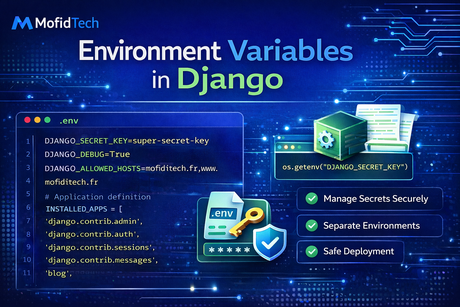
Environment variables are one of the most important topics in professional Django development because they solve a problem that appears in almost every serious project: how to manage configuration safely and flexibly across different environments. In the beginning, many developers place everything directly inside settings.py. They hardcode the secret key, database credentials, email settings, API tokens, debug mode, and allowed hosts, and the project seems to work. For a small personal experiment, that may feel acceptable. But as soon as the project grows, is deployed to a server, shared with teammates, pushed to GitHub, or moved between local, staging, and production environments, hardcoded configuration becomes a serious risk. Sensitive values can leak, deployments become harder, and the application becomes less portable. Environment variables solve this by letting you keep configuration outside the codebase while still making it available to Django at runtime.
The central idea is simple: the application code should stay mostly the same everywhere, while the environment provides the values that change from one deployment to another. Your local machine may use a local database, debug mode, and console email backend. Your production server may use PostgreSQL, DEBUG=False, a real SMTP server, Redis, and secure domain settings. Rather than editing source code every time you switch environments, you let the environment define those values. Django reads them when it starts. This makes the project safer, cleaner, and easier to deploy.
One of the strongest reasons to use environment variables is security. Certain values should almost never be hardcoded in a repository that may be shared or pushed online. These include:
- the Django
SECRET_KEY, - database passwords,
- email passwords,
- API tokens,
- payment gateway secrets,
- OAuth client secrets,
- cloud storage credentials.
If these values are written directly in source code, several risks appear. They may be committed to version control, exposed to other collaborators unnecessarily, leaked in screenshots, copied into backups, or reused incorrectly across environments. Environment variables reduce that risk by moving secrets out of the codebase.
Let us start with a very common beginner pattern:
# settings.py
SECRET_KEY = "my-super-secret-key"
DEBUG = True

DATABASES = {
    "default": {
        "ENGINE": "django.db.backends.postgresql",
        "NAME": "mydb",
        "USER": "postgres",
        "PASSWORD": "mypassword",
        "HOST": "localhost",
        "PORT": "5432",
    }
}
This works technically, but it is not a good long-term approach. The secret key and password are exposed in code, debug is fixed, and the project cannot easily adapt to different environments without editing the file manually. A better version uses environment variables:
import os

SECRET_KEY = os.environ.get("DJANGO_SECRET_KEY")
DEBUG = os.environ.get("DJANGO_DEBUG", "False") == "True"

DATABASES = {
    "default": {
        "ENGINE": "django.db.backends.postgresql",
        "NAME": os.environ.get("DB_NAME"),
        "USER": os.environ.get("DB_USER"),
        "PASSWORD": os.environ.get("DB_PASSWORD"),
        "HOST": os.environ.get("DB_HOST", "localhost"),
        "PORT": os.environ.get("DB_PORT", "5432"),
    }
}
This is already much more professional. The code no longer contains the real secrets. Instead, those values are expected to exist in the environment of the machine or container running Django.
To understand this better, let us look at what os.environ.get() does. Python exposes environment variables through the os.environ mapping. If the operating system or shell defines a variable like DJANGO_SECRET_KEY, then Python can access it:
import os

secret = os.environ.get("DJANGO_SECRET_KEY")
print(secret)
If the variable does not exist, get() returns None unless you provide a default value. For example:
debug = os.environ.get("DJANGO_DEBUG", "False")If DJANGO_DEBUG is missing, the string "False" is used instead.
A very important detail is that environment variables are strings. That means if you write:
DEBUG = os.environ.get("DJANGO_DEBUG", False)this may not behave the way you expect, because environment values like "True" and "False" are strings, not booleans. A safer pattern is:
DEBUG = os.environ.get("DJANGO_DEBUG", "False") == "True"This explicitly converts the environment value into a boolean by comparing it to the expected string.
Now let us look at a more complete example for a Django project:
import os
from pathlib import Path

BASE_DIR = Path(__file__).resolve().parent.parent

SECRET_KEY = os.environ.get("DJANGO_SECRET_KEY")
DEBUG = os.environ.get("DJANGO_DEBUG", "False") == "True"
ALLOWED_HOSTS = os.environ.get("DJANGO_ALLOWED_HOSTS", "").split(",")

DATABASES = {
    "default": {
        "ENGINE": os.environ.get("DB_ENGINE", "django.db.backends.sqlite3"),
        "NAME": os.environ.get("DB_NAME", BASE_DIR / "db.sqlite3"),
        "USER": os.environ.get("DB_USER", ""),
        "PASSWORD": os.environ.get("DB_PASSWORD", ""),
        "HOST": os.environ.get("DB_HOST", ""),
        "PORT": os.environ.get("DB_PORT", ""),
    }
}
This is flexible because:
- if the environment provides PostgreSQL-related variables, Django can use them,
- if not, the project can fall back to SQLite in local development,
- the secret key and hosts remain externalized.
Another key point is that environment variables make multiple environments much easier to manage. A Django project often has at least:
- local development,
- testing,
- staging,
- production.
The codebase should stay mostly the same, but each environment provides different values. For example:
Local development:
DJANGO_DEBUG=True
DJANGO_SECRET_KEY=dev-secret-key
DJANGO_ALLOWED_HOSTS=127.0.0.1,localhost
DB_NAME=db.sqlite3
Production:
DJANGO_DEBUG=False
DJANGO_SECRET_KEY=very-long-production-secret
DJANGO_ALLOWED_HOSTS=mofidtech.fr,www.mofidtech.fr
DB_NAME=production_db
DB_USER=prod_user
DB_PASSWORD=strong_password
DB_HOST=db
DB_PORT=5432
This is a huge improvement over editing settings.py every time you change environments.
Now let us talk about .env files, because this is where many Django developers first encounter environment variables in practice. An environment variable is fundamentally an operating system concept, but in development it is common to keep them in a local file called .env. For example:
DJANGO_SECRET_KEY=dev-secret-key
DJANGO_DEBUG=True
DJANGO_ALLOWED_HOSTS=127.0.0.1,localhost
DB_NAME=db.sqlite3
EMAIL_HOST=smtp.example.com
EMAIL_HOST_USER=myemail@example.com
EMAIL_HOST_PASSWORD=my-email-password
This file is convenient because it centralizes local configuration. However, Django does not automatically read .env files by itself. You either load them manually with your environment tooling or use a helper package that reads them at startup. The important design principle remains the same: the values live outside the code, even if they are stored locally in a file for development convenience.
A very important best practice is that .env files containing real secrets should not be committed to version control. They should usually be added to .gitignore. A common pattern is:
# .gitignore
.env
Instead of committing the real .env, you can provide a safe example file, often called .env.example:
DJANGO_SECRET_KEY=
DJANGO_DEBUG=True
DJANGO_ALLOWED_HOSTS=127.0.0.1,localhost
DB_NAME=
DB_USER=
DB_PASSWORD=
DB_HOST=
DB_PORT=
This shows teammates what variables are required without exposing actual secrets. This is a very professional practice because it makes the project easier to set up while protecting sensitive values.
Now let us discuss which settings are good candidates for environment variables. Not every single setting must come from the environment. Overusing environment variables for values that never change can make the project harder to read. The best candidates are:
- secrets,
- credentials,
- environment-dependent values,
- deployment-dependent services,
- feature flags that may differ by environment.
For example, these are strong candidates:
SECRET_KEYDEBUGALLOWED_HOSTS- database credentials
- email credentials
- cache backend URLs
- external API keys
- storage credentials
- third-party integration secrets
On the other hand, values like LANGUAGE_CODE = "en-us" or TIME_ZONE = "UTC" might be fine directly in the code if they are not expected to vary by deployment.
A very important production best practice is validating required environment variables early. Suppose your project starts with:
SECRET_KEY = os.environ.get("DJANGO_SECRET_KEY")If the variable is missing, SECRET_KEY becomes None, which can cause confusing problems later. A safer approach is:
SECRET_KEY = os.environ.get("DJANGO_SECRET_KEY")
if not SECRET_KEY:
    raise ValueError("DJANGO_SECRET_KEY environment variable is required")
This makes failure immediate and clear. The same can be done for other critical values:
DB_NAME = os.environ.get("DB_NAME")
if not DB_NAME:
    raise ValueError("DB_NAME environment variable is required")
This is much better than letting the application fail later with vague connection errors.
Now let us look at specific settings and how environment variables improve them.
Debug mode
Debug mode should almost always depend on the environment:
DEBUG = os.environ.get("DJANGO_DEBUG", "False") == "True"This is critical because production should never accidentally run with DEBUG=True. If you hardcode debug mode, mistakes become easier.
Allowed hosts
Allowed hosts often vary by environment:
ALLOWED_HOSTS = os.environ.get("DJANGO_ALLOWED_HOSTS", "").split(",")This makes deployment flexible. For example:
- local:
127.0.0.1,localhost - production:
mofidtech.fr,www.mofidtech.fr
Database configuration
A strong pattern is:
DATABASES = {
    "default": {
        "ENGINE": os.environ.get("DB_ENGINE", "django.db.backends.sqlite3"),
        "NAME": os.environ.get("DB_NAME", BASE_DIR / "db.sqlite3"),
        "USER": os.environ.get("DB_USER", ""),
        "PASSWORD": os.environ.get("DB_PASSWORD", ""),
        "HOST": os.environ.get("DB_HOST", ""),
        "PORT": os.environ.get("DB_PORT", ""),
    }
}
This lets development use SQLite easily while production can switch to PostgreSQL or another backend through environment values.
Email configuration
A clean environment-based email setup might be:
EMAIL_BACKEND = os.environ.get(
    "EMAIL_BACKEND",
    "django.core.mail.backends.console.EmailBackend"
)
EMAIL_HOST = os.environ.get("EMAIL_HOST", "")
EMAIL_PORT = int(os.environ.get("EMAIL_PORT", 587))
EMAIL_HOST_USER = os.environ.get("EMAIL_HOST_USER", "")
EMAIL_HOST_PASSWORD = os.environ.get("EMAIL_HOST_PASSWORD", "")
EMAIL_USE_TLS = os.environ.get("EMAIL_USE_TLS", "True") == "True"
DEFAULT_FROM_EMAIL = os.environ.get("DEFAULT_FROM_EMAIL", "webmaster@localhost")
This is powerful because development can safely use console email, while production can use a real SMTP server without changing the code.
Cache configuration
Environment variables are also useful for caching, especially when using Redis:
REDIS_URL = os.environ.get("REDIS_URL", "redis://127.0.0.1:6379/1")Then your cache settings can depend on that value. This makes local and production cache backends easier to manage.
Security settings
Production-only security settings can also depend on environment values or environment-specific modules:
SECURE_SSL_REDIRECT = os.environ.get("SECURE_SSL_REDIRECT", "False") == "True"
SESSION_COOKIE_SECURE = os.environ.get("SESSION_COOKIE_SECURE", "False") == "True"
CSRF_COOKIE_SECURE = os.environ.get("CSRF_COOKIE_SECURE", "False") == "True"
This can be useful when environments differ, though many teams also prefer to place such settings directly in a dedicated production settings file.
This brings us to an important architectural point: environment variables and split settings files are not enemies. They work very well together. A common professional setup is:
base.pycontains shared settings,development.pyimports frombase.py,production.pyimports frombase.py,- each file still reads environment variables for secrets and deployment-specific values.
For example, base.py may define:
import os
from pathlib import Path

BASE_DIR = Path(__file__).resolve().parent.parent.parent

SECRET_KEY = os.environ.get("DJANGO_SECRET_KEY")
if not SECRET_KEY:
    raise ValueError("DJANGO_SECRET_KEY is required")
Then development.py may say:
from .base import *

DEBUG = True
ALLOWED_HOSTS = ["127.0.0.1", "localhost"]
And production.py may say:
from .base import *

DEBUG = False
ALLOWED_HOSTS = os.environ.get("DJANGO_ALLOWED_HOSTS", "").split(",")
SECURE_SSL_REDIRECT = True
SESSION_COOKIE_SECURE = True
CSRF_COOKIE_SECURE = True
This is a very robust approach because it combines code organization and secure configuration.
Another topic worth understanding is type conversion. Because environment variables are strings, you often need to convert them carefully. For example:
EMAIL_PORT = int(os.environ.get("EMAIL_PORT", 587))or:
CACHE_TTL = int(os.environ.get("CACHE_TTL", 900))Without conversion, you may accidentally treat numbers as strings.
For booleans, a stronger reusable helper can be useful:
import os

def get_bool_env(name, default=False):
    return os.environ.get(name, str(default)).lower() in ("true", "1", "yes")
Then:
DEBUG = get_bool_env("DJANGO_DEBUG", False)
EMAIL_USE_TLS = get_bool_env("EMAIL_USE_TLS", True)
This makes boolean parsing safer and more flexible.
You can also define a helper for required values:
def get_required_env(name):
    value = os.environ.get(name)
    if not value:
        raise ValueError(f"{name} environment variable is required")
    return value
Then:
SECRET_KEY = get_required_env("DJANGO_SECRET_KEY")
DB_NAME = get_required_env("DB_NAME")
This makes the settings code cleaner and more expressive.
Now let us discuss common mistakes with environment variables.
Mistake 1: committing real secrets
A developer creates a .env file with real passwords and accidentally pushes it to GitHub. This is one of the most common and most serious mistakes. The fix is:
- keep
.envin.gitignore, - never commit real secrets,
- rotate secrets immediately if they leak.
Mistake 2: forgetting type conversion
A developer writes:
DEBUG = os.environ.get("DJANGO_DEBUG", False)But "False" is a non-empty string, which can behave unexpectedly if not parsed. Always convert carefully.
Mistake 3: missing required variables silently
A developer writes:
SECRET_KEY = os.environ.get("DJANGO_SECRET_KEY")but never checks if it exists. The application later fails in confusing ways. Required values should be validated early.
Mistake 4: putting everything in environment variables
Not every constant needs to live outside the code. If a value is not sensitive and does not vary by deployment, it can often stay in the settings file directly. Environment variables are powerful, but they should be used intentionally.
Mistake 5: using different variable names inconsistently
For example, one deployment uses SECRET_KEY, another uses DJANGO_SECRET, another uses APP_SECRET. This becomes confusing quickly. Choose a consistent naming scheme such as:
DJANGO_SECRET_KEYDJANGO_DEBUGDJANGO_ALLOWED_HOSTSDB_NAMEDB_USERDB_PASSWORD
Consistency matters a lot for maintainability.
Another important production consideration is how environment variables are provided. Depending on the deployment style, they may come from:
- the shell session,
- system service configuration,
- Docker Compose,
- container orchestration,
- a cloud deployment panel,
- secrets management systems.
The exact mechanism may differ, but the Django code remains the same, which is one of the main benefits of this design.
For example, in Docker Compose, you might provide values like this:
environment:
  DJANGO_SECRET_KEY: your-secret-key
  DJANGO_DEBUG: "False"
  DJANGO_ALLOWED_HOSTS: mofidtech.fr,www.mofidtech.fr
  DB_NAME: mydb
  DB_USER: myuser
  DB_PASSWORD: strongpassword
  DB_HOST: db
  DB_PORT: "5432"
The application code does not change. This portability is exactly why environment variables are so useful.
Let us also discuss testing. Test environments often need their own values, and environment variables make that easier too. For example, tests may use:
- a different database,
- faster hashing settings,
- in-memory email backend,
- a fake API key,
- local cache backend.
Again, the principle is that the code stays the same while the environment provides what changes.
A helpful advanced practice is documenting all required environment variables clearly. Even if you are the only developer today, documentation helps future-you and future deployments. A simple .env.example or README section can make onboarding and deployment much easier. For example:
Required variables:
- DJANGO_SECRET_KEY
- DJANGO_DEBUG
- DJANGO_ALLOWED_HOSTS
- DB_NAME
- DB_USER
- DB_PASSWORD
- DB_HOST
- DB_PORT
- EMAIL_HOST
- EMAIL_HOST_USER
- EMAIL_HOST_PASSWORD
This turns configuration from guesswork into a clear contract.
Now let us put everything together into a clean example:
import os
from pathlib import Path

BASE_DIR = Path(__file__).resolve().parent.parent

def get_required_env(name):
    value = os.environ.get(name)
    if not value:
        raise ValueError(f"{name} environment variable is required")
    return value

def get_bool_env(name, default=False):
    return os.environ.get(name, str(default)).lower() in ("true", "1", "yes")

SECRET_KEY = get_required_env("DJANGO_SECRET_KEY")
DEBUG = get_bool_env("DJANGO_DEBUG", False)
ALLOWED_HOSTS = os.environ.get("DJANGO_ALLOWED_HOSTS", "").split(",")

DATABASES = {
    "default": {
        "ENGINE": os.environ.get("DB_ENGINE", "django.db.backends.sqlite3"),
        "NAME": os.environ.get("DB_NAME", BASE_DIR / "db.sqlite3"),
        "USER": os.environ.get("DB_USER", ""),
        "PASSWORD": os.environ.get("DB_PASSWORD", ""),
        "HOST": os.environ.get("DB_HOST", ""),
        "PORT": os.environ.get("DB_PORT", ""),
    }
}

EMAIL_BACKEND = os.environ.get(
    "EMAIL_BACKEND",
    "django.core.mail.backends.console.EmailBackend"
)
EMAIL_HOST = os.environ.get("EMAIL_HOST", "")
EMAIL_PORT = int(os.environ.get("EMAIL_PORT", 587))
EMAIL_HOST_USER = os.environ.get("EMAIL_HOST_USER", "")
EMAIL_HOST_PASSWORD = os.environ.get("EMAIL_HOST_PASSWORD", "")
EMAIL_USE_TLS = get_bool_env("EMAIL_USE_TLS", True)
This example shows many best practices in one place:
- secrets externalized,
- booleans parsed correctly,
- required values validated,
- defaults used where safe,
- code remains clean and reusable.
In conclusion, environment variables in Django are a foundational best practice for building secure, flexible, and deployment-friendly applications. They allow you to separate configuration from code, protect secrets, manage different environments cleanly, and avoid risky hardcoded values in the repository. The most important lessons are to externalize sensitive and environment-dependent values, validate required variables early, convert types carefully, avoid committing real secrets, and document the expected configuration clearly. Once you adopt environment variables properly, your Django project becomes much easier to move, deploy, secure, and maintain.
What you learned in this tutorial
In this tutorial, you learned what environment variables are, why they matter in Django, how to read them using os.environ.get(), how to use them for secret keys, debug mode, allowed hosts, databases, email, and security settings, why .env files are useful in development, why real secrets should never be committed, how to validate required variables, how to convert booleans and integers correctly, and how environment variables fit into split settings and modern deployment workflows.













💬 Comments
No comments yet. Be the first to comment!
Login to comment.