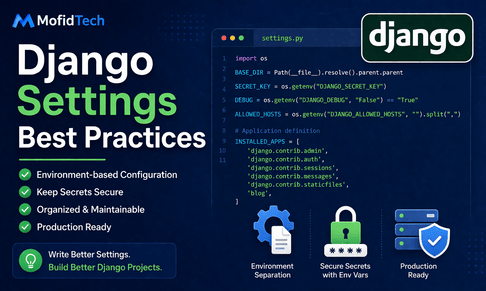
Django settings are one of the most important foundations of a serious Django project. In the beginning, many developers use the default settings.py file generated by Django and make small edits as needed. They add installed apps, configure the database, maybe define static files, and keep moving. This is perfectly normal for learning. But as a project grows, the settings file often becomes one of the most sensitive and important parts of the whole application. It controls security, environments, database connections, static files, email configuration, logging, caching, allowed hosts, secret keys, third-party integrations, and much more. A poorly organized settings file may work in development for a while, but it quickly becomes difficult to maintain, dangerous for production, and confusing for teams. That is why learning Django settings best practices is a major step toward professional development.
A Django project usually needs to behave differently depending on the environment. In local development, you may want debug mode enabled, simple console email output, local SQLite, relaxed security, and detailed logging. In production, you want debug mode disabled, secure cookies, strict host validation, real email sending, a production database, logging to files or monitoring services, and stronger security headers. If all of this is mixed carelessly into one large settings file, the risk of mistakes becomes high. You might accidentally deploy with DEBUG=True, expose sensitive information, use the wrong database, or forget an important security setting. Good settings design reduces those risks by making configuration explicit, organized, and environment-aware.
The first principle of good Django settings is this: separate code from configuration whenever possible. The settings file is Python code, but many of the values it uses should come from the environment rather than being hardcoded directly in the repository. Values such as secret keys, database passwords, API tokens, email credentials, and production hosts should not live directly in source control. Instead, they should usually come from environment variables. This helps security, flexibility, and deployment automation.
Let us begin with a typical basic settings.py generated by Django. It often looks something like this:
from pathlib import Path

BASE_DIR = Path(__file__).resolve().parent.parent

SECRET_KEY = 'django-insecure-some-secret-value'
DEBUG = True
ALLOWED_HOSTS = []

INSTALLED_APPS = [
    'django.contrib.admin',
    'django.contrib.auth',
    'django.contrib.contenttypes',
    'django.contrib.sessions',
    'django.contrib.messages',
    'django.contrib.staticfiles',
]

MIDDLEWARE = [
    'django.middleware.security.SecurityMiddleware',
    'django.contrib.sessions.middleware.SessionMiddleware',
    'django.middleware.common.CommonMiddleware',
    'django.middleware.csrf.CsrfViewMiddleware',
    'django.contrib.auth.middleware.AuthenticationMiddleware',
    'django.contrib.messages.middleware.MessageMiddleware',
    'django.middleware.clickjacking.XFrameOptionsMiddleware',
]
This is fine for a starting project, but it is not a complete long-term strategy. For example, the secret key is hardcoded, debug mode is fixed, and the host list is empty. These defaults are meant to help you start, not to represent a robust production setup.
A first important best practice is using BASE_DIR correctly and consistently. Django projects often need filesystem paths for templates, static files, media files, logs, or local SQLite databases. pathlib.Path is the modern and clean way to handle these paths:
from pathlib import Path

BASE_DIR = Path(__file__).resolve().parent.parent
Then you can define paths safely like this:
TEMPLATES_DIR = BASE_DIR / "templates"
STATIC_ROOT = BASE_DIR / "staticfiles"
MEDIA_ROOT = BASE_DIR / "media"
This is more readable and reliable than manually joining strings.
Now let us move to one of the biggest professional best practices: never hardcode sensitive secrets in production settings. Instead of writing:
SECRET_KEY = 'my-real-secret-key'it is better to use environment variables:
import os

SECRET_KEY = os.environ.get("DJANGO_SECRET_KEY")
This way, the real secret is supplied by the deployment environment rather than stored in your code repository. The same principle applies to database credentials, email passwords, API tokens, and other sensitive values. This is one of the most important security habits in Django deployment.
The same approach applies to debug mode. A beginner setting might say:
DEBUG = TrueBut in a serious project, this should be environment-controlled:
DEBUG = os.environ.get("DJANGO_DEBUG", "False") == "True"Now development can set DJANGO_DEBUG=True, while production can keep it false. This reduces the risk of accidentally deploying with debug enabled. That matters a lot because DEBUG=True in production can expose detailed error pages, internal settings, SQL queries, and other sensitive information.
ALLOWED_HOSTS is another setting that deserves careful treatment. In production, Django uses this to control which hostnames the application will respond to. A safe approach is:
ALLOWED_HOSTS = os.environ.get("DJANGO_ALLOWED_HOSTS", "").split(",")Then in production you might define something like:
DJANGO_ALLOWED_HOSTS=mofidtech.fr,www.mofidtech.frThis is much better than leaving ALLOWED_HOSTS = [] or using an overly broad insecure value. Host validation is a basic but important part of Django security.
A major structural best practice is splitting settings into multiple files. As projects grow, one huge settings file becomes difficult to manage. A common professional structure looks like this:
project_name/
    settings/
        __init__.py
        base.py
        development.py
        production.py
In this structure:
base.pycontains shared settings used everywhere.development.pyimports frombase.pyand overrides development-specific values.production.pyimports frombase.pyand overrides production-specific values.
For example, base.py might contain:
from pathlib import Path
import os

BASE_DIR = Path(__file__).resolve().parent.parent.parent

SECRET_KEY = os.environ.get("DJANGO_SECRET_KEY")
DEBUG = os.environ.get("DJANGO_DEBUG", "False") == "True"
ALLOWED_HOSTS = os.environ.get("DJANGO_ALLOWED_HOSTS", "").split(",")

INSTALLED_APPS = [
    'django.contrib.admin',
    'django.contrib.auth',
    'django.contrib.contenttypes',
    'django.contrib.sessions',
    'django.contrib.messages',
    'django.contrib.staticfiles',
    'blog',
]
Then development.py could contain:
from .base import *

DEBUG = True
ALLOWED_HOSTS = ['127.0.0.1', 'localhost']

EMAIL_BACKEND = 'django.core.mail.backends.console.EmailBackend'
And production.py could contain:
from .base import *

DEBUG = False

SECURE_SSL_REDIRECT = True
SESSION_COOKIE_SECURE = True
CSRF_COOKIE_SECURE = True
This structure makes intent clearer. Development and production stop fighting inside one file. It also reduces the risk of accidentally mixing insecure development settings into production.
Another very good best practice is organizing INSTALLED_APPS clearly. Instead of one long unordered list, many developers group apps like this:
DJANGO_APPS = [
    'django.contrib.admin',
    'django.contrib.auth',
    'django.contrib.contenttypes',
    'django.contrib.sessions',
    'django.contrib.messages',
    'django.contrib.staticfiles',
]

THIRD_PARTY_APPS = [
    'rest_framework',
    'crispy_forms',
]

LOCAL_APPS = [
    'blog',
    'accounts',
    'dashboard',
]

INSTALLED_APPS = DJANGO_APPS + THIRD_PARTY_APPS + LOCAL_APPS
This may seem like a small stylistic detail, but it improves readability a lot. It makes it immediately clear what comes from Django, what comes from packages, and what belongs to your own project.
The same kind of organization can be applied to middleware:
MIDDLEWARE = [
    'django.middleware.security.SecurityMiddleware',
    'django.contrib.sessions.middleware.SessionMiddleware',
    'django.middleware.common.CommonMiddleware',
    'django.middleware.csrf.CsrfViewMiddleware',
    'django.contrib.auth.middleware.AuthenticationMiddleware',
    'django.contrib.messages.middleware.MessageMiddleware',
    'django.middleware.clickjacking.XFrameOptionsMiddleware',
]
Middleware order matters, so keeping it clean and intentional is very important. As the project grows, custom middleware should be added thoughtfully and commented if needed.
A very important settings area is the database configuration. In small learning projects, SQLite is often enough:
DATABASES = {
    'default': {
        'ENGINE': 'django.db.backends.sqlite3',
        'NAME': BASE_DIR / 'db.sqlite3',
    }
}
This is fine for development and learning. But in production, many serious Django projects use PostgreSQL. A production-friendly approach is again to use environment variables:
DATABASES = {
    'default': {
        'ENGINE': 'django.db.backends.postgresql',
        'NAME': os.environ.get('DB_NAME'),
        'USER': os.environ.get('DB_USER'),
        'PASSWORD': os.environ.get('DB_PASSWORD'),
        'HOST': os.environ.get('DB_HOST', 'localhost'),
        'PORT': os.environ.get('DB_PORT', '5432'),
    }
}
This makes deployment flexible and secure. Hardcoding production credentials into the settings file is a bad idea.
Now let us discuss templates. A clean template configuration might look like this:
TEMPLATES = [
    {
        'BACKEND': 'django.template.backends.django.DjangoTemplates',
        'DIRS': [BASE_DIR / 'templates'],
        'APP_DIRS': True,
        'OPTIONS': {
            'context_processors': [
                'django.template.context_processors.request',
                'django.contrib.auth.context_processors.auth',
                'django.contrib.messages.context_processors.messages',
            ],
        },
    },
]
This is fairly standard, but a good practice is to keep global templates in a top-level templates directory and app-specific templates inside each app where appropriate. The settings should reflect that design consistently.
Static and media files also deserve careful settings. A common development setup is:
STATIC_URL = '/static/'
MEDIA_URL = '/media/'

STATICFILES_DIRS = [BASE_DIR / 'static']
STATIC_ROOT = BASE_DIR / 'staticfiles'
MEDIA_ROOT = BASE_DIR / 'media'
Here:
STATICFILES_DIRSpoints to source static files during development.STATIC_ROOTis the collected destination for deployment.MEDIA_ROOTstores uploaded user files.
A common mistake is confusing STATICFILES_DIRS and STATIC_ROOT. They serve different purposes. Clean settings help avoid that confusion. In production, proper static/media configuration becomes even more important when using Nginx, Docker, or cloud storage.
A very important area of settings best practices is security. Django provides excellent security settings, but they must be turned on properly in production. For example:
SECURE_SSL_REDIRECT = True
SESSION_COOKIE_SECURE = True
CSRF_COOKIE_SECURE = True
SECURE_BROWSER_XSS_FILTER = True
SECURE_CONTENT_TYPE_NOSNIFF = True
X_FRAME_OPTIONS = 'DENY'
These help enforce HTTPS, secure cookies, browser protections, and clickjacking defense. However, some of these should only be enabled in the right production context. For example, SECURE_SSL_REDIRECT=True assumes your deployment correctly supports HTTPS. So these settings should usually live in production.py, not in development settings.
Another important production setting is proxy awareness, especially when Django runs behind Nginx or a load balancer:
SECURE_PROXY_SSL_HEADER = ('HTTP_X_FORWARDED_PROTO', 'https')Without proper proxy-related settings, Django may not correctly recognize secure requests in some deployment architectures.
Let us also discuss the SECRET_KEY in more depth. Developers sometimes think of it as just another setting, but it is highly sensitive. It is used in cryptographic signing for sessions, password reset tokens, CSRF internals, and more. In production it must be secret, stable, and strong. A changed secret key can invalidate sessions and signed data, while a leaked secret key can create serious risks. This is why environment variable management is so important.
Email settings are another area where separating environments matters. In development, you may want emails to print in the console:
EMAIL_BACKEND = 'django.core.mail.backends.console.EmailBackend'This is excellent for local testing because it avoids real sending while showing you exactly what would be sent. In production, you usually want SMTP or an email service provider:
EMAIL_BACKEND = 'django.core.mail.backends.smtp.EmailBackend'
EMAIL_HOST = os.environ.get('EMAIL_HOST')
EMAIL_PORT = int(os.environ.get('EMAIL_PORT', 587))
EMAIL_HOST_USER = os.environ.get('EMAIL_HOST_USER')
EMAIL_HOST_PASSWORD = os.environ.get('EMAIL_HOST_PASSWORD')
EMAIL_USE_TLS = True
DEFAULT_FROM_EMAIL = os.environ.get('DEFAULT_FROM_EMAIL')
Again, environment variables keep credentials out of source code and allow different deployments to use different providers.
Caching settings are also part of professional configuration. In development you may use local memory caching, while production may use Redis or Memcached. A development cache could look like:
CACHES = {
    'default': {
        'BACKEND': 'django.core.cache.backends.locmem.LocMemCache',
        'LOCATION': 'default-cache',
    }
}
A production cache may be configured differently based on infrastructure. The best practice is to make caching environment-aware rather than hardcoded for one scenario.
Logging is another settings area that benefits from good structure. A simple development configuration might log to the console, while production might use files or external monitoring. Keeping logging configuration inside settings is normal, but it should stay readable and not become a chaotic block pasted from random snippets. Group handlers, formatters, and loggers cleanly, and if the configuration grows large, consider moving logging configuration into a dedicated module imported by settings.
Now let us talk about custom settings. Many Django projects define app-specific settings such as pagination size, feature flags, TTL values, or branding options. These should be named clearly and grouped logically. For example:
ARTICLES_PER_PAGE = 10
FEATURED_ARTICLES_COUNT = 6
CACHE_TTL_HOMEPAGE = 900
Clear names make the project easier to understand. Scattered magic numbers inside views are much worse than centralized, well-named settings.
Another excellent practice is validating environment variables early. For example, if production depends on DJANGO_SECRET_KEY and DB_NAME, the project should fail clearly if they are missing rather than behaving unpredictably. A simple pattern is:
SECRET_KEY = os.environ.get("DJANGO_SECRET_KEY")
if not SECRET_KEY:
    raise ValueError("DJANGO_SECRET_KEY environment variable is required")
This is much better than silently getting None and later discovering strange runtime errors. Explicit failure is often safer than hidden misconfiguration.
Many developers also use helper packages to manage environment variables more elegantly, but even with standard Python alone, the principle remains the same: important configuration should be externalized and validated.
Another strong best practice is to avoid importing application code inside settings unless absolutely necessary. Settings should remain mostly declarative. Heavy imports or logic in settings can make startup slower, harder to debug, and more fragile. Keep settings simple, explicit, and mostly limited to configuration values.
Now let us discuss development convenience versus production safety. In development, some permissive settings are helpful:
DEBUG=True- console email backend
- local SQLite
- local memory cache
- relaxed hosts
But these should be clearly separated from production values:
DEBUG=False- real email backend
- secure cookies
- HTTPS enforcement
- real database
- proper allowed hosts
- stronger logging and monitoring
This separation is not optional in serious projects. It is one of the clearest marks of a production-ready Django codebase.
A clean example project structure might look like this:
myproject/
    manage.py
    myproject/
        __init__.py
        urls.py
        wsgi.py
        asgi.py
        settings/
            __init__.py
            base.py
            development.py
            production.py
Then you run Django with the appropriate settings module:
python manage.py runserver --settings=myproject.settings.developmentOr in production set:
DJANGO_SETTINGS_MODULE=myproject.settings.productionThis is a robust and scalable pattern.
A frequently overlooked best practice is documenting important settings. If your project depends on certain required environment variables, write them down clearly for future deployment and team members. Good documentation can save hours of confusion. At minimum, a README or .env.example-style reference should explain required configuration keys such as:
DJANGO_SECRET_KEYDJANGO_DEBUGDJANGO_ALLOWED_HOSTSDB_NAMEDB_USERDB_PASSWORDEMAIL_HOSTEMAIL_HOST_USEREMAIL_HOST_PASSWORD
Even if you are working alone, this documentation helps you later.
Another good practice is using sensible defaults only where safe. For example:
DB_HOST = os.environ.get('DB_HOST', 'localhost')
DB_PORT = os.environ.get('DB_PORT', '5432')
These defaults are harmless and convenient. But a secret key or production password should usually not have a silent insecure fallback in production. Choose defaults carefully based on risk.
Testing settings are another area to think about. Some projects also define a separate test.py settings file for faster password hashing, in-memory email, local caches, and test-specific behavior. That can make automated tests faster and more isolated. For example:
PASSWORD_HASHERS = [
    'django.contrib.auth.hashers.MD5PasswordHasher',
]
This is acceptable in testing because speed matters there more than password hashing strength. Again, the idea is environment-specific optimization.
Now let us collect the most important security-related production settings that are commonly needed:
DEBUG = False
SECURE_SSL_REDIRECT = True
SESSION_COOKIE_SECURE = True
CSRF_COOKIE_SECURE = True
SECURE_BROWSER_XSS_FILTER = True
SECURE_CONTENT_TYPE_NOSNIFF = True
X_FRAME_OPTIONS = 'DENY'
And if using HSTS in the right HTTPS environment:
SECURE_HSTS_SECONDS = 31536000
SECURE_HSTS_INCLUDE_SUBDOMAINS = True
SECURE_HSTS_PRELOAD = True
These should be used carefully and intentionally. They are powerful, but only when the deployment environment is ready for them.
In conclusion, Django settings best practices are about much more than tidying up settings.py. They are about security, maintainability, environment separation, deployment reliability, and long-term project health. A professional settings strategy uses environment variables for secrets and deployment-specific values, separates development and production settings, organizes apps and configuration clearly, enables proper security settings in production, and keeps configuration readable and explicit. The goal is not to create complicated settings, but to create settings that are safe, understandable, and scalable as the project grows. Once you treat settings as an important architectural part of the project rather than a random file of constants, your Django applications become much easier to manage and much safer to deploy.
What you learned in this tutorial
In this tutorial, you learned why Django settings matter, how to separate development and production configuration, why environment variables are important for secrets and credentials, how to split settings into base.py, development.py, and production.py, how to organize apps and middleware clearly, how to configure databases, templates, static and media files, email, caching, logging, and production security settings, and why validation and documentation of configuration are essential for professional Django projects.













💬 Comments
No comments yet. Be the first to comment!
Login to comment.