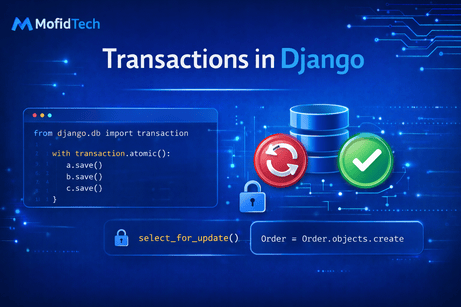
Transactions in Django are one of the most important topics for writing safe, reliable, and professional database code. At the beginner level, many developers write database operations one line at a time: create an object, update another one, save a third one, maybe delete something else, and move on. This often works in simple cases. But real applications quickly become more complex. A user places an order, stock must be reduced, a payment record must be created, a receipt must be stored, and maybe a notification must be logged. A student enrolls in a course, a seat count must decrease, a registration record must be created, and a payment status must be updated. A blog post is published, related metadata is generated, analytics counters are initialized, and a moderation log is written. In all of these situations, a critical question appears: what happens if one operation succeeds and the next one fails? Without transactions, you can end up with partially saved data, which means your database no longer reflects a valid business state. Transactions solve this problem by allowing multiple database operations to succeed or fail together as one atomic unit.
To understand transactions clearly, imagine a bank transfer. If money is removed from one account but not added to the other because of an error, the system becomes inconsistent. The same kind of problem exists in web applications. Data often has relationships and dependencies. A transaction ensures that either all intended changes are committed to the database, or none of them are. This idea is usually described by the word atomicity, which means the operations inside the transaction are treated as one indivisible block. Either the whole block succeeds, or the whole block is rolled back. In Django, this is most commonly handled with transaction.atomic().
Before going deeper into Django, it is useful to understand the basic behavior of database operations without explicit transactions. By default, Django usually runs in autocommit mode. This means each query is committed to the database immediately unless you explicitly open a transaction. For example:
order = Order.objects.create(user=request.user, total=100)
payment = Payment.objects.create(order=order, amount=100)
If the first line succeeds and the second line raises an error, the order may already be saved while the payment is not. This leaves the system in a half-completed state. That might be acceptable in some situations, but often it is not. If your business logic requires both records to exist together, then they should be wrapped inside a transaction.
Django provides transaction tools through:
from django.db import transactionThe most important tool is transaction.atomic(). Here is the classic pattern:
from django.db import transaction

with transaction.atomic():
    order = Order.objects.create(user=request.user, total=100)
    payment = Payment.objects.create(order=order, amount=100)
Now these two operations are grouped together. If both succeed, Django commits them. If an exception occurs inside the block, Django rolls back the changes made within it. This is the foundation of safe multi-step database logic in Django.
To make this more concrete, let us use a realistic model example:
from django.db import models
from django.contrib.auth.models import User

class Product(models.Model):
    name = models.CharField(max_length=200)
    stock = models.PositiveIntegerField(default=0)
    price = models.DecimalField(max_digits=10, decimal_places=2)

    def __str__(self):
        return self.name


class Order(models.Model):
    user = models.ForeignKey(User, on_delete=models.CASCADE)
    created_at = models.DateTimeField(auto_now_add=True)
    total = models.DecimalField(max_digits=10, decimal_places=2)

    def __str__(self):
        return f"Order #{self.id}"


class OrderItem(models.Model):
    order = models.ForeignKey(Order, on_delete=models.CASCADE, related_name="items")
    product = models.ForeignKey(Product, on_delete=models.CASCADE)
    quantity = models.PositiveIntegerField()
    price = models.DecimalField(max_digits=10, decimal_places=2)
Suppose a user places an order for a product. The process may involve these steps:
- Check that stock is available.
- Create the order.
- Create the order item.
- Reduce the product stock.
If one step fails after another has already succeeded, the database can become inconsistent. Here is the correct transaction-based version:
from django.db import transaction
from django.core.exceptions import ValidationError

def place_order(user, product, quantity):
    with transaction.atomic():
        if product.stock < quantity:
            raise ValidationError("Not enough stock available.")

        order = Order.objects.create(
            user=user,
            total=product.price * quantity
        )

        OrderItem.objects.create(
            order=order,
            product=product,
            quantity=quantity,
            price=product.price
        )

        product.stock -= quantity
        product.save()

        return order
This is a very good example of transactional thinking. The order, order item, and stock update belong to one business action. If there is not enough stock, no order should be created. If saving the product fails, the order should not remain half-created. The transaction block protects the business logic as one consistent operation.
One of the biggest benefits of transaction.atomic() is that it integrates naturally with Python exceptions. If an exception occurs inside the block and is not suppressed incorrectly, Django marks the transaction for rollback. That means you do not manually write “undo” logic for each query. The rollback is handled by the database transaction system.
However, this leads to an important subtle point: you must be careful with exception handling inside atomic blocks. Consider this:
with transaction.atomic():
    try:
        order = Order.objects.create(user=user, total=100)
        payment = Payment.objects.create(order=order, amount=100)
    except Exception:
        print("Something went wrong")
This is dangerous if you swallow exceptions without understanding the transactional state. When an error occurs, the transaction may already be marked as broken. If you catch the exception and continue using the transaction normally, Django may raise additional errors such as transaction management errors. A better pattern is either to let the exception propagate or to catch it outside the atomic block if appropriate:
try:
    with transaction.atomic():
        order = Order.objects.create(user=user, total=100)
        payment = Payment.objects.create(order=order, amount=100)
except Exception:
    print("Transaction rolled back because something failed")
This pattern is clearer and safer.
Now let us discuss nested transactions. Django allows nested atomic() blocks, but internally these are usually handled using savepoints. A savepoint is like a checkpoint inside a larger transaction. If something fails inside the inner block, Django can roll back to that savepoint without necessarily discarding the entire outer transaction, depending on how the exception is handled.
For example:
from django.db import transaction

with transaction.atomic():
    order = Order.objects.create(user=user, total=200)

    try:
        with transaction.atomic():
            Payment.objects.create(order=order, amount=200)
            # Some risky payment-related step
    except Exception:
        print("Payment step failed, rolled back to inner savepoint")

    AuditLog.objects.create(message="Order process completed")
This is an advanced pattern. The outer transaction wraps the full process. The inner transaction creates a savepoint. If the payment block fails and the exception is handled correctly, only the inner block can roll back to the savepoint, while the outer transaction may continue. This can be useful when some parts are optional or recoverable. But this pattern should be used thoughtfully. In many business workflows, if payment fails, the whole order should probably fail. Nested transactions are powerful, but they should match real business rules, not just technical possibilities.
Another important transaction concept is database consistency under concurrency. Transactions do not only protect against your own code failing midway. They also help protect against multiple users or processes modifying the same data at the same time. Consider stock reduction. Suppose two users try to buy the last unit of a product simultaneously. If your code only checks stock and then saves later, both may pass the check before either updates the database. This can cause overselling.
To address this, Django supports row locking with select_for_update(), which is often used together with transactions:
from django.db import transaction

def place_order(user, product_id, quantity):
    with transaction.atomic():
        product = Product.objects.select_for_update().get(id=product_id)

        if product.stock < quantity:
            raise ValidationError("Not enough stock available.")

        order = Order.objects.create(
            user=user,
            total=product.price * quantity
        )

        OrderItem.objects.create(
            order=order,
            product=product,
            quantity=quantity,
            price=product.price
        )

        product.stock -= quantity
        product.save()

        return order
This is a much more robust approach. select_for_update() locks the selected database row until the transaction finishes. That means another transaction trying to lock the same row will wait. This is essential in systems dealing with inventory, balances, seat reservations, counters, and similar shared resources. Without it, transactions alone may not fully prevent race conditions.
At this point, it is useful to understand that transactions are not the same as validation. Validation ensures the data is logically acceptable. Transactions ensure multiple steps happen safely together. Both are important, but they solve different problems. For example, validating that stock >= 0 is not enough if two concurrent requests can both reduce stock at the same time. That is why transactions and locking strategies are so important in real systems.
Django also offers a decorator version of atomic():
from django.db import transaction

@transaction.atomic
def create_invoice_and_payment(user, amount):
    invoice = Invoice.objects.create(user=user, total=amount)
    Payment.objects.create(invoice=invoice, amount=amount)
    return invoice
This is simply a cleaner syntax when the whole function should run inside one transaction. It is especially useful for service functions where the entire business operation is meant to be atomic.
Some developers ask whether every view should be transactional. Django does support wrapping each request in a transaction using the ATOMIC_REQUESTS setting in the database configuration. For example:
DATABASES = {
    'default': {
        'ENGINE': 'django.db.backends.postgresql',
        'NAME': 'mydb',
        'USER': 'myuser',
        'PASSWORD': 'mypassword',
        'HOST': 'localhost',
        'PORT': '5432',
        'ATOMIC_REQUESTS': True,
    }
}
When ATOMIC_REQUESTS is enabled, Django wraps each request in a transaction automatically. If the view finishes successfully, the transaction is committed. If an exception occurs, the transaction is rolled back.
This can be convenient, but it is not always the best choice. It makes every request transactional, including simple read-only pages. That may add overhead and can make performance or behavior less predictable in large applications. Many professional teams prefer explicit transaction.atomic() blocks around important business operations rather than enabling transactional behavior globally for every request. Explicit transactions also make the intent clearer in the code.
Another topic to understand is savepoints in more detail. In nested atomic blocks, Django creates savepoints by default. This allows partial rollback inside a larger transaction. You can also disable savepoints in some cases:
with transaction.atomic(savepoint=False):
    ...
This is a more advanced optimization or control mechanism and should only be used when you understand the implications. For most developers, the default behavior is the right choice.
Now let us look at a registration example, which is common in educational or booking systems:
class Course(models.Model):
    title = models.CharField(max_length=200)
    available_seats = models.PositiveIntegerField(default=0)


class Enrollment(models.Model):
    student = models.ForeignKey(User, on_delete=models.CASCADE)
    course = models.ForeignKey(Course, on_delete=models.CASCADE)
    enrolled_at = models.DateTimeField(auto_now_add=True)
Suppose a student enrolls in a course. You may need to:
- Check seat availability.
- Create enrollment.
- Decrease available seats.
Here is the transaction-safe version:
from django.db import transaction
from django.core.exceptions import ValidationError

def enroll_student(student, course_id):
    with transaction.atomic():
        course = Course.objects.select_for_update().get(id=course_id)

        if course.available_seats <= 0:
            raise ValidationError("No seats available.")

        Enrollment.objects.create(student=student, course=course)
        course.available_seats -= 1
        course.save()
This is exactly the kind of logic where transactions matter. Without the transaction and row lock, two students could theoretically grab the same last seat. With atomic() and select_for_update(), the process becomes much safer.
Another important concept is rollback behavior. If an exception occurs inside an atomic block, Django rolls back the transaction. That means any changes made within the block are discarded. For example:
try:
    with transaction.atomic():
        product = Product.objects.create(name="Laptop", stock=10, price=999)
        raise ValueError("Something failed")
except ValueError:
    pass
After this code runs, the product will not exist in the database because the transaction was rolled back. This is one of the key guarantees transactions provide.
However, there is a subtle issue when external side effects are involved. Suppose inside the transaction you send an email, call an API, or write to an external service. Those actions are not automatically rolled back by the database. For example:
with transaction.atomic():
    order = Order.objects.create(user=user, total=100)
    send_confirmation_email(user.email)
    raise ValueError("Something failed")
The database change will roll back, but the email may already have been sent. This creates inconsistency between the database and the outside world. To solve this, Django provides transaction.on_commit().
Here is the correct pattern:
from django.db import transaction

with transaction.atomic():
    order = Order.objects.create(user=user, total=100)

    transaction.on_commit(
        lambda: send_confirmation_email(user.email)
    )
Now the email is only sent if the transaction commits successfully. This is extremely important in professional applications. It is the correct way to handle side effects such as sending emails, pushing notifications, enqueueing background jobs, or calling downstream services after a successful database commit.
This pattern also applies to Celery tasks or background jobs:
with transaction.atomic():
    order = Order.objects.create(user=user, total=100)

    transaction.on_commit(
        lambda: send_order_to_queue.delay(order.id)
    )
Without on_commit(), a worker might process a task referring to a database record that was later rolled back and never actually committed.
Now let us discuss performance and transaction scope. A transaction should be as short as reasonably possible. Long-running transactions can hold locks for too long, reduce concurrency, and increase contention in the database. For example, you should avoid putting slow HTTP requests, file processing, or heavy computations inside an atomic block unless absolutely necessary. A transaction should ideally wrap only the database-critical section.
Bad pattern:
with transaction.atomic():
    order = Order.objects.create(user=user, total=100)
    response = requests.post("https://external-service.example/api")
    order.external_status = response.status_code
    order.save()
Better pattern:
with transaction.atomic():
    order = Order.objects.create(user=user, total=100)

response = requests.post("https://external-service.example/api")

with transaction.atomic():
    order.external_status = response.status_code
    order.save()
The exact design depends on the business need, but the principle remains: do not keep database transactions open longer than needed.
Another topic is testing transactional behavior. Django’s test framework already wraps many tests in transactions, but when testing business logic, you should still write tests that confirm rollback behavior where important. For example:
from django.test import TestCase
from django.db import transaction
from .models import Product

class TransactionTests(TestCase):
    def test_transaction_rolls_back_on_error(self):
        try:
            with transaction.atomic():
                Product.objects.create(name="Phone", stock=5, price=500)
                raise ValueError("Fail")
        except ValueError:
            pass

        self.assertEqual(Product.objects.count(), 0)
This kind of test proves that the transaction behaves as expected. In more advanced systems, you may also test locking behavior, concurrent updates, and on_commit() callbacks.
Let us now compare several related concepts that developers sometimes confuse:
A normal sequence of saves:
a.save()
b.save()
c.save()
Each may commit independently in autocommit mode.
An atomic transaction:
with transaction.atomic():
    a.save()
    b.save()
    c.save()
All succeed together or fail together.
A locked transaction for shared data:
with transaction.atomic():
    product = Product.objects.select_for_update().get(id=1)
    product.stock -= 1
    product.save()
This not only groups operations together, but also protects concurrent access to the locked row.
These distinctions matter a lot in real applications.
A common best practice is to put transactional business logic in a service layer rather than directly in large views. For example:
from django.db import transaction
from django.core.exceptions import ValidationError

class OrderService:
    @staticmethod
    @transaction.atomic
    def place_order(user, product_id, quantity):
        product = Product.objects.select_for_update().get(id=product_id)

        if product.stock < quantity:
            raise ValidationError("Insufficient stock.")

        order = Order.objects.create(
            user=user,
            total=product.price * quantity
        )

        OrderItem.objects.create(
            order=order,
            product=product,
            quantity=quantity,
            price=product.price
        )

        product.stock -= quantity
        product.save()

        transaction.on_commit(
            lambda: print(f"Order {order.id} committed successfully")
        )

        return order
This keeps the view thin and makes the transactional logic reusable and testable. In larger Django projects, this pattern becomes very valuable.
It is also worth mentioning that not every database action needs an explicit transaction block. Simple single-row operations in autocommit mode are often fine. Transactions become especially important when:
- multiple writes must stay consistent together,
- shared resources may be modified concurrently,
- business rules depend on several tables or steps,
- external side effects should happen only after commit.
Using transactions everywhere without thought can make code more complex, while ignoring them where needed can cause serious data integrity bugs. The goal is to use them intentionally.
In conclusion, transactions in Django are essential for maintaining consistency when multiple database operations belong to one logical business action. Django’s transaction.atomic() allows you to group operations so they either all commit or all roll back together. In more advanced cases, transactions work with select_for_update() to protect shared rows during concurrent access, and with transaction.on_commit() to ensure side effects only happen after a successful commit. Understanding transactions means moving from simply saving records one by one to designing safe, consistent workflows that reflect real business requirements. That is why transactions are one of the most important steps in becoming a professional Django developer.
What you learned in this tutorial
In this tutorial, you learned what transactions are, why autocommit alone is often not enough, how to use transaction.atomic() as a context manager and decorator, how rollbacks work, how nested atomic blocks and savepoints behave, how select_for_update() helps with concurrency, why transaction.on_commit() is important for external side effects, why transaction scope should stay short, and how transactions fit into clean service-layer design in Django.













💬 Comments
No comments yet. Be the first to comment!
Login to comment.