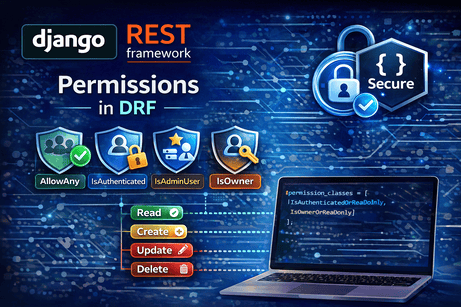
After authentication, the next major security layer in Django REST Framework is permissions. Authentication answers the question “Who is making this request?” Permissions answer the next question: “Is this requester allowed to do this?” The official DRF documentation describes permissions as the mechanism used to grant or deny access for different classes of users to different parts of the API, and it states that permission checks are run at the very start of the view before any other code is allowed to proceed.
This is a crucial topic because many APIs are not simply public or private. Real APIs often have mixed rules such as:
- anyone can read blog posts
- only authenticated users can create comments
- only owners can edit their own content
- only staff can access admin endpoints
DRF is designed for exactly this kind of layered access control. Its permissions system works together with authentication, generic views, and viewsets so you can enforce access rules consistently across your API.
1. What permissions do in DRF
Permissions are the gatekeepers of your API. The official permissions guide says they are used to grant or deny access for different classes of users to different parts of the API, and it notes that these checks typically use the authentication information stored in request.user and request.auth.
That means permissions are not responsible for identifying the user. Instead, they use the result of authentication to decide whether access should continue.
For example:
- a request may be authenticated but still denied
- a request may be anonymous but still allowed to read public data
- a request may be authenticated as a staff member and be allowed into protected endpoints
So the key idea is simple:
- authentication = identity
- permissions = access decision
That distinction is central to DRF’s architecture.
2. When permission checks happen
The official DRF docs are very explicit here: permission checks run at the start of the view, before other code is allowed to proceed. The views guide also explains that a view’s initial() processing is where permissions and throttling are enforced before the handler method runs.
This matters for two reasons.
First, it keeps your API safe. If a user should not access something, DRF blocks the request early.
Second, it keeps your view code cleaner. You do not need to manually write access checks inside every get(), post(), or put() method if permissions already cover the rule.
So in the request lifecycle, the simplified flow is:
- DRF authenticates the request.
- DRF checks permissions.
- If allowed, the view logic runs.
That order is one of the most important things to remember.
3. The default permission behavior in DRF
If you do not configure permissions, DRF’s settings documentation shows that the default permission class is:
[
    'rest_framework.permissions.AllowAny',
]
That means that by default, permission checks allow access unless you change the setting or override permissions per view. The settings docs also note that permission must be granted by every class in the list of default permission classes.
This is a very important practical point. Many beginners assume their API is protected just because they added authentication classes. But authentication alone does not block access. If you leave the default permission as AllowAny, the request may still be allowed. The authentication guide explicitly warns that authentication by itself does not allow or disallow an incoming request; it only identifies the credentials.
4. Built-in permission classes you should know
DRF includes several built-in permission classes. The permissions guide specifically highlights common built-ins such as AllowAny, IsAuthenticated, IsAdminUser, and IsAuthenticatedOrReadOnly.
Let us understand them one by one.
AllowAny
This permission allows unrestricted access. It is effectively the most open setting and is also the documented default permission class if you do not override it.
Use it when:
- the endpoint is fully public
- you are intentionally exposing public API data
- you want explicit clarity that the endpoint is open
Example:
from rest_framework.views import APIView
from rest_framework.response import Response
from rest_framework.permissions import AllowAny

class PublicAPIView(APIView):
    permission_classes = [AllowAny]

    def get(self, request):
        return Response({"message": "This endpoint is public"})
IsAuthenticated
This permission allows access only to authenticated users. The permissions guide explicitly describes this as the simplest style of permission when you want to allow access to authenticated users and deny unauthenticated users.
Use it when:
- the endpoint is private
- the user must be logged in
- only identified users should access the resource
Example:
from rest_framework.views import APIView
from rest_framework.response import Response
from rest_framework.permissions import IsAuthenticated

class PrivateAPIView(APIView):
    permission_classes = [IsAuthenticated]

    def get(self, request):
        return Response({
            "message": "You are authenticated",
            "user": request.user.username
        })
IsAdminUser
This permission allows access only to users with is_staff=True. The generic views documentation includes an example using IsAdminUser on a ListCreateAPIView, which reflects how it is commonly used in admin-style endpoints.
Use it when:
- the endpoint is for staff or admin management
- only backend administrators should access it
- the API controls sensitive site-wide resources
Example:
from rest_framework.views import APIView
from rest_framework.response import Response
from rest_framework.permissions import IsAdminUser

class AdminOnlyAPIView(APIView):
    permission_classes = [IsAdminUser]

    def get(self, request):
        return Response({"message": "Staff access only"})
IsAuthenticatedOrReadOnly
This permission is one of the most useful in real applications. The permissions guide describes it as allowing full access to authenticated users while allowing read-only access to unauthenticated users. The DRF tutorial on authentication and permissions uses exactly this permission to let unauthenticated users read snippets while restricting create, update, and delete actions to authenticated users.
Use it when:
- public users should read content
- logged-in users should be able to write or modify content
- you want a common public-read/private-write pattern
Example:
from rest_framework import generics
from rest_framework.permissions import IsAuthenticatedOrReadOnly
from .models import Book
from .serializers import BookSerializer

class BookListCreateAPIView(generics.ListCreateAPIView):
    queryset = Book.objects.all()
    serializer_class = BookSerializer
    permission_classes = [IsAuthenticatedOrReadOnly]
This is a very common design for blogs, articles, public catalogs, and other read-mostly APIs.
5. Global permissions vs per-view permissions
DRF lets you set permissions globally in settings.py or locally on a specific view.
Global configuration
The settings guide documents DEFAULT_PERMISSION_CLASSES as the setting that controls the default permissions checked at the start of each API view.
Example:
REST_FRAMEWORK = {
    'DEFAULT_PERMISSION_CLASSES': [
        'rest_framework.permissions.IsAuthenticated',
    ],
}
This means every DRF view uses IsAuthenticated by default unless a view overrides it.
Per-view configuration
You can also set permission_classes directly on the view.
from rest_framework.views import APIView
from rest_framework.response import Response
from rest_framework.permissions import AllowAny

class HealthCheckAPIView(APIView):
    permission_classes = [AllowAny]

    def get(self, request):
        return Response({"status": "ok"})
This flexibility is important. Most projects need a secure default but still want some endpoints to be public, such as login pages, registration routes, or health checks. DRF’s settings and view architecture are designed to support exactly that mix.
6. Permissions in function-based views
Permissions are not limited to class-based views. DRF applies the same API policy ideas to function-based views created with @api_view, because the settings docs say the API policy settings apply to every APIView class-based view or @api_view function-based view.
Example:
from rest_framework.decorators import api_view, permission_classes
from rest_framework.permissions import IsAuthenticated
from rest_framework.response import Response

@api_view(['GET'])
@permission_classes([IsAuthenticated])
def user_dashboard(request):
    return Response({"message": f"Welcome, {request.user.username}"})
So whether you choose function-based views, generic views, or viewsets, permissions remain a core part of the same API policy system.
7. Permissions in generic views and viewsets
DRF’s generic views and viewsets both support permission_classes. The generic views guide shows an example of IsAdminUser on a ListCreateAPIView, and the viewsets guide states that a ViewSet can use standard API policy attributes such as permission_classes and authentication_classes.
Generic view example
from rest_framework import generics
from rest_framework.permissions import IsAuthenticated
from .models import Book
from .serializers import BookSerializer

class BookListAPIView(generics.ListAPIView):
    queryset = Book.objects.all()
    serializer_class = BookSerializer
    permission_classes = [IsAuthenticated]
ViewSet example
from rest_framework import viewsets
from rest_framework.permissions import IsAuthenticated
from .models import Book
from .serializers import BookSerializer

class BookViewSet(viewsets.ModelViewSet):
    queryset = Book.objects.all()
    serializer_class = BookSerializer
    permission_classes = [IsAuthenticated]
That means permissions scale naturally from basic views to large resource-based APIs.
8. Read-only vs write access
One of the most useful patterns in DRF permissions is distinguishing between safe methods and write methods.
The DRF AJAX/CSRF docs note that safe HTTP methods are GET, HEAD, and OPTIONS, and that unsafe methods such as POST, PUT, PATCH, and DELETE are expected to alter server state.
This matters because many permission strategies depend on that split. For example:
- anyone may read with
GET - only authenticated users may modify with
POST,PUT,PATCH,DELETE
That logic is exactly what IsAuthenticatedOrReadOnly is designed to support.
This read/write distinction is one of the most reusable patterns in modern API design.
9. Object-level permissions
View-level permissions decide whether the request can access the view at all. But sometimes that is not enough. You may need a rule like:
- users can edit only their own objects
- students can view only their own submissions
- authors can delete only their own posts
This is where object-level permissions matter.
The permissions docs and related release notes show that object-level permission checks are an important part of DRF, and they are particularly relevant when retrieving an object via get_object(). The release notes even mention documentation fixes specifically related to checking object-level permission in example code.
A common pattern is to create a custom permission class.
Example:
from rest_framework.permissions import BasePermission, SAFE_METHODS

class IsOwnerOrReadOnly(BasePermission):
    def has_object_permission(self, request, view, obj):
        if request.method in SAFE_METHODS:
            return True
        return obj.owner == request.user
This means:
- anyone who passes the view-level checks can read
- only the owner can modify
This is one of the most important real-world DRF patterns because so many applications need object ownership rules.
10. View-level vs object-level permissions
This distinction is essential.
View-level permission
Controlled by methods like has_permission(). It checks whether the request may enter the view at all.
Object-level permission
Controlled by has_object_permission(). It checks whether the request may act on a particular object.
In practice:
- view-level permission might ensure the user is authenticated
- object-level permission might ensure the user owns the specific object
Both layers can be necessary in the same endpoint.
For example:
IsAuthenticatedsays only logged-in users may access the endpointIsOwnerOrReadOnlysays only owners may edit this object
That combination creates a much more realistic security model than authentication alone.
11. Custom permission classes
Built-in permissions are useful, but real projects often need custom rules. DRF supports this by letting you create your own permission classes, typically by subclassing BasePermission.
Example:
from rest_framework.permissions import BasePermission

class IsEditorUser(BasePermission):
    def has_permission(self, request, view):
        return request.user and request.user.is_authenticated and request.user.groups.filter(name='Editors').exists()
This kind of pattern is common when access depends on:
- user role
- group membership
- subscription status
- organization membership
- business rules beyond simple authentication
The DRF permissions system is built to be customizable, just like the rest of the framework. The homepage emphasizes that DRF is customizable all the way down, and the permissions guide is part of that extensible policy layer.
12. Permissions and CRUD APIs
Permissions become especially important in CRUD APIs.
A realistic CRUD API often needs rules like:
- anyone can list published books
- only authenticated users can create books
- only the book owner can update or delete
- only staff can moderate flagged books
The official DRF tutorial on authentication and permissions demonstrates a very similar incremental restriction: authenticated users may create, and only owners can edit or delete their content, while unauthenticated users still get read-only access.
This makes permissions one of the most practical DRF topics you can learn. They are not just theory. They are what turns a functional CRUD API into a secure one.
13. A realistic permission example
Let us imagine a Book model with an owner field.
permissions.py
from rest_framework.permissions import BasePermission, SAFE_METHODS

class IsOwnerOrReadOnly(BasePermission):
    def has_object_permission(self, request, view, obj):
        if request.method in SAFE_METHODS:
            return True
        return obj.owner == request.user
views.py
from rest_framework import viewsets
from rest_framework.permissions import IsAuthenticatedOrReadOnly
from .models import Book
from .serializers import BookSerializer
from .permissions import IsOwnerOrReadOnly

class BookViewSet(viewsets.ModelViewSet):
    queryset = Book.objects.all()
    serializer_class = BookSerializer
    permission_classes = [IsAuthenticatedOrReadOnly, IsOwnerOrReadOnly]
Why this is powerful
This creates layered access control:
- anonymous users can read
- authenticated users can create
- only owners can modify or delete their own objects
That pattern closely mirrors the kind of rule DRF’s tutorial introduces for snippets and owners.
14. Multiple permission classes
DRF allows a list of permission classes, and the settings docs explicitly say permission must be granted by every class in the list.
That means permission classes combine with AND behavior by default.
Example:
permission_classes = [IsAuthenticated, IsAdminUser]This means the request must satisfy both conditions.
This is useful because you can build layered rules:
- authenticated
- staff
- owner
- special role
all as separate reusable permission components.
15. Composable permissions
DRF’s release notes for 3.9 mention composable permissions as a feature introduced in that release.
The big idea is that permission logic can be structured more cleanly and reused more effectively, rather than building huge monolithic permission classes for every case.
Even if you do not immediately use advanced composition syntax, the design lesson matters: keep permission rules modular and readable.
16. Permissions and the browsable API
The browsable API makes permission behavior easier to understand during development. DRF’s browsable API docs explain that it renders human-friendly HTML pages for resources and provides forms for submitting POST, PUT, and DELETE requests.
That means permissions become visible in practice:
- anonymous users may see data but not write forms
- authenticated users may gain write access
- forbidden operations will return clear permission errors
This is especially helpful for beginners because you can test access rules directly in the browser without writing frontend code first.
17. Common beginner mistakes
Mistake 1: thinking authentication is enough
Authentication only identifies the requester. It does not itself deny access. The authentication docs say this explicitly. If your permission class is still AllowAny, the endpoint may remain open.
Mistake 2: forgetting the default permission
The documented default is AllowAny, which surprises many beginners.
Mistake 3: using only view-level permissions
Some projects need ownership rules, which means object-level permission checks are also necessary.
Mistake 4: mixing business logic directly into the view
If a rule is really about access, it usually belongs in permissions, not buried deep in serializer or view code.
Mistake 5: not distinguishing read vs write
Many APIs should allow public reads but protect writes. DRF’s IsAuthenticatedOrReadOnly exists exactly for that.
18. Good permission design habits
A strong DRF project usually benefits from a few habits:
Use a secure default permission globally, such as IsAuthenticated, when most of your API is private. Then explicitly open only the endpoints that should be public. The settings docs support this pattern via DEFAULT_PERMISSION_CLASSES.
Keep permission classes small and reusable. For example:
- one class for staff-only
- one class for owner-only
- one class for premium subscribers
Use built-in permissions where possible. They are simpler, well understood, and already aligned with DRF conventions.
Reserve custom permission classes for real business rules that built-ins cannot express clearly.
19. Full example recap
Global settings
REST_FRAMEWORK = {
    'DEFAULT_PERMISSION_CLASSES': [
        'rest_framework.permissions.IsAuthenticated',
    ],
}
Public view
from rest_framework.views import APIView
from rest_framework.response import Response
from rest_framework.permissions import AllowAny

class PublicInfoAPIView(APIView):
    permission_classes = [AllowAny]

    def get(self, request):
        return Response({"message": "Public info"})
Authenticated-only view
from rest_framework.views import APIView
from rest_framework.response import Response
from rest_framework.permissions import IsAuthenticated

class DashboardAPIView(APIView):
    permission_classes = [IsAuthenticated]

    def get(self, request):
        return Response({"message": f"Welcome {request.user.username}"})
Public read, authenticated write
from rest_framework import generics
from rest_framework.permissions import IsAuthenticatedOrReadOnly
from .models import Book
from .serializers import BookSerializer

class BookListCreateAPIView(generics.ListCreateAPIView):
    queryset = Book.objects.all()
    serializer_class = BookSerializer
    permission_classes = [IsAuthenticatedOrReadOnly]
Owner-based object permission
from rest_framework.permissions import BasePermission, SAFE_METHODS

class IsOwnerOrReadOnly(BasePermission):
    def has_object_permission(self, request, view, obj):
        if request.method in SAFE_METHODS:
            return True
        return obj.owner == request.user
This sequence captures the main evolution of permission design in DRF:
- open endpoint
- authenticated endpoint
- mixed access endpoint
- object-level protected endpoint
Conclusion
Permissions in Django REST Framework are the layer that decides whether an identified requester may access a view or act on a specific object. The official DRF documentation states that permission checks run at the very start of the view, use authentication information such as request.user and request.auth, and include built-in classes like AllowAny, IsAuthenticated, IsAdminUser, and IsAuthenticatedOrReadOnly. The settings docs also show that the default permission class is AllowAny, which means secure behavior must usually be configured intentionally.
The most important thing to remember is this: authentication tells DRF who the requester is; permissions tell DRF whether that requester may continue. Once that idea becomes clear, you can design APIs that are not only functional, but properly protected.













💬 Comments
No comments yet. Be the first to comment!
Login to comment.