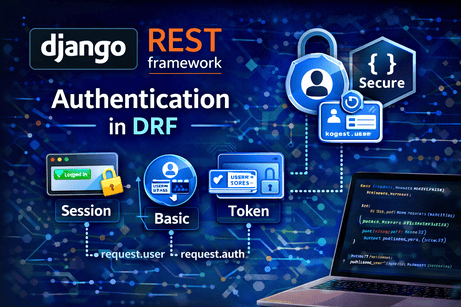
Authentication is one of the most important topics in Django REST Framework because the moment your API moves beyond public read-only data, you need a reliable way to identify who is making each request. The official DRF documentation defines authentication as the mechanism of associating an incoming request with identifying credentials, such as a user or token, and explains that permissions and throttling can then use those credentials to decide what should be allowed.
In practical terms, authentication answers one question: who is making this request? That is different from permissions, which answer: what is this requester allowed to do? DRF’s authentication and permissions guides treat those as separate layers, and that separation is essential for building secure APIs.
This tutorial will explain authentication in DRF deeply, including how it works, the most common authentication classes, how to configure it globally and per view, what role request.user and request.auth play, and how authentication connects to permissions, the browsable API, CSRF, and real-world API design. All examples and terminology below are aligned with the current official DRF documentation.
1. Why authentication matters in APIs
In a normal server-rendered Django site, authentication is already familiar: a user logs in, Django stores a session, and the application can recognize that user on later requests. But APIs often serve very different kinds of clients:
- a browser using AJAX
- a mobile application
- a JavaScript frontend such as React or Vue
- another backend service
- an automation script
Because of that, API authentication has to be more flexible than normal page-based authentication. DRF’s homepage explicitly highlights authentication policies, and the authentication guide shows that the framework supports multiple pluggable authentication schemes rather than one fixed mechanism.
Without authentication, your API cannot safely know whether a request comes from:
- an anonymous visitor
- a logged-in site user
- an administrator
- a trusted client
- a malicious actor
That is why authentication becomes the foundation for access control in DRF.
2. Authentication vs authorization
A very common beginner mistake is mixing authentication with authorization. In DRF, those are not the same thing.
Authentication determines identity. Permissions determine access. The authentication guide explains that authentication associates the request with credentials, and the permissions guide explains that permission checks use that information at the start of the view to decide whether the request should be permitted.
A few examples make this clearer:
- A user sends valid login/session credentials → authenticated
- That same user tries to delete another user’s resource → may still be denied by permissions
- An anonymous visitor requests a public endpoint → unauthenticated but maybe still allowed
- A staff user accesses an admin-only endpoint → authenticated and allowed if permissions permit it
So authentication alone does not make a request allowed. It only identifies the requester.
3. How authentication works inside DRF
DRF applies authentication when the request is processed by an API view. The settings documentation explains that DEFAULT_AUTHENTICATION_CLASSES controls the default set of authenticators used when accessing request.user or request.auth, and the views guide explains that DRF’s APIView adds API-specific behavior on top of Django’s view handling.
Conceptually, the flow looks like this:
- A request reaches a DRF view.
- DRF checks the configured authentication classes.
- One of those classes tries to identify the requester.
- If authentication succeeds, DRF sets
request.userand possiblyrequest.auth. - Permissions then run using that authentication result.
- If allowed, the view logic continues.
This is one of the most important ideas in the entire authentication system: authentication happens before permission checks.
4. request.user and request.auth
These two attributes are central in DRF authentication.
According to the settings and authentication docs, authentication classes determine the values available through request.user and request.auth. In general:
request.userrefers to the authenticated user objectrequest.authrefers to the authentication credentials or token details, depending on the authentication class used
For example:
- with session authentication,
request.usermay be a Django user andrequest.authmay beNone - with token-style authentication,
request.useris still the user, whilerequest.authmay represent the token-related credential
This distinction becomes useful when you later build custom authentication classes or debug credential-related issues.
5. The default DRF authentication behavior
The DRF settings guide documents the default authentication classes as:
[
    'rest_framework.authentication.SessionAuthentication',
    'rest_framework.authentication.BasicAuthentication'
]
That means, unless you change the configuration, DRF will try session authentication and basic authentication by default. The same settings page documents AllowAny as the default permission class unless you override it.
This default setup is useful for development, especially with the browsable API, but it is not always what you want for production APIs. In real projects, you often choose authentication more deliberately based on the kind of client accessing the API.
6. Session authentication
SessionAuthentication is the most natural choice when your API is used by the same browser-based Django site that already logs users in. DRF’s AJAX/CSRF documentation explains that if you are using SessionAuthentication, then unsafe methods such as POST, PUT, PATCH, and DELETE require a valid CSRF token.
This is extremely important.
When session authentication fits well
It fits best when:
- your frontend is rendered by Django
- your JavaScript is running on the same site
- users log in through Django’s normal login system
- the browser automatically carries session cookies
Why it is convenient
It integrates naturally with Django authentication and works very well with the browsable API. DRF’s browsable API docs recommend adding login and logout routes under the rest_framework namespace to quickly enable authentication in the browsable API.
Example URL configuration:
from django.urls import path, include

urlpatterns = [
    path("api-auth/", include("rest_framework.urls", namespace="rest_framework")),
]
That route is especially useful during development because it lets you log into the browsable API and test authenticated endpoints more easily.
The CSRF requirement
Many beginners get confused here. Session authentication in DRF is not “just login.” Because it relies on browser cookies, unsafe requests still need CSRF protection. The DRF docs are explicit about this requirement.
So if your frontend uses session auth and sends a POST request without a CSRF token, authentication may seem “broken,” but the real issue is CSRF protection doing its job.
7. Basic authentication
BasicAuthentication is another built-in DRF authentication class. It uses standard HTTP basic auth credentials. The settings page includes it in DRF’s default authentication classes.
This method is simple, but in practice it is generally more suitable for:
- development
- quick testing
- internal tools over HTTPS
- simple scripts
It is not usually the preferred choice for modern public APIs because clients repeatedly send credentials, and the overall developer experience is less ideal than token-based or session-based flows. Still, it remains useful for debugging and learning.
8. Token-style authentication in DRF
DRF’s authentication guide states that authentication is pluggable and supports token-based mechanisms, and the project homepage mentions authentication policies including packages for OAuth1a and OAuth2.
Conceptually, token authentication works like this:
- A client obtains a token after some login or provisioning process.
- The client sends that token with API requests.
- The server uses that token to identify the requester.
This approach is often more convenient than sessions for:
- mobile apps
- third-party clients
- frontend apps decoupled from Django templates
- scripts and integrations
Even before getting into advanced packages, the key idea is simple: instead of authenticating with a session cookie, the client authenticates with a credential attached to the request itself.
9. Global authentication settings
In DRF, you can configure authentication globally in settings.py. The settings guide documents DEFAULT_AUTHENTICATION_CLASSES as the main API policy setting for this purpose.
Example:
REST_FRAMEWORK = {
    'DEFAULT_AUTHENTICATION_CLASSES': [
        'rest_framework.authentication.SessionAuthentication',
        'rest_framework.authentication.BasicAuthentication',
    ],
}
This tells DRF which authenticators should apply across your API by default.
Why global settings matter
They help you keep your project consistent. If most endpoints use the same authentication scheme, configuring it globally reduces repetition and makes your API behavior easier to predict.
But global settings are not always enough
Some endpoints may need different rules. For example:
- a public health-check endpoint may allow anonymous access
- an admin API may require stronger restrictions
- a mobile-only endpoint may use a token-based scheme
That is why DRF also lets you override authentication per view.
10. Per-view authentication
You can set authentication directly on a specific view using authentication_classes.
Example:
from rest_framework.views import APIView
from rest_framework.response import Response
from rest_framework.authentication import SessionAuthentication, BasicAuthentication

class ProfileAPIView(APIView):
    authentication_classes = [SessionAuthentication, BasicAuthentication]

    def get(self, request):
        return Response({
            "user": str(request.user)
        })
This approach is useful when a specific endpoint should behave differently from your project-wide defaults. The DRF authentication system is designed to be pluggable and configurable, which is one of its core strengths.
11. Authentication and permissions together
Authentication alone does not protect an endpoint unless permissions enforce the desired rules. DRF’s tutorial on authentication and permissions shows a common target behavior: only authenticated users may create objects, only the creator may edit or delete them, and unauthenticated users may still have read-only access.
That is a very realistic pattern for APIs.
Example:
from rest_framework.views import APIView
from rest_framework.response import Response
from rest_framework.permissions import IsAuthenticated

class PrivateDataAPIView(APIView):
    permission_classes = [IsAuthenticated]

    def get(self, request):
        return Response({
            "message": "You are authenticated",
            "user": request.user.username
        })
Here:
- authentication identifies the requester
IsAuthenticatedrequires that the requester not be anonymous
This is the core pattern you will use constantly in real APIs.
12. Public, private, and mixed-access APIs
Most real-world APIs are not entirely public or entirely private. They are mixed.
Examples:
- product listings may be public
- creating orders may require login
- editing a profile requires authentication
- admin dashboards require both authentication and admin-level permissions
DRF’s permission system is built to support these different patterns, but authentication is always the first step. Without knowing who the requester is, DRF cannot apply user-based authorization rules meaningfully.
13. The browsable API and login support
The browsable API is one of DRF’s biggest learning and development advantages. Its documentation explains that to quickly add authentication to the browsable API, you should add login and logout routes under the rest_framework namespace.
This is especially useful because:
- you can log in through the browser
- you can test authenticated requests directly
- you can inspect how endpoints behave when logged in vs anonymous
Example:
urlpatterns = [
    path("api-auth/", include("rest_framework.urls", namespace="rest_framework")),
]
This is not the same thing as authenticating end users for all production clients, but it is very useful during development and internal testing.
14. CSRF, AJAX, and frontend confusion
This is one of the most frequent pain points when beginners use session authentication with JavaScript frontends.
DRF’s CSRF documentation clearly states that when using SessionAuthentication, unsafe methods must include a valid CSRF token. It also notes that safe methods such as GET, HEAD, and OPTIONS should not alter server state.
So if:
GETworksPOSTfails- and you are using session authentication
then the problem is often not your serializer, not your permissions, and not your login state. The missing piece is frequently the CSRF token.
This is a crucial lesson: authentication success does not remove CSRF requirements when sessions are involved.
15. A simple session-authenticated example
Here is a small example using session auth and authenticated-only access.
from rest_framework.views import APIView
from rest_framework.response import Response
from rest_framework.authentication import SessionAuthentication
from rest_framework.permissions import IsAuthenticated

class UserProfileAPIView(APIView):
    authentication_classes = [SessionAuthentication]
    permission_classes = [IsAuthenticated]

    def get(self, request):
        return Response({
            "username": request.user.username,
            "email": request.user.email,
        })
What this means
- If the request comes from a logged-in Django session, the endpoint can identify the user.
- If the request is anonymous,
IsAuthenticateddenies access. - If the frontend performs unsafe requests later, CSRF must be handled correctly.
16. A mixed example with global defaults
Suppose you want session and basic auth enabled project-wide.
REST_FRAMEWORK = {
    'DEFAULT_AUTHENTICATION_CLASSES': [
        'rest_framework.authentication.SessionAuthentication',
        'rest_framework.authentication.BasicAuthentication',
    ],
}
Then a view can simply specify permissions:
from rest_framework.views import APIView
from rest_framework.response import Response
from rest_framework.permissions import IsAuthenticated

class OrdersAPIView(APIView):
    permission_classes = [IsAuthenticated]

    def get(self, request):
        return Response({"message": "Authenticated orders endpoint"})
This works because DRF will use the default authentication classes to populate request.user, then apply the permission check. That behavior is exactly what the settings and authentication docs describe.
17. Authentication in CRUD APIs
Once you build CRUD APIs, authentication becomes essential.
Typical requirements:
- anyone can read articles
- only authenticated users can create comments
- only the owner can edit their object
- only staff can delete certain records
The DRF tutorial on authentication and permissions models exactly this kind of incremental restriction: authenticated users create resources, creators control their own objects, and unauthenticated users may get read-only access.
So authentication in DRF is rarely studied in isolation. It is the first half of a broader access-control system.
18. Common beginner mistakes
Several mistakes appear again and again.
Mistake 1: confusing authentication with permissions
A user may be authenticated and still denied. That is normal if permissions do not allow the action.
Mistake 2: forgetting CSRF with session auth
If POST, PUT, PATCH, or DELETE fail under SessionAuthentication, missing CSRF is often the cause.
Mistake 3: assuming the browsable API login route is automatic
For the browsable API login/logout links, DRF recommends explicitly including rest_framework.urls.
Mistake 4: using defaults without understanding them
DRF defaults to SessionAuthentication and BasicAuthentication, and to AllowAny for permissions unless configured otherwise. Many developers forget this and assume their endpoints are protected when they are not.
Mistake 5: treating all clients the same
A browser-based Django frontend and a mobile app often need different authentication strategies. DRF’s pluggable design exists because one scheme does not fit every client.
19. A good mental model for DRF authentication
Here is a reliable way to think about it:
- Authentication: identify the requester
- Permissions: decide whether that requester may continue
- Throttling: limit how often they may request
- Serialization/validation: process the data once access is allowed
This mental order matches DRF’s documented architecture, where authentication credentials feed later permission and throttling decisions.
20. When to use which authentication style
A practical summary:
Use SessionAuthentication when:
- Django renders the frontend
- the browser already has a session cookie
- you want a natural Django login flow
- you are using the browsable API heavily
Use BasicAuthentication when:
- you need simple testing
- you want quick internal development access over HTTPS
- you are debugging requests
Use token-style approaches when:
- clients are mobile apps
- the frontend is separate from Django templates
- external systems call your API
- session cookies are not the right fit
DRF’s official docs emphasize that authentication is pluggable for exactly this reason: different clients need different strategies.
Conclusion
Authentication in Django REST Framework is the layer that tells your API who is making each request. The official DRF documentation explains that authentication associates incoming requests with credentials, populates request.user and request.auth, and provides the identity information used later by permissions and throttling. The settings guide documents the default authentication classes as SessionAuthentication and BasicAuthentication, while the browsable API and CSRF docs make clear that session-based workflows require proper login routes and CSRF handling for unsafe methods.
The key idea to remember is this: authentication does not decide what a user can do; it decides who the user is. Once that identity is established, permissions can enforce the real access rules.
The best next tutorial after this one is Permissions in DRF, because that is where authentication becomes













💬 Comments
No comments yet. Be the first to comment!
Login to comment.