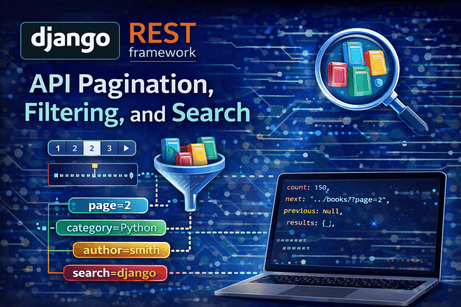
Once your API starts returning real data, three practical problems appear very quickly. First, some endpoints return too many records to send at once. Second, clients rarely want all records; they usually want a subset. Third, users often need to search for matching items without downloading the entire dataset. In Django REST Framework, these needs are handled through pagination, filtering, and search. The official DRF docs describe pagination as support for splitting large result sets into pages, and they describe filtering as the mechanism for restricting the queryset returned by a view. DRF also supports filter backends that add common behaviors such as search and ordering to generic views and viewsets.
This tutorial explains those three topics deeply and in a connected way. That connection matters, because in real APIs they are usually used together. A client may request page 2 of books, filtered by category, searched by title, and ordered by newest first—all in one URL. DRF is designed to support that kind of workflow cleanly through generic views, viewsets, pagination classes, and filter backends. Its schema generation docs also note that pagination and filtering affect the generated OpenAPI operation parameters, which shows how central these features are to API design.
1. Why pagination, filtering, and search matter
If your API returns five objects, returning them all at once is fine. If it returns five thousand, that becomes inefficient for the server, slower for the client, and awkward for the user experience. The DRF pagination guide explains that pagination exists to split large result sets into individual pages of data.
Filtering solves a different problem. Even if pagination exists, clients still do not want unrelated data. A bookstore API client might want only books by one author, only items in one category, or only books published after a given year. The filtering guide states that the default behavior of generic list views is to return the entire queryset, but that APIs often need to restrict which items are returned.
Search solves yet another problem. Sometimes the client does not know exact filtering rules but wants matching content, such as titles containing “django” or authors containing “smith.” DRF’s filtering system supports search behavior through filter backends, which is why pagination, filtering, and search are best learned together.
2. The basic model we will use
We will use a Book model so the examples stay concrete.
from django.db import models

class Book(models.Model):
    title = models.CharField(max_length=200)
    author = models.CharField(max_length=120)
    category = models.CharField(max_length=100)
    published_year = models.IntegerField()
    description = models.TextField(blank=True)
    created_at = models.DateTimeField(auto_now_add=True)

    def __str__(self):
        return self.title
And a serializer:
from rest_framework import serializers
from .models import Book

class BookSerializer(serializers.ModelSerializer):
    class Meta:
        model = Book
        fields = [
            'id',
            'title',
            'author',
            'category',
            'published_year',
            'description',
            'created_at',
        ]
These pieces are standard DRF structure: models define the data, serializers define representation and validation, and then pagination, filtering, and search are added at the view level. The generic views guide notes that GenericAPIView-based views are designed to work closely with querysets and serializers, which is exactly why these features integrate so naturally there.
3. Pagination in DRF: the main idea
Pagination means breaking results into chunks called pages. Instead of returning every book, the API may return 10 or 20 at a time. The DRF pagination docs explain that the framework includes support for customizable pagination styles and that built-in styles include links in the response content, which is especially useful in the browsable API.
A paginated response often looks conceptually like this:
{
  "count": 125,
  "next": "http://127.0.0.1:8000/api/books/?page=2",
  "previous": null,
  "results": [
    {
      "id": 1,
      "title": "Mastering Django",
      "author": "William"
    },
    {
      "id": 2,
      "title": "REST APIs with Python",
      "author": "Jane"
    }
  ]
}
This structure is useful because it gives the client:
- the total number of items
- the next page URL
- the previous page URL
- only the current subset of records
That design is exactly why pagination improves both performance and usability.
4. An important limitation: when pagination is automatic
The pagination guide makes a very important point: pagination is performed automatically only when you are using generic views or viewsets. If you are using a plain APIView, you need to call the pagination API yourself.
This means that if you want pagination, filtering, and search to feel easy, generic views and viewsets are usually the best place to start. For beginners and for most CRUD APIs, that is one reason ListAPIView, ListCreateAPIView, and ModelViewSet are so practical.
5. Setting pagination globally
DRF lets you define pagination globally in settings.py. The pagination docs describe this using a default pagination class and a page size.
Example:
REST_FRAMEWORK = {
    'DEFAULT_PAGINATION_CLASS': 'rest_framework.pagination.PageNumberPagination',
    'PAGE_SIZE': 10,
}
This means that list endpoints using generic views or viewsets will return 10 items per page by default.
Why global pagination is useful
A global setting creates consistency. If most list endpoints in your API should behave similarly, configuring pagination once makes the API easier for clients to understand. It also prevents accidental huge responses when developers forget to paginate a new endpoint. This fits naturally with DRF’s broader API policy settings design, where behaviors like authentication, permissions, and pagination can be set consistently across the project.
6. Built-in pagination styles
The pagination docs state that DRF includes support for customizable pagination styles. In practice, the main built-in styles most developers encounter are page-number-based pagination, limit/offset pagination, and cursor pagination. The page you found emphasizes that DRF’s built-in styles include links in the response content and can be customized.
Page number pagination
This is the most familiar style. Clients request pages such as:
/api/books/?page=2It is easy to understand and works very well in the browsable API.
Limit/offset pagination
This style is useful when clients want more control over how many records are returned and where the slice begins.
Example idea:
/api/books/?limit=10&offset=20Cursor pagination
This is more advanced and especially useful for very large, frequently changing datasets.
For a beginner-friendly course, page-number pagination is usually the best first choice because it is the easiest to explain and test. The DRF pagination docs emphasize accessible link-based pagination in the content, which fits this style well.
7. Per-view pagination
Just like authentication and permissions, pagination can be customized per view. The pagination docs state that pagination can be turned off by setting the pagination class to None, and they also support using a custom pagination class for a particular view.
Example:
from rest_framework import generics
from rest_framework.pagination import PageNumberPagination
from .models import Book
from .serializers import BookSerializer

class BookPagination(PageNumberPagination):
    page_size = 5
    page_size_query_param = 'page_size'
    max_page_size = 50

class BookListAPIView(generics.ListAPIView):
    queryset = Book.objects.all().order_by('-created_at')
    serializer_class = BookSerializer
    pagination_class = BookPagination
This gives you:
- default page size of 5
- optional client override with
?page_size=... - protection through
max_page_size
That last part matters because you usually do not want clients requesting 100,000 objects in one response.
8. Filtering in DRF: the simplest approach
The filtering docs say that the simplest way to filter the queryset of any view that subclasses GenericAPIView is to override .get_queryset(). They also show examples of filtering against the current user, the URL, and query parameters.
This is the most important starting point for learning filtering.
Example:
from rest_framework import generics
from .models import Book
from .serializers import BookSerializer

class BookListAPIView(generics.ListAPIView):
    serializer_class = BookSerializer

    def get_queryset(self):
        queryset = Book.objects.all().order_by('-created_at')

        category = self.request.query_params.get('category')
        author = self.request.query_params.get('author')
        year = self.request.query_params.get('published_year')

        if category:
            queryset = queryset.filter(category__iexact=category)

        if author:
            queryset = queryset.filter(author__icontains=author)

        if year:
            queryset = queryset.filter(published_year=year)

        return queryset
Now the client can request:
/api/books/?category=Python
/api/books/?author=smith
/api/books/?published_year=2024
/api/books/?category=Python&author=smith
This style is powerful because it is explicit and easy to understand. It also matches the official filtering guide’s recommendation to override get_queryset() when you need custom restriction logic.
9. Types of filtering described in the DRF docs
The filtering guide highlights three especially important filtering patterns.
Filtering against the current user
The docs show filtering a purchase list using request.user, so each user sees only their own purchases.
Filtering against the URL
The docs also show filtering based on a URL component, such as a username captured in the path.
Filtering against query parameters
Finally, the docs show filtering based on ?username=... in the URL query string.
These are not just examples; they represent three core ways API data is narrowed:
- by the authenticated requester
- by route structure
- by client-supplied query parameters
Understanding those three patterns gives you a strong base for almost all normal API filtering.
10. Search in DRF
Search is related to filtering, but it usually means broad text matching rather than exact narrowing. In DRF, search is commonly enabled through filter backends on generic views and viewsets. The filtering guide is the main official entry point for this behavior, and the schema documentation notes that filter backends contribute query parameters to endpoint descriptions.
A very common pattern is to allow search on fields like title, author, or description.
Example:
from rest_framework import generics, filters
from .models import Book
from .serializers import BookSerializer

class BookListAPIView(generics.ListAPIView):
    queryset = Book.objects.all().order_by('-created_at')
    serializer_class = BookSerializer
    filter_backends = [filters.SearchFilter]
    search_fields = ['title', 'author', 'description']
Then clients can use:
/api/books/?search=django
/api/books/?search=william
This is extremely useful for user-facing applications because it lets the frontend offer simple search without forcing the client to build exact filter logic for every field.
11. Search vs filtering: what is the difference?
This distinction is important.
Filtering
Filtering is usually narrower and field-aware. The client often asks for exact or rule-based subsets:
- category is “Python”
- published year is 2024
- author contains “Smith”
Search
Search is usually broader and keyword-oriented:
- find anything matching “django”
- search title, description, or author for “rest”
So filtering is often about structured query parameters, while search is often about full-text-like matching across selected fields. In practice, good APIs often support both at the same time. DRF’s filter system is designed for that layered use.
12. Combining pagination, filtering, and search
This is where the topic becomes truly practical. In real APIs, you rarely use only one of these features.
A client might request:
/api/books/?category=Python&search=django&page=2This means:
- restrict results to category
Python - search within the allowed fields for
django - return only page 2 of the result set
This kind of URL is one of the main reasons DRF’s generic views and filter backends are so useful. Pagination shapes the result size, filtering narrows the dataset, and search lets the user find relevant matches. The schema docs explicitly note that OpenAPI operations may include path and query parameters for pagination and filtering, which reflects exactly how central these parameters are in endpoint design.
13. Example: all three together
Here is a practical combined example.
from rest_framework import generics, filters
from rest_framework.pagination import PageNumberPagination
from .models import Book
from .serializers import BookSerializer

class BookPagination(PageNumberPagination):
    page_size = 5
    page_size_query_param = 'page_size'
    max_page_size = 20

class BookListAPIView(generics.ListAPIView):
    serializer_class = BookSerializer
    pagination_class = BookPagination
    filter_backends = [filters.SearchFilter]

    search_fields = ['title', 'author', 'description']

    def get_queryset(self):
        queryset = Book.objects.all().order_by('-created_at')

        category = self.request.query_params.get('category')
        year = self.request.query_params.get('published_year')

        if category:
            queryset = queryset.filter(category__iexact=category)

        if year:
            queryset = queryset.filter(published_year=year)

        return queryset
Now the endpoint supports:
- pagination through
?page=and?page_size= - exact filtering through
?category=and?published_year= - text search through
?search=
This is already a solid real-world list endpoint design.
14. Filtering support with django-filter
The DRF homepage lists django-filter as the optional package used for filtering support. That means more advanced filtering workflows are typically done with this package rather than only manual get_queryset() code.
You install it with:
pip install django-filterThe homepage explicitly documents that installation command as the filtering-support package for DRF.
Then add it to INSTALLED_APPS if you are using it in your project, and configure the appropriate filter backend in DRF settings or views.
Why django-filter is useful
Manual get_queryset() filtering is perfect for learning and for custom cases. But as your API grows, field-based filtering can become repetitive. django-filter helps standardize and simplify those patterns. Since DRF documents it as the optional filtering package, it is the normal next step once you move beyond small custom filters.
15. Pagination and the browsable API
The pagination docs note that DRF’s built-in pagination styles include links in the content and that this is more accessible when using the browsable API. The browsable API docs also explain that DRF renders human-friendly HTML pages for resources and allows query-string controls such as ?format=json.
This is one of the reasons pagination is so pleasant to test in DRF:
- you can browse pages directly in the browser
- next and previous links are visible
- filters and search can be tested with query parameters
- you can switch to raw JSON with
?format=json
That makes learning much easier because you can see how the API behaves immediately without building a frontend first.
16. Pagination and plain APIView
Earlier I mentioned that pagination is only automatic with generic views and viewsets. This deserves emphasis because it surprises many beginners. The pagination docs clearly state that if you use a regular APIView, you must call the pagination API yourself.
That means generic views are generally a better fit for list endpoints unless you have a strong reason to work at the lower abstraction level. DRF’s generic views guide explains that these views exist to abstract common patterns so you do not repeat yourself. Pagination, filtering, and search are perfect examples of those common patterns.
17. Good endpoint design habits
Pagination, filtering, and search are not just technical features. They also shape how usable your API feels.
A few strong design habits help a lot.
Use pagination by default on list endpoints that may grow large. The DRF docs make clear that pagination exists for splitting large result sets; that should usually be the normal behavior for public-facing lists.
Use clear query parameter names. Clients should understand what category, author, published_year, and search mean without needing guesswork.
Keep search broad and user-friendly, but keep filtering predictable and field-based.
Avoid giving clients unlimited page size. A max_page_size guard is important for performance and abuse prevention.
Prefer generic views or viewsets so these features integrate naturally. DRF’s docs repeatedly show that many higher-level features work best on GenericAPIView-based classes.
18. Common beginner mistakes
A very common mistake is forgetting that pagination is not automatic on plain APIView. Developers sometimes set pagination settings and then wonder why nothing changes on their custom API view. The pagination guide explicitly explains this limitation.
Another mistake is trying to use search when exact filtering would be better. For example, published_year=2024 is a filter, not really a search use case.
Another mistake is exposing huge page sizes. Even if your API technically supports it, that can hurt performance and make your endpoint easy to abuse.
Another one is mixing business rules and request parsing badly inside get_queryset(). The DRF filtering guide recommends overriding get_queryset(), but it is still important to keep the logic readable and structured.
A final mistake is forgetting that these query parameters become part of your API contract. The schema documentation notes that pagination and filtering parameters are reflected in API schema generation, which is a reminder that these features should be designed intentionally, not added randomly.
19. Full example recap
Here is a clean example that includes all three features.
from rest_framework import generics, filters
from rest_framework.pagination import PageNumberPagination
from .models import Book
from .serializers import BookSerializer

class BookPagination(PageNumberPagination):
    page_size = 10
    page_size_query_param = 'page_size'
    max_page_size = 50

class BookListAPIView(generics.ListAPIView):
    serializer_class = BookSerializer
    pagination_class = BookPagination
    filter_backends = [filters.SearchFilter]
    search_fields = ['title', 'author', 'description']

    def get_queryset(self):
        queryset = Book.objects.all().order_by('-created_at')

        category = self.request.query_params.get('category')
        author = self.request.query_params.get('author')
        year = self.request.query_params.get('published_year')

        if category:
            queryset = queryset.filter(category__iexact=category)

        if author:
            queryset = queryset.filter(author__icontains=author)

        if year:
            queryset = queryset.filter(published_year=year)

        return queryset
Example URLs:
/api/books/

/api/books/?page=2

/api/books/?category=Python

/api/books/?search=django

/api/books/?category=Python&search=django&page=2&page_size=5
This is already a realistic DRF endpoint for many applications.
20. Final perspective
Pagination, filtering, and search are three of the most important features for making an API practical rather than merely functional. The DRF docs explain pagination as the splitting of large result sets into manageable pages, filtering as restricting the queryset returned by a view, and generic view support as the layer where these behaviors integrate most naturally. The framework also documents filtering support through optional django-filter, and its schema generation makes pagination and filtering part of the endpoint contract.
The key idea to remember is this: pagination controls how much data is returned, filtering controls which data is returned, and search helps users discover relevant data quickly. When those three work together, your API becomes far more useful, scalable, and professional.
The best next tutorial after this one is ordering, advanced filtering, and django-filter integration, because that is the natural step after mastering the core list endpoint tools.













💬 Comments
No comments yet. Be the first to comment!
Login to comment.