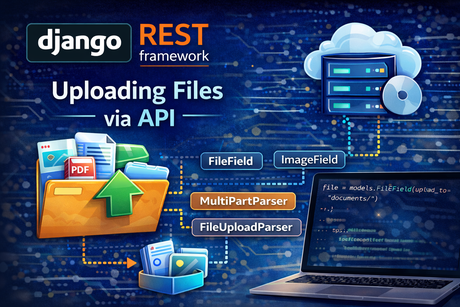
File uploads are one of the most practical features you can add to an API. In real projects, APIs often need to accept profile images, PDF documents, spreadsheets, invoices, course materials, product photos, and many other file types. In Django REST Framework, file uploads are handled through serializer fields and parser classes rather than plain JSON alone. The official DRF documentation states that FileField and ImageField are only suitable for use with MultiPartParser or FileUploadParser, and that most parsers such as JSON do not support file uploads.
This is the first major idea to understand: file uploads are not normal JSON payloads. When you upload a file through DRF, the request must be parsed with a file-capable parser, and the serializer must use a field type that knows how to validate file input. DRF’s parser guide explains that FileUploadParser handles raw file upload content, while the serializer fields guide explains that FileField and ImageField use Django’s standard file validation and upload handling.
In this tutorial, we will build a deep understanding of file uploads in DRF, including how uploaded files move from request to serializer to model storage, when to use MultiPartParser versus FileUploadParser, how FileField and ImageField behave, how uploaded files are represented in API responses, and what common mistakes beginners make.
1. Why file uploads in APIs are special
A normal JSON request might send text like this:
{
  "title": "My document",
  "description": "Important file"
}
That is easy for a JSON parser to read. But a real file upload includes binary content and metadata, which means a standard JSON parser is not enough. DRF’s field documentation is explicit that FileField and ImageField are only suitable with MultiPartParser or FileUploadParser, and its parser docs explain that FileUploadParser is intended for raw file uploads while multipart uploads are appropriate for web-based upload forms and clients with multipart support.
So the first conceptual rule is:
- JSON parser → normal structured data
- multipart/raw upload parser → file-capable requests
That distinction is essential. If you try to upload a file to a view that only expects JSON, the request will not be handled correctly.
2. The two main upload styles in DRF
The official DRF parser guide gives us the two most important file-upload approaches:
Multipart upload
This is the typical web-style upload. It is what browsers commonly use in forms and what many HTTP clients also support. DRF says that for web-based uploads, or native clients with multipart support, you should use MultiPartParser.
Raw file upload
This is a lower-level style where the file is sent as the request body itself. DRF says FileUploadParser is for native clients that can upload the file as a raw data request, and that request.data will contain a single key, 'file'.
This leads to a very useful practical guideline:
- use
MultiPartParserfor browser forms and most frontend uploads - use
FileUploadParserfor raw/native-client upload scenarios
That guideline comes directly from the parser documentation.
3. A simple model for uploaded files
Let us start with a realistic example. Suppose we want users to upload documents through the API.
from django.db import models

class Document(models.Model):
    title = models.CharField(max_length=200)
    file = models.FileField(upload_to='documents/')
    uploaded_at = models.DateTimeField(auto_now_add=True)

    def __str__(self):
        return self.title
This model is standard Django, not DRF-specific. DRF works on top of Django’s file system and upload handling. The DRF field docs note that Django’s regular FILE_UPLOAD_HANDLERS are used for handling uploaded files, which means DRF is integrating with Django’s existing file-upload infrastructure rather than replacing it.
That is important because when you upload files through DRF, you are still fundamentally relying on Django’s file handling pipeline.
4. The serializer for file uploads
Now we create a serializer:
from rest_framework import serializers
from .models import Document

class DocumentSerializer(serializers.ModelSerializer):
    class Meta:
        model = Document
        fields = ['id', 'title', 'file', 'uploaded_at']
This looks simple, but a lot happens here automatically. DRF’s serializer field documentation explains that FileField performs Django’s standard FileField validation, and that ImageField similarly validates image uploads. It also documents options like allow_empty_file and use_url.
So if a client submits a file for the file field, the serializer is responsible for validating it and preparing it for saving. This is one of the reasons serializers are central in DRF: they do not only format output; they also validate incoming uploaded file data.
5. FileField vs ImageField
DRF provides both FileField and ImageField. The serializer fields guide says:
FileFieldrepresents a file and performs Django’s standardFileFieldvalidationImageFieldperforms image-specific validation and is likewise only suitable withMultiPartParserorFileUploadParser
Use FileField when the upload may be:
- DOCX
- ZIP
- spreadsheet
- general document
Use ImageField when the upload must be an image:
- profile photo
- product image
- course thumbnail
A simple image serializer could look like this:
from rest_framework import serializers

class AvatarUploadSerializer(serializers.Serializer):
    avatar = serializers.ImageField()
That field choice matters because ImageField adds image validation rather than treating every file type as acceptable.
6. The most common upload approach: multipart form data
For most APIs that accept files from a browser or standard HTTP clients, multipart upload is the normal choice. DRF’s parser docs explicitly recommend MultiPartParser for web-based uploads or native clients with multipart support.
A typical DRF view for file upload might be:
from rest_framework import generics
from rest_framework.parsers import MultiPartParser, FormParser
from .models import Document
from .serializers import DocumentSerializer

class DocumentUploadAPIView(generics.CreateAPIView):
    queryset = Document.objects.all()
    serializer_class = DocumentSerializer
    parser_classes = [MultiPartParser, FormParser]
Why include FormParser too?
Because multipart requests often combine text fields and file fields together. For example, the same request may send:
titlefile
The important thing is that MultiPartParser is the essential file-aware parser for this web-style upload pattern. The parser documentation makes clear that file-capable requests need a parser like MultiPartParser or FileUploadParser, not a JSON-only parser.
7. How a multipart upload request looks conceptually
When a client sends multipart form data, the request does not look like plain JSON. Instead, it is transmitted as form parts, one of which may be the file.
Conceptually, the client sends:
- a normal text field such as
title=My Report - a file field such as
file=<binary content>
Your DRF view receives that request, the parser processes it, and the serializer sees the structured input including the uploaded file object. DRF’s field docs note that Django’s regular upload handlers are used, which means the file object is integrated into the normal Django upload pipeline.
This is why multipart upload is so comfortable for normal browser-based workflows: it feels like a standard HTML form submission, but DRF still gives you serializer-based API validation.
8. Raw file uploads with FileUploadParser
Now let us look at the lower-level raw upload style.
The DRF parser docs explain that FileUploadParser parses raw file upload content, and that request.data will contain a dictionary with a single key 'file'. They also state that if the view receives a filename URL keyword argument, that argument will be used as the filename; otherwise the client must set the filename in the Content-Disposition header.
Example from the docs pattern:
from rest_framework.views import APIView
from rest_framework.parsers import FileUploadParser
from rest_framework.response import Response
from rest_framework import status

class RawFileUploadAPIView(APIView):
    parser_classes = [FileUploadParser]

    def put(self, request, filename, format=None):
        file_obj = request.data['file']
        # save file_obj somehow
        return Response(status=status.HTTP_204_NO_CONTENT)
Important notes from the docs
DRF explicitly warns that:
FileUploadParseris for native clients that upload raw file content- for web-based uploads you should use
MultiPartParserinstead - because
FileUploadParserhas a media type matching any content type, it should generally be the only parser set on the view
That last point is especially important. FileUploadParser is broad and low-level, so it should usually stand alone on the view.
9. When to choose MultiPartParser and when to choose FileUploadParser
This choice is one of the most important design decisions in DRF file uploads.
Choose MultiPartParser when:
- the client is a browser form
- the frontend is a typical web app
- you want to send text fields and files together naturally
- the client can send multipart requests
Choose FileUploadParser when:
- the client is a native tool or lower-level uploader
- the whole request body is essentially the file
- you want a raw upload endpoint
- you are explicitly controlling filename handling through URL or headers
These recommendations come directly from the DRF parser documentation.
In most beginner and CRUD-style APIs, MultiPartParser is the best starting point.
10. What happens after a file is uploaded
Once the parser reads the request and the serializer validates the input, the model instance can be saved normally:
serializer = DocumentSerializer(data=request.data)
if serializer.is_valid():
    serializer.save()
The uploaded file is stored through Django’s file field mechanism. DRF’s field docs say that Django’s regular FILE_UPLOAD_HANDLERS are used for handling uploaded files, which means the upload ultimately goes through Django’s configured file handling system.
This is important for architecture: DRF handles the API layer, but the underlying file processing and storage behavior still rely on Django’s file infrastructure.
11. How uploaded files appear in serializer output
One part of DRF file uploads that surprises many beginners is the output representation.
The DRF 3.0 announcement explains that FileField and ImageField are represented as URLs by default, and that this behavior depends on Django’s MEDIA_URL and on proper serving of uploaded files. It also explains that you can change this behavior globally with UPLOADED_FILES_USE_URL = False, or per field using use_url=False. It further notes that if you pass the request in serializer context, DRF can generate fully qualified URLs.
So by default, a saved file may be returned like this conceptually:
{
  "id": 1,
  "title": "My Report",
  "file": "/media/documents/report.pdf"
}
Or, if the serializer gets the request in its context, it may return a fully qualified URL. DRF documents that distinction clearly.
This means file uploads are not only about accepting files. You also need to think about how uploaded files are represented back to clients.
12. Controlling file representation with use_url
DRF’s field docs list the use_url argument for FileField, and the 3.0 announcement explains its effect. If use_url=True, output values use URL strings. If use_url=False, output values use filename strings instead.
Example:
class DocumentSerializer(serializers.ModelSerializer):
    file = serializers.FileField(use_url=False)

    class Meta:
        model = Document
        fields = ['id', 'title', 'file']
This might return something like:
{
  "id": 1,
  "title": "My Report",
  "file": "documents/report.pdf"
}
Instead of a URL-based representation.
This is useful when:
- your frontend builds media URLs itself
- you want more compact output
- you do not want API consumers to receive storage URLs directly
13. Passing request to serializer context for full URLs
The DRF 3.0 announcement notes that if you pass the request object to the serializer as context, returned file URLs can be fully qualified, such as https://example.com/media/...; otherwise they may be relative URLs such as /media/....
Example:
serializer = DocumentSerializer(document, context={'request': request})
return Response(serializer.data)
This detail matters a lot for APIs consumed by external frontend apps or mobile apps. Relative paths are not always enough for remote clients; full URLs are often more convenient.
So when working with uploaded files, output formatting is not trivial. It affects how easily the client can actually use the uploaded resource.
14. Uploading images via API
Image uploads work similarly to general file uploads, but with ImageField instead of FileField.
Example model:
from django.db import models

class UserProfile(models.Model):
    username = models.CharField(max_length=150)
    avatar = models.ImageField(upload_to='avatars/', blank=True, null=True)
Serializer:
from rest_framework import serializers
from .models import UserProfile

class UserProfileSerializer(serializers.ModelSerializer):
    class Meta:
        model = UserProfile
        fields = ['id', 'username', 'avatar']
View:
from rest_framework import generics
from rest_framework.parsers import MultiPartParser, FormParser
from .models import UserProfile
from .serializers import UserProfileSerializer

class AvatarUploadAPIView(generics.CreateAPIView):
    queryset = UserProfile.objects.all()
    serializer_class = UserProfileSerializer
    parser_classes = [MultiPartParser, FormParser]
The reason this works is the same principle as with normal files: DRF’s ImageField is only suitable with MultiPartParser or FileUploadParser, not JSON-only parsing.
15. Validation options for file fields
The DRF field docs list important arguments for FileField:
max_lengthallow_empty_fileuse_url
Example:
uploaded_file = serializers.FileField(
    max_length=255,
    allow_empty_file=False,
    use_url=True
)
Why these matter
allow_empty_file=False is especially important in real APIs. It prevents the client from “uploading” an empty file when your business rules require actual content.
max_length affects the filename length, not the binary size of the file.
use_url affects representation, not validation.
These distinctions are subtle but important, and they come from the field documentation itself.
16. A practical complete example
Here is a realistic DRF file-upload endpoint using multipart upload.
models.py
from django.db import models

class Document(models.Model):
    title = models.CharField(max_length=200)
    file = models.FileField(upload_to='documents/')
    uploaded_at = models.DateTimeField(auto_now_add=True)

    def __str__(self):
        return self.title
serializers.py
from rest_framework import serializers
from .models import Document

class DocumentSerializer(serializers.ModelSerializer):
    class Meta:
        model = Document
        fields = ['id', 'title', 'file', 'uploaded_at']
views.py
from rest_framework import generics
from rest_framework.parsers import MultiPartParser, FormParser
from .models import Document
from .serializers import DocumentSerializer

class DocumentUploadAPIView(generics.CreateAPIView):
    queryset = Document.objects.all()
    serializer_class = DocumentSerializer
    parser_classes = [MultiPartParser, FormParser]
urls.py
from django.urls import path
from .views import DocumentUploadAPIView

urlpatterns = [
    path('documents/upload/', DocumentUploadAPIView.as_view(), name='document-upload'),
]
This structure matches DRF’s recommended parser setup for browser and multipart-capable clients.
17. Serving uploaded files correctly
DRF’s 3.0 announcement warns that because file fields are represented as URLs by default, you should ensure Django’s MEDIA_URL is set appropriately and that your application serves uploaded files correctly.
This is a key architectural point:
- accepting the upload is only one part
- making the uploaded file accessible later is another part
If the file field returns a URL but your media files are not served correctly, the client will receive a path that does not actually work.
So whenever you build upload endpoints, remember that storage and media serving are part of the total feature, not separate afterthoughts.
18. Common beginner mistakes
Several mistakes appear repeatedly in DRF file uploads.
Mistake 1: trying to upload files with JSON-only parsing
The field docs explicitly state that FileField and ImageField are only suitable with MultiPartParser or FileUploadParser, not most parsers such as JSON.
Mistake 2: using FileUploadParser for browser-style uploads
The parser guide says FileUploadParser is intended for native raw uploads, while web-based uploads should generally use MultiPartParser.
Mistake 3: combining FileUploadParser carelessly with other parsers
Because FileUploadParser matches any content type, DRF says it should generally be the only parser on the view.
Mistake 4: expecting filenames when DRF returns URLs
The 3.0 announcement explains that file fields are represented as URLs by default. If you want filenames, you need use_url=False or different global settings.
Mistake 5: forgetting serializer context for fully qualified URLs
If you want absolute URLs in output, DRF says you should pass the request to serializer context.
Mistake 6: thinking DRF handles storage independently of Django
The field and parser docs both note that Django’s regular upload handlers are used. DRF handles the API layer, but the upload handling still depends on Django’s file infrastructure.
19. A good mental model for file uploads in DRF
A reliable way to think about uploads is this:
- Client sends file request
Usually multipart, sometimes raw. - Parser reads the request
MultiPartParserorFileUploadParserhandles the incoming file-capable request. - Serializer validates the file field
FileFieldorImageFieldvalidates it using Django’s standard validation style. - Model saves the file through Django storage
DRF relies on Django’s upload handling pipeline. - API responds with file representation
Usually a URL by default, unless configured otherwise.
If you understand those five layers, file uploads in DRF stop feeling mysterious.
20. Final conclusion
Uploading files via API in Django REST Framework is built around the cooperation of parser classes, serializer file fields, and Django’s underlying upload system. The official DRF documentation states that FileField and ImageField only work properly with MultiPartParser or FileUploadParser, that FileUploadParser is meant for raw native uploads and should generally be the only parser on its view, and that uploaded file fields are represented as URLs by default unless you change use_url or related settings. It also explains that Django’s regular upload handlers are used and that passing the request into serializer context helps generate fully qualified file URLs.
The main lesson is simple: file uploads in DRF are not just “sending a file.” They require the right parser, the right serializer field, the right storage setup, and the right response representation. Once those parts are aligned, file uploads become a clean and powerful feature in your API.













💬 Comments
No comments yet. Be the first to comment!
Login to comment.