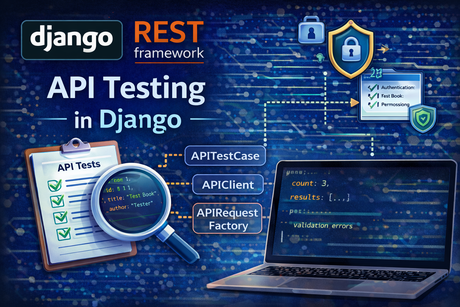
Testing is one of the most important parts of API development because an API is not only code that “works once.” It is a contract that must keep working as your project grows. Django and Django REST Framework both provide official testing tools for this. DRF has a dedicated testing guide covering tools like APIRequestFactory, APIClient, force_authenticate, and APITestCase, while Django’s official testing docs cover the core test client, RequestFactory, and the broader testing framework.
In practical terms, API testing means checking things like:
- does the endpoint return the expected status code?
- does it return the right JSON structure?
- does authentication behave correctly?
- do permissions block the wrong users?
- do serializers reject invalid data?
- do create, update, and delete actions really affect the database?
That is why API testing matters so much in Django projects. A well-tested API becomes easier to maintain, safer to refactor, and much more reliable in production. DRF’s official testing guide exists precisely because API views need specialized testing helpers beyond plain browser-style page checks.
1. What API testing really means
When people first hear “testing in Django,” they often think only about templates or page rendering. But APIs need a different mindset. Instead of asking whether a template rendered correctly, you usually ask whether:
- the response status code is correct
- the JSON body contains the expected data
- the API accepts or rejects input properly
- authentication and permissions are enforced correctly
Django’s test client is designed to simulate requests to your application, while DRF adds API-specific tools so you can test request parsing, API responses, authentication, and view behavior more naturally. Django’s docs describe the test client as a dummy web browser for programmatically interacting with your application, and DRF’s testing guide describes APIRequestFactory and related tools for API-oriented testing.
So API testing in Django is not a separate universe. It builds on Django’s testing system, but with DRF-specific helpers that make API scenarios easier to express.
2. Why API tests are essential
Without tests, APIs become fragile. A small serializer change may break clients. A permission update may accidentally expose private data. A refactor in filtering or pagination may silently alter results. Good tests catch these problems early.
A strong API test suite usually verifies:
- response codes
- response payloads
- database changes
- authentication behavior
- permission restrictions
- validation errors
This matches the role of the official tools. Django’s testing framework exists to help you make assertions about request/response behavior, and DRF’s testing tools specifically target API request generation and API-level assertions.
In other words, API testing protects both correctness and security.
3. Django testing vs DRF testing
Django and DRF testing are closely related, but they focus on slightly different layers.
Django testing tools
Django provides:
TestCase- the test
Client RequestFactory
Django’s docs explain that the test client acts like a dummy browser, while RequestFactory generates request objects so you can call views more directly.
DRF testing tools
DRF provides:
APIRequestFactoryAPIClientforce_authenticateAPITestCase
DRF’s testing guide explains that APIRequestFactory has an almost identical API to Django’s standard RequestFactory, and it documents DRF-specific authentication helpers and API-focused test behavior.
A simple way to think about it is:
- use Django testing for general Django behavior
- use DRF testing when you want API-native request/response testing
4. The most common testing levels for APIs
API tests are usually written at different levels.
Endpoint-level tests
These call real API URLs and inspect full responses.
View-level tests
These call the view more directly, often using a factory-generated request.
Authentication and permission tests
These verify that anonymous users, normal users, and staff users get the correct access results.
Validation tests
These send invalid payloads and check that the serializer returns proper errors.
Database-effect tests
These confirm that create, update, and delete operations actually change stored data.
Django’s testing tools and DRF’s API tools support all these patterns, but the exact tool you choose depends on how close to the full request cycle you want the test to be. Django’s docs describe the distinction between the test client and RequestFactory, and DRF mirrors that distinction with APIClient and APIRequestFactory.
5. TestCase and APITestCase
In many Django and DRF projects, tests are written as subclasses of TestCase or DRF’s APITestCase.
Django’s testing documentation covers TestCase as part of its standard testing framework. DRF’s testing guide documents APITestCase as an API-focused test case class that works naturally with DRF’s client and API assertions.
A typical DRF test file might start like this:
from rest_framework.test import APITestCase
from django.urls import reverse
from .models import Book

class BookAPITestCase(APITestCase):
    def setUp(self):
        self.book = Book.objects.create(
            title="Mastering Django",
            author="William",
            published_year=2024,
        )
This gives you a database-aware test environment and a DRF-ready test client.
6. APIClient: the most practical starting point
For most beginners and most real endpoint tests, APIClient is the easiest place to start. DRF’s testing guide presents APIClient as the API-aware equivalent of Django’s test client. Django’s docs describe the test client as a way to interact with your application programmatically, and DRF extends that approach for APIs.
Example:
from rest_framework.test import APITestCase
from django.urls import reverse
from .models import Book

class BookListTests(APITestCase):
    def setUp(self):
        Book.objects.create(title="Book One", author="Alice", published_year=2022)
        Book.objects.create(title="Book Two", author="Bob", published_year=2023)

    def test_book_list_returns_200(self):
        url = reverse('book-list')
        response = self.client.get(url)

        self.assertEqual(response.status_code, 200)
        self.assertEqual(len(response.data), 2)
Why APIClient is so useful
It sends requests through your URL routing and view stack, which means you are testing the endpoint more realistically than with direct view calls. That makes it a very strong default choice for CRUD APIs, authentication checks, and response validation. This aligns with the role of Django’s test client and DRF’s API-specific client support.
<hr>7. APIRequestFactory: lower-level view testing
DRF’s testing guide explains that APIRequestFactory supports almost the same API as Django’s RequestFactory, including .get(), .post(), .put(), .patch(), .delete(), .head(), and .options(). Django’s advanced testing docs explain that RequestFactory generates request instances for direct view testing rather than behaving like a browser.
Example:
from rest_framework.test import APIRequestFactory
from .views import BookListAPIView

factory = APIRequestFactory()
request = factory.get('/api/books/')
view = BookListAPIView.as_view()

response = view(request)
When this is useful
Use APIRequestFactory when:
- you want direct control over the request
- you want to test a view more like a pure function
- you do not need full URL resolution or middleware-like behavior
This is especially useful for focused unit-style tests of view logic.
8. APIClient vs APIRequestFactory
This distinction is one of the most important testing decisions.
APIClient
- closer to real endpoint behavior
- goes through URL patterns
- very good for integration-style API tests
APIRequestFactory
- lower-level
- creates request objects directly
- better for focused view tests
This mirrors Django’s own distinction between the test client and RequestFactory, and DRF follows the same pattern with API-aware variants. Django’s docs explicitly state that RequestFactory gives you a request instance for direct view testing, while the test client is more browser-like. DRF’s testing guide describes APIRequestFactory as nearly identical in API to Django’s standard factory.
For most tutorial-level and production API suites, APIClient is usually the first tool to reach for.
9. Testing GET endpoints
A good starting point is testing list and detail endpoints.
Example:
from rest_framework.test import APITestCase
from django.urls import reverse
from .models import Book

class BookRetrieveTests(APITestCase):
    def setUp(self):
        self.book = Book.objects.create(
            title="Mastering Django",
            author="William",
            published_year=2024,
        )

    def test_retrieve_book(self):
        url = reverse('book-detail', args=[self.book.id])
        response = self.client.get(url)

        self.assertEqual(response.status_code, 200)
        self.assertEqual(response.data['title'], "Mastering Django")
        self.assertEqual(response.data['author'], "William")
What matters here is not only that the endpoint returns 200, but that the payload structure and values are correct. That is the heart of API testing.
10. Testing POST and create behavior
Create endpoints should usually be tested for:
- success status code
- correct returned payload
- actual database creation
Example:
from rest_framework.test import APITestCase
from django.urls import reverse
from .models import Book

class BookCreateTests(APITestCase):
    def test_create_book(self):
        url = reverse('book-list')
        payload = {
            "title": "REST APIs with Python",
            "author": "Jane Smith",
            "published_year": 2025
        }

        response = self.client.post(url, payload, format='json')

        self.assertEqual(response.status_code, 201)
        self.assertEqual(Book.objects.count(), 1)
        self.assertEqual(Book.objects.first().title, "REST APIs with Python")
This kind of test is extremely valuable because it verifies both the HTTP contract and the database side effect.
11. Testing validation errors
A strong API suite should not only test successful requests. It should also test invalid input.
Example:
from rest_framework.test import APITestCase
from django.urls import reverse

class BookValidationTests(APITestCase):
    def test_create_book_with_invalid_year(self):
        url = reverse('book-list')
        payload = {
            "title": "Bad Book",
            "author": "Author",
            "published_year": "not-a-number"
        }

        response = self.client.post(url, payload, format='json')

        self.assertEqual(response.status_code, 400)
        self.assertIn('published_year', response.data)
This matters because validation is part of your API contract too. Clients need predictable error behavior, not only success behavior.
12. Testing update endpoints
Updates should verify both response correctness and persisted changes.
Example:
from rest_framework.test import APITestCase
from django.urls import reverse
from .models import Book

class BookUpdateTests(APITestCase):
    def setUp(self):
        self.book = Book.objects.create(
            title="Old Title",
            author="William",
            published_year=2024
        )

    def test_update_book(self):
        url = reverse('book-detail', args=[self.book.id])
        payload = {
            "title": "New Title",
            "author": "William",
            "published_year": 2024
        }

        response = self.client.put(url, payload, format='json')
        self.book.refresh_from_db()

        self.assertEqual(response.status_code, 200)
        self.assertEqual(self.book.title, "New Title")
Here the call to refresh_from_db() is important because it ensures you are checking the new database state, not a stale in-memory object.
13. Testing delete endpoints
Delete tests are usually straightforward but very important.
Example:
from rest_framework.test import APITestCase
from django.urls import reverse
from .models import Book

class BookDeleteTests(APITestCase):
    def setUp(self):
        self.book = Book.objects.create(
            title="Delete Me",
            author="William",
            published_year=2024
        )

    def test_delete_book(self):
        url = reverse('book-detail', args=[self.book.id])
        response = self.client.delete(url)

        self.assertEqual(response.status_code, 204)
        self.assertEqual(Book.objects.count(), 0)
Delete behavior is a good example of why database assertions matter. The response code alone is not enough.
14. Testing authentication
Authentication is one of the most important API test areas. DRF’s testing guide documents helpers like force_authenticate, and its broader testing utilities are designed specifically for API authentication scenarios.
Example with APIClient.login() for session-based auth:
from django.contrib.auth import get_user_model
from rest_framework.test import APITestCase
from django.urls import reverse

User = get_user_model()

class PrivateEndpointTests(APITestCase):
    def setUp(self):
        self.user = User.objects.create_user(
            username='testuser',
            password='secret123'
        )

    def test_authenticated_access(self):
        self.client.login(username='testuser', password='secret123')
        url = reverse('private-endpoint')
        response = self.client.get(url)

        self.assertEqual(response.status_code, 200)

And for anonymous access:

    def test_anonymous_access_denied(self):
        url = reverse('private-endpoint')
        response = self.client.get(url)

        self.assertEqual(response.status_code, 403)
The exact denied status may vary by authentication setup, but the principle remains: test both allowed and denied access paths.
15. force_authenticate: testing authenticated requests directly
DRF’s testing guide documents force_authenticate as a helper for authenticating requests in tests without going through the full login flow. This is especially useful with APIRequestFactory.
Example:
from django.contrib.auth import get_user_model
from rest_framework.test import APIRequestFactory, force_authenticate
from .views import BookListAPIView

User = get_user_model()

factory = APIRequestFactory()
user = User.objects.create_user(username='tester', password='secret')

request = factory.get('/api/books/')
force_authenticate(request, user=user)

view = BookListAPIView.as_view()
response = view(request)
Why this is useful
It lets you test authenticated view behavior very directly, without depending on the full login/session mechanism. That makes it ideal for focused unit-style view tests.
16. Testing permissions
Permissions should always be tested from multiple angles:
- anonymous user
- authenticated normal user
- owner
- non-owner
- admin/staff user
Example:
from django.contrib.auth import get_user_model
from rest_framework.test import APITestCase
from django.urls import reverse
from .models import Book

User = get_user_model()

class BookPermissionTests(APITestCase):
    def setUp(self):
        self.owner = User.objects.create_user(username='owner', password='secret')
        self.other = User.objects.create_user(username='other', password='secret')
        self.book = Book.objects.create(
            title="Protected",
            author="Owner",
            published_year=2024,
            owner=self.owner
        )

    def test_owner_can_update(self):
        self.client.login(username='owner', password='secret')
        url = reverse('book-detail', args=[self.book.id])
        payload = {
            "title": "Updated",
            "author": "Owner",
            "published_year": 2024
        }
        response = self.client.put(url, payload, format='json')
        self.assertEqual(response.status_code, 200)

    def test_non_owner_cannot_update(self):
        self.client.login(username='other', password='secret')
        url = reverse('book-detail', args=[self.book.id])
        payload = {
            "title": "Hack Attempt",
            "author": "Owner",
            "published_year": 2024
        }
        response = self.client.put(url, payload, format='json')
        self.assertIn(response.status_code, [403, 404])
These tests are essential because permission bugs can easily expose or corrupt protected data.
17. Testing with headers and query params
Django’s recent testing docs note that RequestFactory, Client, AsyncClient, and related classes support a headers parameter, and Django 5.1 release notes note support for a query_params parameter on RequestFactory, Client, and their async variants.
That means modern Django testing can express things more cleanly.
Example:
response = self.client.get(
    reverse('book-list'),
    query_params={'search': 'django'},
    headers={'Accept': 'application/json'}
)
This is a useful improvement because API tests often rely heavily on headers and query strings.
18. Testing filtering, search, and pagination
List endpoints should rarely be tested only for 200 OK. They should also verify query behavior.
Example:
from rest_framework.test import APITestCase
from django.urls import reverse
from .models import Book

class BookFilterTests(APITestCase):
    def setUp(self):
        Book.objects.create(title="Django Basics", author="Alice", published_year=2023)
        Book.objects.create(title="Flask Basics", author="Bob", published_year=2024)

    def test_search_books(self):
        url = reverse('book-list')
        response = self.client.get(url, {'search': 'Django'})

        self.assertEqual(response.status_code, 200)
        self.assertEqual(len(response.data), 1)
        self.assertEqual(response.data[0]['title'], "Django Basics")
For paginated results, test:
- status code
- count
- presence of pagination keys like
results,count,next,previous - number of returned items
This keeps list endpoint behavior stable as your dataset grows.
19. Testing file uploads
DRF APIs often need file uploads, so that should be tested too.
Example:
from django.core.files.uploadedfile import SimpleUploadedFile
from rest_framework.test import APITestCase
from django.urls import reverse

class DocumentUploadTests(APITestCase):
    def test_upload_file(self):
        url = reverse('document-upload')
        file = SimpleUploadedFile("test.txt", b"hello world", content_type="text/plain")

        response = self.client.post(
            url,
            {'title': 'Test File', 'file': file},
            format='multipart'
        )

        self.assertEqual(response.status_code, 201)
        self.assertEqual(response.data['title'], 'Test File')
This kind of test is important because file uploads use multipart parsing rather than normal JSON handling, so they deserve explicit coverage.
20. Testing JSON format explicitly
DRF tests often use format='json' in client calls. DRF’s testing tools are designed to make API payload handling easier than plain Django form-style requests.
Example:
response = self.client.post(url, payload, format='json')This helps ensure the request is sent as API-style JSON rather than plain form data. For API projects, this is usually the more realistic default for create and update endpoints.
21. RequestFactory vs APIRequestFactory
Django’s docs explain that RequestFactory creates request objects for direct view testing, and DRF’s guide explains that APIRequestFactory supports almost the same API but is DRF-aware.
That means:
- use
RequestFactoryfor plain Django view testing - use
APIRequestFactoryfor DRF views
The DRF-aware version is usually better for API views because it aligns better with DRF request handling.
22. What makes a good API test suite
A good API test suite is not just “many tests.” It has coverage in the right places.
It should usually include:
- happy-path success cases
- invalid input cases
- permission-denied cases
- unauthenticated cases
- owner vs non-owner cases
- list/filter/search/pagination cases
- create/update/delete database checks
Django’s and DRF’s official tools support all these patterns directly. The challenge is not tool availability; it is designing the suite thoughtfully.
23. Common beginner mistakes
A few problems appear often.
Mistake 1: testing only status codes
A 200 response is not enough. You should also test the payload and side effects.
Mistake 2: not testing failure cases
Validation errors and permission denials are just as important as success cases.
Mistake 3: overusing low-level view tests
APIRequestFactory is useful, but many endpoint behaviors are better tested with APIClient because it is closer to real client interaction. This follows the same logic Django documents for client vs factory testing.
Mistake 4: skipping authentication and permission coverage
Security bugs are often logic bugs, not syntax bugs.
Mistake 5: not checking the database after write operations
Create, update, and delete tests should confirm actual persistence behavior
24. A practical structure for API test files
A clean structure often looks like this:
tests/
    test_books_list.py
    test_books_create.py
    test_books_permissions.py
    test_books_validation.py
Or, in one file:
class BookListTests(APITestCase): ...
class BookCreateTests(APITestCase): ...
class BookPermissionTests(APITestCase): ...
The goal is readability. When API behavior breaks, you want the failing test name to immediately tell you what area is affected.
25. Final example recap
Here is a compact but realistic DRF test example:
from django.contrib.auth import get_user_model
from django.urls import reverse
from rest_framework.test import APITestCase
from .models import Book

User = get_user_model()

class BookAPITests(APITestCase):
    def setUp(self):
        self.user = User.objects.create_user(username='tester', password='secret123')
        self.book = Book.objects.create(
            title="Mastering Django",
            author="William",
            published_year=2024
        )

    def test_list_books(self):
        response = self.client.get(reverse('book-list'))
        self.assertEqual(response.status_code, 200)
        self.assertEqual(len(response.data), 1)

    def test_create_book_authenticated(self):
        self.client.login(username='tester', password='secret123')
        payload = {
            "title": "REST APIs with Python",
            "author": "Jane Smith",
            "published_year": 2025
        }
        response = self.client.post(reverse('book-list'), payload, format='json')
        self.assertEqual(response.status_code, 201)
        self.assertEqual(Book.objects.count(), 2)

    def test_create_book_invalid(self):
        self.client.login(username='tester', password='secret123')
        payload = {
            "title": "",
            "author": "Jane Smith",
            "published_year": "bad"
        }
        response = self.client.post(reverse('book-list'), payload, format='json')
        self.assertEqual(response.status_code, 400)
This single file already covers:
- listing
- authenticated creation
- validation errors
That is the beginning of a meaningful API test suite.
Conclusion
API testing in Django is built on Django’s powerful testing framework and extended by Django REST Framework’s API-focused tools. Django’s official docs describe the core test client and RequestFactory, while DRF’s testing guide adds APIClient, APIRequestFactory, force_authenticate, and API-oriented test helpers. Together, these tools let you test endpoint behavior, request parsing, authentication, permissions, validation, and database side effects in a structured way.
The most important idea to remember is this: a good API test does not only prove that an endpoint responds — it proves that the endpoint behaves correctly, safely, and consistently. That is what makes tests valuable in real projects.













💬 Comments
No comments yet. Be the first to comment!
Login to comment.