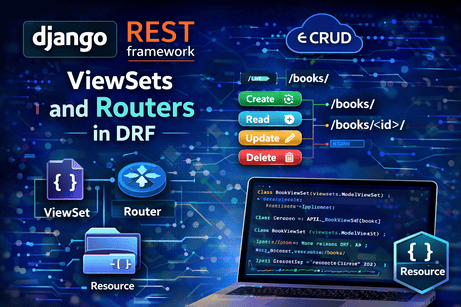
After learning how to build CRUD APIs with serializers, generic views, and URL patterns, the next major step in Django REST Framework is understanding ViewSets and routers. These two concepts are extremely important because they let you write less repeated code and keep your API structure more consistent. The official DRF documentation explains that ViewSets are useful when you want to get up and running quickly or when you have a large API and want a consistent URL configuration, while routers remove the need to manually wire URL patterns yourself.
At a high level, ViewSets allow you to group related API behavior into a single class, and routers automatically generate the URL patterns for that class. DRF’s quickstart presents this as a key advantage: instead of writing multiple separate views and URL entries, you register a viewset with a router and let DRF create the routes for you.
This tutorial will explain these ideas deeply, show how they relate to earlier DRF concepts, and walk through a full example using a Book API.
1. Why ViewSets exist
Before ViewSets, many DRF projects start with one class for listing and creating objects, and another class for retrieving, updating, and deleting a single object. That works well, but it also creates repetition. You often repeat the same queryset, serializer, permissions, and other configuration in more than one place. The DRF viewsets guide explicitly notes that repeated logic can be combined into a single class, and that by using routers you no longer need to deal with wiring the URL configuration manually.
So the purpose of ViewSets is not just to save typing. Their real purpose is to group the behavior of one resource into one organized unit.
For example, instead of thinking:
- one class for
GET /books/ - one class for
POST /books/ - one class for
GET /books/<id>/ - one class for
PUT /books/<id>/ - one class for
DELETE /books/<id>/
you begin thinking:
- one BookViewSet that manages the whole
Bookresource
That shift is very important. ViewSets encourage a more resource-centered design.
2. What a ViewSet really is
The DRF tutorial on ViewSets and routers explains that a ViewSet class is almost like a regular class-based view, except that instead of defining method handlers like get() and put(), it provides operations such as list(), retrieve(), and update(). It also explains that a ViewSet is only bound to actual method handlers at the last moment, typically by using a router.
That means a ViewSet is not directly about HTTP methods in the same way APIView is. Instead, it is about actions.
Common actions include:
list→ return many objectsretrieve→ return one objectcreate→ create a new objectupdate→ full updatepartial_update→ partial updatedestroy→ delete an object
This is one of the deepest conceptual differences between APIView and ViewSet:
APIViewis organized around HTTP methods likeget()andpost()ViewSetis organized around resource actions likelist()andcreate()
That is why ViewSets feel more abstract and more powerful at the same time.
3. What routers do
A router is the mechanism that takes a ViewSet and automatically generates URL patterns for it. DRF’s quickstart shows this very directly using DefaultRouter, registering a UserViewSet and a GroupViewSet, and then including router.urls in the project URL configuration. The quickstart explains that because viewsets are being used instead of views, the URL conf can be generated automatically by registering the viewsets with a router class.
So instead of writing this manually:
urlpatterns = [
    path('books/', BookListCreateAPIView.as_view()),
    path('books/<int:pk>/', BookDetailAPIView.as_view()),
]
you can write:
router = DefaultRouter()
router.register(r'books', BookViewSet)
urlpatterns = router.urls
The router then creates the correct routes for the standard actions.
This is a major productivity advantage in larger projects, especially when you have many resources.
4. A practical example: building a BookViewSet
Let us start from a standard model and serializer.
models.py
from django.db import models

class Book(models.Model):
    title = models.CharField(max_length=200)
    author = models.CharField(max_length=120)
    published_year = models.IntegerField()
    description = models.TextField(blank=True)
    created_at = models.DateTimeField(auto_now_add=True)

    def __str__(self):
        return self.title
serializers.py
from rest_framework import serializers
from .models import Book

class BookSerializer(serializers.ModelSerializer):
    class Meta:
        model = Book
        fields = ['id', 'title', 'author', 'published_year', 'description', 'created_at']
Now, instead of writing generic views, we create a ModelViewSet.
views.py
from rest_framework import viewsets
from .models import Book
from .serializers import BookSerializer

class BookViewSet(viewsets.ModelViewSet):
    queryset = Book.objects.all().order_by('-created_at')
    serializer_class = BookSerializer
This one class is enough to provide full CRUD behavior. The DRF tutorial shows the same idea with ReadOnlyModelViewSet and explains that these viewset classes automatically provide standard operations. The viewsets guide also shows that router classes provide the standard create, retrieve, update, and destroy routes for viewsets.
5. Connecting the router
Now we wire it into URLs.
urls.py
from django.urls import path, include
from rest_framework.routers import DefaultRouter
from .views import BookViewSet

router = DefaultRouter()
router.register(r'books', BookViewSet, basename='book')

urlpatterns = [
    path('', include(router.urls)),
]
This is the core ViewSet + router pattern. The DRF quickstart uses DefaultRouter in this same way, and the routers guide explains that extra actions can also be included automatically in the generated routes.
Once registered, you get routes like:
GET /books/POST /books/GET /books/<pk>/PUT /books/<pk>/PATCH /books/<pk>/DELETE /books/<pk>/
without manually writing all those URL patterns.
6. Why this is powerful
The biggest strength here is not simply “less code.” The deeper strength is that the resource logic becomes centralized.
With generic views, your Book resource is often split into two classes:
BookListCreateAPIViewBookDetailAPIView
With a ViewSet, the resource becomes one class:
BookViewSet
That means your queryset, serializer, permissions, filtering, ordering, pagination rules, and custom actions can all be managed in one place. The official docs say this helps keep view logic nicely organized and concise, while also allowing you to drop back to regular views when you need more control.
This balance is important. ViewSets are not mandatory. They are a convenience abstraction that works very well when your API follows standard resource patterns.
7. ViewSet, GenericViewSet, ModelViewSet, and ReadOnlyModelViewSet
DRF provides several related classes, and understanding the differences helps a lot.
ViewSet
This is the most basic style. You define the action methods yourself, such as list() and retrieve(). The DRF tutorial on ViewSets shows examples using explicit action methods and explains that binding to HTTP methods happens later when the URL configuration is defined.
GenericViewSet
This combines the ViewSet approach with generic view behavior, so it works well with mixins.
ModelViewSet
This is the most common one for CRUD APIs. It provides the full standard set of CRUD actions.
ReadOnlyModelViewSet
This is a simplified version that only provides read-only actions such as list and retrieve. The tutorial explicitly uses ReadOnlyModelViewSet to provide default read-only operations automatically.
A simple mental model is:
- use
ModelViewSetfor standard full CRUD - use
ReadOnlyModelViewSetwhen users should only read data - use lower-level classes when you want more custom control
8. What happens under the hood
One of the most important things to understand is that routers map URLs to ViewSet actions. The tutorial explains that a ViewSet is only bound to method handlers at the last moment, usually by a router.
That means the router effectively decides things like:
- this collection URL should call
list - this detail URL should call
retrieve - a POST on the collection URL should call
create - a DELETE on a detail URL should call
destroy
This is why ViewSets can feel magical at first. But once you understand that the router is doing the binding, the design becomes much clearer.
9. Explicit binding vs router binding
The DRF tutorial also explains that you can bind ViewSets to URLs explicitly if you want to see what is happening more directly.
That means a ViewSet can still be used without a router, like this conceptually:
book_list = BookViewSet.as_view({
    'get': 'list',
    'post': 'create',
})

book_detail = BookViewSet.as_view({
    'get': 'retrieve',
    'put': 'update',
    'patch': 'partial_update',
    'delete': 'destroy',
})
Then you would manually place those in urlpatterns.
This is useful because it reveals the internal mapping:
- HTTP methods map to actions
- ViewSet actions are not automatically active until you bind them
Routers simply automate this process.
10. Extra actions with @action
One of the most powerful router features is support for extra actions. The routers guide explains that a viewset can mark extra actions for routing using the @action decorator, and those actions will be included in the generated routes. It also states that for a detail action, a route such as users/{pk}/set_password/ can be generated automatically, and that url_path and url_name can be customized.
Here is an example:
from rest_framework import viewsets
from rest_framework.decorators import action
from rest_framework.response import Response
from .models import Book
from .serializers import BookSerializer

class BookViewSet(viewsets.ModelViewSet):
    queryset = Book.objects.all().order_by('-created_at')
    serializer_class = BookSerializer

    @action(detail=True, methods=['post'])
    def mark_featured(self, request, pk=None):
        book = self.get_object()
        return Response({'message': f'Book "{book.title}" marked as featured'})
If this viewset is registered with a router, DRF can generate an extra route for that action automatically.
This is one of the major reasons ViewSets scale well. They let you keep related custom operations close to the resource they belong to.
11. detail=True vs detail=False
When using @action, one detail that matters a lot is whether the action applies to one object or to the whole collection.
detail=Truemeans the action works on a specific objectdetail=Falsemeans it works on the collection
For example:
@action(detail=False, methods=['get'])
def recent(self, request):
    recent_books = Book.objects.order_by('-created_at')[:5]
    serializer = self.get_serializer(recent_books, many=True)
    return Response(serializer.data)
This would create a collection-level custom endpoint such as a “recent books” route.
The routers guide explains that custom actions are included in the generated routes, and their URL patterns depend on the action name unless you customize them.
12. ViewSets and the browsable API
ViewSets work very nicely with DRF’s browsable API. DRF’s browsable API documentation explains that human-friendly HTML pages are generated for resources and that forms are available for POST, PUT, and DELETE operations. The “Documenting your API” page also notes that when working with viewsets, appropriate suffixes are appended in the browsable API, such as “User List” and “User Instance,” and that titles are generated from the class name.
This means ViewSets do not only help your code. They also help produce a cleaner, more organized developer experience while testing and exploring the API in the browser.
13. When ViewSets are a great choice
ViewSets are especially useful when:
- your API follows normal resource CRUD patterns
- you want less repeated code
- you have many similar endpoints
- you want consistent URL conventions
- you want routers to handle URL creation automatically
The official viewsets guide explicitly says they are helpful when you want to get up and running quickly or when you have a large API and want a consistent URL configuration.
So in many business apps, admin APIs, dashboards, blog systems, product systems, and user-management APIs, ModelViewSet is often a very practical choice.
14. When not to use ViewSets
ViewSets are not always the best option.
The official docs also emphasize the trade-off: regular views and URL confs are more explicit and give you more control.
So you might avoid ViewSets when:
- your endpoint behavior is highly unusual
- your routes do not fit a resource CRUD pattern
- you want absolute clarity over URL mapping
- you are building one or two custom endpoints only
- you want new learners on the team to see the HTTP method flow more directly
In those cases, APIView or generic views may be easier to reason about.
15. A complete example recap
Here is a clean full example.
models.py
from django.db import models

class Book(models.Model):
    title = models.CharField(max_length=200)
    author = models.CharField(max_length=120)
    published_year = models.IntegerField()
    description = models.TextField(blank=True)
    created_at = models.DateTimeField(auto_now_add=True)

    def __str__(self):
        return self.title
serializers.py
from rest_framework import serializers
from .models import Book

class BookSerializer(serializers.ModelSerializer):
    class Meta:
        model = Book
        fields = ['id', 'title', 'author', 'published_year', 'description', 'created_at']
views.py
from rest_framework import viewsets
from rest_framework.decorators import action
from rest_framework.response import Response
from .models import Book
from .serializers import BookSerializer

class BookViewSet(viewsets.ModelViewSet):
    queryset = Book.objects.all().order_by('-created_at')
    serializer_class = BookSerializer

    @action(detail=False, methods=['get'])
    def recent(self, request):
        recent_books = Book.objects.order_by('-created_at')[:5]
        serializer = self.get_serializer(recent_books, many=True)
        return Response(serializer.data)
urls.py
from django.urls import path, include
from rest_framework.routers import DefaultRouter
from .views import BookViewSet

router = DefaultRouter()
router.register(r'books', BookViewSet, basename='book')

urlpatterns = [
    path('', include(router.urls)),
]
This produces a standard CRUD API plus a custom route for recent books, all from one viewset and one router registration. That pattern is exactly the kind of routing DRF’s router system is designed to support.
16. Common beginner mistakes
A few mistakes appear often here.
One common mistake is assuming that a ViewSet automatically works without binding it through either a router or an explicit .as_view({...}) mapping. The DRF tutorial is clear that the binding to method handlers happens later.
Another mistake is confusing actions with HTTP methods. In a ViewSet, you usually think in terms of list, create, retrieve, and destroy, not get, post, and delete.
Another is using ViewSets too early without understanding serializers and CRUD flow first. ViewSets are elegant, but they are easier to use well once you already understand generic views.
Another mistake is forgetting that ViewSets trade explicitness for convenience. The docs repeatedly note that normal views and URL confs give you more control.
17. How to choose between generic views and ViewSets
A useful rule is:
- use generic views when you want clarity and moderate abstraction
- use ViewSets + routers when you want compact, organized, resource-based APIs
- use APIView when you need maximum control
DRF supports all three because different projects need different levels of abstraction. Its own documentation presents this flexibility as a feature of the framework.
For many real-world CRUD APIs, ModelViewSet with a router becomes the most convenient approach after you understand the basics.
Conclusion
ViewSets and routers are one of the most important productivity features in Django REST Framework. The official DRF documentation explains that ViewSets let you combine repeated logic into a single class and that routers automatically generate the URL configuration, which makes APIs faster to build and more consistent to maintain. It also explains that ViewSets operate in terms of actions like list, retrieve, and update, and that routers can generate both standard CRUD routes and extra custom routes marked with @action.
The key idea to remember is this: generic views organize endpoints by view, while ViewSets organize them by resource. Once that difference becomes clear, routers also make perfect sense: they are simply the tool that turns those resource actions into real URL routes.
The next strong follow-up tutorial after this one is authentication in DRF, because once your API structure is clean, the next step is controlling who can access it.













💬 Comments
No comments yet. Be the first to comment!
Login to comment.