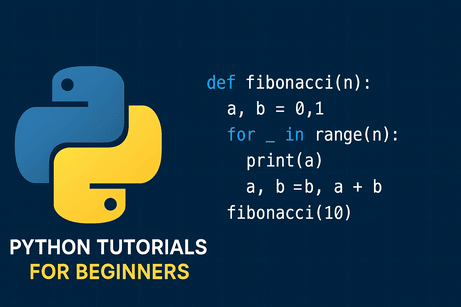
Python is a high-level, interpreted, and dynamically typed programming language designed for readability and rapid development. Its modular architecture, extensive standard library, and multi-paradigm support (procedural, object-oriented, functional, and asynchronous) make it adaptable to a wide spectrum of applications. The CPython interpreter compiles source code into bytecode executed by a virtual machine, with performance-critical tasks offloaded to optimized C/C++ extensions. Despite the Global Interpreter Lock (GIL), Python remains highly effective for parallel and distributed workloads through multiprocessing, native bindings, and frameworks like Dask, Ray, and PySpark. Its dominant ecosystem in data science, machine learning, web development, automation, and DevOps is supported by libraries such as NumPy, TensorFlow, Django, and FastAPI. Python’s combination of simplicity, extensibility, and rich tooling positions it as a foundational language for modern software engineering, scientific research, and AI-driven systems.
At the end of this tutorial series, you’ll also find a dedicated quiz to evaluate your understanding and measure your progress as you learn Python.
🔹 Tutorial 1 — Introduction to Python & Installation
What you will learn
- What Python is
- Different Python versions
- How to install Python
- Setting up VS Code or PyCharm
- Running your first Python script
Summary
Install Python from python.org → Install VS Code → Create a .py file → Write:
print("Hello, Python!")
Run it from VS Code or Terminal.
🔹 Tutorial 2 — Python Syntax, Variables & Data Types
Covered topics
- Basic syntax
- Variables
- Data types:
int,float,str,bool - Type casting
- Getting user input
Example
name = input("Enter your name: ")
age = int(input("Enter your age: "))
print(f"Hello {name}, you are {age} years old.")
🔹 Tutorial 3 — Operators in Python
Types of operators
- Arithmetic (+, -, *, /, %, //, **)
- Comparison (==, !=, >, <, >=, <=)
- Logical (and, or, not)
- Assignment operators (+=, -=, etc.)
Example
x = 10
y = 3
print(x ** y)   # exponent
🔹 Tutorial 4 — Conditional Statements (if, elif, else)
Example
score = 85

if score >= 90:
    print("Excellent")
elif score >= 70:
    print("Good")
else:
    print("Keep Trying")
🔹 Tutorial 5 — Loops (for and while)
For loop example
for i in range(5):
    print(i)
While loop example
n = 5
while n > 0:
    print(n)
    n -= 1
🔹 Tutorial 6 — Functions in Python
Defining a function
def greet(name):
    return f"Hello {name}"

print(greet("Mofid"))
Key concepts
- Parameters & return values
- Default parameters
- Scope of variables
🔹 Tutorial 7 — Lists, Tuples, Sets & Dictionaries
List example
fruits = ["apple", "banana", "orange"]
Dictionary example
person = {"name": "Ali", "age": 22}
print(person["name"])
🔹 Tutorial 8 — String Manipulation
Examples
text = "Python Tutorial"
print(text.lower())
print(text.split())
🔹 Tutorial 9 — File Handling
Read a file
with open("data.txt", "r") as f:
    print(f.read())
Write a file
with open("data.txt", "w") as f:
    f.write("Hello from Python!")
🔹 Tutorial 10 — Error Handling (try/except)
Example
try:
    x = int("abc")
except ValueError:
    print("Invalid number!")
🔹 Tutorial 11 — Modules & Packages
Using a module
import math
print(math.sqrt(16))
Creating your own module
Create mytools.py:
def add(a, b):
    return a + b
Import it:
import mytools
print(mytools.add(2, 3))
🔹 Tutorial 12 — Object-Oriented Programming (OOP)
Class example
class Car:
    def __init__(self, brand, model):
        self.brand = brand
        self.model = model

    def info(self):
        return f"{self.brand} {self.model}"

car1 = Car("Toyota", "Corolla")
print(car1.info())
Topics covered:
- Classes & objects
- Methods
- Inheritance
- Polymorphism
🔹 Tutorial 13 — Virtual Environments & pip
Commands
python -m venv myenv
source myenv/bin/activate  # Linux/Mac
myenv\Scripts\activate     # Windows

pip install numpy
🔹 Tutorial 14 — Working With External Libraries
Examples:
- NumPy (Mathematics)
- Pandas (Data analysis)
- Matplotlib (Charts and plots)
import numpy as np
arr = np.array([1,2,3])
print(arr.mean())
🔹 Tutorial 15 — Mini Project for Beginners
Choose one of these:
Project A: Calculator App
Project B: Student Grade Manager
Project C: To-Do List (CLI)
Project D: Simple Website Scraper
import requests
from bs4 import BeautifulSoup

res = requests.get("https://mofidtech.fr")
print(res.status_code)











💬 Comments
No comments yet. Be the first to comment!
Login to comment.