🔷 Introduction
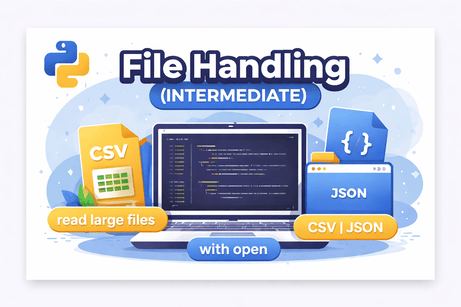
In real-world applications, programs rarely work only with variables in memory. Instead, they interact with files to store, read, and process data such as logs, configurations, CSV datasets, and JSON APIs.
In this lesson, you will move beyond basic file handling and learn how to work with files efficiently, safely, and professionally.
You will learn:
✔ Reading large files efficiently
✔ Working with CSV files
✔ Working with JSON data
✔ Using context managers (with)
✔ Creating custom context managers
🟩 1. Reading Files Efficiently
❌ Problem: Loading large files
with open("data.txt", "r") as f:
    content = f.read()   # loads everything into memory
👉 Not efficient for large files.
✅ Solution: Read line by line
with open("data.txt", "r") as f:
    for line in f:
        print(line.strip())
✔ Uses less memory
✔ Faster for large datasets
✅ Read using readline()
with open("data.txt") as f:
    line = f.readline()
    print(line)
🟩 2. Working with CSV Files
Python provides a built-in module: csv
🔹 Reading CSV
import csv

with open("data.csv", newline="") as f:
    reader = csv.reader(f)
    for row in reader:
        print(row)
🔹 Writing CSV
import csv

with open("output.csv", "w", newline="") as f:
    writer = csv.writer(f)
    writer.writerow(["Name", "Age"])
    writer.writerow(["Ali", 22])
🔹 Using DictReader
import csv

with open("data.csv") as f:
    reader = csv.DictReader(f)
    for row in reader:
        print(row["Name"])
🟩 3. Working with JSON Files
JSON is widely used in APIs and data exchange.
🔹 Writing JSON
import json

data = {"name": "Ali", "age": 22}

with open("data.json", "w") as f:
    json.dump(data, f)
🔹 Reading JSON
import json

with open("data.json") as f:
    data = json.load(f)

print(data["name"])
🔹 Pretty print JSON
json.dump(data, f, indent=4)🟩 4. Context Managers (with)
Context managers automatically handle file closing.
❌ Without with
f = open("file.txt")
data = f.read()
f.close()
✅ With with
with open("file.txt") as f:
    data = f.read()
✔ Cleaner
✔ Safer
✔ No risk of forgetting .close()
🟩 5. Custom Context Managers
You can create your own context manager using:
__enter____exit__
Example:
class MyFile:
    def __enter__(self):
        print("File opened")
        return self

    def __exit__(self, exc_type, exc_val, exc_tb):
        print("File closed")

with MyFile():
    print("Working...")
🟧 6. Exercises (Hidden Solutions)
Exercise 1 — Read a file line by line
Exercise 2 — Write data to a CSV file
Exercise 3 — Read JSON and print a value
Exercise 4 — Use DictReader
Exercise 5 — Create a custom context manager
🟦 Conclusion
In this lesson, you learned how to:
✔ Efficiently read large files
✔ Work with CSV and JSON data
✔ Use context managers for safe file handling
✔ Build your own context managers
These skills are essential for:
- Data analysis
- Backend development
- Automation scripts
- API integration











💬 Comments
No comments yet. Be the first to comment!
Login to comment.