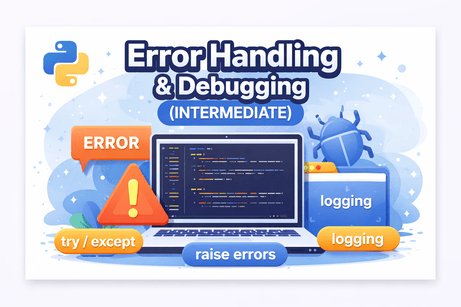
🔷 Introduction
No program is perfect. Errors are a natural part of programming, especially when dealing with user input, files, APIs, or external systems.
In this lesson, you will learn how to:
✔ Handle errors gracefully using try/except
✔ Use else and finally blocks
✔ Raise your own exceptions
✔ Debug Python programs
✔ Use logging for professional error tracking
These skills are essential for building robust, reliable, and production-ready applications.
🟩 1. What is an Exception?
An exception is an error that occurs during program execution.
Example:
print(10 / 0) # ZeroDivisionError🟩 2. Using try / except
Prevent crashes by handling errors:
try:
    x = int(input("Enter a number: "))
    print(10 / x)
except:
    print("An error occurred!")
🔹 Catch specific exceptions
try:
    x = int(input("Enter a number: "))
    print(10 / x)

except ZeroDivisionError:
    print("Cannot divide by zero!")

except ValueError:
    print("Invalid input!")
✔ Best practice: always catch specific exceptions.
🟩 3. else and finally
🔹 else (runs if no error)
try:
    x = int(input())
except ValueError:
    print("Error")
else:
    print("Valid number:", x)
🔹 finally (always runs)
try:
    f = open("file.txt")
except:
    print("Error opening file")
finally:
    print("This always runs")
🟩 4. Raising Exceptions
You can create your own errors using raise.
age = int(input("Enter age: "))

if age < 0:
    raise ValueError("Age cannot be negative")
🟩 5. Custom Exceptions
You can define your own exception classes.
class CustomError(Exception):
    pass

raise CustomError("Something went wrong")
🟩 6. Debugging Techniques
🔹 Use print debugging
print("Value of x:", x)🔹 Use assert
x = 10
assert x > 0
🔹 Use Python debugger (pdb)
import pdb
pdb.set_trace()
🟩 7. Logging (Professional Debugging)
Use the logging module instead of print.
import logging

logging.basicConfig(level=logging.INFO)

logging.info("Program started")
logging.warning("This is a warning")
logging.error("An error occurred")
✔ Better than print
✔ Used in production apps
🟧 8. Exercises (Hidden Solutions)
Exercise 1 — Handle division error
Exercise 2 — Catch multiple exceptions
Exercise 3 — Use finally block
Exercise 4 — Raise an exception
Exercise 5 — Logging example
🟦 Conclusion
In this lesson, you learned how to:
✔ Handle errors safely
✔ Prevent program crashes
✔ Raise and define custom exceptions
✔ Debug your code effectively
✔ Use logging like a professional developer
These skills are critical for building reliable applications in:
- Web development
- APIs
- Automation scripts
- Data processing
Mini Project — Debug a Student Grade Manager
Project idea
You are given a small Python program that reads student grades, calculates the average, and displays the result.
However, the script contains several common mistakes:
- invalid input handling
- division by zero risk
- wrong variable types
- bad exception handling
- poor debugging structure
The goal is to find the bugs, fix them, and make the program more robust.
Part 1 — The buggy version
grades = []

n = input("How many grades do you want to enter? ")

for i in range(n):
    grade = input("Enter grade: ")
    grades.append(grade)

total = 0
for g in grades:
    total = total + g

average = total / len(grades)

print("Average grade:", average)
Part 2 — Tasks for the learner
Your mission
Find and fix the problems in the program so that it:
- correctly reads the number of grades
- correctly converts grades to numbers
- handles invalid input safely
- avoids crashing when no grades are entered
- prints the average correctly
Part 3 — Hints
input()always returns a stringrange()needs an integer- grades must be numeric before addition
- division by zero can happen if the list is empty
- use
try/exceptto prevent crashes
Part 4 — Corrected solution











💬 Comments
No comments yet. Be the first to comment!
Login to comment.