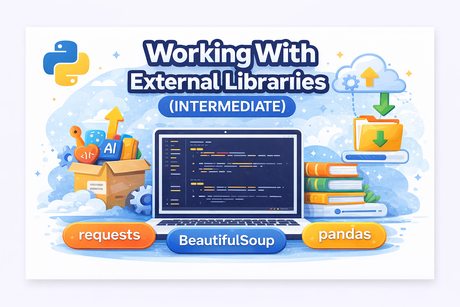
🔷 Introduction
Python becomes truly powerful when you start using external libraries. These are packages developed by the community that allow you to perform complex tasks without writing everything from scratch.
From making HTTP requests to analyzing data or scraping websites, external libraries are essential for real-world development.
In this lesson, you will learn:
✔ How to install and manage libraries using pip
✔ How to use virtual environments (venv)
✔ How to work with popular libraries:
requests(HTTP requests)BeautifulSoup(web scraping)pandas(data manipulation basics)
🟩 1. Installing Libraries with pip
🔹 Install a package
pip install requests🔹 Install a specific version
pip install requests==2.31.0🔹 List installed packages
pip list🔹 Uninstall a package
pip uninstall requests🟩 2. Virtual Environments (venv)
A virtual environment isolates your project dependencies.
🔹 Create a virtual environment
python -m venv venv🔹 Activate it
Windows:
venv\Scripts\activateLinux / Mac:
source venv/bin/activate🔹 Why use venv?
✔ Avoid version conflicts
✔ Keep projects independent
✔ Professional development practice
🟩 3. Using the requests Library
Used for making HTTP requests.
🔹 Example: GET request
import requests

response = requests.get("https://api.github.com")

print(response.status_code)
print(response.text)
🔹 JSON response
data = response.json()
print(data)
🟩 4. Web Scraping with BeautifulSoup
Used to extract data from HTML pages.
🔹 Installation
pip install beautifulsoup4🔹 Example
from bs4 import BeautifulSoup
import requests

html = requests.get("https://example.com").text

soup = BeautifulSoup(html, "html.parser")

print(soup.title.text)
🟩 5. Data Handling with Pandas
Pandas is used for data analysis.
🔹 Installation
pip install pandas🔹 Example
import pandas as pd

data = {
    "Name": ["Ali", "Sara"],
    "Age": [22, 25]
}

df = pd.DataFrame(data)
print(df)
🔹 Read CSV with pandas
df = pd.read_csv("data.csv")
print(df.head())
🟩 6. Best Practices
✔ Use virtual environments
✔ Pin versions (requirements.txt)
✔ Avoid installing unnecessary packages
✔ Read documentation
🟧 7. Exercises (Hidden Solutions)
Exercise 1 — Install and use requests
Exercise 2 — Parse HTML title
Exercise 3 — Create a pandas DataFrame
Exercise 4 — Read CSV with pandas
Exercise 5 — Create a virtual environment
🟦 Conclusion
In this lesson, you learned how to:
✔ Install and manage external libraries
✔ Use virtual environments
✔ Make HTTP requests
✔ Scrape websites
✔ Work with data using pandas
These skills are essential for:
- Web development
- Data science
- Automation
- APIs
🚀 Mini Project — Web Scraper + Data Analyzer (Books Website)
🔷 Project Idea
Build a Python program that:
- Scrapes book data from a website
- Extracts:
- Title
- Price
- Rating
- Stores the data in a pandas DataFrame
- Saves it as a CSV file
- Performs simple analysis
🌐 Target Website (safe for practice)
🧩 Part 1 — What You Will Learn
✔ Real web scraping workflow
✔ HTML parsing
✔ Data extraction
✔ Data cleaning
✔ Data analysis with pandas
🧪 Part 2 — Install Required Libraries
pip install requests beautifulsoup4 pandas🧨 Part 3 — Full Solution
🔍 Part 4 — Explanation
🧠 What You Practiced
✔ HTTP requests
✔ HTML parsing
✔ Data extraction
✔ Data cleaning
✔ Data analysis
✔ File export
🎯 Bonus Challenges
👉 Extend the project:
- Scrape multiple pages
- Sort books by price
- Find cheapest book
- Filter books with rating ≥ 4
- Create a simple chart (matplotlib)










💬 Comments
No comments yet. Be the first to comment!
Login to comment.