0. Introduction
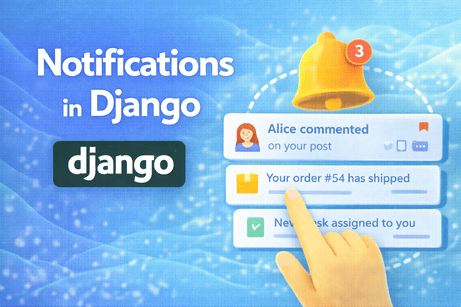
Notifications are one of the features that make a web application feel alive. They turn the system from something passive into something responsive. Instead of forcing users to constantly check whether something changed, the application can tell them directly: a new comment arrived, a post was approved, an order was updated, a message was received, a task was assigned, or a payment failed. In real projects, this kind of feedback is extremely important because it improves user experience, increases engagement, and helps users act at the right time.
In Django, notifications are a very rich topic because they involve several layers of application design. At the simplest level, a notification can be a small message saved in the database and shown in a navbar dropdown. At a more advanced level, notifications can include read and unread states, links to related pages, filtering, counts, and even real-time updates with WebSockets or periodic refresh. So learning notifications is not just about adding a bell icon. It is about understanding how an application communicates important events to users in a structured and scalable way.
In this tutorial, we will build a complete understanding of notifications in Django. We will start with the concept of what a notification is, then design a database model, create views and templates to display notifications, mark them as read, show unread counts, trigger notifications when events happen, and discuss more advanced ideas such as generic notifications, real-time delivery, performance, and architectural best practices. The goal is not just to make the feature work, but to understand how to design it properly for real applications.
1. What Is a Notification?
A notification is a message generated by the system to inform a user that something relevant has happened.
Examples:
- Someone commented on your post.
- Your profile was updated successfully.
- A new order was placed.
- Your invoice is ready.
- An admin approved your content.
- A task was assigned to you.
- A new message arrived.
- Your subscription will expire soon.
A notification is usually different from ordinary page content because it is event-driven. It exists because something happened and the user may need to know about it.
This means notifications are strongly tied to the event system and workflow of your application.
2. Why Notifications Matter
Notifications matter because they reduce friction.
Without notifications, users must manually check:
- whether someone responded to them
- whether their content was approved
- whether their task status changed
- whether new activity happened in the system
With notifications, the application proactively surfaces important changes.
This improves:
- responsiveness
- user engagement
- action speed
- clarity of workflow
- sense of system activity
In many applications, notifications are one of the main features that make the product feel professional.
3. Different Types of Notifications
Before building one, it helps to understand that not all notifications are the same.
In-app notifications
These are displayed inside the website or application itself.
Examples:
- bell icon in the navbar
- dropdown list
- notifications page
- unread badge
This is what we will mainly build in this tutorial.
Email notifications
These are sent to the user’s email.
Examples:
- new comment email
- password reset email
- billing alert
These are related, but not the same as in-app notifications.
Real-time notifications
These appear instantly while the user is online.
Examples:
- message appears immediately
- bell count updates without refreshing
These often require Django Channels or JavaScript polling.
Flash messages
These are temporary messages like:
- “Post created successfully”
- “Password changed”
These use Django’s messages framework and are not usually stored permanently like true notifications.
So when people say “notifications,” they may mean several related ideas. In this tutorial, we focus mainly on persistent in-app notifications.
4. Notifications vs Messages Framework
This distinction is very important.
Django’s built-in messages framework is designed for temporary feedback after an action.
Examples:
- success
- warning
- error
- info
These are short-lived and usually disappear after one request cycle.
A real notification system is different because it is:
- stored in the database
- associated with a user
- often persistent until read
- often listed in a dropdown or notification page
So if a user creates a post and sees “Post created successfully,” that is a message.
If another user comments on their post and they should see it later in a bell dropdown, that is a notification.
This difference matters a lot when designing the feature.
5. What a Notification Model Needs
At minimum, a notification model usually needs:
- the user who receives it
- the text or title
- whether it has been read
- when it was created
- optionally a related URL
- optionally a notification type
This is enough for a useful first version.
Let us build a simple notification model.
models.py
from django.db import models
from django.conf import settings

class Notification(models.Model):
    recipient = models.ForeignKey(
        settings.AUTH_USER_MODEL,
        on_delete=models.CASCADE,
        related_name='notifications'
    )
    message = models.CharField(max_length=255)
    link = models.CharField(max_length=255, blank=True)
    is_read = models.BooleanField(default=False)
    created_at = models.DateTimeField(auto_now_add=True)

    class Meta:
        ordering = ['-created_at']

    def __str__(self):
        return f"Notification for {self.recipient}"
6. Deep Explanation of the Notification Model
This small model is the heart of the system.
recipient
This is the user who should receive the notification.
We use related_name='notifications' so we can do:
request.user.notifications.all()That makes reverse access easy and readable.
message
This is the notification text, such as:
- “Alice commented on your post.”
- “Your post was approved.”
- “New order received.”
We use CharField because most notification messages are relatively short.
link
This is optional but extremely useful. It tells the system where to send the user when they click the notification.
For example:
/post/django-forms//orders/14//messages/thread/3/
Without a link, the notification is less actionable.
is_read
This tracks whether the user already opened or acknowledged the notification.
Unread/read state is one of the most important parts of a notification system.
created_at
This lets us sort notifications and show how recent they are.
ordering = ['-created_at']
This means newest notifications appear first by default, which is usually exactly what users expect.
7. Why Notifications Belong to the Recipient
A common design mistake is thinking of notifications only as events in the system. But a notification is not just an event. It is an event for a specific user.
For example:
- a comment is a system event
- “You received a new comment” is a user notification
This distinction matters.
The event itself may exist once, but notifications may need to be created separately for different recipients.
That is why the notification model is centered around the recipient, not around the event source alone.
8. Running Migrations
After creating the model, run:
python manage.py makemigrations
python manage.py migrate
Now the database can store notifications.
At this stage, we already have a persistent notification system foundation.
9. Building a Notifications Page
A notifications page is one of the simplest ways to start using the system.
views.py
from django.contrib.auth.decorators import login_required
from django.shortcuts import render
from .models import Notification

@login_required
def notification_list(request):
    notifications = request.user.notifications.all()
    return render(request, 'notifications/notification_list.html', {
        'notifications': notifications
    })
10. Deep Explanation of the List View
This view is simple, but it shows an important principle:
Notifications are user-specific data.
That is why we do not fetch all notifications. We use:
request.user.notifications.all()This ensures the page shows only the current user’s notifications.
This is both a security and a logic requirement.
Notifications are usually private unless your application explicitly says otherwise.
11. Building the Template
notification_list.html
<h1>My Notifications</h1>

<ul>
    {% for notification in notifications %}
        <li style="{% if not notification.is_read %}font-weight: bold;{% endif %}">
            {% if notification.link %}
                <a href="{{ notification.link }}">{{ notification.message }}</a>
            {% else %}
                {{ notification.message }}
            {% endif %}
            <small>— {{ notification.created_at }}</small>
        </li>
    {% empty %}
        <li>No notifications yet.</li>
    {% endfor %}
</ul>
12. Why Unread Styling Matters
Unread notifications should usually be visually distinct.
Common approaches:
- bold text
- colored background
- unread dot
- highlighted border
- badge count
This matters because notifications are not only about storage. They are about helping the user notice what still requires attention.
The unread/read distinction is central to the user experience.
13. Creating Notifications Programmatically
Now we need to create notifications when relevant events happen.
For example, suppose a user comments on another user’s post. The post author should receive a notification.
Example comment logic
from .models import Notification, Comment, Post

def add_comment(request, post_id):
    post = Post.objects.get(id=post_id)
    content = request.POST.get('content')

    comment = Comment.objects.create(
        post=post,
        user=request.user,
        content=content
    )

    if post.author != request.user:
        Notification.objects.create(
            recipient=post.author,
            message=f"{request.user.username} commented on your post.",
            link=f"/posts/{post.id}/"
        )
14. Deep Explanation of Notification Creation
This is where the system becomes truly useful.
The notification is created only if:
if post.author != request.user:This prevents users from receiving notifications about their own actions.
That is a small but important logic detail. If a user comments on their own post, they usually do not need to be notified that they themselves commented.
This shows that notification systems are not only about triggering events. They also require thoughtful rules about who should be notified and when.
15. Notifications Are Usually Side Effects
In many systems, the main action is something like:
- posting a comment
- approving content
- assigning a task
- placing an order
The notification is not the main action. It is a side effect of that action.
This is important because it affects architecture.
The code that performs the main action may also create one or more notifications as follow-up effects.
This makes notification logic a good candidate for careful separation, especially in larger projects.
16. Using a Helper Function for Cleaner Code
As soon as notifications appear in several places, it is better to centralize creation logic.
utils.py
from .models import Notification

def create_notification(recipient, message, link=''):
    return Notification.objects.create(
        recipient=recipient,
        message=message,
        link=link
    )
Then elsewhere:
from .utils import create_notification

if post.author != request.user:
    create_notification(
        recipient=post.author,
        message=f"{request.user.username} commented on your post.",
        link=f"/posts/{post.id}/"
    )
17. Why Helper Functions Are Better
This improves the code in several ways:
- less repetition
- cleaner views
- easier maintenance
- easier testing
- easier future changes
For example, if later you want to automatically add notification type or metadata, you update one place instead of many.
Notification systems often spread across the application, so centralizing logic is a strong design habit.
18. Marking Notifications as Read
A notification system is incomplete without the ability to mark items as read.
views.py
from django.contrib.auth.decorators import login_required
from django.shortcuts import get_object_or_404, redirect
from .models import Notification

@login_required
def mark_notification_as_read(request, notification_id):
    notification = get_object_or_404(
        Notification,
        id=notification_id,
        recipient=request.user
    )
    notification.is_read = True
    notification.save()

    if notification.link:
        return redirect(notification.link)
    return redirect('notification_list')
19. Why the Ownership Check Is Essential
This part is critical:
recipient=request.userWithout this, a user could potentially mark another user’s notification as read by changing the URL.
This is a good example of authorization logic in notification systems.
Notifications are personal data, so every action on them must be scoped to the current user.
20. Clicking a Notification Should Often Mark It Read
This is common in real applications:
- user clicks notification
- system marks it as read
- user is redirected to the related page
This feels natural and matches how users think.
The notification is no longer “new” once the user has followed it.
This pattern is why the link field is so useful. It makes notifications actionable instead of passive.
21. Mark All Notifications as Read
A useful convenience feature is “Mark all as read.”
views.py
from django.contrib.auth.decorators import login_required
from django.shortcuts import redirect

@login_required
def mark_all_notifications_as_read(request):
    request.user.notifications.filter(is_read=False).update(is_read=True)
    return redirect('notification_list')
22. Why .update() Is Useful Here
We use:
.update(is_read=True)instead of looping through notifications one by one.
This is more efficient because it performs a direct database update query.
Dashboards and notification systems often benefit from this kind of bulk operation.
23. Showing Unread Notification Count
A notification system usually becomes visible in the navbar through a bell icon and unread badge.
Example in a view or context processor:
unread_count = request.user.notifications.filter(is_read=False).count()Then in the template:
<a href="{% url 'notification_list' %}">
    Notifications
    {% if unread_count > 0 %}
        <span class="badge">{{ unread_count }}</span>
    {% endif %}
</a>
24. Why a Context Processor Can Be Helpful
If you want the unread count available in every page, a context processor is often better than repeating the query in many views.
context_processors.py
def notification_count(request):
    if request.user.is_authenticated:
        return {
            'unread_notification_count': request.user.notifications.filter(is_read=False).count()
        }
    return {
        'unread_notification_count': 0
    }
Then add it in settings.py.
This makes the navbar badge easy to use globally.
25. Why Notification Count Queries Should Be Watched
A count query on every request may be fine for many small to medium applications. But in larger systems, you should still think about performance.
Possible improvements include:
- caching the unread count
- limiting frequency of refresh
- updating badge count asynchronously
- denormalizing counts if needed
This is one of those features that starts simple but can become performance-sensitive at scale.
26. Adding Notification Types
A simple message string is enough to start, but many systems benefit from notification types.
Examples:
- comment
- message
- order
- task
- approval
- system_alert
You can add a type field.
models.py
class Notification(models.Model):
    TYPE_CHOICES = (
        ('comment', 'Comment'),
        ('message', 'Message'),
        ('task', 'Task'),
        ('system', 'System'),
    )

    recipient = models.ForeignKey(
        settings.AUTH_USER_MODEL,
        on_delete=models.CASCADE,
        related_name='notifications'
    )
    notification_type = models.CharField(max_length=20, choices=TYPE_CHOICES, default='system')
    message = models.CharField(max_length=255)
    link = models.CharField(max_length=255, blank=True)
    is_read = models.BooleanField(default=False)
    created_at = models.DateTimeField(auto_now_add=True)
27. Why Notification Types Help
Types are useful for several reasons:
- different icons per type
- filtering notification list
- separate styling
- analytics and debugging
- clearer logic in code
For example:
- comment notifications may use a comment icon
- task notifications may use a checklist icon
- system notifications may use an alert icon
This makes the interface clearer and more expressive.
28. Adding Related Object References
Sometimes a notification should be connected to a specific object, such as:
- comment
- post
- order
- task
You could store only the link, which is often enough. But in more advanced systems, you may want stronger object linking.
For example, you might add fields like:
post_idcomment_idorder_id
Or use Django generic relations if you want a very flexible architecture.
For learning and many practical systems, though, a simple link field is often the best place to start.
It keeps the model easy to understand.
29. Notifications and Signals
Notifications are often triggered by events, so Django signals may be useful in some cases.
For example:
- after a comment is saved, notify the post author
- after a task is assigned, notify the assignee
- after approval status changes, notify the content author
Example idea with post_save signal:
from django.db.models.signals import post_save
from django.dispatch import receiver
from .models import Comment, Notification

@receiver(post_save, sender=Comment)
def notify_post_author(sender, instance, created, **kwargs):
    if created and instance.post.author != instance.user:
        Notification.objects.create(
            recipient=instance.post.author,
            message=f"{instance.user.username} commented on your post.",
            link=f"/posts/{instance.post.id}/"
        )
30. Should You Use Signals for Notifications?
Sometimes yes, sometimes no.
Signals are useful when:
- the notification is a side effect of a model event
- the same rule should apply everywhere
- you want decoupling from one specific view
Signals are not always the best choice when:
- the logic is tightly tied to one explicit workflow
- hidden side effects would make the code harder to understand
- ordering and business flow need to stay very explicit
So notifications can be a good use case for signals, but only if the design remains understandable.
31. Real-Time Notifications
So far, the user sees notifications when they refresh the page or visit the notifications page.
But many modern apps update notifications instantly.
Examples:
- bell badge updates immediately
- dropdown refreshes live
- new message appears without reload
In Django, real-time notifications often involve:
- Django Channels
- WebSockets
- JavaScript frontend code
This is more advanced, but it is the natural next step after building a database-backed notification system.
The important thing to understand is that real-time delivery is a transport layer problem, while the notification model itself is the data layer. You should build the data layer cleanly first.
32. Alternative to Real-Time: Polling
A simpler alternative to WebSockets is polling.
For example, JavaScript could periodically request:
- unread notification count
- latest notifications list
every 20 or 30 seconds.
This is easier to build than true real-time systems, though less elegant and potentially less efficient.
For many internal dashboards or moderate-traffic apps, polling may be completely acceptable.
So you do not always need Channels immediately.
33. Adding a Notification Dropdown
A common pattern is a bell icon in the navbar that opens a small dropdown list of recent notifications.
Example data in a base view or context processor:
recent_notifications = request.user.notifications.all()[:5]Then render:
<div class="notification-dropdown">
    <h4>Notifications</h4>
    <ul>
        {% for notification in recent_notifications %}
            <li>
                {% if not notification.is_read %}<strong>{% endif %}
                <a href="{% url 'mark_notification_as_read' notification.id %}">
                    {{ notification.message }}
                </a>
                {% if not notification.is_read %}</strong>{% endif %}
            </li>
        {% empty %}
            <li>No notifications</li>
        {% endfor %}
    </ul>
    <a href="{% url 'notification_list' %}">View all</a>
</div>
This is often the most visible part of the feature.
34. Why Notification UX Should Stay Clear
A notification system can easily become overwhelming if it is noisy.
Good notification design usually means:
- only notify when something is truly relevant
- avoid duplicates
- avoid meaningless spammy messages
- keep wording clear
- make actions obvious
- allow the user to dismiss or mark read
This is not only a coding matter. It is also product design.
A bad notification system annoys the user. A good one helps them.
35. Notification Wording Matters
Examples of weak notification text:
- “Update happened.”
- “Something changed.”
- “You have activity.”
Examples of better notification text:
- “Alice commented on your post.”
- “Your order #104 has been shipped.”
- “Your task deadline is tomorrow.”
- “Your article was approved by the admin.”
Good notification text is:
- specific
- short
- actionable
- understandable without extra context
This matters because the user often scans notifications quickly.
36. Performance Considerations
Notification systems can become heavy if they grow large.
Common performance concerns:
- counting unread notifications on every request
- loading too many notifications in dropdowns
- inefficient joins
- too many duplicate notification writes
- very large notification tables over time
Some practical strategies include:
- limit dropdown results
- paginate full notification lists
- index fields like
recipient,is_read,created_at - use bulk operations where possible
- archive or delete very old notifications if appropriate
For many small apps, the basic system is enough. But thinking about growth early is still good practice.
37. Paginating the Notification List
If a user has many notifications, pagination improves usability and performance.
views.py
from django.core.paginator import Paginator

@login_required
def notification_list(request):
    notifications_qs = request.user.notifications.all()
    paginator = Paginator(notifications_qs, 20)
    page_number = request.GET.get('page')
    notifications = paginator.get_page(page_number)

    return render(request, 'notifications/notification_list.html', {
        'notifications': notifications
    })
This is much better than showing hundreds of notifications at once.
38. Deleting Old Notifications
Some systems keep notifications forever. Others clean them up after some time.
Possible strategies:
- delete notifications older than 90 days
- archive read notifications
- keep only important notification types permanently
This depends on the product.
The key lesson is that notifications are not only created. They also need lifecycle management.
Otherwise, the table may grow indefinitely and the interface may become cluttered.
39. Common Beginner Mistakes
Here are some very common mistakes.
Mistake 1: Confusing notifications with flash messages
They are related but not the same.
Mistake 2: Forgetting recipient ownership checks
A user must never access or modify another user’s notifications.
Mistake 3: Not storing read/unread state
Then the system cannot distinguish new vs old items.
Mistake 4: Sending too many unnecessary notifications
The system becomes noisy and annoying.
Mistake 5: Hardcoding notification creation everywhere
This leads to repetition and messy code.
Mistake 6: Ignoring performance of unread count queries
This can become expensive in large systems.
These mistakes are common because notifications seem simple, but they sit at the intersection of UX, events, and persistence.
40. A Clean Practical Example
Here is a solid minimal version.
models.py
from django.db import models
from django.conf import settings

class Notification(models.Model):
    recipient = models.ForeignKey(
        settings.AUTH_USER_MODEL,
        on_delete=models.CASCADE,
        related_name='notifications'
    )
    message = models.CharField(max_length=255)
    link = models.CharField(max_length=255, blank=True)
    is_read = models.BooleanField(default=False)
    created_at = models.DateTimeField(auto_now_add=True)

    class Meta:
        ordering = ['-created_at']

    def __str__(self):
        return f"Notification for {self.recipient}"
views.py
from django.contrib.auth.decorators import login_required
from django.shortcuts import render, get_object_or_404, redirect
from .models import Notification

@login_required
def notification_list(request):
    notifications = request.user.notifications.all()
    return render(request, 'notifications/notification_list.html', {
        'notifications': notifications
    })

@login_required
def mark_notification_as_read(request, notification_id):
    notification = get_object_or_404(
        Notification,
        id=notification_id,
        recipient=request.user
    )
    notification.is_read = True
    notification.save()

    if notification.link:
        return redirect(notification.link)
    return redirect('notification_list')

@login_required
def mark_all_notifications_as_read(request):
    request.user.notifications.filter(is_read=False).update(is_read=True)
    return redirect('notification_list')
utils.py
from .models import Notification

def create_notification(recipient, message, link=''):
    return Notification.objects.create(
        recipient=recipient,
        message=message,
        link=link
    )
notification_list.html
<h1>My Notifications</h1>

<a href="{% url 'mark_all_notifications_as_read' %}">Mark all as read</a>

<ul>
    {% for notification in notifications %}
        <li style="{% if not notification.is_read %}font-weight: bold;{% endif %}">
            <a href="{% url 'mark_notification_as_read' notification.id %}">
                {{ notification.message }}
            </a>
            <small>— {{ notification.created_at }}</small>
        </li>
    {% empty %}
        <li>No notifications yet.</li>
    {% endfor %}
</ul>
This is already a complete and useful starting system.
41. What You Learned in This Tutorial
In this tutorial, you learned that notifications in Django are persistent, user-specific messages generated by important events in the system. You saw how to design a notification model with recipient, message, link, read state, and creation time. You learned how to display notifications on a dedicated page, how to style unread notifications, how to mark one or all notifications as read, how to show unread counts in a navbar, and how to generate notifications when application events happen. You also explored more advanced concepts such as helper functions, notification types, real-time delivery, polling, pagination, performance concerns, and the difference between notifications and Django’s messages framework.
Most importantly, you learned the deeper design idea: a good notification system is not just a technical feature. It is a communication layer between the application and the user.
42. Conclusion
Notifications are one of the features that make a Django application feel active, responsive, and useful. They help users stay informed without constantly checking different parts of the system, and they create a stronger connection between system events and user action. Once you understand how to build a solid database-backed notification system, you can extend it in many directions: richer notification types, better dropdown interfaces, email integration, real-time updates, and role-based notification strategies.
The best way to approach notifications is to start with a clean and simple model, clear creation logic, proper read/unread handling, and strong ownership checks. Once that foundation is solid, you can scale the system toward more advanced patterns with confidence.













💬 Comments
No comments yet. Be the first to comment!
Login to comment.