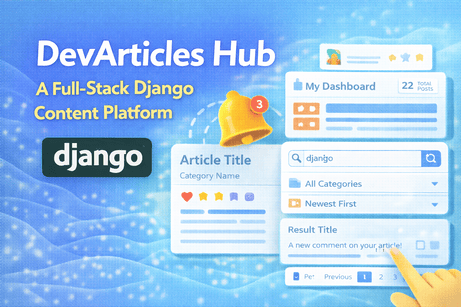
Here is a complete Django project from scratch that brings together Tutorials 36 to 46 into one coherent application, with:
- a clear project idea
- the subject covered in each tutorial
- full project structure
- main models, forms, views, urls
- the latest full templates
- deep explanations of why each part exists
Project Title
DevArticles Hub
A Full-Stack Django Content Platform
Project Goal
We are building a complete Django platform where users can:
- register and log in
- get an automatic profile
- create, publish, and manage articles
- organize articles with categories and tags
- search, filter, and sort content
- comment on posts
- like, favorite, and bookmark posts
- receive notifications
- manage everything from a dashboard
- contact the platform owner through a contact form
- trigger email sending from the system
This is a strong real-world educational project because it combines content management, user interaction, personalization, and communication.
1. What each tutorial covers inside this project
Tutorial 1 — Building a Contact Form in Django
We create a public Contact Us page where visitors can send a message through a Django form.
Tutorial 2 — Sending Emails with Django
The contact form sends an email to the site admin using Django’s email tools.
Tutorial 3 — Django Signals
We use signals to automatically create a profile whenever a new user is created.
Tutorial 4 — Custom User Model in Django
We start the project with a custom user model so the authentication system is flexible from the beginning.
Tutorial 5 — User Profiles in Django
Each user gets a profile page with extra information such as image, website, and location.
Tutorial 6 — Comment System in Django
Users can post comments under articles, and authors can see interactions on their content.
Tutorial 7 — Like / Favorite / Bookmark System
Users can interact with articles in three ways:
- like
- favorite
- bookmark
Tutorial 8 — Category and Tag Systems
Articles are organized using one main category and multiple tags.
Tutorial 9 — Dashboard Creation in Django
Each authenticated user gets a dashboard showing:
- total posts
- published posts
- drafts
- comments
- recent activity
Tutorial 10 — Notifications in Django
Users receive in-app notifications when important events happen, such as comments on their posts.
Tutorial 11 — Search + Filter + Sort in Django
The article list supports:
- keyword search
- category filter
- sort by date/title/views
- pagination
2. Final project architecture
devarticles_hub/
│
├── manage.py
├── devarticles_hub/
│   ├── __init__.py
│   ├── settings.py
│   ├── urls.py
│   ├── asgi.py
│   └── wsgi.py
│
├── accounts/
│   ├── admin.py
│   ├── apps.py
│   ├── forms.py
│   ├── models.py
│   ├── signals.py
│   ├── urls.py
│   └── views.py
│
├── blog/
│   ├── admin.py
│   ├── forms.py
│   ├── models.py
│   ├── urls.py
│   └── views.py
│
├── interactions/
│   ├── forms.py
│   ├── models.py
│   ├── urls.py
│   └── views.py
│
├── notifications_app/
│   ├── models.py
│   ├── urls.py
│   ├── views.py
│   └── context_processors.py
│
├── contact/
│   ├── forms.py
│   ├── urls.py
│   └── views.py
│
├── dashboard/
│   ├── urls.py
│   └── views.py
│
├── templates/
│   ├── base.html
│   ├── includes/
│   │   ├── messages.html
│   │   ├── navbar.html
│   │   └── pagination.html
│   ├── accounts/
│   │   ├── register.html
│   │   ├── login.html
│   │   ├── profile.html
│   │   └── edit_profile.html
│   ├── blog/
│   │   ├── post_list.html
│   │   ├── post_detail.html
│   │   ├── post_form.html
│   │   ├── category_detail.html
│   │   └── tag_detail.html
│   ├── dashboard/
│   │   └── dashboard.html
│   ├── notifications/
│   │   └── notification_list.html
│   └── contact/
│       └── contact.html
│
└── media/
3. Step 1 — Create the project
django-admin startproject devarticles_hub
cd devarticles_hub

python manage.py startapp accounts
python manage.py startapp blog
python manage.py startapp interactions
python manage.py startapp notifications_app
python manage.py startapp contact
python manage.py startapp dashboard
Install Pillow for image uploads:
pip install pillow4. Step 2 — settings.py
This file is the central configuration of the project.
devarticles_hub/settings.py
from pathlib import Path
import os

BASE_DIR = Path(__file__).resolve().parent.parent

SECRET_KEY = 'django-insecure-change-this-key'
DEBUG = True
ALLOWED_HOSTS = []

INSTALLED_APPS = [
    'django.contrib.admin',
    'django.contrib.auth',
    'django.contrib.contenttypes',
    'django.contrib.sessions',
    'django.contrib.messages',
    'django.contrib.staticfiles',

    'accounts.apps.AccountsConfig',
    'blog',
    'interactions',
    'notifications_app',
    'contact',
    'dashboard',
]

MIDDLEWARE = [
    'django.middleware.security.SecurityMiddleware',
    'django.contrib.sessions.middleware.SessionMiddleware',
    'django.middleware.common.CommonMiddleware',
    'django.middleware.csrf.CsrfViewMiddleware',
    'django.contrib.auth.middleware.AuthenticationMiddleware',
    'django.contrib.messages.middleware.MessageMiddleware',
    'django.middleware.clickjacking.XFrameOptionsMiddleware',
]

ROOT_URLCONF = 'devarticles_hub.urls'

TEMPLATES = [
    {
        'BACKEND': 'django.template.backends.django.DjangoTemplates',
        'DIRS': [BASE_DIR / 'templates'],
        'APP_DIRS': True,
        'OPTIONS': {
            'context_processors': [
                'django.template.context_processors.request',
                'django.contrib.auth.context_processors.auth',
                'django.contrib.messages.context_processors.messages',
                'notifications_app.context_processors.notification_count',
            ],
        },
    },
]

WSGI_APPLICATION = 'devarticles_hub.wsgi.application'

DATABASES = {
    'default': {
        'ENGINE': 'django.db.backends.sqlite3',
        'NAME': BASE_DIR / 'db.sqlite3',
    }
}

AUTH_PASSWORD_VALIDATORS = []

LANGUAGE_CODE = 'en-us'
TIME_ZONE = 'Africa/Casablanca'
USE_I18N = True
USE_TZ = True

STATIC_URL = '/static/'
STATICFILES_DIRS = [BASE_DIR / 'static'] if (BASE_DIR / 'static').exists() else []

MEDIA_URL = '/media/'
MEDIA_ROOT = BASE_DIR / 'media'

DEFAULT_AUTO_FIELD = 'django.db.models.BigAutoField'

AUTH_USER_MODEL = 'accounts.CustomUser'

LOGIN_REDIRECT_URL = 'dashboard'
LOGOUT_REDIRECT_URL = 'post_list'
LOGIN_URL = 'login'

EMAIL_BACKEND = 'django.core.mail.backends.console.EmailBackend'
DEFAULT_FROM_EMAIL = 'noreply@example.com'
CONTACT_EMAIL = 'admin@example.com'
5. Step 3 — Custom User + Profile
This is the foundation of Tutorials 39 and 40.
Why we do this
A real project often needs more than Django’s default user.
So we create CustomUser from the beginning, then attach a Profile for extra data.
accounts/models.py
from django.contrib.auth.models import AbstractUser
from django.db import models
from django.conf import settings

class CustomUser(AbstractUser):
    email = models.EmailField(unique=True)
    phone = models.CharField(max_length=20, blank=True)
    bio = models.TextField(blank=True)

    def __str__(self):
        return self.username


class Profile(models.Model):
    user = models.OneToOneField(settings.AUTH_USER_MODEL, on_delete=models.CASCADE, related_name='profile')
    profile_picture = models.ImageField(upload_to='profiles/', blank=True, null=True)
    website = models.URLField(blank=True)
    location = models.CharField(max_length=100, blank=True)

    def __str__(self):
        return f"{self.user.username}'s Profile"
6. Step 4 — Signals
This is Tutorial 38.
Why signals here
Whenever a user is created, we want the profile to appear automatically.
This avoids forgotten profiles and keeps the system consistent.
accounts/signals.py
from django.db.models.signals import post_save
from django.dispatch import receiver
from django.conf import settings
from .models import Profile

@receiver(post_save, sender=settings.AUTH_USER_MODEL)
def create_user_profile(sender, instance, created, **kwargs):
    if created:
        Profile.objects.create(user=instance)
accounts/apps.py
from django.apps import AppConfig

class AccountsConfig(AppConfig):
    default_auto_field = 'django.db.models.BigAutoField'
    name = 'accounts'

    def ready(self):
        import accounts.signals
7. Step 5 — Categories, Tags, and Posts
This is Tutorial 43.
Why categories and tags exist
Categories give the article a broad home.
Tags give it detailed topic labels.
blog/models.py
from django.db import models
from django.conf import settings
from django.utils.text import slugify

class Category(models.Model):
    name = models.CharField(max_length=100, unique=True)
    slug = models.SlugField(unique=True, blank=True)
    description = models.TextField(blank=True)

    def save(self, *args, **kwargs):
        if not self.slug:
            self.slug = slugify(self.name)
        super().save(*args, **kwargs)

    def __str__(self):
        return self.name


class Tag(models.Model):
    name = models.CharField(max_length=50, unique=True)
    slug = models.SlugField(unique=True, blank=True)

    def save(self, *args, **kwargs):
        if not self.slug:
            self.slug = slugify(self.name)
        super().save(*args, **kwargs)

    def __str__(self):
        return self.name


class Post(models.Model):
    STATUS_CHOICES = (
        ('draft', 'Draft'),
        ('published', 'Published'),
    )

    title = models.CharField(max_length=200)
    slug = models.SlugField(unique=True, blank=True)
    content = models.TextField()
    author = models.ForeignKey(settings.AUTH_USER_MODEL, on_delete=models.CASCADE, related_name='posts')
    category = models.ForeignKey(Category, on_delete=models.SET_NULL, null=True, blank=True, related_name='posts')
    tags = models.ManyToManyField(Tag, blank=True, related_name='posts')
    status = models.CharField(max_length=20, choices=STATUS_CHOICES, default='draft')
    views_count = models.PositiveIntegerField(default=0)
    created_at = models.DateTimeField(auto_now_add=True)

    liked_by = models.ManyToManyField(settings.AUTH_USER_MODEL, blank=True, related_name='liked_posts')
    favorited_by = models.ManyToManyField(settings.AUTH_USER_MODEL, blank=True, related_name='favorite_posts')
    bookmarked_by = models.ManyToManyField(settings.AUTH_USER_MODEL, blank=True, related_name='bookmarked_posts')

    def save(self, *args, **kwargs):
        if not self.slug:
            self.slug = slugify(self.title)
        super().save(*args, **kwargs)

    def total_likes(self):
        return self.liked_by.count()

    def total_favorites(self):
        return self.favorited_by.count()

    def total_bookmarks(self):
        return self.bookmarked_by.count()

    def __str__(self):
        return self.title
8. Step 6 — Comments
This is Tutorial 41.
Why comments matter
Comments turn the site from static content into interactive content.
interactions/models.py
from django.db import models
from django.conf import settings
from blog.models import Post

class Comment(models.Model):
    post = models.ForeignKey(Post, on_delete=models.CASCADE, related_name='comments')
    user = models.ForeignKey(settings.AUTH_USER_MODEL, on_delete=models.CASCADE, related_name='comments')
    content = models.TextField()
    is_approved = models.BooleanField(default=True)
    created_at = models.DateTimeField(auto_now_add=True)

    class Meta:
        ordering = ['-created_at']

    def __str__(self):
        return f"Comment by {self.user.username} on {self.post.title}"
9. Step 7 — Notifications
This is Tutorial 45.
Why notifications matter
When something important happens, the user should not need to manually discover it.
notifications_app/models.py
from django.db import models
from django.conf import settings

class Notification(models.Model):
    recipient = models.ForeignKey(
        settings.AUTH_USER_MODEL,
        on_delete=models.CASCADE,
        related_name='notifications'
    )
    message = models.CharField(max_length=255)
    link = models.CharField(max_length=255, blank=True)
    is_read = models.BooleanField(default=False)
    created_at = models.DateTimeField(auto_now_add=True)

    class Meta:
        ordering = ['-created_at']

    def __str__(self):
        return f"Notification for {self.recipient.username}"
10. Step 8 — Forms
Forms cover:
- registration
- profile editing
- post creation
- comments
- contact form
accounts/forms.py
from django import forms
from django.contrib.auth.forms import UserCreationForm
from .models import CustomUser, Profile

class CustomUserCreationForm(UserCreationForm):
    class Meta:
        model = CustomUser
        fields = ['username', 'email', 'phone']

class ProfileForm(forms.ModelForm):
    class Meta:
        model = Profile
        fields = ['profile_picture', 'website', 'location']
blog/forms.py
from django import forms
from .models import Post

class PostForm(forms.ModelForm):
    class Meta:
        model = Post
        fields = ['title', 'content', 'category', 'tags', 'status']
interactions/forms.py
from django import forms
from .models import Comment

class CommentForm(forms.ModelForm):
    class Meta:
        model = Comment
        fields = ['content']
        widgets = {
            'content': forms.Textarea(attrs={
                'rows': 4,
                'placeholder': 'Write your comment here...'
            })
        }
contact/forms.py
from django import forms

class ContactForm(forms.Form):
    name = forms.CharField(max_length=100)
    email = forms.EmailField()
    subject = forms.CharField(max_length=150)
    message = forms.CharField(widget=forms.Textarea)
11. Step 9 — Account Views
accounts/views.py
from django.shortcuts import render, redirect
from django.contrib.auth import login
from django.contrib.auth.decorators import login_required
from .forms import CustomUserCreationForm, ProfileForm

def register_view(request):
    if request.method == 'POST':
        form = CustomUserCreationForm(request.POST)
        if form.is_valid():
            user = form.save()
            login(request, user)
            return redirect('dashboard')
    else:
        form = CustomUserCreationForm()
    return render(request, 'accounts/register.html', {'form': form})

@login_required
def profile_view(request):
    return render(request, 'accounts/profile.html', {'profile': request.user.profile})

@login_required
def edit_profile(request):
    profile = request.user.profile

    if request.method == 'POST':
        form = ProfileForm(request.POST, request.FILES, instance=profile)
        if form.is_valid():
            form.save()
            return redirect('profile')
    else:
        form = ProfileForm(instance=profile)

    return render(request, 'accounts/edit_profile.html', {'form': form})
12. Step 10 — Blog Views with Search + Filter + Sort
This is Tutorial 46 and also the public heart of the site.
blog/views.py
from django.shortcuts import render, get_object_or_404, redirect
from django.db.models import Q
from django.core.paginator import Paginator
from django.contrib.auth.decorators import login_required
from .models import Post, Category, Tag
from .forms import PostForm
from interactions.forms import CommentForm

def post_list(request):
    posts = Post.objects.filter(status='published').select_related('category', 'author').prefetch_related('tags')
    categories = Category.objects.all()

    query = request.GET.get('q', '').strip()
    category_id = request.GET.get('category', '')
    sort = request.GET.get('sort', 'newest')

    if query:
        posts = posts.filter(
            Q(title__icontains=query) |
            Q(content__icontains=query) |
            Q(category__name__icontains=query)
        )

    if category_id:
        posts = posts.filter(category_id=category_id)

    if sort == 'oldest':
        posts = posts.order_by('created_at')
    elif sort == 'title_asc':
        posts = posts.order_by('title')
    elif sort == 'title_desc':
        posts = posts.order_by('-title')
    elif sort == 'most_viewed':
        posts = posts.order_by('-views_count')
    else:
        posts = posts.order_by('-created_at')

    paginator = Paginator(posts, 6)
    page_number = request.GET.get('page')
    page_obj = paginator.get_page(page_number)

    return render(request, 'blog/post_list.html', {
        'page_obj': page_obj,
        'categories': categories,
        'query': query,
        'selected_category': category_id,
        'selected_sort': sort,
    })

def post_detail(request, slug):
    post = get_object_or_404(Post, slug=slug, status='published')
    post.views_count += 1
    post.save(update_fields=['views_count'])

    comments = post.comments.filter(is_approved=True).select_related('user')
    comment_form = CommentForm()

    user_has_liked = False
    user_has_favorited = False
    user_has_bookmarked = False

    if request.user.is_authenticated:
        user_has_liked = post.liked_by.filter(id=request.user.id).exists()
        user_has_favorited = post.favorited_by.filter(id=request.user.id).exists()
        user_has_bookmarked = post.bookmarked_by.filter(id=request.user.id).exists()

    return render(request, 'blog/post_detail.html', {
        'post': post,
        'comments': comments,
        'comment_form': comment_form,
        'user_has_liked': user_has_liked,
        'user_has_favorited': user_has_favorited,
        'user_has_bookmarked': user_has_bookmarked,
    })

@login_required
def post_create(request):
    if request.method == 'POST':
        form = PostForm(request.POST)
        if form.is_valid():
            post = form.save(commit=False)
            post.author = request.user
            post.save()
            form.save_m2m()
            return redirect('post_detail', slug=post.slug)
    else:
        form = PostForm()

    return render(request, 'blog/post_form.html', {'form': form})

def category_detail(request, slug):
    category = get_object_or_404(Category, slug=slug)
    posts = category.posts.filter(status='published').order_by('-created_at')
    return render(request, 'blog/category_detail.html', {
        'category': category,
        'posts': posts,
    })

def tag_detail(request, slug):
    tag = get_object_or_404(Tag, slug=slug)
    posts = tag.posts.filter(status='published').order_by('-created_at')
    return render(request, 'blog/tag_detail.html', {
        'tag': tag,
        'posts': posts,
    })
13. Step 11 — Interaction Views
These cover:
- comments
- likes
- favorites
- bookmarks
interactions/views.py
from django.contrib.auth.decorators import login_required
from django.shortcuts import get_object_or_404, redirect
from django.contrib import messages
from blog.models import Post
from .forms import CommentForm
from notifications_app.models import Notification

@login_required
def add_comment(request, slug):
    post = get_object_or_404(Post, slug=slug)

    if request.method == 'POST':
        form = CommentForm(request.POST)
        if form.is_valid():
            comment = form.save(commit=False)
            comment.post = post
            comment.user = request.user
            comment.save()

            if post.author != request.user:
                Notification.objects.create(
                    recipient=post.author,
                    message=f"{request.user.username} commented on your post.",
                    link=f"/posts/{post.slug}/"
                )

            messages.success(request, "Comment added successfully.")

    return redirect('post_detail', slug=slug)

@login_required
def toggle_like(request, slug):
    post = get_object_or_404(Post, slug=slug)
    if post.liked_by.filter(id=request.user.id).exists():
        post.liked_by.remove(request.user)
    else:
        post.liked_by.add(request.user)
    return redirect('post_detail', slug=slug)

@login_required
def toggle_favorite(request, slug):
    post = get_object_or_404(Post, slug=slug)
    if post.favorited_by.filter(id=request.user.id).exists():
        post.favorited_by.remove(request.user)
    else:
        post.favorited_by.add(request.user)
    return redirect('post_detail', slug=slug)

@login_required
def toggle_bookmark(request, slug):
    post = get_object_or_404(Post, slug=slug)
    if post.bookmarked_by.filter(id=request.user.id).exists():
        post.bookmarked_by.remove(request.user)
    else:
        post.bookmarked_by.add(request.user)
    return redirect('post_detail', slug=slug)
14. Step 12 — Dashboard View
This is Tutorial 44.
dashboard/views.py
from django.contrib.auth.decorators import login_required
from django.shortcuts import render
from blog.models import Post
from interactions.models import Comment

@login_required
def dashboard_view(request):
    user = request.user

    total_posts = Post.objects.filter(author=user).count()
    published_posts = Post.objects.filter(author=user, status='published').count()
    draft_posts = Post.objects.filter(author=user, status='draft').count()
    total_comments = Comment.objects.filter(post__author=user).count()

    recent_posts = Post.objects.filter(author=user).order_by('-created_at')[:5]
    recent_comments = Comment.objects.filter(post__author=user).select_related('post', 'user').order_by('-created_at')[:5]

    return render(request, 'dashboard/dashboard.html', {
        'total_posts': total_posts,
        'published_posts': published_posts,
        'draft_posts': draft_posts,
        'total_comments': total_comments,
        'recent_posts': recent_posts,
        'recent_comments': recent_comments,
    })
15. Step 13 — Notifications Views
notifications_app/views.py
from django.contrib.auth.decorators import login_required
from django.shortcuts import render, get_object_or_404, redirect
from .models import Notification

@login_required
def notification_list(request):
    notifications = request.user.notifications.all()
    return render(request, 'notifications/notification_list.html', {'notifications': notifications})

@login_required
def mark_notification_as_read(request, notification_id):
    notification = get_object_or_404(Notification, id=notification_id, recipient=request.user)
    notification.is_read = True
    notification.save()

    if notification.link:
        return redirect(notification.link)
    return redirect('notification_list')

@login_required
def mark_all_notifications_as_read(request):
    request.user.notifications.filter(is_read=False).update(is_read=True)
    return redirect('notification_list')
notifications_app/context_processors.py
def notification_count(request):
    if request.user.is_authenticated:
        return {
            'unread_notification_count': request.user.notifications.filter(is_read=False).count()
        }
    return {'unread_notification_count': 0}
16. Step 14 — Contact View
This is Tutorials 36 and 37 together.
contact/views.py
from django.shortcuts import render, redirect
from django.contrib import messages
from django.core.mail import send_mail
from django.conf import settings
from .forms import ContactForm

def contact_view(request):
    if request.method == 'POST':
        form = ContactForm(request.POST)
        if form.is_valid():
            name = form.cleaned_data['name']
            email = form.cleaned_data['email']
            subject = form.cleaned_data['subject']
            message = form.cleaned_data['message']

            full_message = f"""
Name: {name}
Email: {email}
Subject: {subject}

Message:
{message}
"""

            send_mail(
                subject=f"Contact Form: {subject}",
                message=full_message,
                from_email=settings.DEFAULT_FROM_EMAIL,
                recipient_list=[settings.CONTACT_EMAIL],
                fail_silently=False,
            )

            messages.success(request, "Your message has been sent successfully.")
            return redirect('contact')
    else:
        form = ContactForm()

    return render(request, 'contact/contact.html', {'form': form})
17. Step 15 — URLs
devarticles_hub/urls.py
from django.contrib import admin
from django.urls import path, include
from django.conf import settings
from django.conf.urls.static import static
from django.contrib.auth import views as auth_views

urlpatterns = [
    path('admin/', admin.site.urls),

    path('', include('blog.urls')),
    path('accounts/', include('accounts.urls')),
    path('interactions/', include('interactions.urls')),
    path('notifications/', include('notifications_app.urls')),
    path('contact/', include('contact.urls')),
    path('dashboard/', include('dashboard.urls')),

    path('login/', auth_views.LoginView.as_view(template_name='accounts/login.html'), name='login'),
    path('logout/', auth_views.LogoutView.as_view(), name='logout'),
]

if settings.DEBUG:
    urlpatterns += static(settings.MEDIA_URL, document_root=settings.MEDIA_ROOT)
accounts/urls.py
from django.urls import path
from .views import register_view, profile_view, edit_profile

urlpatterns = [
    path('register/', register_view, name='register'),
    path('profile/', profile_view, name='profile'),
    path('profile/edit/', edit_profile, name='edit_profile'),
]
blog/urls.py
from django.urls import path
from .views import post_list, post_detail, post_create, category_detail, tag_detail

urlpatterns = [
    path('', post_list, name='post_list'),
    path('posts/create/', post_create, name='post_create'),
    path('posts/<slug:slug>/', post_detail, name='post_detail'),
    path('category/<slug:slug>/', category_detail, name='category_detail'),
    path('tag/<slug:slug>/', tag_detail, name='tag_detail'),
]
interactions/urls.py
from django.urls import path
from .views import add_comment, toggle_like, toggle_favorite, toggle_bookmark

urlpatterns = [
    path('posts/<slug:slug>/comment/', add_comment, name='add_comment'),
    path('posts/<slug:slug>/like/', toggle_like, name='toggle_like'),
    path('posts/<slug:slug>/favorite/', toggle_favorite, name='toggle_favorite'),
    path('posts/<slug:slug>/bookmark/', toggle_bookmark, name='toggle_bookmark'),
]
notifications_app/urls.py
from django.urls import path
from .views import notification_list, mark_notification_as_read, mark_all_notifications_as_read

urlpatterns = [
    path('', notification_list, name='notification_list'),
    path('read/<int:notification_id>/', mark_notification_as_read, name='mark_notification_as_read'),
    path('read-all/', mark_all_notifications_as_read, name='mark_all_notifications_as_read'),
]
contact/urls.py
from django.urls import path
from .views import contact_view

urlpatterns = [
    path('', contact_view, name='contact'),
]
dashboard/urls.py
from django.urls import path
from .views import dashboard_view

urlpatterns = [
    path('', dashboard_view, name='dashboard'),
]
18. Full main templates
Below are the last full templates you asked for.
templates/base.html
<!DOCTYPE html>
<html lang="en">
<head>
    <meta charset="UTF-8">
    <meta name="viewport" content="width=device-width, initial-scale=1.0">
    <title>{% block title %}DevArticles Hub{% endblock %}</title>
    <link href="https://cdn.jsdelivr.net/npm/bootstrap@5.3.3/dist/css/bootstrap.min.css" rel="stylesheet">
    <style>
        body {
            background: #f8f9fa;
        }
        .navbar-brand {
            font-weight: 700;
        }
        .card-stat h3 {
            font-size: 1rem;
            color: #6c757d;
        }
        .card-stat p {
            font-size: 2rem;
            font-weight: bold;
            margin: 0;
        }
    </style>
</head>
<body>

    {% include 'includes/navbar.html' %}

    <div class="container mt-4">
        {% include 'includes/messages.html' %}
        {% block content %}{% endblock %}
    </div>

    <script src="https://cdn.jsdelivr.net/npm/bootstrap@5.3.3/dist/js/bootstrap.bundle.min.js"></script>
</body>
</html>
templates/includes/navbar.html
<nav class="navbar navbar-expand-lg navbar-dark bg-dark">
    <div class="container">
        <a class="navbar-brand" href="{% url 'post_list' %}">DevArticles Hub</a>

        <button class="navbar-toggler" type="button" data-bs-toggle="collapse" data-bs-target="#mainNav">
            <span class="navbar-toggler-icon"></span>
        </button>

        <div class="collapse navbar-collapse" id="mainNav">
            <ul class="navbar-nav me-auto">
                <li class="nav-item">
                    <a class="nav-link" href="{% url 'post_list' %}">Articles</a>
                </li>

                {% if user.is_authenticated %}
                    <li class="nav-item">
                        <a class="nav-link" href="{% url 'dashboard' %}">Dashboard</a>
                    </li>
                {% endif %}

                <li class="nav-item">
                    <a class="nav-link" href="{% url 'contact' %}">Contact</a>
                </li>
            </ul>

            <ul class="navbar-nav ms-auto">
                {% if user.is_authenticated %}
                    <li class="nav-item">
                        <a class="nav-link" href="{% url 'notification_list' %}">
                            Notifications
                            {% if unread_notification_count > 0 %}
                                <span class="badge bg-danger">{{ unread_notification_count }}</span>
                            {% endif %}
                        </a>
                    </li>

                    <li class="nav-item">
                        <a class="nav-link" href="{% url 'profile' %}">{{ user.username }}</a>
                    </li>

                    <li class="nav-item">
                        <form method="post" action="{% url 'logout' %}">
                            {% csrf_token %}
                            <button type="submit" class="btn btn-link nav-link" style="display:inline; padding: 8px 12px;">Logout</button>
                        </form>
                    </li>
                {% else %}
                    <li class="nav-item">
                        <a class="nav-link" href="{% url 'login' %}">Login</a>
                    </li>
                    <li class="nav-item">
                        <a class="nav-link" href="{% url 'register' %}">Register</a>
                    </li>
                {% endif %}
            </ul>
        </div>
    </div>
</nav>
templates/includes/messages.html
{% if messages %}
    {% for message in messages %}
        <div class="alert alert-{{ message.tags|default:'info' }} alert-dismissible fade show" role="alert">
            {{ message }}
            <button type="button" class="btn-close" data-bs-dismiss="alert"></button>
        </div>
    {% endfor %}
{% endif %}
templates/includes/pagination.html
{% if page_obj.has_other_pages %}
<nav>
    <ul class="pagination">
        {% if page_obj.has_previous %}
            <li class="page-item">
                <a class="page-link" href="?q={{ query }}&category={{ selected_category }}&sort={{ selected_sort }}&page={{ page_obj.previous_page_number }}">
                    Previous
                </a>
            </li>
        {% endif %}

        <li class="page-item active">
            <span class="page-link">
                {{ page_obj.number }}
            </span>
        </li>

        {% if page_obj.has_next %}
            <li class="page-item">
                <a class="page-link" href="?q={{ query }}&category={{ selected_category }}&sort={{ selected_sort }}&page={{ page_obj.next_page_number }}">
                    Next
                </a>
            </li>
        {% endif %}
    </ul>
</nav>
{% endif %}
templates/accounts/register.html
{% extends 'base.html' %}

{% block title %}Register{% endblock %}

{% block content %}
<div class="row justify-content-center">
    <div class="col-md-6">
        <div class="card shadow-sm">
            <div class="card-body">
                <h1 class="h3 mb-4">Create Account</h1>
                <form method="post">
                    {% csrf_token %}
                    {{ form.as_p }}
                    <button type="submit" class="btn btn-primary">Register</button>
                </form>
                <p class="mt-3">
                    Already have an account?
                    <a href="{% url 'login' %}">Login</a>
                </p>
            </div>
        </div>
    </div>
</div>
{% endblock %}
templates/accounts/login.html
{% extends 'base.html' %}

{% block title %}Login{% endblock %}

{% block content %}
<div class="row justify-content-center">
    <div class="col-md-5">
        <div class="card shadow-sm">
            <div class="card-body">
                <h1 class="h3 mb-4">Login</h1>
                <form method="post">
                    {% csrf_token %}
                    {{ form.as_p }}
                    <button type="submit" class="btn btn-dark">Login</button>
                </form>
            </div>
        </div>
    </div>
</div>
{% endblock %}
templates/accounts/profile.html
{% extends 'base.html' %}

{% block title %}My Profile{% endblock %}

{% block content %}
<div class="card shadow-sm">
    <div class="card-body">
        <h1 class="h3">{{ profile.user.username }}</h1>
        <p><strong>Email:</strong> {{ profile.user.email }}</p>
        <p><strong>Phone:</strong> {{ profile.user.phone }}</p>
        <p><strong>Bio:</strong> {{ profile.user.bio|default:"No bio yet." }}</p>
        <p><strong>Website:</strong> {{ profile.website|default:"Not set" }}</p>
        <p><strong>Location:</strong> {{ profile.location|default:"Not set" }}</p>

        {% if profile.profile_picture %}
            <img src="{{ profile.profile_picture.url }}" alt="Profile picture" class="img-fluid rounded" style="max-width: 180px;">
        {% endif %}

        <div class="mt-3">
            <a href="{% url 'edit_profile' %}" class="btn btn-primary">Edit Profile</a>
        </div>
    </div>
</div>
{% endblock %}
templates/accounts/edit_profile.html
{% extends 'base.html' %}

{% block title %}Edit Profile{% endblock %}

{% block content %}
<div class="row justify-content-center">
    <div class="col-md-6">
        <div class="card shadow-sm">
            <div class="card-body">
                <h1 class="h3 mb-4">Edit Profile</h1>
                <form method="post" enctype="multipart/form-data">
                    {% csrf_token %}
                    {{ form.as_p }}
                    <button type="submit" class="btn btn-success">Save Changes</button>
                </form>
            </div>
        </div>
    </div>
</div>
{% endblock %}
templates/blog/post_list.html
{% extends 'base.html' %}

{% block title %}Articles{% endblock %}

{% block content %}
<h1 class="mb-4">Articles</h1>

<form method="get" class="row g-3 mb-4">
    <div class="col-md-4">
        <input type="text" name="q" class="form-control" placeholder="Search articles..." value="{{ query }}">
    </div>

    <div class="col-md-3">
        <select name="category" class="form-select">
            <option value="">All Categories</option>
            {% for category in categories %}
                <option value="{{ category.id }}"
                    {% if selected_category == category.id|stringformat:"s" %}selected{% endif %}>
                    {{ category.name }}
                </option>
            {% endfor %}
        </select>
    </div>

    <div class="col-md-3">
        <select name="sort" class="form-select">
            <option value="newest" {% if selected_sort == 'newest' %}selected{% endif %}>Newest First</option>
            <option value="oldest" {% if selected_sort == 'oldest' %}selected{% endif %}>Oldest First</option>
            <option value="title_asc" {% if selected_sort == 'title_asc' %}selected{% endif %}>Title A–Z</option>
            <option value="title_desc" {% if selected_sort == 'title_desc' %}selected{% endif %}>Title Z–A</option>
            <option value="most_viewed" {% if selected_sort == 'most_viewed' %}selected{% endif %}>Most Viewed</option>
        </select>
    </div>

    <div class="col-md-2 d-grid">
        <button type="submit" class="btn btn-primary">Apply</button>
    </div>
</form>

<div class="mb-3">
    <a href="{% url 'post_list' %}" class="btn btn-outline-secondary btn-sm">Reset</a>
</div>

{% for post in page_obj %}
    <div class="card mb-3 shadow-sm">
        <div class="card-body">
            <h2 class="h4">
                <a href="{% url 'post_detail' post.slug %}" class="text-decoration-none">{{ post.title }}</a>
            </h2>
            <p class="text-muted mb-2">
                By {{ post.author.username }} |
                {{ post.created_at|date:"M d, Y" }}
                {% if post.category %}| {{ post.category.name }}{% endif %}
            </p>
            <p>{{ post.content|truncatewords:30 }}</p>
        </div>
    </div>
{% empty %}
    <p>No articles found.</p>
{% endfor %}

{% include 'includes/pagination.html' %}
{% endblock %}
templates/blog/post_detail.html
{% extends 'base.html' %}

{% block title %}{{ post.title }}{% endblock %}

{% block content %}
<div class="card shadow-sm mb-4">
    <div class="card-body">
        <h1>{{ post.title }}</h1>
        <p class="text-muted">
            By {{ post.author.username }} |
            {{ post.created_at|date:"M d, Y" }}
            {% if post.category %}| {{ post.category.name }}{% endif %}
        </p>

        <div class="mb-3">
            {% for tag in post.tags.all %}
                <a href="{% url 'tag_detail' tag.slug %}" class="badge bg-secondary text-decoration-none">{{ tag.name }}</a>
            {% endfor %}
        </div>

        <p>{{ post.content|linebreaks }}</p>

        <div class="mt-4 d-flex gap-2 flex-wrap">
            {% if user.is_authenticated %}
                <form method="post" action="{% url 'toggle_like' post.slug %}">
                    {% csrf_token %}
                    <button class="btn btn-outline-danger">
                        {% if user_has_liked %}Unlike{% else %}Like{% endif %}
                        ({{ post.total_likes }})
                    </button>
                </form>

                <form method="post" action="{% url 'toggle_favorite' post.slug %}">
                    {% csrf_token %}
                    <button class="btn btn-outline-warning">
                        {% if user_has_favorited %}Unfavorite{% else %}Favorite{% endif %}
                        ({{ post.total_favorites }})
                    </button>
                </form>

                <form method="post" action="{% url 'toggle_bookmark' post.slug %}">
                    {% csrf_token %}
                    <button class="btn btn-outline-primary">
                        {% if user_has_bookmarked %}Remove Bookmark{% else %}Bookmark{% endif %}
                        ({{ post.total_bookmarks }})
                    </button>
                </form>
            {% endif %}
        </div>
    </div>
</div>

<div class="card shadow-sm mb-4">
    <div class="card-body">
        <h2 class="h4">Comments</h2>

        {% for comment in comments %}
            <div class="border-bottom py-3">
                <strong>{{ comment.user.username }}</strong>
                <small class="text-muted">— {{ comment.created_at|date:"M d, Y H:i" }}</small>
                <p class="mb-0">{{ comment.content|linebreaks }}</p>
            </div>
        {% empty %}
            <p>No comments yet.</p>
        {% endfor %}
    </div>
</div>

<div class="card shadow-sm">
    <div class="card-body">
        <h2 class="h4">Leave a Comment</h2>

        {% if user.is_authenticated %}
            <form method="post" action="{% url 'add_comment' post.slug %}">
                {% csrf_token %}
                {{ comment_form.as_p }}
                <button type="submit" class="btn btn-success">Post Comment</button>
            </form>
        {% else %}
            <p><a href="{% url 'login' %}">Login</a> to comment.</p>
        {% endif %}
    </div>
</div>
{% endblock %}
templates/blog/post_form.html
{% extends 'base.html' %}

{% block title %}Create Post{% endblock %}

{% block content %}
<div class="row justify-content-center">
    <div class="col-md-8">
        <div class="card shadow-sm">
            <div class="card-body">
                <h1 class="h3 mb-4">Create New Article</h1>
                <form method="post">
                    {% csrf_token %}
                    {{ form.as_p }}
                    <button type="submit" class="btn btn-primary">Save Post</button>
                </form>
            </div>
        </div>
    </div>
</div>
{% endblock %}
templates/blog/category_detail.html
{% extends 'base.html' %}

{% block title %}{{ category.name }}{% endblock %}

{% block content %}
<h1>Category: {{ category.name }}</h1>
{% if category.description %}
    <p>{{ category.description }}</p>
{% endif %}

{% for post in posts %}
    <div class="card mb-3 shadow-sm">
        <div class="card-body">
            <h2 class="h4">
                <a href="{% url 'post_detail' post.slug %}" class="text-decoration-none">{{ post.title }}</a>
            </h2>
            <p class="text-muted">{{ post.created_at|date:"M d, Y" }}</p>
        </div>
    </div>
{% empty %}
    <p>No posts in this category.</p>
{% endfor %}
{% endblock %}
templates/blog/tag_detail.html
{% extends 'base.html' %}

{% block title %}{{ tag.name }}{% endblock %}

{% block content %}
<h1>Tag: {{ tag.name }}</h1>

{% for post in posts %}
    <div class="card mb-3 shadow-sm">
        <div class="card-body">
            <h2 class="h4">
                <a href="{% url 'post_detail' post.slug %}" class="text-decoration-none">{{ post.title }}</a>
            </h2>
            <p class="text-muted">{{ post.created_at|date:"M d, Y" }}</p>
        </div>
    </div>
{% empty %}
    <p>No posts with this tag.</p>
{% endfor %}
{% endblock %}
templates/dashboard/dashboard.html
{% extends 'base.html' %}

{% block title %}Dashboard{% endblock %}

{% block content %}
<h1 class="mb-4">My Dashboard</h1>

<div class="row g-4 mb-4">
    <div class="col-md-3">
        <div class="card card-stat shadow-sm">
            <div class="card-body">
                <h3>Total Posts</h3>
                <p>{{ total_posts }}</p>
            </div>
        </div>
    </div>

    <div class="col-md-3">
        <div class="card card-stat shadow-sm">
            <div class="card-body">
                <h3>Published</h3>
                <p>{{ published_posts }}</p>
            </div>
        </div>
    </div>

    <div class="col-md-3">
        <div class="card card-stat shadow-sm">
            <div class="card-body">
                <h3>Drafts</h3>
                <p>{{ draft_posts }}</p>
            </div>
        </div>
    </div>

    <div class="col-md-3">
        <div class="card card-stat shadow-sm">
            <div class="card-body">
                <h3>Total Comments</h3>
                <p>{{ total_comments }}</p>
            </div>
        </div>
    </div>
</div>

<div class="row g-4">
    <div class="col-md-6">
        <div class="card shadow-sm">
            <div class="card-body">
                <h2 class="h5">Recent Posts</h2>
                <ul class="list-group list-group-flush">
                    {% for post in recent_posts %}
                        <li class="list-group-item">
                            <a href="{% url 'post_detail' post.slug %}">{{ post.title }}</a>
                        </li>
                    {% empty %}
                        <li class="list-group-item">No posts yet.</li>
                    {% endfor %}
                </ul>
            </div>
        </div>
    </div>

    <div class="col-md-6">
        <div class="card shadow-sm">
            <div class="card-body">
                <h2 class="h5">Recent Comments</h2>
                <ul class="list-group list-group-flush">
                    {% for comment in recent_comments %}
                        <li class="list-group-item">
                            {{ comment.user.username }} on
                            <strong>{{ comment.post.title }}</strong>
                        </li>
                    {% empty %}
                        <li class="list-group-item">No comments yet.</li>
                    {% endfor %}
                </ul>
            </div>
        </div>
    </div>
</div>
{% endblock %}
templates/notifications/notification_list.html
{% extends 'base.html' %}

{% block title %}Notifications{% endblock %}

{% block content %}
<div class="d-flex justify-content-between align-items-center mb-4">
    <h1>My Notifications</h1>
    <a href="{% url 'mark_all_notifications_as_read' %}" class="btn btn-outline-primary btn-sm">
        Mark all as read
    </a>
</div>

<div class="card shadow-sm">
    <div class="card-body">
        <ul class="list-group list-group-flush">
            {% for notification in notifications %}
                <li class="list-group-item {% if not notification.is_read %}fw-bold{% endif %}">
                    <a href="{% url 'mark_notification_as_read' notification.id %}" class="text-decoration-none">
                        {{ notification.message }}
                    </a>
                    <br>
                    <small class="text-muted">{{ notification.created_at|date:"M d, Y H:i" }}</small>
                </li>
            {% empty %}
                <li class="list-group-item">No notifications yet.</li>
            {% endfor %}
        </ul>
    </div>
</div>
{% endblock %}
templates/contact/contact.html
{% extends 'base.html' %}

{% block title %}Contact{% endblock %}

{% block content %}
<div class="row justify-content-center">
    <div class="col-md-7">
        <div class="card shadow-sm">
            <div class="card-body">
                <h1 class="h3 mb-4">Contact Us</h1>
                <form method="post">
                    {% csrf_token %}
                    {{ form.as_p }}
                    <button type="submit" class="btn btn-primary">Send Message</button>
                </form>
            </div>
        </div>
    </div>
</div>
{% endblock %}
19. Admin registration
accounts/admin.py
from django.contrib import admin
from django.contrib.auth.admin import UserAdmin
from .models import CustomUser, Profile

@admin.register(CustomUser)
class CustomUserAdmin(UserAdmin):
    fieldsets = UserAdmin.fieldsets + (
        ('Additional Info', {'fields': ('phone', 'bio')}),
    )

admin.site.register(Profile)
blog/admin.py
from django.contrib import admin
from .models import Category, Tag, Post

@admin.register(Category)
class CategoryAdmin(admin.ModelAdmin):
    list_display = ('name', 'slug')
    prepopulated_fields = {'slug': ('name',)}

@admin.register(Tag)
class TagAdmin(admin.ModelAdmin):
    list_display = ('name', 'slug')
    prepopulated_fields = {'slug': ('name',)}

@admin.register(Post)
class PostAdmin(admin.ModelAdmin):
    list_display = ('title', 'author', 'category', 'status', 'created_at')
    list_filter = ('status', 'category', 'tags')
    prepopulated_fields = {'slug': ('title',)}
interactions/admin.py
from django.contrib import admin
from .models import Comment

@admin.register(Comment)
class CommentAdmin(admin.ModelAdmin):
    list_display = ('user', 'post', 'created_at', 'is_approved')
    list_filter = ('is_approved',)
notifications_app/admin.py
from django.contrib import admin
from .models import Notification

@admin.register(Notification)
class NotificationAdmin(admin.ModelAdmin):
    list_display = ('recipient', 'message', 'is_read', 'created_at')
    list_filter = ('is_read',)
20. Final setup commands
After creating the files:
python manage.py makemigrations
python manage.py migrate
python manage.py createsuperuser
python manage.py runserver
21. Final explanation of why this project is strong
This project is strong because it is not a random collection of tutorial files.
It is one coherent application where every tutorial connects naturally to the others:
- the custom user model supports long-term flexibility
- profiles enrich the user system
- signals automate profile creation
- posts are the content core
- categories and tags organize content
- search, filter, and sort make browsing practical
- comments add interaction
- likes, favorites, and bookmarks add engagement and personalization
- notifications connect users to system events
- the dashboard turns raw data into useful summaries
- the contact form and email sending connect the platform to the outside world
That is exactly what a real Django learning project should do: not just demonstrate isolated syntax, but show how features work together in one full system.
22. Recommended next step
The next best step is to build this in this order:
settings.pyaccountsappblogappinteractionsappnotifications_appcontactdashboard- templates
- admin
- final polishing
That order keeps dependencies clean and makes the project easier to debug.
🎁 Bonus: Watch the full YouTube video demonstration where we build and implement this Django project step by step : 👉 click here.













💬 Comments
No comments yet. Be the first to comment!
Login to comment.