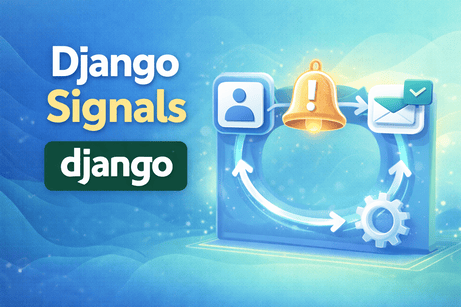
Django signals are one of those features that seem magical at first. They allow one part of your application to react automatically when something happens somewhere else. For example, when a user is created, you may want to automatically create a profile. When an order is saved, you may want to send a notification email. When a record is deleted, you may want to clean related files. Signals make that possible without putting all the logic directly in the same view or model method.
At the same time, signals are often misunderstood. Beginners sometimes see them as a universal solution for automation, but signals are most useful only in certain situations. If they are used carelessly, they can make a project harder to understand because important actions happen “in the background” without being obvious. So this tutorial has two goals: first, to teach you how Django signals work technically, and second, to help you understand when they are a good design choice and when another approach would be better.
In this tutorial, we will go deep into the concept of Django signals. We will understand what they are, how they work, how to create them, how to connect receivers, and how to use common built-in signals such as post_save, pre_save, and post_delete. We will also build practical examples such as automatically creating a user profile and sending a welcome email after a new user is registered. Most importantly, we will explain the logic behind each step so that you do not just memorize syntax, but truly understand the architecture.
1. What Is a Signal in Django?
A signal in Django is a way to allow certain pieces of code to be notified when something specific happens somewhere else in the application.
Think of it like this: imagine a school where a bell rings whenever class starts. The bell itself does not teach the lesson, but it informs everyone that an event has happened. Teachers and students react to it in their own ways. In the same spirit, a Django signal announces that an event happened, and receiver functions can react to it.
For example, Django can emit a signal when:
- a model is about to be saved
- a model has just been saved
- a model is about to be deleted
- a request starts
- a request finishes
- a migration is completed
- a user logs in or logs out
You can then write a function that “listens” to that signal and executes some logic automatically.
This makes signals part of an event-driven pattern inside Django.
2. Why Signals Exist
At first, you may wonder why we even need signals. Why not just write all logic directly in the view or model?
That is a very good question. The answer is that signals help separate responsibilities.
For example, suppose you create a new user in your registration view. You may also want to:
- create a profile for that user
- send a welcome email
- log the registration event
- notify an administrator
If you put all of that directly in the registration view, the view becomes large and tightly coupled to many unrelated concerns. But if some of those reactions are naturally triggered by “a user has been created,” then a signal can move those reactions to separate, reusable listener functions.
So the main idea is this: a signal allows one event to trigger other pieces of logic without forcing everything into the original place where the event occurred.
3. Important Vocabulary
Before going deeper, let us understand the basic terms.
Signal
The event notification itself. For example, post_save is a built-in signal sent after a model is saved.
Sender
The object or model class that sends the signal. For example, if a User is saved, then User may be the sender.
Receiver
The function that listens for a signal and reacts when it happens.
Dispatch
This is the act of sending the signal so that receivers can respond.
These terms are important because nearly every signal example in Django is based on them.
4. The Most Common Built-In Model Signals
Django provides many built-in signals, but a few are especially common when working with models.
pre_save
Sent just before a model instance is saved to the database.
post_save
Sent just after a model instance is saved.
pre_delete
Sent just before a model instance is deleted.
post_delete
Sent just after a model instance is deleted.
m2m_changed
Sent when a many-to-many relationship changes.
Among these, post_save is probably the most commonly used for beginners, because it is often used to perform automatic actions after an object is created or updated.
5. A Simple Mental Model
A good way to think about signals is this:
- Something happens in Django.
- Django emits a signal.
- Receiver functions that are connected to that signal are called.
- Those receiver functions perform extra actions.
This means the signal itself does not contain your business logic. It only acts as a notification system. The logic lives in the receiver functions.
That distinction matters because it helps you understand that signals are not magic. They are just a structured way to trigger follow-up code when an event happens.
6. First Practical Example: Auto-Creating a User Profile
One of the most classic Django signal examples is automatically creating a profile when a new user is created.
Let us say your project has a Profile model linked to Django’s built-in User.
models.py
from django.db import models
from django.contrib.auth.models import User

class Profile(models.Model):
    user = models.OneToOneField(User, on_delete=models.CASCADE)
    bio = models.TextField(blank=True)
    profile_picture = models.ImageField(upload_to='profiles/', blank=True, null=True)

    def __str__(self):
        return self.user.username
This model stores extra information for a user. Now the question is: when a new User is created, how can we automatically create the matching Profile?
Signals are a good answer here.
7. Create a signals.py File
Inside your app, create a file named signals.py.
signals.py
from django.db.models.signals import post_save
from django.contrib.auth.models import User
from django.dispatch import receiver
from .models import Profile

@receiver(post_save, sender=User)
def create_user_profile(sender, instance, created, **kwargs):
    if created:
        Profile.objects.create(user=instance)
8. Deep Explanation of This Signal
This small function contains several important ideas.
post_save
We import post_save because we want this function to run after a User object is saved.
sender=User
This means the receiver listens only when the User model sends the post_save signal. It will not react to other models being saved.
@receiver(post_save, sender=User)
This decorator connects the function to the signal.
instance
This is the specific User object that was saved.
created
This is a boolean provided by post_save. It tells us whether the object was newly created or simply updated.
This is extremely important. Without checking created, the receiver would try to create a Profile every time the user is saved, even during updates. That would cause errors or duplicate logic.
Profile.objects.create(user=instance)
If the user is newly created, a matching profile is created automatically.
So the logic is: “Whenever a new User is saved for the first time, automatically create a Profile linked to it.”
9. Why This Example Is Useful
This example is good because it shows a real use case where signals feel natural.
The rule “every user should have a profile” is not just about one specific view. It is a general rule of the application. A user might be created from:
- a registration form
- the Django admin
- a management command
- a script
- an imported dataset
If you placed profile creation only inside the registration view, then users created elsewhere might not get profiles. But a signal attached to the User model handles this rule consistently across the application.
That is one of the strongest arguments in favor of signals.
10. Register the Signals
Creating signals.py is not enough by itself. Django must import that file so the receiver function becomes registered.
A common way is through the app configuration.
apps.py
from django.apps import AppConfig

class AccountsConfig(AppConfig):
    default_auto_field = 'django.db.models.BigAutoField'
    name = 'accounts'

    def ready(self):
        import accounts.signals
Then in INSTALLED_APPS, make sure you reference the app config if needed.
INSTALLED_APPS = [
    # ...
    'accounts.apps.AccountsConfig',
]
11. Why ready() Is Important
A signal receiver only works if Python imports the file where it is defined. If signals.py is never imported, Django does not know that the receiver exists.
The ready() method is executed when the app is loaded, and importing accounts.signals there ensures the receiver gets registered.
This is one of the most common beginner mistakes with signals: writing the receiver correctly but forgetting to import the signals module.
If that happens, the signal appears to “do nothing,” even though the code itself is fine.
12. Automatically Saving the Profile
Sometimes people also want the profile to be saved whenever the user is saved.
Example:
signals.py
from django.db.models.signals import post_save
from django.contrib.auth.models import User
from django.dispatch import receiver
from .models import Profile

@receiver(post_save, sender=User)
def create_user_profile(sender, instance, created, **kwargs):
    if created:
        Profile.objects.create(user=instance)

@receiver(post_save, sender=User)
def save_user_profile(sender, instance, **kwargs):
    instance.profile.save()
13. Understanding the Second Receiver
The first receiver creates the profile only once when the user is first created.
The second receiver saves the profile whenever the user is saved.
This pattern is common in tutorials, but it should be understood carefully. It works only if every user truly has a related profile. Otherwise, instance.profile may fail if no profile exists.
In many cases, the first receiver is enough. The second one is only helpful when your application logic depends on synchronizing user changes with the related profile.
So this is a good moment to remember: not every common tutorial pattern is automatically necessary in every project.
14. Another Example: Sending a Welcome Email
Signals are also often used to trigger emails after user creation.
signals.py
from django.db.models.signals import post_save
from django.contrib.auth.models import User
from django.dispatch import receiver
from django.core.mail import send_mail
from django.conf import settings

@receiver(post_save, sender=User)
def send_welcome_email(sender, instance, created, **kwargs):
    if created:
        send_mail(
            subject='Welcome to our website',
            message=f'Hello {instance.username}, welcome to our platform.',
            from_email=settings.DEFAULT_FROM_EMAIL,
            recipient_list=[instance.email],
            fail_silently=False,
        )
15. Why This Example Makes Sense
This signal says: “Whenever a new user is created, send a welcome email automatically.”
That can be useful because it ensures the welcome email is triggered regardless of how the user was created, not only from one specific registration page.
But it also raises an important design question: do you really want a welcome email every time a User is created, including users created by the admin panel, fixtures, scripts, or tests?
Sometimes the answer is yes, and sometimes the answer is no.
This shows an important principle: signals are powerful, but the event they respond to may be broader than you first imagine. You must always think carefully about all the contexts where that event can happen.
16. The created Argument in post_save
The created argument is one of the most important details in post_save.
When you save an object, there are two possibilities:
- a new object is being inserted into the database
- an existing object is being updated
The created flag tells you which one happened.
Example:
if created:
    # only run on first creation
Without this condition, your logic would run every time the object is saved, even on updates. That can lead to duplicate emails, duplicate profiles, repeated notifications, or unnecessary processing.
So whenever you use post_save, always ask yourself whether the logic should happen only on creation or also on updates.
17. Example of pre_save
Now let us look at pre_save.
Suppose you want to automatically generate a slug before a blog post is saved.
models.py
from django.db import models

class Post(models.Model):
    title = models.CharField(max_length=200)
    slug = models.SlugField(blank=True)

    def __str__(self):
        return self.title
signals.py
from django.db.models.signals import pre_save
from django.dispatch import receiver
from django.utils.text import slugify
from .models import Post

@receiver(pre_save, sender=Post)
def set_post_slug(sender, instance, **kwargs):
    if not instance.slug:
        instance.slug = slugify(instance.title)
18. Why pre_save Works Here
This receiver runs just before the object is saved. That gives you a chance to modify the instance before it reaches the database.
Here, if the slug field is empty, Django automatically fills it using the title.
This is useful because it means you do not have to remember to generate the slug in every form or view. The rule is attached to the save event of the model itself.
Still, in many projects, overriding the model’s save() method can also be a reasonable choice for this kind of logic. That leads to an important comparison.
19. Signals vs Overriding save()
A very important question is: when should you use a signal, and when should you override a model’s save() method?
Overriding save() is often better when:
- the logic is directly tied to the model itself
- the behavior is essential to the object being valid
- you want the logic to be explicit and easy to find
Example: generating a slug may fit naturally inside save() because it is part of how the model prepares itself.
Signals are often better when:
- the logic is a side effect of an event
- the sender should not need to know about all consequences
- multiple unrelated actions may respond to the same event
- you want looser coupling between components
Example: sending a welcome email or logging an event after user creation may fit signals well because those are side effects rather than core model structure.
This distinction is very important. Signals are not automatically superior. They are just one design tool.
20. Example of post_delete
Suppose you have a model with an uploaded image, and when the record is deleted, you also want the file removed from storage.
models.py
from django.db import models

class Document(models.Model):
    title = models.CharField(max_length=200)
    file = models.FileField(upload_to='documents/')
signals.py
from django.db.models.signals import post_delete
from django.dispatch import receiver
from .models import Document

@receiver(post_delete, sender=Document)
def delete_document_file(sender, instance, **kwargs):
    if instance.file:
        instance.file.delete(save=False)
21. Why post_delete Can Be Useful
Deleting a database row does not always automatically remove the associated file from disk or storage. That means files can remain orphaned and waste space.
This signal listens for deletion of a Document instance and removes the file after the database record is gone.
This is a good example of a cleanup task that fits naturally as a signal. It is a side effect of deletion and may happen from many places in the application.
22. Example of m2m_changed
Signals are also used with many-to-many relationships.
Suppose a Post has tags.
models.py
from django.db import models

class Tag(models.Model):
    name = models.CharField(max_length=50)

class Post(models.Model):
    title = models.CharField(max_length=200)
    tags = models.ManyToManyField(Tag, blank=True)
You can listen for changes to the tags relationship.
signals.py
from django.db.models.signals import m2m_changed
from django.dispatch import receiver
from .models import Post

@receiver(m2m_changed, sender=Post.tags.through)
def post_tags_changed(sender, instance, action, **kwargs):
    if action == 'post_add':
        print(f"Tags were added to post: {instance.title}")
23. Understanding m2m_changed
Many-to-many fields do not behave exactly like regular fields, because the relationship is stored in a separate intermediate table. That is why Django provides a separate signal for it.
The action argument tells you what kind of change occurred, such as:
pre_addpost_addpre_removepost_removepre_clearpost_clear
This allows you to respond precisely to changes in relationships.
24. Custom Signals
Django also allows you to create your own custom signals when needed.
Example:
signals.py
from django.dispatch import Signal

order_completed = Signal()
Then create a receiver:
from django.dispatch import receiver
from .signals import order_completed

@receiver(order_completed)
def send_order_notification(sender, order, **kwargs):
    print(f"Order {order.id} has been completed.")
And send the signal somewhere in your code:
from .signals import order_completed

order_completed.send(sender=None, order=order)
25. Why Custom Signals Exist
Custom signals are useful when you want to define your own application events that other components can respond to.
For example:
- order completed
- invoice generated
- subscription renewed
- user upgraded plan
- report finished processing
They can help decouple parts of a large system. But in smaller projects, custom signals are often unnecessary. They are best used when you truly benefit from an event-based design.
26. The Role of **kwargs
You will notice that receiver functions usually include **kwargs.
Example:
def create_user_profile(sender, instance, created, **kwargs):This is important because Django may send additional keyword arguments depending on the signal. Including **kwargs makes your receiver more robust and compatible.
It is a standard pattern and should usually be kept, even if you do not use all the arguments explicitly.
27. Common Places Where Signals Are Helpful
Signals can be helpful for:
- automatically creating related objects
- sending emails after creation
- logging activity
- cleaning files on deletion
- updating caches
- triggering notifications
- auditing changes
- reacting to many-to-many updates
These are all cases where an event happens and another component should respond to it as a side effect.
28. When Signals Are Not the Best Choice
Signals are not always the right tool. They can make code harder to follow when overused.
Signals are often a poor choice when:
- the logic is core business logic that should be explicit
- the action should happen only in one specific workflow
- you want developers to easily see the full process in one place
- debugging hidden side effects would be difficult
- order of execution matters a lot and should be controlled clearly
For example, if placing an order absolutely requires a sequence of explicit steps, a service function may be clearer than a group of signals firing invisibly in the background.
This is why experienced developers often say: use signals for side effects, not for critical hidden business workflows.
29. Common Beginner Mistakes with Signals
Mistake 1: Forgetting to import signals.py
This is the classic issue. The receiver is written correctly, but it never runs because the module was never imported.
Mistake 2: Forgetting to check created
This can cause duplicate actions on every update.
Mistake 3: Putting too much hidden logic in signals
If too much of the application happens invisibly, the code becomes hard to understand.
Mistake 4: Assuming signals always run in a predictable business flow
Signals respond to events, but that may include admin actions, scripts, fixtures, tests, and imports, not just your main user-facing workflow.
Mistake 5: Causing recursive saves
If a signal saves the same object again carelessly, it may trigger itself repeatedly.
30. Recursive Signal Problems
Consider this dangerous pattern:
@receiver(post_save, sender=Post)
def update_post(sender, instance, **kwargs):
    instance.title = instance.title.upper()
    instance.save()
This is risky because calling instance.save() inside post_save can trigger post_save again, leading to a loop.
Sometimes developers avoid this with conditions, flags, or by using update() instead of save(), but the key lesson is simple: be very careful when a signal performs another save on the same model.
Signals can easily become recursive if not designed thoughtfully.
31. Testing Signals
Signals should be tested just like other application features.
Example test for auto-creating profiles:
tests.py
from django.test import TestCase
from django.contrib.auth.models import User
from .models import Profile

class ProfileSignalTest(TestCase):
    def test_profile_created_when_user_created(self):
        user = User.objects.create_user(username='alice', password='test123')
        self.assertTrue(Profile.objects.filter(user=user).exists())
This test checks that creating a user automatically creates a profile.
Testing signals is important because they are easy to forget. Since they operate indirectly, tests help prove that the hidden automation is actually working.
32. A Clean Project Structure for Signals
A common structure is:
accounts/
    __init__.py
    apps.py
    models.py
    signals.py
    views.py
    tests.py
This is a good pattern because it keeps signal logic separated from models and views while still staying close to the app it belongs to.
In larger projects, some developers even organize signals by domain or feature when signals.py becomes too big.
33. Full Working Example
Here is a practical complete example.
models.py
from django.db import models
from django.contrib.auth.models import User

class Profile(models.Model):
    user = models.OneToOneField(User, on_delete=models.CASCADE)
    bio = models.TextField(blank=True)

    def __str__(self):
        return self.user.username
signals.py
from django.db.models.signals import post_save
from django.contrib.auth.models import User
from django.dispatch import receiver
from .models import Profile

@receiver(post_save, sender=User)
def create_user_profile(sender, instance, created, **kwargs):
    if created:
        Profile.objects.create(user=instance)
apps.py
from django.apps import AppConfig

class AccountsConfig(AppConfig):
    default_auto_field = 'django.db.models.BigAutoField'
    name = 'accounts'

    def ready(self):
        import accounts.signals
settings.py
INSTALLED_APPS = [
    # ...
    'accounts.apps.AccountsConfig',
]
This gives you a complete functioning signal setup for automatic profile creation.
34. What You Learned in This Tutorial
In this tutorial, you learned that Django signals are a built-in event system that lets parts of your application react automatically when something happens. You learned the meanings of signal, sender, and receiver, and you explored common built-in signals such as pre_save, post_save, post_delete, and m2m_changed. You saw practical examples including auto-creating user profiles, sending welcome emails, generating slugs, deleting files, and responding to many-to-many updates. You also learned how to register signals properly through apps.py, why the created argument matters, and how signals compare with overriding save() methods.
Just as importantly, you learned the architectural side of signals: they are useful for side effects and decoupled reactions, but they should be used carefully because too much hidden behavior can make a project harder to understand and debug.
35. Conclusion
Django signals are a powerful feature, but their real value appears only when you understand both their technical behavior and their design implications. They are excellent for event-driven side effects such as creating related objects, sending notifications, cleaning files, or logging changes. In those cases, they help keep code modular and reduce duplication across multiple entry points of the application.
However, signals are not a universal solution. If the logic is central to a business workflow and needs to remain very explicit, another approach such as a model method, a custom manager, or a service function may be clearer. The best developers do not use signals everywhere. They use them when the event-driven model genuinely improves the design.
That balance is the real lesson of Django signals.













💬 Comments
No comments yet. Be the first to comment!
Login to comment.