Subject
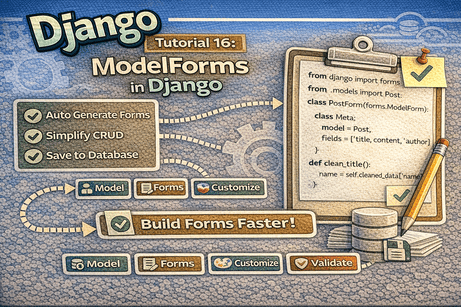
Using ModelForm to automatically generate forms from Django models for faster and cleaner CRUD development.
When building Django applications, forms are essential for collecting and processing user input. In the previous tutorial, you learned how to build forms manually using forms.py with forms.Form. That approach gives you full control, but when your form is directly linked to a database model, Django offers a much faster and cleaner solution: ModelForms.
A ModelForm automatically creates a form based on a model. This saves time, reduces repeated code, and makes CRUD development much easier.
In this tutorial, you will learn what ModelForm is, how it works, how to create one, how to customize it, and how to use it in create and update views.
1. What Is a ModelForm?
A ModelForm is a Django form class that is automatically generated from a model.
Instead of writing all the form fields manually, Django reads the model and creates matching form fields for you.
Example idea
If you have a model like this:
class Post(models.Model):
    title = models.CharField(max_length=200)
    content = models.TextField()
    author = models.CharField(max_length=100)
You can create a form for it like this:
class PostForm(forms.ModelForm):
    class Meta:
        model = Post
        fields = ['title', 'content', 'author']
Django will automatically generate the correct form fields.
2. Why Use ModelForms?
ModelForms are useful because they:
- reduce code duplication
- automatically match your model fields
- make create and update forms easier
- simplify CRUD operations
- integrate naturally with Django views and templates
They are especially useful when:
- a form is directly related to a model
- you want to save submitted data into the database
- you want to build create/edit pages quickly
3. forms.Form vs forms.ModelForm
It is important to understand the difference.
forms.Form
- fields are written manually
- not directly linked to a model
- useful for contact forms, search forms, feedback forms
forms.ModelForm
- fields are generated from a model
- directly linked to database records
- useful for create/edit/update pages
Example comparison
Manual form
from django import forms

class PostForm(forms.Form):
    title = forms.CharField(max_length=200)
    content = forms.CharField(widget=forms.Textarea)
    author = forms.CharField(max_length=100)
ModelForm
from django import forms
from .models import Post

class PostForm(forms.ModelForm):
    class Meta:
        model = Post
        fields = ['title', 'content', 'author']
The second version is shorter and easier to maintain.
4. Creating the Model First
Before using a ModelForm, you need a model.
blog/models.py
from django.db import models

class Post(models.Model):
    title = models.CharField(max_length=200)
    content = models.TextField()
    author = models.CharField(max_length=100)
    is_published = models.BooleanField(default=True)
    created_at = models.DateTimeField(auto_now_add=True)

    def __str__(self):
        return self.title
If you have not already done this, run:
python manage.py makemigrations
python manage.py migrate
5. Creating Your First ModelForm
Now define the form in forms.py.
blog/forms.py
from django import forms
from .models import Post

class PostForm(forms.ModelForm):
    class Meta:
        model = Post
        fields = ['title', 'content', 'author', 'is_published']
Explanation
forms.ModelFormis the base classMetatells Django which model to usefieldsdefines which model fields should appear in the form
Django will automatically choose matching form fields for each model field.
6. Using fields and exclude
There are two common ways to choose which fields appear in a ModelForm.
Option 1: fields
class PostForm(forms.ModelForm):
    class Meta:
        model = Post
        fields = ['title', 'content', 'author']
Only these fields will appear.
Option 2: exclude
class PostForm(forms.ModelForm):
    class Meta:
        model = Post
        exclude = ['created_at']
All fields except created_at will appear.
Which is better?
For beginners and for safer code, fields is usually better because it is explicit.
7. Rendering the ModelForm in a View
Let us create a form page for adding new blog posts.
blog/views.py
from django.shortcuts import render, redirect
from .forms import PostForm

def create_post(request):
    if request.method == 'POST':
        form = PostForm(request.POST)
        if form.is_valid():
            form.save()
            return redirect('blog:home')
    else:
        form = PostForm()

    return render(request, 'blog/post_form.html', {'form': form})
What this does
- if the request is
POST, Django fills the form with submitted data form.is_valid()validates the dataform.save()saves the new post into the database- if the request is not
POST, an empty form is shown
This is one of the biggest advantages of ModelForms: saving is extremely easy.
8. Template for the ModelForm
blog/templates/blog/post_form.html
<h1>Create Post</h1>

<form method="POST">
    {% csrf_token %}
    {{ form.as_p }}
    <button type="submit">Save</button>
</form>
This displays the automatically generated form.
9. Connecting the URL
blog/urls.py
from django.urls import path
from . import views

app_name = 'blog'

urlpatterns = [
    path('create/', views.create_post, name='create_post'),
]
Now you can open:
and see the generated form.
10. Updating Existing Records with ModelForm
ModelForms are also very useful for editing existing objects.
views.py
from django.shortcuts import render, get_object_or_404, redirect
from .models import Post
from .forms import PostForm

def update_post(request, post_id):
    post = get_object_or_404(Post, id=post_id)

    if request.method == 'POST':
        form = PostForm(request.POST, instance=post)
        if form.is_valid():
            form.save()
            return redirect('blog:post_detail', post_id=post.id)
    else:
        form = PostForm(instance=post)

    return render(request, 'blog/post_form.html', {'form': form})
Important concept: instance=post
This tells Django:
- load the existing record into the form
- update that record instead of creating a new one
11. Why instance Matters
Without instance, Django thinks you want to create a new object.
With instance=post, Django knows you want to edit the existing object.
Example
form = PostForm(request.POST, instance=post)This is the standard pattern for update forms.
12. Customizing Labels in ModelForms
Even though the fields come from the model, you can still customize labels.
Example
from django import forms
from .models import Post

class PostForm(forms.ModelForm):
    class Meta:
        model = Post
        fields = ['title', 'content', 'author', 'is_published']
        labels = {
            'title': 'Post Title',
            'content': 'Post Content',
            'author': 'Writer Name',
            'is_published': 'Publish Now',
        }
This improves readability for users.
13. Customizing Widgets in ModelForms
You can also customize how fields look in HTML.
Example
from django import forms
from .models import Post

class PostForm(forms.ModelForm):
    class Meta:
        model = Post
        fields = ['title', 'content', 'author', 'is_published']
        widgets = {
            'title': forms.TextInput(attrs={
                'class': 'form-control',
                'placeholder': 'Enter the post title'
            }),
            'content': forms.Textarea(attrs={
                'class': 'form-control',
                'placeholder': 'Write your post content',
                'rows': 6
            }),
            'author': forms.TextInput(attrs={
                'class': 'form-control',
                'placeholder': 'Enter author name'
            }),
        }
Why this is useful
It allows you to:
- add CSS classes
- add placeholders
- improve UI
- integrate with Bootstrap or custom styling
14. Adding Help Texts
You can add helpful explanations for users.
Example
class PostForm(forms.ModelForm):
    class Meta:
        model = Post
        fields = ['title', 'content', 'author']
        help_texts = {
            'title': 'Keep the title short and clear.',
            'author': 'Enter the full name of the author.',
        }
This makes forms more user-friendly.
15. Custom Validation in ModelForms
ModelForms also support validation methods.
Field-level validation
from django import forms
from .models import Post

class PostForm(forms.ModelForm):
    class Meta:
        model = Post
        fields = ['title', 'content', 'author']

    def clean_title(self):
        title = self.cleaned_data['title']

        if len(title) < 5:
            raise forms.ValidationError("Title must contain at least 5 characters.")

        return title
This validates only the title field.
16. Form-Level Validation with clean()
Use clean() when checking multiple fields together.
Example
class PostForm(forms.ModelForm):
    class Meta:
        model = Post
        fields = ['title', 'content', 'author']

    def clean(self):
        cleaned_data = super().clean()
        title = cleaned_data.get('title')
        content = cleaned_data.get('content')

        if title and content:
            if title.lower() in content.lower():
                raise forms.ValidationError(
                    "The content should not repeat the exact title."
                )

        return cleaned_data
This validates the full form.
17. Accessing Cleaned Data
After validation, you can still use cleaned_data.
Example
if form.is_valid():
    title = form.cleaned_data['title']
    content = form.cleaned_data['content']
Even though form.save() is available, cleaned_data is still useful when:
- you want to inspect data
- you want to change something before saving
- you want to perform extra logic
18. Saving Without Immediately Committing
Sometimes you want to modify the object before saving it to the database.
Use:
form.save(commit=False)Example
def create_post(request):
    if request.method == 'POST':
        form = PostForm(request.POST)
        if form.is_valid():
            post = form.save(commit=False)
            post.author = post.author.title()
            post.save()
            return redirect('blog:home')
    else:
        form = PostForm()

    return render(request, 'blog/post_form.html', {'form': form})
Why use commit=False?
It lets you:
- get the model object first
- modify it
- then save it manually
19. A Complete Example of a ModelForm
forms.py
from django import forms
from .models import Post

class PostForm(forms.ModelForm):
    class Meta:
        model = Post
        fields = ['title', 'content', 'author', 'is_published']
        labels = {
            'title': 'Post Title',
            'content': 'Post Content',
            'author': 'Author Name',
            'is_published': 'Publish this post',
        }
        widgets = {
            'title': forms.TextInput(attrs={
                'class': 'form-control',
                'placeholder': 'Enter the post title'
            }),
            'content': forms.Textarea(attrs={
                'class': 'form-control',
                'placeholder': 'Write the full content here',
                'rows': 6
            }),
            'author': forms.TextInput(attrs={
                'class': 'form-control',
                'placeholder': 'Enter the author name'
            }),
        }

    def clean_title(self):
        title = self.cleaned_data['title']
        if len(title) < 5:
            raise forms.ValidationError("Title must contain at least 5 characters.")
        return title
This includes:
- automatic form generation
- custom labels
- custom widgets
- custom validation
20. Displaying Errors in Templates
If the form is invalid, Django automatically sends errors back to the template.
Example template
<h1>Create Post</h1>

<form method="POST">
    {% csrf_token %}
    {{ form.as_p }}
    <button type="submit">Save</button>
</form>

{% if form.errors %}
    <div class="errors">
        {{ form.errors }}
    </div>
{% endif %}
This helps users understand what went wrong.
21. Common Beginner Mistakes
Mistake 1: Forgetting form.is_valid()
Wrong:
form.save()Correct:
if form.is_valid():
    form.save()
Mistake 2: Forgetting instance in update forms
Without instance, Django creates a new record.
Mistake 3: Forgetting {% csrf_token %}
POST forms require CSRF protection.
Mistake 4: Using all fields without thinking
Be careful when using:
fields = '__all__'It may expose fields you do not want users to edit.
Mistake 5: Confusing manual forms and ModelForms
Use forms.Form for standalone forms.
Use forms.ModelForm for model-based forms.
22. Best Practices
- use
ModelFormwhen the form is tied to a model - use explicit
fieldsinstead of__all__when possible - customize widgets for better UI
- validate with
is_valid() - use
instancefor update forms - use
commit=Falsewhen you need to modify before saving
23. Beginner Analogy
Think of a ModelForm like a ready-made office form generated from a database file.
- the model is the official record structure
- the ModelForm automatically creates a form that matches that record
- Django makes sure the information is filled correctly
- once valid, it updates or creates the record in the system
That is why ModelForms save so much time.
24. Summary
In this tutorial, you learned how to use ModelForm to automatically generate forms from Django models. You saw how to create a ModelForm, use it in create and update views, customize labels and widgets, validate data, and save objects into the database.
ModelForms are one of the most practical tools in Django because they make CRUD development faster, cleaner, and easier to maintain.
25. Key Takeaways
ModelFormcreates forms directly from models- it reduces repeated code
Meta.modeldefines the modelfieldscontrols which fields appearform.save()stores valid data in the databaseinstanceis used for updates- labels, widgets, and validation can still be customized
commit=Falselets you modify before saving
26. Small Knowledge Check
- What is a ModelForm in Django?
- What is the difference between
forms.Formandforms.ModelForm? - What is the purpose of the
Metaclass in a ModelForm? - Why do we use
instance=postin update views? - What does
commit=Falsedo? - Why is
fields = ['title', 'content']usually safer thanfields = '__all__'?
27. Conclusion
ModelForms are one of the biggest productivity features in Django. They let you build create and update forms quickly while keeping your code clean and secure. Once you master ModelForms, building real CRUD applications becomes much easier.













💬 Comments
No comments yet. Be the first to comment!
Login to comment.