🎯 Subject
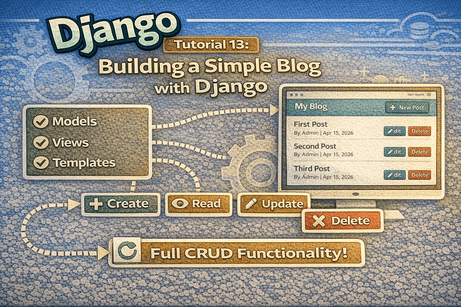
Build a complete Blog Application from scratch using Django, combining all core concepts (models, views, templates, URLs, admin, static files, and CRUD with forms).
🧠 1. What You Will Build
In this tutorial, you will create a Simple Blog System where:
- users can view posts
- admins can manage posts
- users can:
- create posts
- edit posts
- delete posts
📦 2. Technologies Used
- Python
- Django
- SQLite (default database)
- HTML + CSS
📁 3. Project Structure (Final)
DjangoBlog/
├── manage.py
├── config/
├── blog/
│   ├── models.py
│   ├── views.py
│   ├── forms.py
│   ├── urls.py
│   ├── admin.py
│   ├── templates/blog/
│   └── static/blog/css/
⚙️ 4. Step 1: Create Project & App
django-admin startproject config .
python manage.py startapp blog
⚙️ 5. Step 2: Register App
In settings.py:
INSTALLED_APPS = [
    ...
    'blog',
]
🧱 6. Step 3: Create the Model
📌 blog/models.py
from django.db import models

class Post(models.Model):
    title = models.CharField(max_length=200)
    content = models.TextField()
    author = models.CharField(max_length=100)
    created_at = models.DateTimeField(auto_now_add=True)
    is_published = models.BooleanField(default=True)

    def __str__(self):
        return self.title
🔄 7. Step 4: Migrations
python manage.py makemigrations
python manage.py migrate
🛠️ 8. Step 5: Admin Configuration
📌 blog/admin.py
from django.contrib import admin
from .models import Post

class PostAdmin(admin.ModelAdmin):
    list_display = ('id', 'title', 'author', 'created_at', 'is_published')
    search_fields = ('title', 'author')
    list_filter = ('is_published',)
    ordering = ('-created_at',)

admin.site.register(Post, PostAdmin)
🔐 9. Step 6: Create Superuser
python manage.py createsuperuser🔗 10. Step 7: URLs Setup
📌 config/urls.py
from django.contrib import admin
from django.urls import path, include

urlpatterns = [
    path('admin/', admin.site.urls),
    path('', include('blog.urls')),
]
📌 blog/urls.py
from django.urls import path
from . import views

app_name = 'blog'

urlpatterns = [
    path('', views.home, name='home'),
    path('post/<int:post_id>/', views.post_detail, name='post_detail'),

    path('create/', views.create_post, name='create_post'),
    path('update/<int:post_id>/', views.update_post, name='update_post'),
    path('delete/<int:post_id>/', views.delete_post, name='delete_post'),
]
🧠 11. Step 8: Views (Core Logic)
📌 blog/views.py
from django.shortcuts import render, get_object_or_404, redirect
from .models import Post
from .forms import PostForm

# READ - List
def home(request):
    posts = Post.objects.filter(is_published=True).order_by('-created_at')
    return render(request, 'blog/home.html', {'posts': posts})

# READ - Detail
def post_detail(request, post_id):
    post = get_object_or_404(Post, id=post_id)
    return render(request, 'blog/post_detail.html', {'post': post})

# CREATE
def create_post(request):
    if request.method == 'POST':
        form = PostForm(request.POST)
        if form.is_valid():
            form.save()
            return redirect('blog:home')
    else:
        form = PostForm()

    return render(request, 'blog/post_form.html', {'form': form})

# UPDATE
def update_post(request, post_id):
    post = get_object_or_404(Post, id=post_id)

    if request.method == 'POST':
        form = PostForm(request.POST, instance=post)
        if form.is_valid():
            form.save()
            return redirect('blog:post_detail', post_id=post.id)
    else:
        form = PostForm(instance=post)

    return render(request, 'blog/post_form.html', {'form': form})

# DELETE
def delete_post(request, post_id):
    post = get_object_or_404(Post, id=post_id)

    if request.method == 'POST':
        post.delete()
        return redirect('blog:home')

    return render(request, 'blog/post_confirm_delete.html', {'post': post})
📝 12. Step 9: Create Forms
📌 blog/forms.py
from django import forms
from .models import Post

class PostForm(forms.ModelForm):
    class Meta:
        model = Post
        fields = ['title', 'content', 'author', 'is_published']
🎨 13. Step 10: Templates
📌 base.html
{% load static %}
<!DOCTYPE html>
<html>
<head>
    <title>Django Blog</title>
    <link rel="stylesheet" href="{% static 'blog/css/style.css' %}">
</head>
<body>
    <h1><a href="{% url 'blog:home' %}">Django Blog</a></h1>
    <hr>
    {% block content %}{% endblock %}
</body>
</html>
📌 home.html
{% extends 'blog/base.html' %}

{% block content %}
<a href="{% url 'blog:create_post' %}">➕ New Post</a>

{% for post in posts %}
    <h2>
        <a href="{% url 'blog:post_detail' post.id %}">
            {{ post.title }}
        </a>
    </h2>
    <p>{{ post.content|truncatewords:20 }}</p>
{% endfor %}
{% endblock %}
📌 post_detail.html
{% extends 'blog/base.html' %}

{% block content %}
<h2>{{ post.title }}</h2>
<p>{{ post.content }}</p>

<a href="{% url 'blog:update_post' post.id %}">Edit</a>
<a href="{% url 'blog:delete_post' post.id %}">Delete</a>
{% endblock %}
📌 post_form.html
{% extends 'blog/base.html' %}

{% block content %}
<form method="POST">
    {% csrf_token %}
    {{ form.as_p }}
    <button type="submit">Save</button>
</form>
{% endblock %}
📌 post_confirm_delete.html
{% extends 'blog/base.html' %}

{% block content %}
<p>Are you sure you want to delete "{{ post.title }}"?</p>

<form method="POST">
    {% csrf_token %}
    <button type="submit">Yes</button>
</form>
{% endblock %}
🎨 14. Step 11: Static Files
📌 blog/static/blog/css/style.css
body {
    font-family: Arial;
    margin: 20px;
}

h1 a {
    text-decoration: none;
    color: #0d6efd;
}

button {
    background: #0d6efd;
    color: white;
    padding: 5px 10px;
    border: none;
}
▶️ 15. Step 12: Run the Project
python manage.py runserver
Open:
👉 http://127.0.0.1:8000/
👉 http://127.0.0.1:8000/admin/
🧠 16. What You Practiced
You combined ALL previous tutorials:
- Models
- Views
- Templates
- URLs
- Forms
- Static files
- Admin
- Migrations
📊 17. CRUD Recap
| Action | URL |
|---|---|
| List | / |
| Detail | /post/1/ |
| Create | /create/ |
| Update | /update/1/ |
| Delete | /delete/1/ |
🎯 18. Conclusion
🔥 You just built your first real Django application from scratch.
This is the moment where:
- theory → becomes practice
- tutorials → become real skills













💬 Comments
No comments yet. Be the first to comment!
Login to comment.