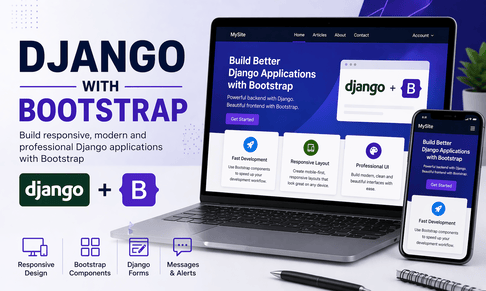
Django and Bootstrap are a very powerful combination for building web applications quickly while keeping the interface clean, responsive, and professional. Django handles the backend logic, database interactions, routing, authentication, forms, and template rendering, while Bootstrap gives you a ready-made design system with responsive grids, styled components, utility classes, navigation bars, cards, buttons, alerts, modals, tables, and form styling. When these two technologies are used together, you can create applications that are not only functional but also visually polished without needing to write huge amounts of custom CSS from the beginning. For beginners, Bootstrap makes it easier to avoid ugly default HTML pages, and for intermediate and advanced developers, it speeds up dashboard design, content platforms, admin-style pages, blogs, portals, and business applications.
One of the biggest reasons Django works so well with Bootstrap is Django’s template system. Django templates let you render dynamic HTML using data from views, models, and forms. Bootstrap is simply a collection of CSS and JavaScript tools that can be placed inside those templates. This means Bootstrap does not fight Django’s architecture. Instead, it enhances it. You can take a Django template, include Bootstrap classes such as container, row, col-md-6, btn, card, or form-control, and immediately transform a plain page into a responsive, modern interface. This makes Bootstrap one of the best frontend starting points for Django developers who want to focus on application logic without spending too much time building a design system from scratch.
Before using Bootstrap with Django, it is important to understand the role of each side. Django is responsible for generating the content and sending it to the browser. For example, Django can fetch a list of blog posts from the database and pass them into a template. Bootstrap then styles how those blog posts appear on the page. If Django provides a form for creating a new article, Bootstrap can make the form fields look consistent and elegant. If Django returns a success message after form submission, Bootstrap can display that message in a styled alert box. So Django gives the page its intelligence and content, while Bootstrap gives it structure and appearance.
Let us begin with a very simple Django project setup. Suppose you already created a Django project named myproject and an app named core. A typical folder structure might look like this:
myproject/
│
├── manage.py
├── myproject/
│   ├── settings.py
│   ├── urls.py
│   └── ...
│
├── core/
│   ├── views.py
│   ├── urls.py
│   └── ...
│
├── templates/
│   ├── base.html
│   └── core/
│       └── home.html
│
└── static/
    └── css/
        └── style.css
The first step is to make sure Django knows where your templates and static files are located. In settings.py, you usually configure them like this:
from pathlib import Path

BASE_DIR = Path(__file__).resolve().parent.parent

TEMPLATES = [
    {
        "BACKEND": "django.template.backends.django.DjangoTemplates",
        "DIRS": [BASE_DIR / "templates"],
        "APP_DIRS": True,
        "OPTIONS": {
            "context_processors": [
                "django.template.context_processors.request",
                "django.contrib.auth.context_processors.auth",
                "django.contrib.messages.context_processors.messages",
            ],
        },
    },
]

STATIC_URL = "/static/"
STATICFILES_DIRS = [BASE_DIR / "static"]
This configuration tells Django to search for HTML templates inside the templates folder and static files inside the static folder. Bootstrap itself can be loaded either through a CDN or installed locally. For learning and rapid prototyping, a CDN is the easiest option. It allows you to link Bootstrap directly from your HTML without downloading files manually. Later, in production, you may choose a local version or a build process depending on your security and performance requirements.
Now let us create a base.html template, which is one of the most important concepts when combining Django and Bootstrap. A base template allows you to define the common layout used across your website, such as the navbar, footer, Bootstrap CSS links, Bootstrap JavaScript, and a content block that child templates can fill. This makes your project more maintainable and avoids repeating the same HTML on every page.
{% load static %}
<!DOCTYPE html>
<html lang="en">
<head>
    <meta charset="UTF-8">
    <meta name="viewport" content="width=device-width, initial-scale=1.0">
    <title>{% block title %}My Django Site{% endblock %}</title>

    <!-- Bootstrap CSS -->
    <link
        href="https://cdn.jsdelivr.net/npm/bootstrap@5.3.3/dist/css/bootstrap.min.css"
        rel="stylesheet"
    >

    <!-- Custom CSS -->
    <link rel="stylesheet" href="{% static 'css/style.css' %}">
</head>
<body>

    <nav class="navbar navbar-expand-lg navbar-dark bg-dark">
        <div class="container">
            <a class="navbar-brand" href="/">MySite</a>
            <button class="navbar-toggler" type="button" data-bs-toggle="collapse" data-bs-target="#mainNavbar">
                <span class="navbar-toggler-icon"></span>
            </button>

            <div class="collapse navbar-collapse" id="mainNavbar">
                <ul class="navbar-nav ms-auto">
                    <li class="nav-item">
                        <a class="nav-link" href="/">Home</a>
                    </li>
                    <li class="nav-item">
                        <a class="nav-link" href="/about/">About</a>
                    </li>
                    <li class="nav-item">
                        <a class="nav-link" href="/contact/">Contact</a>
                    </li>
                </ul>
            </div>
        </div>
    </nav>

    <main class="py-5">
        <div class="container">
            {% block content %}
            {% endblock %}
        </div>
    </main>

    <footer class="bg-light py-4 mt-5 border-top">
        <div class="container text-center">
            <p class="mb-0">© 2026 My Django Site</p>
        </div>
    </footer>

    <!-- Bootstrap JS -->
    <script
        src="https://cdn.jsdelivr.net/npm/bootstrap@5.3.3/dist/js/bootstrap.bundle.min.js">
    </script>
</body>
</html>
This base template already gives you a full page structure. The navigation bar is responsive because Bootstrap’s navbar component automatically adapts to small screens. The container class centers your content and applies good spacing. The py-5 class adds vertical padding. The block title and block content sections are Django template blocks, allowing child templates to override page title and page content.
Now let us create a homepage template that extends base.html. This is where the connection between Django and Bootstrap becomes very clear.
{% extends "base.html" %}

{% block title %}Home{% endblock %}

{% block content %}
<div class="text-center mb-5">
    <h1 class="display-4 fw-bold">Welcome to My Django + Bootstrap Site</h1>
    <p class="lead text-muted">
        Build responsive and professional Django applications faster with Bootstrap.
    </p>
    <a href="/about/" class="btn btn-primary btn-lg">Learn More</a>
</div>

<div class="row g-4">
    <div class="col-md-4">
        <div class="card shadow-sm h-100">
            <div class="card-body">
                <h5 class="card-title">Fast Development</h5>
                <p class="card-text">
                    Use Bootstrap’s ready-made components to save time in frontend design.
                </p>
            </div>
        </div>
    </div>

    <div class="col-md-4">
        <div class="card shadow-sm h-100">
            <div class="card-body">
                <h5 class="card-title">Responsive Layout</h5>
                <p class="card-text">
                    Your pages automatically adapt to mobile, tablet, and desktop screens.
                </p>
            </div>
        </div>
    </div>

    <div class="col-md-4">
        <div class="card shadow-sm h-100">
            <div class="card-body">
                <h5 class="card-title">Professional UI</h5>
                <p class="card-text">
                    Build clean interfaces for blogs, dashboards, shops, and business websites.
                </p>
            </div>
        </div>
    </div>
</div>
{% endblock %}
This example demonstrates several important Bootstrap ideas. The row and col-md-4 classes create a three-column responsive layout. The g-4 class adds spacing between columns. Each card uses shadow-sm for a subtle shadow and h-100 to ensure equal height. Without writing much CSS, the page looks structured and professional. This is precisely why Bootstrap is so popular in Django projects. It lets you focus on functionality while still delivering a strong visual result.
Now let us connect this template to a Django view. In views.py:
from django.shortcuts import render

def home(request):
    return render(request, "core/home.html")
And in urls.py for your app:
from django.urls import path
from .views import home

urlpatterns = [
    path("", home, name="home"),
]
Then in the project urls.py:
from django.contrib import admin
from django.urls import path, include

urlpatterns = [
    path("admin/", admin.site.urls),
    path("", include("core.urls")),
]
At this point, you already have a Django page styled with Bootstrap. But the true power of Django with Bootstrap appears when dealing with dynamic content. Let us imagine you have a model called Article and want to display a list of articles in a Bootstrap layout.
from django.db import models

class Article(models.Model):
    title = models.CharField(max_length=200)
    content = models.TextField()
    created_at = models.DateTimeField(auto_now_add=True)

    def __str__(self):
        return self.title
In the view, you fetch data and pass it to the template:
from django.shortcuts import render
from .models import Article

def article_list(request):
    articles = Article.objects.order_by("-created_at")
    return render(request, "core/article_list.html", {"articles": articles})
Then the template:
{% extends "base.html" %}

{% block title %}Articles{% endblock %}

{% block content %}
<h1 class="mb-4">Latest Articles</h1>

<div class="row g-4">
    {% for article in articles %}
        <div class="col-md-6 col-lg-4">
            <div class="card h-100 shadow-sm">
                <div class="card-body d-flex flex-column">
                    <h5 class="card-title">{{ article.title }}</h5>
                    <p class="card-text text-muted">
                        {{ article.content|truncatewords:20 }}
                    </p>
                    <p class="small text-secondary mt-auto">
                        Published on {{ article.created_at|date:"M d, Y" }}
                    </p>
                    <a href="#" class="btn btn-outline-primary mt-2">Read More</a>
                </div>
            </div>
        </div>
    {% empty %}
        <div class="col-12">
            <div class="alert alert-info">No articles available yet.</div>
        </div>
    {% endfor %}
</div>
{% endblock %}
This template shows how Django’s template language and Bootstrap components work together beautifully. The {% for %} loop comes from Django, but the cards, spacing, button style, and alert design come from Bootstrap. The result is dynamic and visually consistent. This pattern is repeated in most real-world Django apps: Django provides data and logic, Bootstrap provides presentation and layout.
Another very important area is forms. Django forms are already powerful for validation and data handling, but when styled with Bootstrap, they become far more user-friendly. Let us build a contact form example.
In forms.py:
from django import forms

class ContactForm(forms.Form):
    name = forms.CharField(max_length=100)
    email = forms.EmailField()
    message = forms.CharField(widget=forms.Textarea)
In views.py:
from django.shortcuts import render, redirect
from .forms import ContactForm

def contact_view(request):
    if request.method == "POST":
        form = ContactForm(request.POST)
        if form.is_valid():
            return redirect("home")
    else:
        form = ContactForm()

    return render(request, "core/contact.html", {"form": form})
Now the Bootstrap-styled template:
{% extends "base.html" %}

{% block title %}Contact{% endblock %}

{% block content %}
<div class="row justify-content-center">
    <div class="col-md-8 col-lg-6">
        <div class="card shadow-sm">
            <div class="card-body p-4">
                <h2 class="mb-4 text-center">Contact Us</h2>

                <form method="post">
                    {% csrf_token %}

                    <div class="mb-3">
                        <label class="form-label">Name</label>
                        {{ form.name }}
                    </div>

                    <div class="mb-3">
                        <label class="form-label">Email</label>
                        {{ form.email }}
                    </div>

                    <div class="mb-3">
                        <label class="form-label">Message</label>
                        {{ form.message }}
                    </div>

                    <button type="submit" class="btn btn-primary w-100">Send Message</button>
                </form>
            </div>
        </div>
    </div>
</div>
{% endblock %}
If you render this form directly, the fields will still be plain because Django does not automatically apply Bootstrap classes. One common solution is to add widgets with Bootstrap classes inside the form definition.
from django import forms

class ContactForm(forms.Form):
    name = forms.CharField(
        max_length=100,
        widget=forms.TextInput(attrs={"class": "form-control", "placeholder": "Your name"})
    )
    email = forms.EmailField(
        widget=forms.EmailInput(attrs={"class": "form-control", "placeholder": "Your email"})
    )
    message = forms.CharField(
        widget=forms.Textarea(attrs={"class": "form-control", "rows": 5, "placeholder": "Your message"})
    )
Now the rendered form fields will use Bootstrap’s form-control class and look much better. This is a key practical lesson: Django gives you the field structure, while Bootstrap requires you to add the right classes. The most common form styling classes are form-control for text inputs and textareas, form-select for dropdowns, form-check-input for checkboxes, and btn plus a variant like btn-primary for buttons.
Validation also becomes much clearer when combined with Bootstrap. Django automatically stores form errors, and you can display them near the field. For example:
<div class="mb-3">
    <label class="form-label">Email</label>
    {{ form.email }}
    {% if form.email.errors %}
        <div class="text-danger small mt-1">
            {{ form.email.errors }}
        </div>
    {% endif %}
</div>
This approach allows users to understand exactly what is wrong. In more advanced form designs, you can also add Bootstrap’s validation feedback classes such as is-invalid or invalid-feedback, but even basic error display is already a major improvement.
Django’s messages framework is another feature that works especially well with Bootstrap. After an action such as form submission, login, logout, profile update, or article creation, Django can generate a success or error message. Bootstrap has alert components that make these messages visually clear. In your view, you can write:
from django.contrib import messages
from django.shortcuts import render, redirect
from .forms import ContactForm

def contact_view(request):
    if request.method == "POST":
        form = ContactForm(request.POST)
        if form.is_valid():
            messages.success(request, "Your message has been sent successfully.")
            return redirect("contact")
        else:
            messages.error(request, "Please correct the errors below.")
    else:
        form = ContactForm()

    return render(request, "core/contact.html", {"form": form})
Then in base.html, somewhere near the top of the content area:
{% if messages %}
    {% for message in messages %}
        <div class="alert alert-{{ message.tags }} alert-dismissible fade show" role="alert">
            {{ message }}
            <button type="button" class="btn-close" data-bs-dismiss="alert"></button>
        </div>
    {% endfor %}
{% endif %}
This is a wonderful example of how Django logic and Bootstrap interface combine. Django decides when a message should appear, and Bootstrap makes that message beautiful and interactive with dismissible alerts.
Bootstrap’s grid system is another concept that every Django developer should understand deeply. Many beginners use Bootstrap only for buttons and forget that its true strength is layout. A page can be broken into rows and columns that change size depending on screen width. For example, a sidebar and main content area can be created like this:
<div class="row">
    <div class="col-lg-3 mb-4">
        <div class="card">
            <div class="card-body">
                <h5>Sidebar</h5>
                <p>Links, filters, categories, or user information.</p>
            </div>
        </div>
    </div>

    <div class="col-lg-9">
        <div class="card">
            <div class="card-body">
                <h2>Main Content</h2>
                <p>This area contains the main page content.</p>
            </div>
        </div>
    </div>
</div>
On large screens, this becomes a 3/9 column layout. On smaller screens, Bootstrap automatically stacks the columns vertically. This responsiveness is extremely useful in Django sites, because you often do not know what device your users will use. Bootstrap gives you mobile-friendliness almost immediately.
Tables are also common in Django, especially in dashboards, admin-like pages, student portals, product management pages, order history pages, and reporting tools. Bootstrap makes tables much easier to read.
<table class="table table-bordered table-hover align-middle">
    <thead class="table-dark">
        <tr>
            <th>#</th>
            <th>Title</th>
            <th>Date</th>
            <th>Status</th>
        </tr>
    </thead>
    <tbody>
        {% for article in articles %}
        <tr>
            <td>{{ forloop.counter }}</td>
            <td>{{ article.title }}</td>
            <td>{{ article.created_at|date:"Y-m-d" }}</td>
            <td><span class="badge bg-success">Published</span></td>
        </tr>
        {% endfor %}
    </tbody>
</table>
This shows how Bootstrap can make tabular data more structured and visually organized, while Django fills the rows dynamically with model data.
Now let us talk about navigation. In most real Django projects, navigation is repeated on all pages, so it belongs in the base template. But there is another important point: navigation often depends on authentication state. Django templates can access user.is_authenticated, and Bootstrap can style the links.
<ul class="navbar-nav ms-auto">
    {% if user.is_authenticated %}
        <li class="nav-item">
            <a class="nav-link" href="#">Dashboard</a>
        </li>
        <li class="nav-item">
            <a class="nav-link" href="#">Logout</a>
        </li>
    {% else %}
        <li class="nav-item">
            <a class="nav-link" href="#">Login</a>
        </li>
        <li class="nav-item">
            <a class="nav-link" href="#">Register</a>
        </li>
    {% endif %}
</ul>
This is a small but powerful example. Django controls what the user sees based on authentication, while Bootstrap keeps the navigation attractive and responsive. The result is a professional user experience with very little code.
In more advanced projects, developers often create reusable partial templates such as navbar.html, footer.html, or messages.html. Then they include them in base.html using Django’s {% include %} tag. This makes the code cleaner and easier to maintain.
{% include "partials/navbar.html" %}
{% include "partials/messages.html" %}
This is good practice because your Bootstrap components become modular, just like your Django app structure. Large projects benefit a lot from this separation.
A common question is whether Bootstrap should be used through CDN or installed locally. The CDN approach is easier for beginners and perfect for tutorials, prototypes, and many internal applications. It requires only a simple <link> and <script> tag. However, in production environments with strict Content Security Policy rules, custom performance optimization, or offline constraints, local Bootstrap files may be preferable. In that case, you download Bootstrap or install it through a frontend workflow, place the files inside your static directory, and reference them with Django’s {% static %} tag.
For example:
<link rel="stylesheet" href="{% static 'vendor/bootstrap/css/bootstrap.min.css' %}">
<script src="{% static 'vendor/bootstrap/js/bootstrap.bundle.min.js' %}"></script>
This gives you more control and may be required in security-conscious deployments. Still, conceptually, the way Bootstrap works with Django remains the same.
It is also important to understand that Bootstrap does not replace custom CSS. Bootstrap gives you a strong foundation, but real projects often need branding, spacing adjustments, color customization, card radius changes, typography refinements, custom hero sections, or special dashboard styles. This is where your own CSS file complements Bootstrap instead of competing with it.
For example, in static/css/style.css:
body {
    background-color: #f8f9fa;
}

.hero-section {
    background: linear-gradient(135deg, #0d6efd, #6ea8fe);
    color: white;
    padding: 4rem 2rem;
    border-radius: 1rem;
}

.card:hover {
    transform: translateY(-4px);
    transition: 0.3s ease;
}
Then in the template:
<div class="hero-section text-center mb-5">
    <h1>Build Better Django Interfaces</h1>
    <p>Bootstrap gives your project a modern and responsive foundation.</p>
</div>
This is a very good design approach. Use Bootstrap for the general system and add custom CSS for your project’s unique identity.
Another advanced point is consistency. Many beginners mix too many Bootstrap styles randomly and end up with a visually inconsistent site. For example, using a dark navbar, bright red cards, giant buttons, tiny forms, and many unrelated spacing values can make the interface feel chaotic. Good Bootstrap use in Django means consistency in colors, card styles, spacing, button variants, and layout patterns. If you decide that primary actions use btn-primary, secondary actions use btn-outline-secondary, and all forms use form-control within card containers, keep that pattern across the project. A consistent UI improves user trust and makes your app feel more professional.
Bootstrap is also extremely useful when building common Django pages such as login, register, password reset, profile update, article detail, article list, dashboard, category pages, order summaries, admin panels, and analytics screens. Each of these pages can be built from a few repeated Bootstrap components: navbar, cards, forms, tables, badges, modals, and pagination. Once you master these components, you can style a large number of Django pages very quickly.
For example, Django pagination can be made attractive with Bootstrap:
<nav aria-label="Page navigation">
    <ul class="pagination justify-content-center mt-4">
        {% if page_obj.has_previous %}
            <li class="page-item">
                <a class="page-link" href="?page={{ page_obj.previous_page_number }}">Previous</a>
            </li>
        {% endif %}

        <li class="page-item active">
            <span class="page-link">{{ page_obj.number }}</span>
        </li>

        {% if page_obj.has_next %}
            <li class="page-item">
                <a class="page-link" href="?page={{ page_obj.next_page_number }}">Next</a>
            </li>
        {% endif %}
    </ul>
</nav>
Again, Django handles the logic of which page is active and whether previous or next links should appear, while Bootstrap makes the pagination clean and usable.
As your projects become more advanced, you may also use Bootstrap modals, dropdowns, accordions, tabs, toasts, and offcanvas panels in Django templates. These can be excellent for interactive dashboards and content-heavy interfaces. For example, a delete confirmation modal for a Django object can be implemented using a Bootstrap modal, while the actual delete action is still processed by Django through a form submission. This means Bootstrap adds interaction, but Django remains in charge of the business logic and security.
There are also packages such as django-crispy-forms that help render Django forms beautifully with Bootstrap. These packages can save time in larger projects because they reduce the manual work of adding classes to each field. However, it is still important to first understand how plain Django forms and Bootstrap work together manually. Once you know the basics, helper libraries become easier to use correctly.
One best practice when working with Django and Bootstrap is to build a reusable UI system early. Create a strong base.html, define your navigation, messages area, and common layout, then make reusable snippets for components such as cards, buttons, search bars, or form sections. This turns your Django app into a more maintainable design system instead of a collection of unrelated pages. In professional work, this greatly improves scalability because adding new pages becomes faster and less error-prone.
Another best practice is to think about accessibility. Bootstrap helps with many accessibility-friendly defaults, but you should still write semantic HTML, proper labels for forms, meaningful button text, heading hierarchy, alt text for images, and correct ARIA attributes where needed. Django and Bootstrap can help you build fast, but a quality app should also be usable for all users.
In summary, Django with Bootstrap is one of the best combinations for web development because it connects a powerful backend framework with an efficient frontend styling system. Django manages routing, data, logic, forms, authentication, and templates, while Bootstrap provides responsive layout, styled components, spacing utilities, and modern UI building blocks. Together, they allow developers to build professional websites and web applications quickly, even without advanced frontend expertise. For beginners, this combination is ideal because it reduces complexity while teaching important concepts such as template inheritance, form rendering, reusable layouts, and dynamic content presentation. For advanced developers, it remains useful because it supports fast prototyping, consistent design, modular components, and maintainable interfaces across large projects.
If you master Django with Bootstrap, you will be able to build blogs, dashboards, admin portals, e-commerce interfaces, learning platforms, company websites, and many other applications with a much stronger user experience than plain HTML alone. Bootstrap does not replace frontend mastery, but it is an excellent bridge between backend development and modern interface creation. That is why learning Django with Bootstrap is such an important milestone in becoming a practical and productive Django developer.













💬 Comments
No comments yet. Be the first to comment!
Login to comment.