Introduction
AI coding tools have changed the way developers work. They help write functions, review errors, explain frameworks, suggest architecture, improve documentation, and automate repetitive development tasks. For many developers, AI assistants are no longer experimental tools. They are becoming part of the normal software development workflow.
According to the Stack Overflow 2025 Developer Survey, 84% of respondents are using or planning to use AI tools in their development process. This shows that AI-assisted development is now mainstream, not a small niche trend.
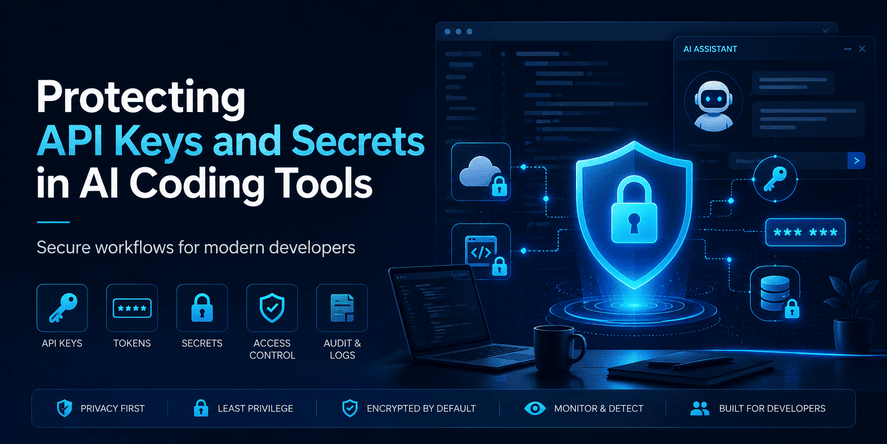
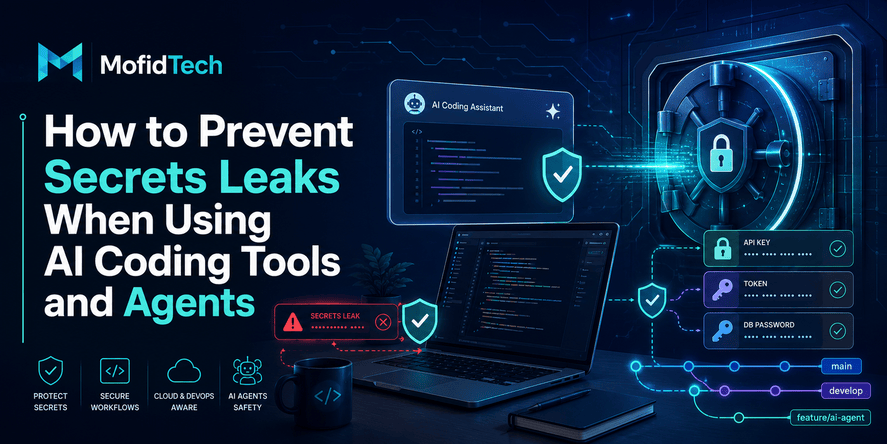
But this productivity comes with a serious security problem: developers often work with sensitive information. A normal project may contain API keys, database passwords, OAuth tokens, cloud credentials, private certificates, webhook secrets, session tokens, SSH keys, and deployment credentials. When AI tools become part of the workflow, these secrets may be exposed accidentally through prompts, generated files, logs, repository changes, browser extensions, compromised packages, or AI agents with too many permissions.
This article explains how developers can protect API keys, tokens, and secrets while using AI coding assistants. It is written for practical software teams, students, freelance developers, DevOps engineers, and anyone building modern applications with AI-assisted tools.
The goal is not to avoid AI tools completely. The goal is to use them safely.
Table of Contents
- What Developer Secrets Are
- Why AI Coding Tools Increase Secret Exposure Risk
- How Secrets Can Leak During AI-Assisted Development
- The New Attack Surface Around AI Coding Assistants
- Why Private Repositories Are Not Enough
- A Practical Workflow for Protecting API Keys
- Secret Scanning and Push Protection
- How Teams Should Control AI Tool Access
- Common Mistakes Developers Make
- Best Practices Checklist
- Real-World Use Cases
- What to Do If a Secret Is Exposed
- Security Considerations
- Performance and Productivity Considerations
- Troubleshooting Secret Exposure Problems
- Comparison Table
- FAQ
- Conclusion
What Developer Secrets Are
Before protecting secrets, developers need to understand what counts as a secret. A secret is any sensitive value that can grant access to a system, service, account, infrastructure resource, user data, or internal operation.
Many developers think only passwords are secrets. In reality, modern applications use many different types of credentials.
API Keys
An API key is a value used to identify and authenticate an application when it communicates with an external service. This may include payment providers, AI platforms, email services, SMS services, map providers, analytics tools, cloud services, and third-party APIs.
If an API key is exposed, an attacker may be able to use the service in your name, consume your credits, access data, send messages, trigger automation, or abuse your account reputation.
Access Tokens
Access tokens are often used in OAuth systems, API authentication, mobile apps, web applications, and developer tools. They may be temporary, but temporary does not mean harmless. If an attacker captures a valid token, they may be able to perform actions until the token expires or is revoked.
Refresh Tokens
Refresh tokens are especially dangerous because they can be used to obtain new access tokens. In some systems, a stolen refresh token gives long-term access even if the short-lived access token expires.
Database Credentials
Database usernames, passwords, connection strings, and service credentials are highly sensitive. If exposed, they may allow unauthorized reading, modification, deletion, or extraction of application data.
Cloud Credentials
Cloud credentials can be extremely powerful. They may allow access to storage buckets, virtual machines, container registries, serverless functions, databases, queues, logs, backups, and deployment systems.
A leaked cloud key can lead to data breaches, infrastructure abuse, crypto-mining attacks, unexpected costs, or full environment compromise.
SSH Keys
SSH keys are commonly used to access servers, Git repositories, deployment machines, and internal systems. If exposed, they may provide direct infrastructure access.
CI/CD Secrets
Continuous integration and continuous deployment systems often store deployment tokens, registry credentials, signing keys, test environment secrets, cloud access credentials, and automation tokens. These secrets are attractive targets because they can provide access to the entire delivery pipeline.
Webhook Secrets
Webhook secrets are used to verify that requests come from trusted services. If exposed, attackers may forge requests, trigger automation, or manipulate integrations.
Private Certificates and Signing Keys
Private keys used for TLS, package signing, application signing, or secure communication must be protected carefully. Once exposed, they may allow impersonation or supply chain attacks.
Why AI Coding Tools Increase Secret Exposure Risk
AI coding tools create new convenience, but they also change the way developers interact with code and infrastructure.
Traditional development usually involves a developer manually editing files, reading documentation, running tests, and committing changes. AI-assisted development adds another participant to the process: the AI tool. That tool may receive prompts, read project files, suggest modifications, generate configuration explanations, interact with an IDE, or even act as an agent that can inspect and edit files.
This creates several new risks.
Developers Paste More Context Than Before
When developers ask AI tools for help, they often paste error messages, environment details, configuration fragments, logs, file contents, or screenshots. These may accidentally include secrets.
A developer may think, “I am only sharing an error message,” but that error message may contain a connection string, private endpoint, user token, or database credential.
AI Tools Can Access Project Files
Some AI coding assistants work inside IDEs and can read parts of the project. If sensitive files are stored in the project folder, the AI tool may be able to inspect them, summarize them, or include information from them in generated output.
AI Agents Can Make Changes Faster Than Humans Review Them
AI agents can modify multiple files quickly. This is useful, but it also creates review risk. An agent may move a secret into a less secure location, add a sensitive value to documentation, or expose a token in a generated example.
AI Tools Increase Tool Sprawl
Modern developers may use IDE assistants, browser-based chat tools, terminal assistants, code review bots, GitHub integrations, cloud assistants, and package-generation tools. Every extra tool increases the number of places where secrets may appear.
Attackers Target Developer Workflows
Recent supply chain incidents show that attackers are targeting developer tools, extensions, package ecosystems, CI/CD workflows, and credentials. CISA warned in May 2026 about supply chain compromises affecting Nx Console and GitHub repositories, including activity involving CI/CD secrets and cloud credentials.
How Secrets Can Leak During AI-Assisted Development
Secret leaks are not always dramatic. Most leaks happen through ordinary developer actions.
Pasting Secrets Into Prompts
This is one of the simplest and most common risks. A developer copies a configuration error, an API response, a server log, or a deployment message into an AI assistant. Hidden inside that text may be a secret.
Even if the developer does not intend to share the secret, the exposure has already happened.
Asking AI to Explain Configuration Files
Developers often ask AI tools to explain application settings, environment variables, deployment configuration, or authentication setup. If the file contains real credentials, those credentials may be included in the prompt.
Using Real Secrets in Examples
Sometimes developers ask an AI tool to generate documentation or onboarding instructions. The AI may include realistic-looking values from the current project context. If those values are real, the documentation becomes dangerous.
AI-Generated Documentation Leaks Internal Values
AI tools can produce excellent documentation, but they may include details that should not be public: internal service names, private URLs, database names, admin paths, token names, or credential patterns.
AI Agents Modifying Sensitive Files
An AI agent with file access may edit files related to environment management, deployment, authentication, logging, or CI/CD. If the agent does not understand the security boundary, it may expose secrets unintentionally.
Secrets in Logs
Developers frequently paste logs into AI tools to debug issues. Logs may contain authorization headers, access tokens, session cookies, webhook payloads, private URLs, database errors, and third-party credentials.
Secrets in Screenshots
A screenshot may reveal secrets in browser tabs, terminals, dashboards, cloud consoles, environment variable pages, or admin panels. Developers sometimes upload screenshots to AI tools without checking visible sensitive data.
Secrets in Generated Test Data
AI may generate sample data using real-looking values. If it is trained or prompted with real project context, it may accidentally reuse actual values in test data, documentation, or explanations.
Secrets in Git History
Even if a secret is removed from the latest version of a file, it may still exist in the repository history. AI-assisted changes can make this worse if generated commits are reviewed too quickly.
The New Attack Surface Around AI Coding Assistants
The risk is not only accidental exposure. Attackers are actively looking for ways to exploit developer trust in AI tools and developer ecosystems.
Malicious Packages Pretending to Be AI Tools
Developers often install packages, extensions, plugins, and helper tools that claim to improve AI-assisted coding. If one of these tools is malicious, it may steal tokens, session data, environment variables, or project files.
A recent report described a malicious npm package connected to OpenAI Codex branding that allegedly stole authentication tokens after gaining thousands of downloads.
Compromised Developer Packages
Supply chain attacks can inject malicious behavior into packages developers already trust. When a compromised package runs in a development environment, it may search for secrets in local files, environment variables, shell history, package manager configuration, cloud credentials, or CI/CD settings.
Recent reports about compromised npm packages show that attackers continue to target tokens, cloud credentials, SSH keys, GitHub Actions secrets, and package publishing credentials.
Malicious IDE Extensions
IDE extensions can be powerful. They may access files, terminal sessions, Git repositories, environment data, and developer workflows. A malicious extension can be especially dangerous because developers often trust their IDE environment.
Prompt Injection Against AI Coding Agents
Prompt injection is not only a chatbot problem. If an AI coding agent reads untrusted content from issues, pull requests, documentation, dependency files, or web pages, malicious instructions may attempt to influence its behavior.
For example, an attacker may place hidden instructions in a file or issue comment telling the agent to reveal secrets, modify security checks, or bypass review steps.
Over-Permissioned AI Agents
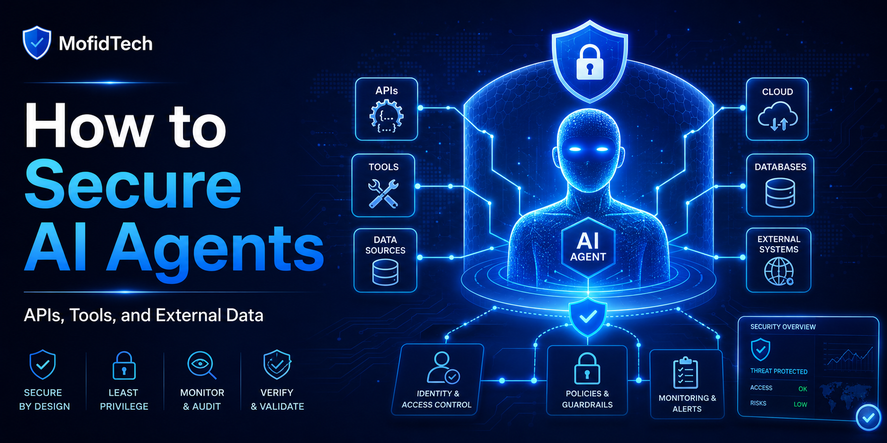
An AI tool with full repository access, cloud access, issue access, CI/CD access, and package publishing access becomes a powerful identity. If misused, compromised, or manipulated, it can cause serious damage.
Fake Security Suggestions
AI tools can sometimes suggest insecure shortcuts: hardcoding credentials, disabling checks, using overly broad permissions, storing secrets in project files, or ignoring certificate warnings. Developers must review AI output critically.
Why Private Repositories Are Not Enough
Many developers believe that storing secrets in a private repository is safe. This is a dangerous assumption.
A private repository reduces public exposure, but it does not eliminate risk.
Private repositories can still be accessed by:
- Team members who do not need access to secrets
- Compromised developer accounts
- Compromised CI/CD systems
- Malicious or vulnerable integrations
- Over-permissioned AI tools
- Stolen personal access tokens
- Backup systems
- Logs and artifacts
- Forks and clones
- Local machines infected with malware
A secret stored in source code should be treated as exposed, even if the repository is private. The correct practice is to separate secrets from code and manage them through controlled secret management systems.
A Practical Workflow for Protecting API Keys
A secure AI-assisted development workflow does not need to be complicated. It needs clear rules, consistent habits, and automated checks.
Step 1: Keep Secrets Out of Source Code
The most important rule is simple: real secrets should not live inside source code.
Source code may describe which secrets are needed, but it should not contain actual production values. Developers should store secrets in secure places designed for that purpose, such as environment-specific secret stores, cloud secret managers, deployment platform secret settings, or controlled internal systems.
Step 2: Separate Development, Staging, and Production Secrets
Development secrets should not be the same as production secrets. If a development machine is compromised, the attacker should not automatically gain access to production systems.
Each environment should have separate credentials, separate permissions, and separate rotation policies.
Step 3: Use Least Privilege
A secret should only have the permissions it needs.
For example, an API key used for sending emails should not have permission to manage billing, delete users, or access unrelated services. A CI/CD token used for deployment should not have full administrative access if a narrower role is possible.
Least privilege limits damage when a secret is exposed.
Step 4: Avoid Pasting Real Secrets Into AI Prompts
Before sending logs, files, screenshots, or errors to an AI tool, developers should remove sensitive values.
The safe habit is to replace secrets with neutral placeholders. The AI usually does not need the real secret to solve the problem. It only needs to understand the type of secret, where it is used, and what error occurred.
Step 5: Limit AI Tool Permissions
AI tools should not automatically receive full access to every repository, cloud environment, issue tracker, documentation system, or deployment pipeline.
A safer approach is to give AI tools access only to the specific context they need. Sensitive files, production settings, private certificates, and deployment credentials should require stronger review.
Step 6: Review AI-Generated Changes Before Commit
Developers should review every AI-generated change before saving, committing, merging, or deploying. The review should check not only whether the logic works, but also whether secrets were exposed, permissions were expanded, logs became too verbose, or sensitive values were moved into unsafe locations.
Step 7: Scan for Secrets Before Pushing
Secret scanning tools can detect many types of exposed credentials. They should be used before code is pushed, not only after code is already in a remote repository.
GitHub has expanded secret scanning into AI coding agent workflows through the GitHub MCP Server, allowing code changes to be scanned for exposed secrets before commit or pull request creation in supported environments.
Step 8: Treat Exposed Secrets as Compromised
If a secret was committed, pasted, logged, uploaded, or shared with an untrusted tool, do not simply delete it and continue. Rotate or revoke it.
Deleting the visible secret does not guarantee that nobody copied it, indexed it, logged it, or stored it.
Secret Scanning and Push Protection
Secret scanning is one of the most important defenses for modern developers.
What Secret Scanning Does
Secret scanning tools inspect code, commits, files, and repositories for patterns that look like credentials. These tools may detect API keys, private keys, tokens, cloud credentials, database passwords, and service-specific secrets.
They are useful because humans miss things. A tired developer may overlook a token in a configuration file, log output, or documentation file.
What Push Protection Does
Push protection tries to stop secrets before they enter the shared repository. Instead of only alerting after a leak, it blocks or warns during the push process.
This is valuable because removing secrets from repository history is harder than preventing them from entering the repository in the first place.
Why Secret Scanning Is Not Perfect
Secret scanning is important, but it is not enough by itself.
It may miss unusual secret formats, custom internal tokens, poorly structured credentials, screenshots, encrypted files, or secrets hidden inside logs. Developers still need good habits, code review, access control, and secret rotation.
Why AI Workflows Need Secret Scanning
AI tools can create or modify many files quickly. Secret scanning provides a safety net for fast-moving AI-assisted development. It helps catch accidental exposure before code is shared, reviewed, merged, or deployed.
How Teams Should Control AI Tool Access
Individual habits are important, but teams need shared rules.
Define Approved AI Tools
Teams should decide which AI coding tools are allowed for work projects. Random browser extensions, unofficial packages, unknown IDE plugins, and unverified AI wrappers should not be used with sensitive projects.
Create a Policy for Sensitive Data
Developers should know what they can and cannot share with AI tools. The policy should cover source code, credentials, customer data, logs, screenshots, database exports, private documentation, and production incidents.
Use Repository Access Boundaries
AI tools should not automatically access every repository. Sensitive repositories, security modules, authentication systems, payment systems, and infrastructure repositories may need stricter controls.
Protect CI/CD Workflows
CI/CD systems often contain powerful secrets. Teams should restrict who can edit workflows, review automation changes carefully, and monitor unexpected modifications.
CISA’s May 2026 alert about supply chain compromises emphasized the need to audit workflow files, monitor contributor activity, roll back unauthorized changes, and rotate compromised credentials where needed.
Require Human Review for Sensitive Changes
AI-generated changes affecting authentication, authorization, payments, user data, deployment, infrastructure, logging, encryption, or secret handling should require careful human review.
Monitor Tool Integrations
Teams should regularly review connected apps, GitHub integrations, cloud integrations, IDE plugins, package manager tokens, and automation accounts. Old or unused integrations should be removed.
Common Mistakes Developers Make
Mistake 1: Pasting Production Credentials Into AI Tools
This is one of the most dangerous habits. Production credentials should never be used as debugging context in an AI prompt.
Mistake 2: Assuming AI Output Is Secure
AI-generated advice can be useful, but it can also be incomplete or risky. Developers should verify security-sensitive recommendations before applying them.
Mistake 3: Storing Secrets in Project Files
A project file may feel local, but it can later be committed, copied, uploaded, indexed, shared, or read by tools.
Mistake 4: Ignoring Logs
Logs often contain more sensitive information than expected. Developers should avoid logging tokens, passwords, authorization headers, session cookies, or full connection strings.
Mistake 5: Giving AI Agents Full Access
An AI agent with full access to files, repositories, issues, cloud tools, and deployment workflows can make harmful changes if misconfigured or manipulated.
Mistake 6: Trusting Unofficial AI Packages
A package or extension that uses the name of a popular AI tool is not automatically safe. Developers should verify source, maintainer reputation, update history, permissions, and community trust.
Mistake 7: Not Rotating Exposed Secrets
Removing a secret from a file is not enough. Once exposed, it should be considered compromised.
Mistake 8: Forgetting Git History
A deleted secret may still exist in older commits. Teams need a plan for handling historical exposure.
Best Practices Checklist
Individual Developer Checklist
- Do not paste real secrets into AI prompts.
- Remove sensitive values from logs before sharing them.
- Avoid uploading screenshots that show credentials.
- Keep secrets outside source code.
- Use separate credentials for development and production.
- Review AI-generated changes before committing.
- Scan for secrets before pushing.
- Revoke and rotate any exposed secret.
- Avoid unofficial AI tools with unclear trust.
- Keep local development machines secure.
Team Checklist
- Define approved AI tools.
- Create a policy for AI and sensitive data.
- Restrict AI access to sensitive repositories.
- Require review for authentication, deployment, and secret-handling changes.
- Enable secret scanning where available.
- Use push protection when possible.
- Separate environment credentials.
- Audit connected apps and integrations.
- Train developers on prompt hygiene.
- Maintain an incident response process for leaked secrets.
DevOps Checklist
- Store deployment secrets in secure secret management systems.
- Limit CI/CD token permissions.
- Monitor workflow changes.
- Avoid long-lived tokens where possible.
- Rotate credentials regularly.
- Review cloud permissions.
- Protect production credentials from local development exposure.
- Monitor unusual API usage.
- Keep package dependencies under review.
- Treat developer machines as part of the security boundary.
AI Tool Governance Checklist
- Approve tools before use.
- Review extension permissions.
- Avoid giving AI agents broad write access by default.
- Disable access to sensitive files when possible.
- Monitor AI-generated commits carefully.
- Require human approval for high-risk changes.
- Keep records of tool access and integration permissions.
- Remove unused AI integrations.
Real-World Use Cases
Use Case 1: A Developer Debugs an API Error
A developer receives an authentication error from an external API. The error message includes a token in the request header. The developer pastes the full error into an AI assistant.
Risk: the token may now be exposed.
Better approach: remove the token, describe the authentication method, explain the error message, and ask for conceptual troubleshooting guidance without sharing the real credential.
Use Case 2: An AI Agent Updates a Deployment File
An AI agent is asked to fix a deployment issue. It reads multiple files and suggests moving a secret into a visible configuration file for convenience.
Risk: the secret may be committed or exposed to reviewers.
Better approach: review the change carefully and ensure the secret remains in a secure secret management system.
Use Case 3: A Team Uses AI to Generate Documentation
The team asks AI to write onboarding documentation. The AI includes internal URLs, example tokens, and environment names based on project context.
Risk: documentation may expose internal details.
Better approach: review generated documentation for sensitive values before publishing or sharing it.
Use Case 4: A Developer Installs an Unofficial AI Extension
A developer installs an extension claiming to improve an AI coding assistant. The extension requests broad access to files and repositories.
Risk: the extension may read secrets from local projects or environment files.
Better approach: use trusted tools, verify extension reputation, review permissions, and avoid unapproved tools for work projects.
Use Case 5: A Secret Appears in Git History
A developer accidentally commits an API key, then deletes it in the next commit.
Risk: the key still exists in repository history.
Better approach: rotate the key immediately, audit usage, and clean the repository history when necessary.
What to Do If a Secret Is Exposed
A secret exposure incident should be handled quickly and calmly.
1. Identify the Secret
Determine what type of secret was exposed. Was it an API key, database password, cloud credential, SSH key, OAuth token, refresh token, webhook secret, or CI/CD credential?
2. Revoke or Rotate the Secret
The safest response is to revoke the old credential and create a new one. Do not simply delete the secret from the file.
3. Check Where It Was Exposed
Was it shared in an AI prompt, committed to Git, uploaded to a public repository, included in logs, pasted into a ticket, saved in documentation, or exposed in a screenshot?
4. Audit Recent Usage
Review account activity, API usage, cloud logs, billing activity, login history, deployment events, and suspicious requests.
5. Review Related Permissions
If the secret had broad permissions, reduce them. A secret exposure incident is a good opportunity to apply least privilege.
6. Check Repository History
If the secret was committed, check whether it exists in previous commits, branches, forks, pull requests, or artifacts.
7. Notify Relevant People
If the exposure could affect users, customers, infrastructure, billing, or compliance, notify the appropriate internal team or stakeholders.
8. Improve Prevention
After the incident, improve scanning, review rules, developer training, access control, and AI tool policies.
Security Considerations
Hardcoded Secrets Are a Known Risk
OWASP has long highlighted sensitive data exposure and cryptographic failures as major web application risks. The OWASP Top 10:2021 category for cryptographic failures includes issues such as hard-coded passwords and failures that can lead to sensitive data exposure.
For developers, this means secret handling is not a small operational detail. It is part of application security.
AI Tools Should Not Be Treated as Security Boundaries
An AI assistant is not a secure vault. Do not use it as a place to store, remember, transform, or test real credentials.
Logs Need Redaction
Applications should avoid exposing secrets in logs. This matters because logs are often copied into AI tools for debugging.
Local Development Machines Matter
Many secrets are exposed from developer laptops, not production servers. Browser sessions, package manager tokens, shell history, local files, SSH keys, and cloud credentials all need protection.
Supply Chain Security Matters
AI-assisted development often increases dependency usage. Developers may ask AI tools to recommend packages. Those packages must still be evaluated carefully.
Access Tokens Should Expire
Short-lived credentials reduce exposure time. Long-lived tokens should be avoided when possible, especially for automation and developer tools.
Performance and Productivity Considerations
Security should not destroy developer productivity. The best security workflows are practical, fast, and integrated into normal development.
Good Secret Management Reduces Confusion
When secrets are organized properly, developers spend less time searching for credentials, fixing broken environments, or asking teammates for access.
Automated Scanning Saves Review Time
Secret scanning helps catch mistakes early. This reduces emergency cleanup work later.
Clear Policies Reduce Team Friction
Developers need simple rules. A vague “be careful with AI” policy is not enough. A good policy explains what can be shared, what must be removed, and what requires approval.
Least Privilege Reduces Incident Damage
Even if a secret leaks, limited permissions can prevent a small mistake from becoming a major breach.
AI Tools Still Improve Productivity
The solution is not to ban AI tools in most teams. The solution is to combine AI productivity with secure workflows, review habits, and automated controls.
Troubleshooting Secret Exposure Problems
Problem: “I accidentally pasted an API key into an AI tool.”
Treat the key as exposed. Revoke or rotate it. Review recent usage. Replace it in your project with a new key stored securely.
Problem: “A secret was committed to a private repository.”
Rotate the secret. Check repository history. Review who had access. Enable secret scanning and push protection if available.
Problem: “An AI agent changed sensitive files.”
Review every changed file. Check whether secrets were moved, exposed, logged, or committed. Revert unsafe changes and restrict the agent’s permissions.
Problem: “I do not know whether a value is sensitive.”
Assume it is sensitive until proven otherwise. If it grants access, identifies an internal service, authenticates a request, signs data, decrypts data, or connects to infrastructure, protect it.
Problem: “A package or extension may have stolen tokens.”
Remove the suspicious package or extension. Rotate relevant credentials. Audit local files, package manager tokens, repository activity, and cloud access.
Problem: “Secret scanning found a token, but I deleted it.”
Deleting is not enough. Rotate the token and check whether it was used.
Comparison Table: Unsafe vs Safe AI-Assisted Secret Handling
| Situation | Unsafe Practice | Safer Practice |
|---|---|---|
| Debugging an API error | Paste full logs with tokens | Redact sensitive values first |
| Asking AI about configuration | Share real configuration with credentials | Share structure without real secrets |
| Using AI agents | Give full repository and environment access | Limit access and review changes |
| Managing deployment secrets | Store secrets in project files | Use secure secret management |
| Reviewing AI-generated code | Check only whether it works | Check security, permissions, and secrets |
| Handling leaked keys | Delete the key from the file | Revoke, rotate, and audit usage |
| Installing AI extensions | Trust any popular-looking extension | Verify source, permissions, and reputation |
| Writing documentation | Include real internal values | Use safe placeholders and review output |
Practical Decision Framework
Before using an AI tool with project context, ask these questions:
1. Does the AI tool need this information?
If the answer is no, do not share it.
2. Does the content include credentials?
If yes, remove or replace them.
3. Could this information help an attacker?
If yes, reduce the detail or use a safer explanation.
4. Is this production-related?
Production secrets, production logs, production incidents, and production infrastructure details require extra caution.
5. Can the AI tool modify files?
If yes, review all changes before committing.
6. Does the AI tool have access to external systems?
If it can access GitHub, cloud services, CI/CD, databases, or issue trackers, apply least privilege.
7. Is there an automated safety check?
Use secret scanning, push protection, review rules, and approval workflows where possible.
AI Coding Tool Security Policy Template for Teams
A team policy does not need to be long. It should be clear and practical.
A good AI coding security policy should include:
- Approved AI tools
- Prohibited data types
- Rules for prompts
- Rules for logs and screenshots
- Rules for repository access
- Rules for AI agents
- Rules for generated code review
- Secret scanning requirements
- Incident response steps
- Credential rotation responsibilities
- Review requirements for sensitive changes
This kind of policy helps developers use AI confidently without guessing what is allowed.
FAQ
1. Is it safe to paste code into AI coding tools?
It depends on the code, the tool, and your organization’s policy. Public or non-sensitive code is lower risk. Code containing secrets, private business logic, customer data, security logic, or internal infrastructure details requires caution.
2. Should I paste API keys into AI tools?
No. Real API keys should not be pasted into AI tools. Replace them with safe placeholders and explain the issue without exposing the actual credential.
3. What should I do if I exposed an API key?
Revoke or rotate the key immediately. Then audit recent usage, check logs, review repository history if relevant, and improve your prevention process.
4. Are private repositories safe for storing secrets?
No. Private repositories are not secret managers. They reduce public visibility but do not protect against compromised accounts, integrations, CI/CD exposure, local clones, or accidental sharing.
5. Can AI coding agents leak credentials?
Yes. AI agents can expose credentials if they read sensitive files, generate unsafe documentation, modify configuration incorrectly, include secrets in commits, or interact with compromised tools.
6. What is secret scanning?
Secret scanning is a security process that detects exposed credentials in code, commits, repositories, or development workflows.
7. What is push protection?
Push protection is a preventive control that warns or blocks developers when they attempt to push code containing detected secrets.
8. Why are refresh tokens dangerous?
Refresh tokens can sometimes be used to obtain new access tokens. If stolen, they may allow longer-term access than a normal short-lived access token.
9. Can screenshots leak secrets?
Yes. Screenshots may show tokens, URLs, admin panels, cloud dashboards, environment variables, terminal output, browser tabs, or private project information.
10. Should small teams use secret scanning?
Yes. Small teams often move quickly and may not have dedicated security staff. Secret scanning is especially useful because it catches mistakes early.
11. How can students practice safe secret handling?
Students should learn to keep secrets outside source code, avoid sharing real credentials in prompts, use separate test credentials, and rotate anything accidentally exposed.
12. Is banning AI tools the best solution?
Usually not. AI tools can improve productivity. A better solution is controlled usage, clear policies, limited permissions, secret scanning, and human review.
Conclusion
AI coding tools are becoming a normal part of software development. They help developers move faster, understand systems, generate documentation, review errors, and improve productivity. But they also introduce new security risks, especially around API keys, tokens, credentials, and secrets.
The most important rule is simple: never treat AI tools as safe places for secrets.
Developers should avoid pasting real credentials into prompts, keep secrets out of source code, scan for leaks before pushing, review AI-generated changes carefully, limit AI tool permissions, and rotate exposed credentials immediately.
For teams, the challenge is not only technical. It is also organizational. Teams need policies, approved tools, access boundaries, review workflows, and incident response plans.
AI-assisted development is powerful, but secure AI-assisted development requires discipline. The developers and teams that master this balance will move faster without exposing their systems, users, or infrastructure to unnecessary risk.










💬 Comments
No comments yet. Be the first to comment!
Login to comment.