Introduction
AI coding tools have changed the way developers build software. They can explain unfamiliar code, generate functions, suggest architecture, write tests, review pull requests, refactor files, and even operate as semi-autonomous development agents. For many teams, they are becoming part of the normal engineering workflow.
But the same speed that makes AI coding tools attractive can also make security mistakes spread faster.
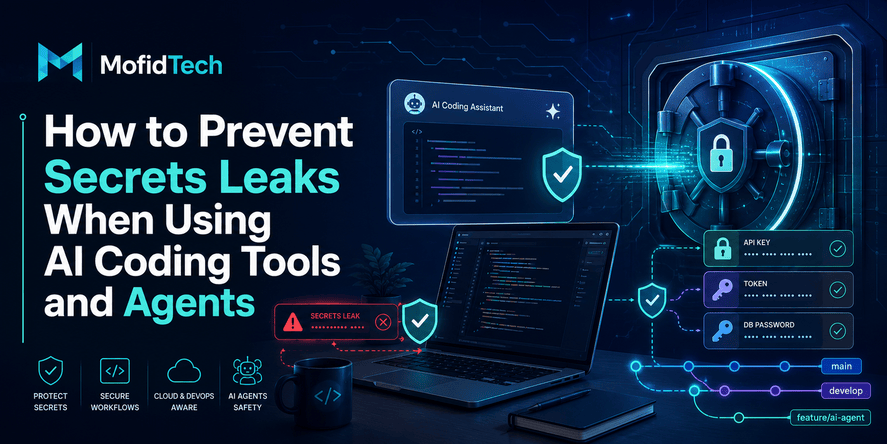
One of the most serious risks is the accidental exposure of secrets. A secret is any sensitive value that grants access to a system, service, account, database, deployment pipeline, cloud resource, payment provider, email service, AI model provider, or internal application. Common examples include API keys, access tokens, database passwords, cloud credentials, private certificates, signing keys, webhook secrets, OAuth client secrets, and CI/CD tokens.
Secrets leaks are not a theoretical problem. GitGuardian’s 2026 secrets report says 28.65 million new hardcoded secrets were added to public GitHub commits in 2025, and its report also highlights an 81% surge in AI-service leaks.
AI coding tools do not automatically make a project insecure. The real problem is how developers use them, what information they paste into them, what access they grant to agents, how generated code is reviewed, and whether the team has automated protection before secrets reach repositories, logs, tickets, chat tools, or production systems.
This article explains how to prevent secrets leaks when using AI coding assistants and AI development agents. It focuses on practical security workflows, risk awareness, team governance, repository protection, prompt safety, CI/CD secrets, agent permissions, and incident response without using code examples or copy-paste technical snippets.
Table of Contents
- What is a secrets leak in an AI coding workflow?
- Why AI coding tools increase secrets leakage risk
- Where secrets leak when developers use AI tools
- The difference between AI coding assistants and AI agents
- What types of secrets should developers protect?
- How to prevent secrets leaks before using AI tools
- How to use AI coding tools safely during development
- How to review AI-generated code for secrets risks
- How to secure AI agents with least privilege
- How to protect repositories from secrets leaks
- How to protect CI/CD and deployment secrets
- What to do if a secret is leaked
- Real-world use cases
- Common mistakes to avoid
- Best practices checklist
- Team governance for safe AI coding
- Troubleshooting secrets leakage problems
- FAQ
- Conclusion
What Is a Secrets Leak in an AI Coding Workflow?
A secrets leak happens when sensitive access information is exposed to a place where it should not be visible. In an AI coding workflow, this can happen when a developer pastes a real credential into an AI prompt, when an AI tool generates a file containing a hardcoded key, when an agent reads local configuration files unnecessarily, or when sensitive values are committed to a repository.
A secret is not limited to a password. In modern software systems, secrets include API keys, cloud access tokens, database credentials, private certificates, service account tokens, signing keys, OAuth secrets, CI/CD variables, webhook tokens, deployment credentials, AI provider keys, and internal access tokens.
A secrets leak is dangerous because secrets are often designed to authenticate machines, services, or automated workflows. If attackers obtain a valid secret, they may not need to exploit a traditional software vulnerability. They may simply authenticate as a trusted service.
Short Definition
A secrets leak in an AI coding workflow is the accidental exposure of sensitive credentials through prompts, generated files, repositories, logs, chat history, tickets, CI/CD pipelines, or agent-accessible environments.
Why This Matters
AI coding tools often work close to sensitive development contexts. They may inspect files, generate configuration guidance, suggest deployment changes, analyze errors, read logs, or interact with developer environments. That makes them useful, but it also means developers must clearly separate safe context from sensitive context.
Why AI Coding Tools Increase Secrets Leakage Risk
AI coding tools increase secrets leakage risk because they make development faster, more automated, and more context-rich. Developers often provide large amounts of project information to get better answers. Agents may also operate across files, repositories, terminals, documentation, issue trackers, and deployment workflows.
The risk is not only that a developer may paste a secret into a chat window. The bigger risk is that AI-assisted workflows can multiply small mistakes across a project. A generated example may include placeholder-looking values that later become real. A suggested configuration may encourage insecure storage. A debugging session may include logs that contain tokens. An agent may access more files than necessary.
OWASP’s LLM security guidance highlights risks such as prompt injection, insecure output handling, sensitive information disclosure, and excessive agency, all of which are relevant when AI systems are connected to development workflows.
Main Reasons the Risk Is Higher
AI coding tools can increase secrets exposure because they often encourage:
| Risk Factor | Why It Matters |
|---|---|
| Large context sharing | Developers may paste logs, configuration details, environment descriptions, or error output that contains sensitive values. |
| Fast code generation | AI can create many files or changes quickly, increasing the chance that hidden secrets are missed during review. |
| Agentic permissions | AI agents may read files, access tools, open repositories, or interact with systems if permissions are too broad. |
| Over-trust in generated output | Developers may accept AI-generated suggestions without checking whether credentials are hardcoded or overexposed. |
| Complex tool integrations | IDE extensions, repository integrations, local agents, and workflow assistants can create new paths for data exposure. |
| Weak team policy | Without clear rules, every developer makes personal decisions about what can be shared with AI tools. |
The Key Lesson
The safest teams do not treat AI coding as a separate activity. They integrate AI usage into the same secure development lifecycle used for code review, repository protection, secrets management, deployment governance, and incident response.
Where Secrets Leak When Developers Use AI Tools
Secrets can leak in more places than developers expect. The obvious location is source code, but AI-assisted development can expose secrets through prompts, logs, generated documentation, local files, pull requests, issue descriptions, CI/CD workflows, and temporary debugging artifacts.
1. Prompts and Chat Messages
A developer may paste an error message, a configuration file, a deployment issue, or a failed authentication log into an AI assistant. If that text contains a real token, API key, database URL, session cookie, or cloud credential, the secret has been shared outside its intended boundary.
Even when the AI platform has enterprise privacy controls, pasting secrets is still bad practice because it normalizes unsafe behavior and may violate internal policy, compliance requirements, or customer confidentiality expectations.
2. AI-Generated Files
AI tools may generate configuration-like examples, test data, documentation, environment descriptions, or integration notes. If a developer later replaces placeholder values with real values, those files may accidentally become part of the repository.
A dangerous pattern appears when “temporary” files become permanent. Developers may create quick notes, local setup guides, testing instructions, or sample integration files and forget that they contain real secrets.
3. Repository Commits
Source repositories remain one of the most common places where secrets leak. Public repositories are especially risky, but private repositories are not automatically safe. A private repository may still be accessible to contractors, compromised accounts, CI/CD systems, third-party integrations, or excessive internal users.
GitHub provides secret scanning and push protection features that are designed to detect and prevent supported hardcoded credentials from being pushed to repositories.
4. Pull Requests and Code Reviews
Secrets can appear in pull request descriptions, review comments, screenshots, generated diffs, or copied logs. AI review assistants may summarize or repeat sensitive values if they are present in the context.
5. Issue Trackers and Support Tickets
Developers often paste logs into issue trackers to explain a bug. Those logs may include authentication headers, connection strings, tokens, cookies, or internal service URLs. A research paper on secret leak prevention in issue reports also notes that collaborative platforms can contain unstructured text such as logs and configuration examples, creating accidental exposure risk.
6. CI/CD Logs and Deployment Output
CI/CD platforms often handle deployment credentials, environment variables, cloud tokens, and package publishing keys. If workflows print sensitive values, include unmasked output, or pass secrets into unsafe steps, credentials can leak into logs.
7. Local Developer Machines
AI agents that run locally may be able to inspect files, read project folders, analyze environment files, interact with shell history, or access local tool credentials depending on permissions. A local assistant should never be granted broad access without clear boundaries.
8. Browser Extensions and IDE Plugins
Some AI coding tools operate as browser extensions, editor plugins, or local agents. These tools may need access to files, editor content, tabs, or repositories. Teams should treat these integrations as part of their software supply chain and review permissions carefully.
9. Documentation and Tutorials
Generated documentation may accidentally include real internal URLs, account names, token formats, or configuration values. Even if the secret itself is not present, sensitive architecture details can help attackers understand the system.
AI Coding Assistant vs AI Agent: Why the Difference Matters
Not all AI coding tools carry the same level of risk. A simple chat assistant and an autonomous coding agent have different security implications.
| Tool Type | Typical Behavior | Main Secrets Risk |
|---|---|---|
| Chat-based AI assistant | Answers questions based on pasted context | Developers may paste secrets into prompts. |
| IDE coding assistant | Suggests or edits code inside an editor | Generated output may include insecure patterns or hardcoded values. |
| Repository AI reviewer | Reviews pull requests and explains changes | Sensitive diffs, comments, or logs may be processed. |
| Local AI agent | Reads project files and performs tasks locally | Agent may access files or credentials beyond what it needs. |
| Cloud-connected development agent | Works across repositories, tools, tasks, and integrations | Over-permissioned access may expose secrets across systems. |
The Core Difference
A coding assistant usually responds to what the developer provides. An AI agent may actively explore, read, modify, or interact with tools. The more autonomy and tool access an AI system has, the more important permission boundaries become.
OWASP identifies “excessive agency” as a risk category for LLM applications, meaning that an AI system can become dangerous when it has too much capability, too much permission, or insufficient control around its actions.
What Types of Secrets Should Developers Protect?
Developers should protect any value that grants access, proves identity, signs data, decrypts data, deploys systems, publishes packages, or authorizes machine-to-machine communication.
Common Secrets in Modern Projects
| Secret Type | Why It Is Sensitive |
|---|---|
| API keys | Can allow access to third-party services, billing resources, AI models, maps, email, payments, or analytics. |
| Database credentials | Can expose application data, user records, business data, or internal system state. |
| Cloud access keys | Can allow attackers to create resources, read storage, modify infrastructure, or generate costs. |
| CI/CD tokens | Can allow attackers to modify builds, deploy malicious changes, or steal more secrets. |
| OAuth client secrets | Can compromise authentication flows and user integrations. |
| Webhook secrets | Can allow forged events or unauthorized service interactions. |
| Signing keys | Can allow attackers to sign malicious packages, tokens, or artifacts. |
| Private certificates | Can compromise encrypted communication or system identity. |
| AI provider keys | Can expose paid AI services, private model usage, or internal AI workflows. |
| Service account tokens | Can grant machine-level access to internal systems. |
Secrets Are Not Just “Production Passwords”
Many developers only protect production credentials. That is not enough. Development, staging, demo, testing, and local credentials can still be dangerous. Attackers often use weaker environments as a bridge to more sensitive systems.
A test key may reveal account structure. A staging token may access copied production data. A local credential may expose cloud resources. A “temporary” key may never be rotated.
How to Prevent Secrets Leaks Before Using AI Coding Tools
The best time to prevent a secrets leak is before the AI tool receives any context. Developers should prepare a safe workflow that separates useful technical information from sensitive access information.
1. Define What Must Never Be Pasted
Every team should have a clear rule: real secrets must not be pasted into AI prompts, AI coding assistants, issue trackers, chat messages, or generated documentation.
This rule should cover:
- API keys
- Access tokens
- Database passwords
- Private certificates
- Cloud credentials
- CI/CD variables
- OAuth secrets
- Session cookies
- Internal authentication headers
- Private customer data
- Production configuration values
2. Replace Real Values With Safe Descriptions
When asking an AI tool for help, developers can describe the shape of the problem without sharing the real secret. For example, instead of pasting a real cloud key, they can say: “The application uses a cloud access key stored in the deployment environment.” Instead of sharing a real database URL, they can say: “The app connects to a managed database through a secret injected at runtime.”
This provides enough context for reasoning without exposing the actual sensitive value.
3. Prepare Sanitized Debugging Context
Before using AI for debugging, developers should remove sensitive values from logs and error messages. Sanitization should be a habit, not an afterthought.
A safe debugging prompt usually includes:
- The type of error
- The affected component
- The expected behavior
- The actual behavior
- A sanitized description of configuration
- A sanitized timeline of what changed
- Non-sensitive environment information
4. Separate Public, Internal, and Secret Context
Developers should classify information before sharing it with AI tools.
| Context Type | Safe to Share? | Example |
|---|---|---|
| Public knowledge | Usually safe | Framework documentation, public error messages, general architecture patterns |
| Internal but non-sensitive | Depends on policy | High-level architecture, internal naming, general workflow |
| Sensitive | No | Secrets, credentials, private keys, tokens, customer data |
| Regulated or confidential | No, unless policy allows controlled use | Personal data, legal documents, medical data, financial records |
5. Use Enterprise Controls Where Available
For teams, AI coding tools should be used through approved accounts, managed policies, and reviewed settings. Individual developers using personal accounts for professional code can create governance and confidentiality problems.
Teams should check:
- Data retention settings
- Training usage settings
- Organization-level controls
- Audit logs
- Access management
- SSO support
- Vendor security documentation
- Legal and compliance requirements
- Integration permissions
6. Choose AI Tools Based on Risk
Not every project needs the same AI setup. A student project, a public open-source tool, a healthcare application, a financial platform, and an internal enterprise system have different risk levels.
High-risk projects require stricter controls, limited context sharing, formal approvals, and stronger monitoring.
How to Use AI Coding Tools Safely During Development
Safe AI usage is not about avoiding AI. It is about using AI with boundaries.
Use AI for Reasoning, Not Secret Handling
AI tools are excellent for explaining architecture, comparing approaches, identifying edge cases, reviewing logic, and suggesting tests. They should not be used as a place to store, transform, or troubleshoot real credentials.
A good rule is simple: AI can help reason about how secrets should be managed, but it should not receive the secrets themselves.
Ask for Patterns, Not Real Credentials
Developers should ask AI tools for conceptual guidance. For example:
- How should a web application manage secrets across development, staging, and production?
- What are the risks of storing credentials in source control?
- How should a team rotate a leaked API key?
- What should be checked before deploying AI-generated code?
- How should an AI agent be restricted from reading sensitive files?
These questions are useful and do not require exposing secrets.
Review AI Suggestions for Insecure Defaults
AI-generated guidance may be plausible but incomplete. Developers should carefully review whether suggestions encourage:
- Hardcoded credentials
- Excessive permissions
- Long-lived access keys
- Disabled validation
- Unrestricted logging
- Broad access to cloud resources
- Weak separation between environments
- Storage of secrets in documentation
- Unsafe sharing of configuration files
Use Placeholders Carefully
Placeholders are useful, but they can also become dangerous if teams replace them with real values inside files that are later committed.
Safe placeholders should be obvious and non-functional. They should not resemble real tokens, and they should not encourage developers to store real secrets beside application code.
Keep AI-Generated Documentation Clean
AI tools often help write documentation, onboarding guides, deployment notes, and troubleshooting pages. These documents should be reviewed for sensitive values before publication or internal sharing.
Documentation should explain where secrets live and who manages them, but it should not reveal the secrets themselves.
How to Review AI-Generated Code for Secrets Risks
AI-generated code should be reviewed with the same seriousness as human-written code. In some cases, it should be reviewed more carefully because developers may not fully understand every generated change.
Review the Intent First
Before looking for secrets, reviewers should ask: “What is this change trying to do?” If the change adds authentication, external service integration, deployment behavior, cloud permissions, logging, or configuration handling, the secrets risk is higher.
Check for Hardcoded Values
Reviewers should look for any value that appears to be a credential, token, key, password, private certificate, access string, or sensitive connection detail.
Suspicious values may appear in:
- Application settings
- Test fixtures
- Documentation
- Deployment notes
- Environment examples
- CI/CD workflow descriptions
- Generated integration files
- Error handling
- Logging changes
Check for Logging of Sensitive Data
AI tools may generate verbose logging to help debug. That can be helpful during development but dangerous in production. Reviewers should check whether logs expose authentication headers, tokens, cookies, full request bodies, private URLs, connection strings, or user data.
Check for Overly Broad Permissions
Generated changes may suggest giving a service or agent broad permissions because that is easier than explaining minimal access. Reviewers should verify whether each permission is necessary.
Least privilege should apply to humans, services, CI/CD jobs, bots, and AI agents.
OWASP’s Non-Human Identities guidance recommends restricting access to secrets only to the applications and services that need them, using fine-grained permissions and rotating secrets regularly.
Check for Environment Separation
A secure project separates development, testing, staging, and production. AI-generated workflows should not blur these environments.
Reviewers should ask:
- Does this change use production credentials in a non-production context?
- Could a test job access production resources?
- Are staging and production secrets separated?
- Are secrets scoped to the correct environment?
- Is the access level appropriate for the task?
Check for Secret Lifecycle
Secrets need a lifecycle: creation, storage, access, rotation, revocation, and audit. OWASP’s Secrets Management Cheat Sheet emphasizes centralized storage, provisioning, auditing, rotation, and management of secrets.
A code review should consider whether the change supports that lifecycle or bypasses it.
How to Secure AI Agents With Least Privilege
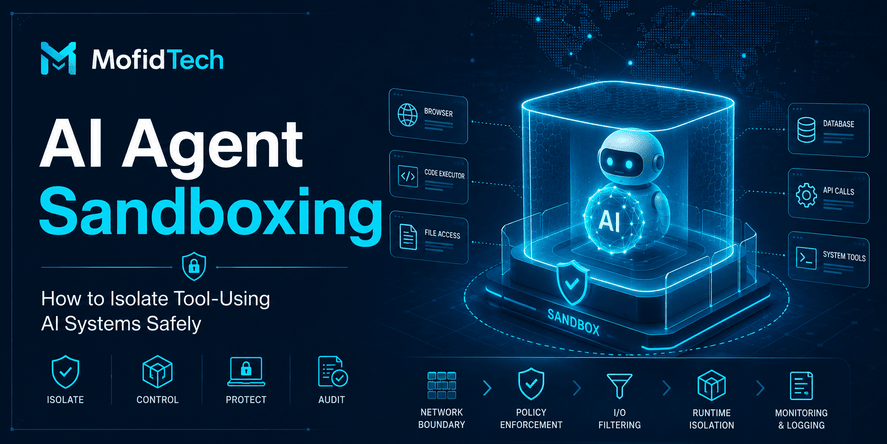
AI agents are more powerful than simple autocomplete tools. They may read files, edit code, inspect repositories, interact with tools, create tasks, run checks, summarize issues, or connect to external services. That means they should be treated as non-human identities.
A non-human identity is a machine, service, bot, workflow, script, or automated system that authenticates and performs actions. AI agents often behave like non-human identities when they interact with development systems.
Give Agents Only the Access They Need
An AI agent should not have unrestricted access to the entire development environment by default. It should receive the smallest set of permissions necessary for the task.
For example:
| Agent Task | Safer Access Boundary |
|---|---|
| Explain a design issue | High-level architecture notes without secrets |
| Review a pull request | The specific diff and non-sensitive project context |
| Update documentation | Documentation folder and style guidance |
| Investigate a test failure | Sanitized logs and relevant file summaries |
| Suggest deployment improvements | Architecture description without live credentials |
| Assist with security review | Read-only access to relevant changes and security policies |
Use Read-Only Access When Possible
If an agent only needs to analyze, it should not be able to modify. If it only needs to review one repository, it should not access all repositories. If it only needs development data, it should not access production data.
Avoid Long-Lived Agent Credentials
Long-lived credentials increase damage if they leak. Where possible, agents should use short-lived, scoped, revocable credentials. Teams should also be able to audit what the agent accessed and what actions it performed.
Separate Human and Agent Permissions
Do not simply reuse a developer’s full permissions for an AI agent. A human account may have broad access for many reasons. An agent should have its own identity, its own permission boundary, and its own audit trail.
Require Human Approval for Sensitive Actions
AI agents should not independently rotate production secrets, deploy to production, change access policies, publish packages, delete resources, or modify critical infrastructure without human approval.
The goal is not to block automation. The goal is to ensure that sensitive actions are deliberate, reviewed, and traceable.
How to Protect Repositories From Secrets Leaks
Repository protection is one of the most important defenses against secrets exposure. Even if developers make mistakes locally, automated repository controls can catch many issues before they become public or widely accessible.
Enable Secret Scanning
Secret scanning helps detect known patterns of credentials in repositories. It should be enabled wherever possible, including private repositories when the platform supports it.
OpenSSF’s source code management best practices describe secret scanning as a control that detects secrets being checked into a repository, while push protection prevents attempts to add such secrets.
Enable Push Protection
Push protection is especially valuable because it can block supported secrets before they enter the repository. GitHub describes push protection as a secret scanning feature designed to prevent hardcoded credentials from being pushed.
Detection after exposure is useful, but prevention is better.
Scan the Full Development Workflow
Secrets may appear in more than application files. Teams should scan:
- Source code
- Commit history
- Pull requests
- Documentation
- Issue text
- Generated files
- Test data
- Deployment files
- Build logs
- Local development artifacts before publishing
- AI-generated summaries or notes
Protect Commit History
Removing a secret from the latest version of a file is not always enough. If the secret exists in commit history, it may still be recoverable. After a real exposure, teams should rotate or revoke the secret, not just delete it from the file.
Do Not Trust Private Repositories Alone
Private repositories reduce exposure but do not eliminate risk. Secrets in private repositories can still be exposed through compromised accounts, excessive permissions, third-party integrations, logs, backups, forks, or insider mistakes.
Use Branch Protection and Review Policies
Branch protection helps ensure that sensitive changes are reviewed before merge. For AI-generated changes, reviews should be especially careful when the change touches authentication, deployment, cloud services, logging, configuration, or access control.
How to Protect CI/CD and Deployment Secrets
CI/CD systems are high-value targets because they often connect source code to production environments. They may hold deployment keys, cloud tokens, package publishing credentials, container registry tokens, signing keys, and environment-specific variables.
Treat CI/CD as a Privileged System
A CI/CD pipeline is not just a build tool. It is a privileged automation system. If attackers compromise CI/CD secrets, they may be able to deploy malicious code, steal more credentials, publish compromised packages, or modify infrastructure.
Minimize Secrets Available to Each Job
Each workflow or job should receive only the secrets needed for its purpose. A documentation build should not access production deployment credentials. A test job should not access package publishing keys. A staging deployment should not access production secrets.
Avoid Printing Secrets in Logs
Deployment logs are often shared during debugging. AI coding tools may also be asked to analyze logs. If logs contain sensitive values, the risk expands beyond the CI/CD system.
Logs should avoid exposing:
- Full tokens
- Authorization headers
- Secret environment values
- Database URLs
- Cloud access strings
- Session cookies
- Private certificates
- User-sensitive data
Separate Environments
Development, staging, and production should have separate credentials. A leaked development key should not unlock production. A staging incident should not become a production incident.
Review AI-Generated Workflow Changes Carefully
AI tools may suggest workflow changes that appear helpful but increase risk. Be cautious when generated changes modify:
- Deployment permissions
- Token scopes
- Package publishing
- Cloud access
- Build secrets
- Release automation
- Environment variable handling
- Artifact upload behavior
- Logging verbosity
Rotate CI/CD Secrets After Suspicious Exposure
If a CI/CD secret may have been exposed, rotate it quickly. Assume that any secret visible in logs, commits, issue trackers, or prompts may be compromised.
A Practical Workflow to Prevent Secrets Leaks
The safest approach is to create a repeatable workflow. Developers should not rely on memory or personal judgment alone.
Before Using an AI Coding Tool
| Step | What to Do |
|---|---|
| Classify the task | Decide whether the task involves credentials, authentication, deployment, cloud access, or sensitive data. |
| Sanitize context | Remove secrets from logs, configuration, screenshots, and file content. |
| Use approved tools | Prefer organization-approved AI tools with reviewed settings. |
| Limit project scope | Share only the files, summaries, or descriptions needed for the task. |
| Avoid real secrets | Replace credentials with safe descriptions or obvious placeholders. |
During AI-Assisted Development
| Step | What to Do |
|---|---|
| Ask for concepts | Request architecture, workflow, or review guidance instead of sharing secrets. |
| Watch generated output | Check whether the tool suggests hardcoded credentials or unsafe storage. |
| Keep human control | Do not allow agents to perform sensitive actions without approval. |
| Review permissions | Ensure integrations and agents use least privilege. |
| Avoid sensitive logs | Do not paste raw logs that may contain tokens or private data. |
Before Committing or Merging
| Step | What to Do |
|---|---|
| Run secret scanning | Use repository and local scanning where available. |
| Review generated files | Check documentation, tests, examples, and configuration notes. |
| Inspect logs and comments | Make sure pull requests and issue discussions do not include secrets. |
| Confirm environment separation | Ensure production secrets are not used in development or testing. |
| Require review | Ask reviewers to check for secrets, permissions, and logging risks. |
Before Deployment
| Step | What to Do |
|---|---|
| Verify secret source | Ensure secrets come from approved secret storage or deployment environment controls. |
| Confirm scope | Check that credentials are limited to the needed service and environment. |
| Review CI/CD access | Make sure jobs only receive required secrets. |
| Check monitoring | Ensure suspicious usage can be detected. |
| Plan rollback | Know how to revoke and rotate credentials quickly. |
Real-World Use Cases
Use Case 1: Debugging a Failed API Integration
A developer asks an AI assistant to help debug a third-party API integration. The unsafe approach is to paste the full request details, including authentication headers or API keys. The safer approach is to describe the error, the expected response, the type of authentication, and the sanitized failure message.
The AI can still explain likely causes, such as incorrect scope, expired token, missing permission, wrong endpoint, or environment mismatch, without seeing the actual secret.
Use Case 2: Generating Deployment Guidance
A developer asks an AI tool how to deploy an application. The risk appears when the generated guidance suggests storing secrets in files that may be committed. The safer approach is to ask for a deployment strategy that separates secrets from source code and uses environment-specific secret management.
Use Case 3: Reviewing AI-Generated Pull Requests
A team uses an AI agent to generate a pull request for an authentication improvement. The reviewer should not only check whether the feature works. They should inspect whether the change logs sensitive values, broadens token access, stores secrets insecurely, weakens validation, or creates unsafe defaults.
Use Case 4: Using an AI Agent for Repository Cleanup
An AI agent is asked to clean up old configuration files. If the agent has broad repository access, it may read sensitive files unnecessarily. The safer approach is to restrict the agent to the relevant folders, use read-only access when possible, and require human review before deletion or modification.
Use Case 5: Creating Developer Onboarding Documentation
AI can help write onboarding documentation, but the output should not include real internal credentials, production URLs with sensitive identifiers, private service names if policy forbids sharing, or real tokens. Documentation should explain how to request access, not expose access directly.
Common Mistakes Developers Make
Mistake 1: Pasting Real Secrets Into AI Prompts
This is the most direct mistake. Developers paste an API key, token, database URL, or cloud credential because they want quick help. Even if nothing bad happens immediately, the behavior is unsafe and difficult to govern.
Mistake 2: Trusting AI-Generated Configuration
AI tools may generate configuration guidance that looks professional but does not match your security requirements. Developers must review whether the suggestion stores secrets safely, separates environments, and follows least privilege.
Mistake 3: Ignoring Generated Documentation
Secrets do not only leak through application code. They can leak through generated documentation, examples, issue descriptions, onboarding notes, screenshots, and troubleshooting guides.
Mistake 4: Assuming Private Repositories Are Safe
Private repositories can still be accessed by many users and integrations. A secret in a private repository should still be considered exposed to that repository’s access boundary.
Mistake 5: Keeping Old Secrets Alive
A deleted secret is not automatically safe. If a secret was exposed, it should be rotated or revoked. Some secrets remain valid long after accidental exposure, which increases risk.
Mistake 6: Giving AI Agents Full Access
Agents should not inherit broad developer permissions. They need limited, task-specific access with logging and human approval for sensitive operations.
Mistake 7: Skipping Review Because “AI Wrote It”
AI-generated changes still need review. In fact, they often need careful review because they may be accepted quickly by developers who assume the tool followed best practices.
Mistake 8: Focusing Only on Source Code
Secrets also appear in logs, tickets, chat messages, pull request comments, CI/CD output, screenshots, and temporary files.
Best Practices for Preventing Secrets Leaks
1. Use Centralized Secrets Management
Secrets should be stored in approved systems designed for access control, audit, rotation, and secure delivery. OWASP recommends centralizing the storage, provisioning, auditing, rotation, and management of secrets to reduce leakage and improve control.
2. Apply Least Privilege Everywhere
Every user, service, workflow, and AI agent should receive only the access needed for its task. This includes repository access, cloud permissions, deployment tokens, package publishing credentials, and secret access.
3. Prefer Short-Lived Credentials
Short-lived credentials reduce the damage window if something leaks. Long-lived credentials are harder to manage and more dangerous when exposed.
4. Rotate Secrets Regularly
Secret rotation should not only happen after an incident. It should be part of normal security operations, especially for high-value credentials.
5. Enable Secret Scanning and Push Protection
Use automated scanning to detect secrets and push protection to stop many secrets before they are committed. Repository controls are essential because manual review alone is not enough.
6. Sanitize Logs Before Sharing
Developers should sanitize logs before sharing them with AI tools, teammates, vendors, or public communities.
7. Review AI Tool Permissions
AI integrations should be reviewed like any other development tool. Teams should understand what data the tool can access, what actions it can perform, and how activity is logged.
8. Create an AI Coding Security Policy
A short, clear policy is better than vague warnings. Developers should know what they can share, what they must never share, which tools are approved, and what to do if a secret is exposed.
9. Train Developers With Realistic Scenarios
Security training should include practical examples: debugging without sharing secrets, reviewing generated code, sanitizing logs, rotating leaked keys, and limiting AI agent access.
10. Treat Secrets Leaks as Incidents
A leaked secret is not just a code quality issue. It is a security incident that may require revocation, rotation, log review, access review, and communication.
Security Considerations for AI Coding Workflows
Prompt Injection
Prompt injection occurs when malicious or untrusted input manipulates an AI system’s behavior. In development workflows, this may happen when an AI tool reads external files, issue content, documentation, or code comments that contain instructions designed to influence the model. OWASP describes prompt injection as manipulation of model responses through crafted inputs that can bypass intended behavior.
For secrets protection, the risk is that an injected instruction could encourage the agent to reveal sensitive context, inspect files unnecessarily, or perform unsafe actions.
Sensitive Information Disclosure
Sensitive information disclosure occurs when confidential data is exposed through model output, logs, generated files, summaries, or tool interactions. In AI coding workflows, this can include credentials, internal architecture, customer data, or private repository information.
Insecure Output Handling
AI-generated output should not be trusted automatically. If generated output is inserted into a system without review, it can introduce security issues. OWASP identifies insecure output handling as a risk where unvalidated LLM outputs can lead to downstream security exploits.
Excessive Agency
Excessive agency happens when an AI system has too much authority to act. For developers, this is especially relevant when an agent can modify files, open pull requests, run workflows, access secrets, or interact with production-adjacent systems.
Supply Chain Risk
AI coding tools, IDE plugins, dependencies, and workflow integrations are part of the software supply chain. Teams should review the trustworthiness, permissions, and update behavior of tools connected to development environments.
CISA’s Secure by Design guidance encourages building security into software design rather than treating it as an afterthought.
Performance and Productivity Considerations
Security controls should not make development impossible. If a secrets management workflow is too difficult, developers may create workarounds. The goal is to make the secure path the easiest path.
Reduce Friction
Developers are more likely to follow safe practices when:
- Approved tools are easy to access
- Secret storage is documented clearly
- Local development setup is simple
- Rotation procedures are understandable
- Scanning feedback is fast
- False positives are manageable
- Security teams provide guidance, not only rejection
Make Secret Scanning Fast
Secret scanning should happen early. The later a secret is detected, the more expensive the fix becomes. Early detection reduces rework, avoids messy commit history cleanup, and lowers the chance of exposure.
Use Clear Ownership
Every secret should have an owner. If nobody owns a secret, nobody rotates it, audits it, or removes it when it is no longer needed.
Balance AI Productivity With Control
AI coding tools can save time, but productivity gains should not come from bypassing review. A strong workflow allows developers to use AI while preserving approval gates for sensitive changes.
Troubleshooting: What If Secrets Keep Appearing?
Problem: Developers Keep Pasting Secrets Into AI Tools
Likely causes:
- No clear AI usage policy
- Developers do not recognize secrets in logs
- Debugging pressure encourages shortcuts
- Approved secure workflows are too slow
- Training is too abstract
Recommended response:
Create a simple policy, provide sanitized prompt examples, add training around logs and error messages, and make it easy to get help without exposing credentials.
Problem: Secret Scanning Produces Too Many Alerts
Likely causes:
- Poorly tuned scanning rules
- Test data resembles real secrets
- Old commit history contains many issues
- No triage process
- Developers do not know how to classify alerts
Recommended response:
Create an alert triage workflow, prioritize active and high-risk secrets, tune false positives where possible, and define ownership for remediation.
Problem: Secrets Are Removed but Not Rotated
Likely causes:
- Developers treat exposure as a repository cleanup issue
- No incident response checklist
- Secret owners are unclear
- Rotation is manual and difficult
Recommended response:
Teach that deletion is not remediation. A leaked secret should be rotated or revoked. Create a clear incident workflow that includes validation, revocation, rotation, monitoring, and documentation.
Problem: AI Agents Need Access to Too Many Files
Likely causes:
- Agent permissions are broad by default
- Project boundaries are unclear
- Developers do not configure task-specific scope
- No policy for local file access
Recommended response:
Limit agent access to relevant folders, prefer read-only access, separate sensitive files, and require approval before agents modify critical areas.
Problem: CI/CD Secrets Are Exposed in Logs
Likely causes:
- Verbose debugging
- Unmasked output
- Unsafe workflow changes
- AI-generated deployment suggestions accepted without review
Recommended response:
Review logging behavior, mask sensitive values, restrict workflow permissions, and require special review for deployment-related AI changes.
Comparison: Unsafe vs Safer AI Coding Practices
| Situation | Unsafe Practice | Safer Practice |
|---|---|---|
| Debugging API errors | Paste full request with real token | Share sanitized error details and describe authentication type |
| Asking for deployment help | Paste production configuration | Describe architecture and ask for secret-safe deployment strategy |
| Using AI agents | Give full repository and system access | Limit access to task-specific files and read-only mode when possible |
| Reviewing generated code | Accept suggestions quickly | Review for hardcoded values, logging risks, and permission changes |
| Handling leaked secret | Delete it from the file only | Revoke or rotate the secret and review access logs |
| Documentation | Include real setup values | Explain where to obtain secrets without revealing them |
| CI/CD workflows | Give all jobs all secrets | Scope secrets to specific jobs and environments |
| Repository security | Rely on private repository status | Enable scanning, push protection, reviews, and branch controls |
Complete Checklist: Prevent Secrets Leaks With AI Coding Tools
Developer Checklist
- Do not paste real secrets into AI prompts.
- Sanitize logs before sharing them with AI tools.
- Replace credentials with safe descriptions.
- Review generated output for hardcoded values.
- Check generated documentation and examples.
- Avoid storing real secrets in project files.
- Do not trust AI-generated deployment guidance without review.
- Use approved AI tools for professional projects.
- Ask for security patterns, not secret handling.
- Report accidental exposure quickly.
Code Review Checklist
- Does the change include suspicious strings or credentials?
- Does it modify authentication, authorization, or deployment behavior?
- Does it increase logging of sensitive data?
- Does it add configuration files or documentation that may contain secrets?
- Does it change CI/CD workflows or permissions?
- Does it use environment-specific secrets correctly?
- Does it follow least privilege?
- Were AI-generated files reviewed carefully?
- Was secret scanning performed?
- Are leaked values rotated, not just removed?
Team Checklist
- Maintain an AI coding usage policy.
- Approve AI tools and integrations.
- Enable repository secret scanning.
- Enable push protection where available.
- Use centralized secrets management.
- Define secret ownership.
- Separate development, staging, and production credentials.
- Rotate high-risk secrets regularly.
- Monitor CI/CD and cloud access.
- Train developers with realistic scenarios.
- Create an incident response process for leaked secrets.
- Review AI agent permissions periodically.
AI Agent Checklist
- Does the agent need this access?
- Can the task be completed with read-only access?
- Can access be limited to one repository or folder?
- Are sensitive files excluded?
- Does the agent have its own identity?
- Are actions logged?
- Are production actions blocked or approval-based?
- Are credentials short-lived and scoped?
- Can access be revoked quickly?
- Is there a human review step before merge or deployment?
Team Governance for Safe AI Coding
Create a Simple AI Coding Policy
A good policy should be short enough that developers actually read it. It should answer:
- Which AI tools are approved?
- What data can be shared?
- What data must never be shared?
- Are personal AI accounts allowed for work?
- Are AI agents allowed to modify files?
- What approvals are required for sensitive actions?
- What must be reviewed before merge?
- What happens if a secret is exposed?
Define Risk Levels
Not every AI use case has the same risk.
| Risk Level | Example | Required Control |
|---|---|---|
| Low | Asking for a general explanation | Basic safe usage rules |
| Medium | Reviewing non-sensitive code | Approved tool and normal review |
| High | Authentication, deployment, cloud access, or CI/CD changes | Security review and scanning |
| Critical | Production secrets, regulated data, or autonomous deployment | Strict approval, limited access, audit, and incident planning |
Assign Ownership
Security fails when everyone assumes someone else is responsible. Teams should define owners for:
- AI tool approval
- Secrets management
- Repository security
- CI/CD security
- Cloud permissions
- Incident response
- Developer training
- Review policy
Review AI Tools Like Vendors
AI coding tools should be reviewed for security, privacy, data handling, access control, and auditability. This is especially important when the tool connects to private repositories, issue trackers, cloud systems, or local development environments.
NIST’s Generative AI Profile is designed to help organizations identify generative AI risks and select risk management actions aligned with organizational goals.
What to Do If a Secret Is Leaked
A leaked secret should be treated as potentially compromised. Do not assume that deletion is enough.
Step 1: Identify the Secret
Determine what type of secret was exposed, where it was exposed, when it was exposed, and what systems it could access.
Step 2: Revoke or Rotate It
The safest response is to revoke or rotate the secret. Removing it from a file does not invalidate copies that may already exist elsewhere.
Step 3: Review Access Logs
Check whether the secret was used unexpectedly. Look for unusual access, suspicious IP addresses, abnormal API usage, unexpected deployments, or resource creation.
Step 4: Remove Exposure
Remove the secret from the location where it appeared, including files, logs, pull requests, documentation, tickets, screenshots, or chat messages where possible.
Step 5: Check Commit History
If the secret was committed, consider whether it remains in repository history. Even if history cleanup is performed, rotation is still required.
Step 6: Identify Root Cause
Ask why the leak happened:
- Was the developer using AI with raw logs?
- Did generated documentation include real values?
- Was secret scanning disabled?
- Did the AI agent access files unnecessarily?
- Were credentials stored in the wrong place?
- Did the review process miss the issue?
Step 7: Improve Controls
After remediation, improve the workflow. Add scanning, training, permission boundaries, review rules, or better secret storage.
FAQ
1. Can AI coding tools leak API keys?
AI coding tools can contribute to API key exposure if developers paste real keys into prompts, allow agents to read sensitive files, accept generated files with hardcoded credentials, or fail to review AI-generated changes. The tool itself is only one part of the risk. The workflow around the tool is what determines whether secrets are protected.
2. Is it safe to paste code into an AI assistant?
It depends on the code, the tool, the organization’s policy, and whether the code contains sensitive information. Public or non-sensitive code is usually lower risk. Code that includes credentials, private business logic, customer data, internal URLs, or security-sensitive logic should be handled carefully and sanitized before sharing.
3. What should I remove before sharing logs with AI?
Remove API keys, tokens, passwords, database URLs, authentication headers, session cookies, private certificates, user personal data, cloud account identifiers if sensitive, internal network details if restricted, and any value that grants access or reveals confidential system information.
4. Should developers use AI tools for deployment problems?
Yes, but carefully. Developers can ask AI tools to explain deployment concepts, review high-level architecture, or suggest troubleshooting steps. They should not paste production secrets, full deployment credentials, private certificates, or raw CI/CD logs containing sensitive values.
5. What is the safest way to handle secrets in a project?
The safest approach is to use centralized secrets management, restrict access with least privilege, separate environments, rotate secrets, audit access, avoid hardcoding credentials, and enable repository scanning and push protection.
6. What should I do if I accidentally commit an API key?
Treat the key as exposed. Revoke or rotate it, remove it from the repository, check whether it appears in commit history, review logs for suspicious usage, and improve controls to prevent the same mistake from happening again.
7. Are private repositories safe for storing secrets?
No. Private repositories are not secret managers. They reduce public exposure but do not provide the lifecycle controls needed for secrets. Secrets in private repositories can still be exposed through account compromise, excessive permissions, integrations, logs, or repository history.
8. How can teams review AI-generated code safely?
Teams should review AI-generated code for hardcoded credentials, excessive permissions, sensitive logging, unsafe configuration, environment mixing, insecure defaults, CI/CD changes, and secret lifecycle issues. Automated scanning should support human review.
9. Are AI agents more dangerous than normal AI coding assistants?
AI agents can be riskier because they may act across files, tools, repositories, and workflows. The risk depends on permissions. A restricted read-only agent is much safer than an agent with broad access to repositories, local files, secrets, and deployment systems.
10. Should AI coding tools be banned for sensitive projects?
Not necessarily. A ban may reduce some risks but can also push usage into unmanaged channels. A better approach is to define approved tools, limit sensitive context sharing, enforce least privilege, use enterprise controls, train developers, and monitor usage.
11. How often should secrets be rotated?
Rotation frequency depends on the sensitivity of the secret, the environment, compliance requirements, and exposure risk. High-value production secrets should have stricter rotation and monitoring. Any exposed secret should be rotated or revoked immediately.
12. What is the best first step for a small team?
Start with three controls: never paste real secrets into AI tools, enable repository secret scanning with push protection where available, and define a simple incident response checklist for leaked credentials.
Conclusion
AI coding tools and agents can improve developer productivity, but they also require disciplined security practices. The biggest mistake is treating AI-assisted development as informal experimentation outside the normal software security process.
Secrets leaks happen when sensitive values appear in prompts, generated files, repositories, logs, tickets, documentation, pull requests, CI/CD systems, or agent-accessible environments. Preventing them requires a complete workflow: sanitize context before using AI, review generated output carefully, use centralized secrets management, enforce least privilege, enable secret scanning and push protection, restrict AI agent permissions, and rotate exposed credentials quickly.
The safest teams do not reject AI. They govern it. They create clear rules, approve tools, train developers, automate checks, and make secure behavior easy.
For developers, the practical rule is simple: use AI to reason about secrets management, but never give AI tools the real secrets. For teams, the rule is broader: treat AI coding tools and agents as part of the software supply chain, with the same seriousness as repositories, CI/CD pipelines, cloud permissions, and production access.










💬 Comments
No comments yet. Be the first to comment!
Login to comment.