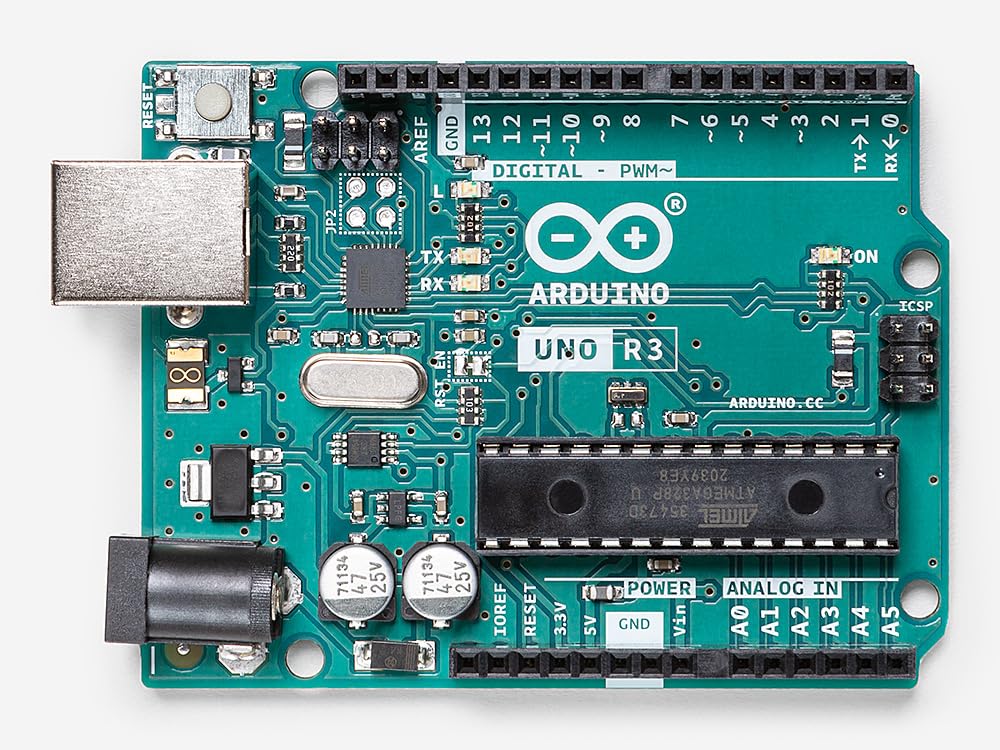
An Arduino card—often called an Arduino board—is a small, programmable electronic board used to build electronic projects, robots, automation systems, and IoT devices. It is widely used by beginners, students, engineers, and hobbyists because it is simple, inexpensive, and very flexible.
1. Core Idea of Arduino
Arduino is based on a microcontroller, which is a tiny computer-on-a-chip.
This microcontroller can:
- Read inputs (sensors, buttons, temperature, light)
- Process data (based on your program)
- Control outputs (LEDs, motors, relays, screens, etc.)
You write a program in the Arduino IDE, upload it through USB, and the board runs your program continuously.
2. Main Components Found on an Arduino Board
Here are the major parts (example: Arduino Uno):

a. Microcontroller
- Usually ATmega328P (for Arduino Uno)
- Acts as the brain of the board
- Runs the code you upload
b. Digital I/O Pins
- Approx. 14 digital pins
- Used for reading HIGH/LOW signals or controlling devices like LEDs or motors
c. Analog Input Pins
- Usually 6 analog pins (A0–A5)
- Used for reading variable signals (temperature, light, sensors)
d. Power Pins
- 3.3V and 5V output
- GND (ground)
- Used to power sensors/modules
e. USB Port
- Uploading your program
- Powering the board
f. Power Jack (barrel connector)
- Can be powered by a battery or adapter (7–12V)
g. Voltage Regulator
- Protects the board from unstable voltage
h. Reset Button
- Restarts the program
3. Why Arduino Is So Popular?
✔ Easy to learn
Arduino uses simple C/C++ code and has a beginner-friendly IDE.
✔ Huge community
Millions of tutorials, projects, and libraries available.
✔ Low cost
An Arduino Uno clone costs $5–$10.
✔ Compatible with many sensors
Temperature sensors, humidity, distance, motion, GPS, GSM, Wi-Fi, displays…
Almost anything can be connected.
4. What Can You Do With an Arduino Card?

Examples:
- Smart home automation (lights, alarms, doors)
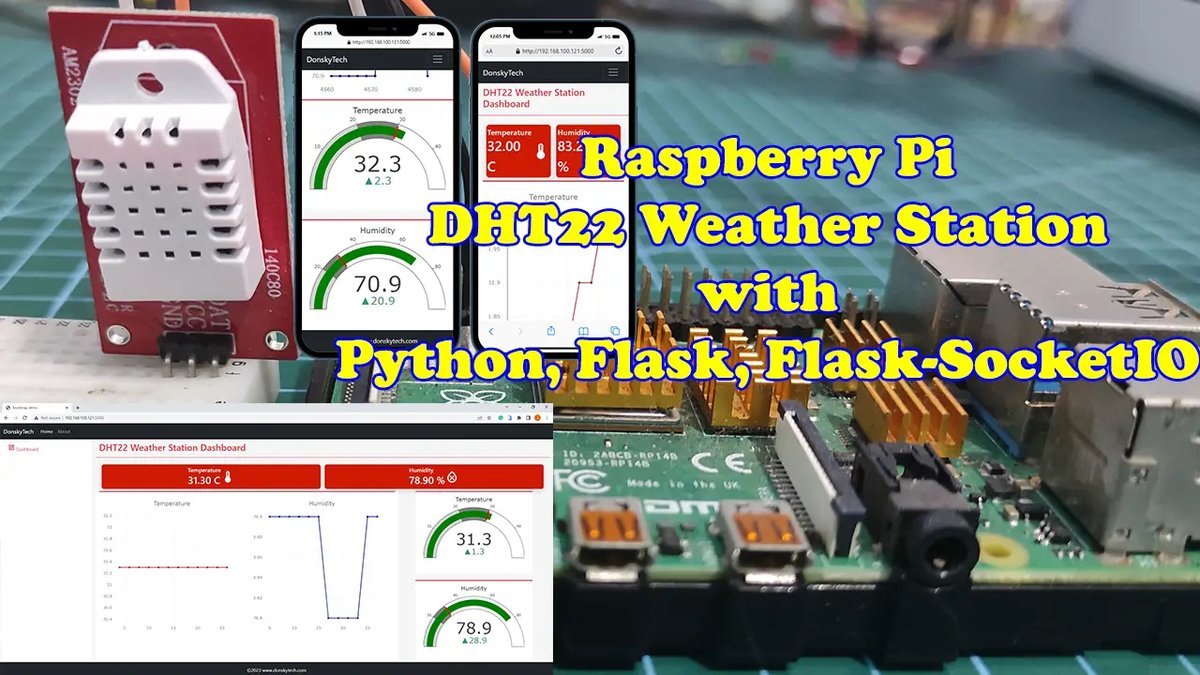
- Weather station (temperature, humidity, pressure)
- Robot car (motors + sensors)
- IoT devices (remote monitoring)
- Distance measurement system
- Smart irrigation system
- Security system (motion + alarm)
5. Common Arduino Boards

Arduino Uno
- Best for beginners
- 14 digital pins, 6 analog pins
Arduino Nano
- Smaller, same power as Uno
- Ideal for compact projects
Arduino Mega
- Many more pins (54 digital, 16 analog)
- Used for complex robots and systems
Arduino Leonardo
- Can emulate a keyboard/mouse
6. How Arduino Works (Step-by-Step)
- You write code in the Arduino IDE
- You connect the board via USB
- You upload the program
- The microcontroller stores the program in flash memory
- The board starts running your program automatically
- It can read sensors → process data → control outputs
7. Example: Simple Arduino Code (Blink LED)
void setup() {
  pinMode(13, OUTPUT); // Set pin 13 as output
}

void loop() {
  digitalWrite(13, HIGH); // Turn LED ON
  delay(1000);            // Wait 1 second
  digitalWrite(13, LOW);  // Turn LED OFF
  delay(1000);
}
This program makes the LED on the board blink every 1 second.
8. Summary (Easy to Remember)
Arduino = microcontroller + simple software + easy electronics.
It reads information from sensors → decides → controls devices.
It is perfect for learning electronics, automation, and IoT.











💬 Comments
No comments yet. Be the first to comment!
Login to comment.