This project teaches you:
✔ How to use GPIO pins
✔ How to read a sensor
✔ How to write Python code
✔ How to display results on screen or terminal
✔ How Raspberry Pi interacts with the real world
📦 1. What You Need
Very simple and cheap components:
| Component | Approx. Price |
|---|---|
| Raspberry Pi (any model) | — |
| DHT22 or DHT11 sensor (temperature + humidity) | $3–$8 |
| 3 Female-to-male jumper wires | $1 |
| (Optional) Breadboard | $1–$2 |
We will use the DHT22 (recommended) because it's more accurate.
🔌 2. Connect the Sensor to the Raspberry Pi
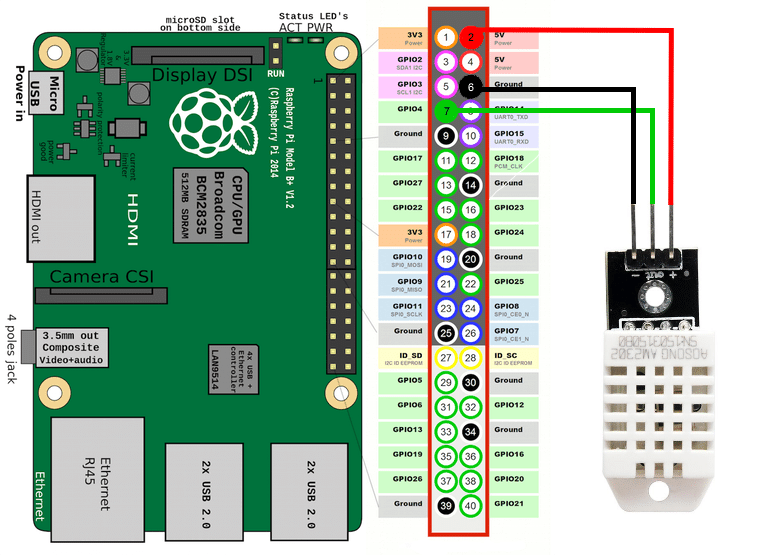
DHT22 Pinout
- VCC → 3.3V pin on Raspberry Pi
- DATA → GPIO 4 (Pin 7 on header)
- GND → Ground pin
Here is the wiring:
| DHT22 Pin | Raspberry Pi Pin |
|---|---|
| VCC | 3.3V (Pin 1 or 17) |
| DATA | GPIO 4 (Pin 7) |
| GND | GND (Pin 6 or any ground) |
💻 3. Install the Required Library
Open the Terminal on your Raspberry Pi and run:
sudo apt update
sudo apt install python3-pip
pip3 install Adafruit_DHT
This library allows Python to communicate with the sensor.
🧪 4. Python Code to Read Temperature & Humidity
Create a file:
nano dht22.py
Paste this code:
import Adafruit_DHT
import time

sensor = Adafruit_DHT.DHT22
gpio_pin = 4  # We are using GPIO 4

while True:
    humidity, temperature = Adafruit_DHT.read_retry(sensor, gpio_pin)

    if humidity is not None and temperature is not None:
        print(f"Temp: {temperature:.1f}°C   Humidity: {humidity:.1f}%")
    else:
        print("Failed to read sensor data. Trying again...")

    time.sleep(2)
Save and exit:
Press CTRL + X, then Y, then Enter
▶️ 5. Run Your Project
In the terminal:
python3 dht22.py
You will now see live readings like:
Temp: 24.8°C   Humidity: 43.6%
Temp: 24.9°C   Humidity: 43.5%
Temp: 25.0°C   Humidity: 43.4%
🎉 Congratulations! Your first Raspberry Pi hardware project works!
🌟 6. Optional Improvements (Highly Recommended)
✔ Display the values on a small LCD screen
Using a 16x2 LCD or OLED display.
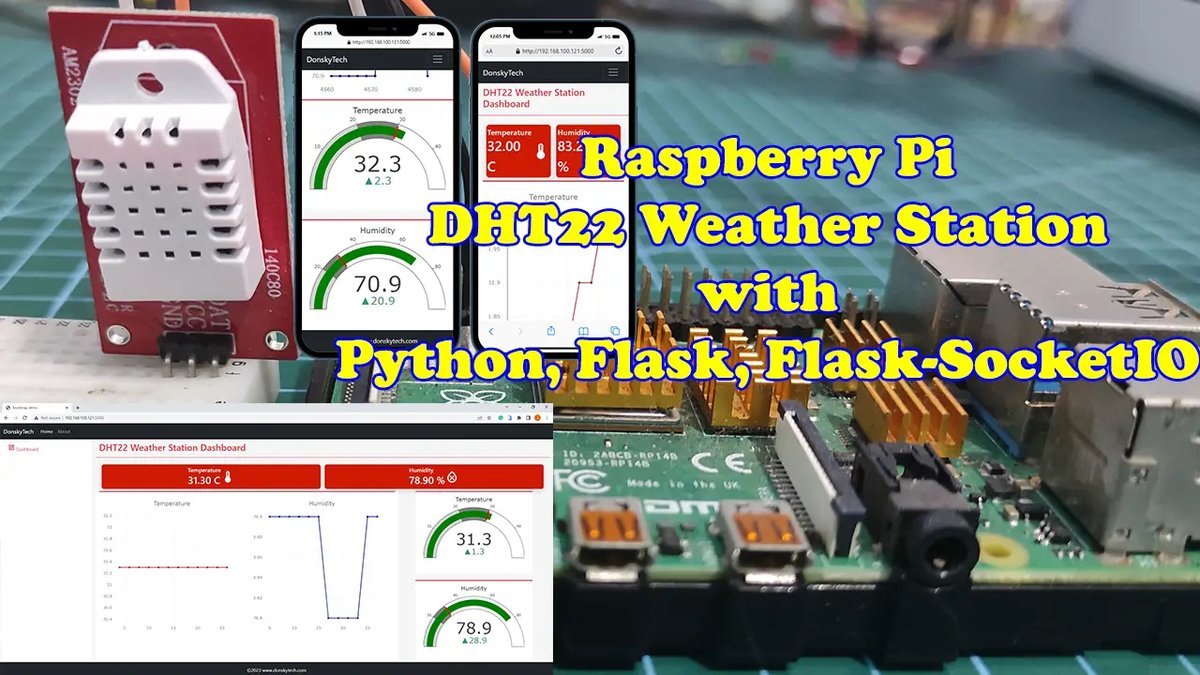
✔ Create a dashboard accessible from your phone
Using Flask (Python) to make a mini web server showing temperature.
✔ Save the temperatures in a file or database
So you can draw graphs over time.
✔ Add an alert system
Send email or Telegram alerts if temperature > 30°C.
✔ Use it as a real IoT device
Send data to the cloud (Thingspeak, MQTT, Firebase…).












💬 Comments
No comments yet. Be the first to comment!
Login to comment.