Introduction
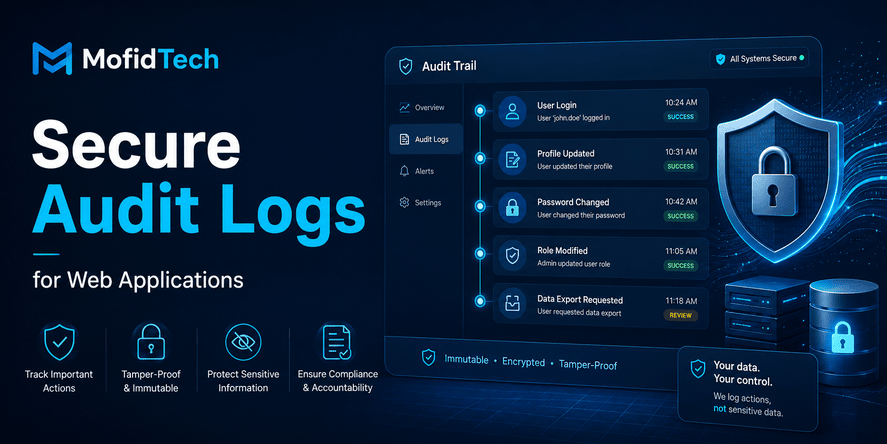
Audit logs are one of the most important security features in a modern web application, but they are often designed too late. Many teams add them only after a customer complaint, a suspicious login, an internal mistake, a data leak, or a failed compliance review. By that time, the application may already be missing the evidence needed to understand what happened.
A secure audit log answers a simple but powerful question: who did what, when, where, and to which resource?
For a web application, this question matters in many situations. A customer says an invoice was changed. A staff member claims they did not delete a record. A user’s role was upgraded unexpectedly. A tenant administrator wants to know who exported customer data. A security team needs to investigate suspicious access. Without a reliable audit trail, every investigation becomes guesswork.
But audit logging also introduces risk. Logs can accidentally expose passwords, session tokens, personal information, payment data, medical data, legal case details, or internal system secrets. A poorly designed log system can become a second database of sensitive information, often with weaker access controls than the main application.
This is why secure audit logging is not only about recording more events. It is about recording the right events, with the right amount of context, in a format that supports security, privacy, operations, and accountability.
OWASP treats logging and alerting failures as an important web application security risk, and its guidance specifically warns against exposing logging information to attackers or storing sensitive information such as personal or health data in logs. OWASP also maintains developer-focused logging guidance for designing application logging mechanisms, especially security-related logging.
This guide explains how to design secure audit logs for web applications without exposing sensitive data. It is written for developers, SaaS builders, DevOps engineers, and technical teams that want a practical, professional, and privacy-aware audit logging strategy.
Table of Contents
- What Are Secure Audit Logs?
- Audit Logs vs Application Logs vs Access Logs
- Why Audit Logs Matter in Web Application Security
- What Should a Web Application Audit Log Record?
- What Should Never Be Stored in Audit Logs?
- How to Design an Audit Log Event
- Audit Logs and Broken Access Control
- Audit Logs for SaaS and Multi-Tenant Applications
- Security Best Practices for Audit Logs
- Privacy and Data Minimization
- Retention, Archiving, and Deletion
- Tamper Resistance and Integrity
- Audit Log Access Control
- Audit Logs for Incident Response
- Performance Considerations
- Common Mistakes
- Troubleshooting Audit Log Problems
- Practical Audit Log Checklist
- FAQ
- Conclusion
What Are Secure Audit Logs?
Secure audit logs are structured records of important actions that happen inside a web application. They are designed to support accountability, investigation, security monitoring, compliance, and operational review.
A normal log might say that an error happened. An audit log should explain a meaningful action, such as a user changing a password, an administrator updating permissions, a staff member exporting data, or a customer deleting a resource.
The goal is not to record every technical detail. The goal is to preserve enough trustworthy context to understand important events later.
A secure audit log usually records:
| Element | Purpose |
|---|---|
| Actor | Identifies who performed the action |
| Action | Describes what happened |
| Target object | Identifies what was affected |
| Timestamp | Shows when the event happened |
| Result | Indicates whether the action succeeded or failed |
| Context | Adds useful investigation details |
| Source | Helps identify where the action came from |
| Tenant or organization | Important for SaaS and multi-tenant systems |
A secure audit log should be clear enough for human review and structured enough for filtering, searching, alerting, reporting, and automated analysis.
Audit Logs vs Application Logs vs Access Logs
Many developers use the word “logs” for everything, but different log types serve different purposes. Confusing them leads to noisy systems, missing evidence, and unnecessary privacy risks.
Audit Logs
Audit logs focus on meaningful business, user, administrative, and security actions. They answer questions such as:
- Who changed this user’s role?
- Who deleted this record?
- Who approved this transaction?
- Who exported this file?
- Who accessed this sensitive page?
- Who disabled two-factor authentication?
- Who changed the billing information?
Audit logs are usually reviewed by administrators, security teams, compliance teams, support teams, or customers in a SaaS environment.
Application Logs
Application logs help developers and operations teams understand the technical behavior of the system. They may include errors, warnings, background task status, service failures, performance issues, and operational events.
Application logs are usually useful for debugging and monitoring, but they are not always suitable as audit evidence because they may be too technical, too noisy, or incomplete from a business perspective.
Access Logs
Access logs usually record requests to the web server or application. They may include the requested URL, response status, source address, user agent, and timestamp.
Access logs are useful for traffic analysis, security monitoring, and incident investigation, but they do not always explain the business meaning of an action. For example, an access log may show that a user requested a page, while an audit log should show that the user changed an invoice, approved a document, or deleted a client record.
Comparison Table
| Log Type | Main Purpose | Typical Reader | Best Used For |
|---|---|---|---|
| Audit logs | Accountability and investigation | Admins, security teams, compliance teams | Who did what and when |
| Application logs | Technical diagnosis | Developers, DevOps teams | Errors, failures, service behavior |
| Access logs | Request tracking | DevOps and security teams | Traffic, request patterns, suspicious access |
| Security logs | Threat detection | Security teams | Alerts, suspicious events, policy violations |
A mature web application usually needs more than one type of logging. The important point is to design each log type for its own purpose instead of mixing everything into one unstructured stream.
Why Audit Logs Matter in Web Application Security
Audit logs are not only a compliance feature. They are a practical security and engineering tool.
They help teams detect suspicious behavior, investigate incidents, understand user disputes, review staff actions, and prove that sensitive operations were handled correctly.
They Support Accountability
When important actions are logged, users and administrators know that sensitive operations are traceable. This discourages misuse and helps organizations resolve disputes based on evidence instead of assumptions.
For example, in a salon booking platform, audit logs can show who cancelled an appointment, who changed the price of a service, or who updated a staff schedule. In a law firm application, audit logs can show who accessed a client file, who changed a hearing date, or who generated a legal invoice.
They Help Investigate Security Incidents
When something suspicious happens, the first questions are usually:
- Which account was involved?
- What did the account access?
- What was changed?
- Was the action successful?
- Was the action normal for that user?
- Did the activity happen from a familiar location or device?
- Were there privilege changes before the incident?
Without audit logs, incident response becomes slow and uncertain. With audit logs, the team can reconstruct the timeline and reduce the damage.
NIST’s Cybersecurity Framework 2.0 is widely used to help organizations manage and reduce cybersecurity risk, including activities related to detecting, responding to, and recovering from cybersecurity events. Audit logs support these activities by preserving evidence that helps teams understand what happened and what needs to be corrected.
They Reveal Authorization Problems
Audit logs are especially valuable for detecting broken access control. OWASP describes broken access control as a risk where users can act outside their intended permissions, potentially causing unauthorized disclosure, modification, destruction of data, or execution of business functions outside their limits.
However, audit logs do not replace authorization checks. They help detect and investigate problems, but they do not prevent unauthorized access by themselves. A secure application needs both strong access control and strong audit logging.
They Improve Support and Customer Trust
In SaaS applications, customer support teams often need to answer questions such as:
- Why was my account changed?
- Who invited this user?
- Who removed this file?
- Who changed this setting?
- When was this invoice downloaded?
- Why did this appointment disappear?
A well-designed audit trail allows support teams to answer these questions quickly and confidently, without exposing internal technical logs or private system details.
What Should a Web Application Audit Log Record?
A good audit log records events that matter for security, accountability, business integrity, privacy, and user trust. It should not record every click, every page view, or every internal technical operation.
The best approach is to identify actions that change state, expose sensitive data, affect permissions, or represent important business decisions.
Authentication Events
Authentication events show how users enter and leave the system. These are important because many incidents begin with account compromise.
Useful authentication events include:
- Successful login
- Failed login
- Logout
- Password change
- Password reset request
- Password reset completion
- Multi-factor authentication enabled
- Multi-factor authentication disabled
- Recovery method changed
- Suspicious login attempt
- Account locked or unlocked
For privacy reasons, failed login logs should be carefully designed. They should help detect abuse without exposing unnecessary personal data or secrets.
Authorization and Permission Events
Permission changes are some of the most important audit events in any application.
Useful permission-related events include:
- User role changed
- User added to a team
- User removed from a team
- Permission granted
- Permission revoked
- Admin role assigned
- Admin role removed
- Access policy changed
- Tenant ownership transferred
- Staff access changed
In many incidents, the dangerous action is not the final data access. It is the permission change that made the access possible.
Sensitive Data Access Events
Not every data view needs to become an audit event, but access to sensitive data often should be recorded.
This may include:
- Viewing confidential client files
- Exporting customer data
- Downloading invoices
- Accessing medical records
- Accessing legal documents
- Viewing payment-related information
- Opening private messages
- Accessing staff-only records
- Viewing identity documents
- Accessing administrative dashboards
The key is to log the access event without copying the sensitive content into the log.
Data Modification Events
Any action that changes important data may deserve an audit event.
Examples include:
- Creating a customer record
- Updating a client profile
- Deleting a document
- Restoring a deleted record
- Changing an invoice
- Updating appointment details
- Modifying a contract
- Approving or rejecting a request
- Changing product pricing
- Updating business settings
The audit log should explain what changed at a meaningful level. It does not always need to store every old and new value, especially when the values are sensitive. In many cases, it is safer to record that a sensitive field changed without storing the field content itself.
Administrative Events
Administrative actions are high-value audit events because administrators usually have broad access.
Examples include:
- Creating a user
- Suspending a user
- Reactivating a user
- Changing account ownership
- Updating system settings
- Changing billing settings
- Creating API credentials
- Revoking API credentials
- Changing integration settings
- Accessing another user’s account for support
- Performing a manual override
Admin actions should be especially clear because they may be reviewed by security teams, customers, auditors, or business owners.
Data Export Events
Data exports are sensitive because they can move large amounts of information outside the application.
Important export events include:
- Exporting customer lists
- Downloading reports
- Exporting invoices
- Downloading legal files
- Exporting appointment history
- Exporting user activity
- Creating backups from the interface
- Downloading analytics data
A secure audit log should record the export action, the actor, the scope, the approximate category of data, and the result. It should not store the exported data itself.
Billing and Financial Events
Billing actions often require auditability because they affect money, customer trust, and business records.
Examples include:
- Invoice created
- Invoice modified
- Invoice cancelled
- Payment marked as received
- Refund initiated
- Discount applied
- Subscription changed
- Billing address updated
- Tax information changed
- Receipt generated
For legal, accounting, and privacy reasons, billing audit logs should avoid storing full payment details or unnecessary personal information.
Security Configuration Events
Changes to security settings should always be treated as important.
Examples include:
- Password policy changed
- Multi-factor authentication requirement changed
- Session duration changed
- Allowed domain changed
- API access enabled
- API access disabled
- Webhook endpoint changed
- Security alert settings updated
- IP restriction changed
- Single sign-on settings changed
These events often indicate preparation for abuse, misconfiguration, or a legitimate administrative change that needs accountability.
What Should Never Be Stored in Audit Logs?
A secure audit log must be useful without becoming dangerous. The safest audit log is not the one that records everything. It is the one that records the minimum necessary evidence with strong context and controlled access.
Never Log Passwords
Passwords should never appear in audit logs. Not the current password, not the old password, not a temporary password, and not a partial password.
A password change event can be logged safely without storing the password itself. The log only needs to say that the password was changed, who initiated the change, when it happened, and whether it succeeded.
Never Log Tokens or Secrets
Audit logs should not contain:
- Session tokens
- Password reset tokens
- API keys
- Secret keys
- Private keys
- OAuth tokens
- Webhook signing secrets
- Database credentials
- Cloud credentials
- Internal service credentials
Secrets in logs are especially dangerous because logs are often copied, exported, indexed, searched, forwarded, or stored in third-party systems.
Avoid Full Personal Data
Personal data should be minimized. In many cases, an audit log does not need to store full names, full addresses, full phone numbers, national identifiers, birth dates, or private messages.
Instead, the log can reference an internal object identifier and display a safe label only to authorized viewers. The detailed data can remain protected in the main application database.
Avoid Sensitive Business Content
Audit logs should not become a hidden copy of sensitive business records.
Avoid storing full content such as:
- Legal case descriptions
- Medical notes
- Private client messages
- Complete contracts
- Financial documents
- Uploaded document content
- Full invoice line details when not necessary
- Private comments
- Internal investigation notes
The audit log can record that a document was viewed, edited, exported, or deleted without storing the document itself.
Avoid Raw Request Data
Raw request data may contain sensitive information that developers did not expect. It can include form fields, tokens, cookies, personal details, internal parameters, and hidden values.
For audit logs, structured and intentional event fields are safer than dumping full request content.
Avoid Overly Precise Location Data Unless Necessary
Location information can be sensitive. In many cases, a general source context is enough. If location is used for security review, it should be handled carefully and only shown to authorized users.
Sensitive Data Risk Table
| Data Type | Should It Be Logged? | Safer Alternative |
|---|---|---|
| Passwords | No | Log only that password changed |
| Session tokens | No | Log session-related event without token value |
| API keys | No | Log key creation or revocation using safe key identifier |
| Full personal data | Usually no | Use internal object reference and limited display |
| Payment card data | No | Log payment event category and result |
| Legal/medical content | No | Log access or change event without full content |
| Exported file contents | No | Log export type, actor, time, and scope |
| Permission changes | Yes | Log actor, target user, old role category, new role category |
How to Design an Audit Log Event
An audit log event should be consistent, searchable, and understandable. A good event does not simply say “updated.” It explains the action in a way that can be reviewed later.
The Core Event Fields
A practical audit log event usually includes:
| Field | Explanation |
|---|---|
| Event ID | A unique identifier for the audit event |
| Timestamp | When the event happened |
| Actor | The user, service, or system that performed the action |
| Actor type | Human user, admin, system process, integration, API client |
| Action | The type of action performed |
| Target object | The resource affected |
| Target type | User, invoice, document, appointment, setting, tenant |
| Result | Success, failure, denied, pending, cancelled |
| Reason or category | Why the event happened, when available |
| Tenant or organization | Required for multi-tenant applications |
| Source context | Useful security context such as interface, API, or admin panel |
| Risk level | Optional classification for review and alerting |
| Metadata | Carefully selected extra context |
Actor, Action, Object
The simplest audit log structure is:
Actor performed action on object at time with result.
For example:
- A staff member changed an appointment.
- An administrator granted a user a new role.
- A tenant owner exported customer data.
- A system process suspended an account because of repeated failed login attempts.
- An integration created a booking through an API.
This structure is easy for humans to understand and easy for systems to filter.
Human-Readable and Machine-Readable Events
Audit logs should support both human review and automated processing.
Human-readable text helps administrators understand the event quickly. Machine-readable fields help with filtering, reporting, alerting, and investigation.
For example, a human-readable label might say “User role changed,” while structured fields identify the actor, target user, previous role category, new role category, tenant, timestamp, and result.
Consistent Event Names
Inconsistent event names make logs difficult to search. For example, using “delete user,” “user removed,” “account erased,” and “profile deleted” for the same action creates confusion.
Choose a consistent naming strategy for event types. The goal is not to create complicated terminology. The goal is to make events predictable.
Good event categories may include:
- Authentication
- Authorization
- User management
- Data access
- Data modification
- Data export
- Billing
- Security settings
- Integration
- System administration
Recording Change Details Safely
For some events, you may want to record what changed. This is useful but risky.
Safe change details may include:
- Field name changed
- Category changed
- Status changed
- Role changed
- Date changed
- Setting enabled or disabled
Riskier change details include:
- Full old and new personal data
- Full document content
- Full message body
- Full financial details
- Sensitive legal or medical text
A good rule is: record the fact that sensitive data changed, but avoid storing the sensitive data itself unless there is a strong business, legal, or security reason.
Audit Logs and Broken Access Control
Broken access control is one of the most serious web application security problems because it allows users to access resources or perform actions outside their permissions. OWASP lists Broken Access Control as A01 in its current 2025 Top 10 web application security risks.
Audit logs help detect and investigate access control failures, but they do not prevent them alone.
How Audit Logs Help
Audit logs can reveal patterns such as:
- A normal user viewing admin-only resources
- A staff member accessing records from another tenant
- A user changing another user’s data
- An account exporting data shortly after a permission change
- A support user accessing many customer accounts
- A user repeatedly receiving “access denied” results
- An API client attempting actions outside its scope
These patterns can help security teams detect misused accounts, privilege abuse, insecure direct object access, or broken object-level authorization.
What to Log for Access Control Review
Useful access control audit events include:
- Access denied events for sensitive resources
- Permission changes
- Role assignments
- Failed admin action attempts
- Cross-tenant access attempts
- Data export attempts
- API authorization failures
- Support impersonation events
- Ownership changes
- Unusual access to confidential records
Do Not Use Audit Logs as a Substitute for Authorization
A dangerous mistake is assuming that logging unauthorized actions is enough. It is not.
The application must prevent unauthorized actions before they happen. Audit logs are a detection and investigation layer. They are not the primary security control.
A mature design uses:
- Strong authentication
- Correct authorization checks
- Tenant isolation
- Secure session management
- Least privilege permissions
- Audit logs
- Alerts for suspicious activity
- Regular review workflows
Audit Logs for SaaS and Multi-Tenant Applications
Audit logging becomes more complex in SaaS applications because one platform serves multiple customers, organizations, salons, firms, clinics, schools, or businesses.
In a multi-tenant application, audit logs must be designed with tenant isolation in mind.
Tenant Isolation
Every audit event should be associated with the correct tenant, organization, workspace, business, or account.
This is essential because:
- Customer A should never see Customer B’s audit events.
- Support staff should only see tenant logs when authorized.
- Security investigations must identify which tenant was affected.
- Reports must not mix activity across organizations.
- Data exports must remain scoped to the right tenant.
A missing tenant reference can turn audit logs into a privacy and security risk.
Customer-Visible Audit Trails
Many SaaS platforms benefit from showing customers their own audit history.
Customer-visible audit trails may include:
- User invitations
- Role changes
- Login activity
- Data exports
- Billing changes
- Integration changes
- Security setting changes
- Important record modifications
However, customer-visible logs should not expose internal system details, private infrastructure data, or sensitive information about other tenants.
Platform Admin Audit Logs
SaaS platforms also need internal audit logs for platform administrators.
These logs may include:
- Support access to tenant accounts
- Manual account changes
- Billing overrides
- Abuse review actions
- Tenant suspension
- Data recovery actions
- Security investigations
- Internal admin permission changes
Platform admin logs should be protected with strict access control because they may describe sensitive customer-related actions.
Support Impersonation and Assisted Access
Some SaaS applications allow support staff to access a customer account to help resolve issues. This must be logged carefully.
A strong audit trail should record:
- Which support user accessed the account
- Which tenant was accessed
- When the access started and ended
- Why the access was requested
- Whether customer approval was required
- What major actions were performed
- Whether any data was exported or modified
Support access is one of the most important events to audit because it crosses the normal boundary between platform staff and customer data.
Security Best Practices for Audit Logs
Secure audit logs require more than good event names. They need protection throughout their full lifecycle: creation, storage, access, review, retention, export, and deletion.
Use Least Privilege for Log Access
Not every administrator should be able to view every audit log. Audit logs may contain sensitive context even when they avoid sensitive content.
Access should be based on role and responsibility.
For example:
| Role | Possible Audit Log Access |
|---|---|
| Normal user | Own account security activity |
| Team manager | Team-level activity |
| Tenant owner | Organization audit trail |
| Support staff | Limited logs needed for support |
| Security administrator | Security and incident-related logs |
| Platform super administrator | Strictly controlled full access |
| Auditor | Read-only access to defined scope |
The more sensitive the application, the more important it becomes to separate duties.
Protect Logs from Modification
Audit logs lose value if users can edit or delete them freely.
A secure design should make audit events difficult to alter. Normal application users should not be able to modify audit history. Even administrators should have limited ability to delete or change audit records.
When correction is necessary, it is usually better to append a new correction event rather than edit the old event.
Record Failed and Denied Actions
Many teams only log successful actions. This misses important security signals.
Failed and denied actions can show:
- Brute-force attempts
- Permission probing
- Broken access control attempts
- Misconfigured roles
- Suspicious admin behavior
- API abuse
- Enumeration attempts
However, failed events can be noisy. The solution is not to ignore them. The solution is to classify them, rate-limit alerts, and review meaningful patterns.
Monitor High-Risk Events
Some audit events should trigger review or alerts.
Examples include:
- Admin role granted
- Multi-factor authentication disabled
- Large data export
- Many failed login attempts
- Access from unusual context
- Sensitive setting changed
- API key created
- Webhook destination changed
- Tenant ownership changed
- Support access to customer data
- Security policy disabled
Not every event needs an alert, but high-risk events should be visible.
Separate Audit Logs from Debug Logs
Audit logs should not be mixed carelessly with verbose debug logs.
Debug logs may include technical details that are useful during development but unsafe in production. Audit logs should be intentional, stable, structured, and privacy-aware.
Privacy and Data Minimization
A secure audit logging strategy must respect privacy. Logs should contain enough information to support investigation, but not so much information that they create unnecessary exposure.
Data Minimization Principle
The principle is simple: log what is necessary, avoid what is unnecessary.
For each audit event, ask:
- Why do we need this field?
- Who will use it?
- How long must we keep it?
- Could it expose sensitive data?
- Could we store a safer reference instead?
- Could we store a category instead of a full value?
- Could we show details only to privileged users?
- Would this field be dangerous if exported?
This approach reduces risk without destroying the usefulness of the audit trail.
Use References Instead of Full Data
Instead of storing full sensitive values in the audit log, store references to protected records.
For example, the audit event can reference a user, invoice, document, appointment, or case without copying all of its content into the log.
This keeps sensitive data in its proper protected location and allows the application to apply normal access control when details are viewed.
Be Careful with Searchable Logs
Many log systems make data searchable. This is useful for investigation, but dangerous if sensitive data is logged.
A search index containing personal data, tokens, private messages, or legal documents can become a major exposure point.
Before sending audit logs to external logging or monitoring services, review:
- What fields are included
- Who can access the external platform
- Where the data is stored
- How long it is retained
- Whether exports are possible
- Whether data is encrypted
- Whether access is audited
- Whether contractual and legal requirements are met
Privacy Review Questions
Before launching audit logs, ask:
- Are we logging only necessary information?
- Are we accidentally storing secrets?
- Are we storing personal data without a clear reason?
- Can users request deletion of certain data under applicable laws?
- Are logs included in backups?
- Are logs exported to third-party systems?
- Who can search the logs?
- Can support staff view sensitive audit context?
- Are retention rules documented?
Retention, Archiving, and Deletion
Audit logs should not be kept forever by default. Retention should match business needs, security requirements, legal obligations, and privacy expectations.
Why Retention Matters
Keeping logs too briefly can hurt investigations. Keeping logs too long can increase privacy and security risk.
The right retention period depends on:
- Application type
- Industry
- Legal requirements
- Customer contracts
- Risk level
- Incident response needs
- Storage cost
- Privacy obligations
- Compliance expectations
For example, a simple appointment booking app may not need the same retention period as a legal case management system, financial platform, medical application, or enterprise SaaS product.
Define Retention by Event Category
Not all events need the same retention period.
| Event Category | Possible Retention Logic |
|---|---|
| Authentication events | Keep long enough for account security review |
| Permission changes | Keep longer because they affect accountability |
| Data exports | Keep longer because they may indicate data exposure |
| Billing events | Align with accounting and legal requirements |
| Support access events | Keep long enough for customer trust and review |
| Low-risk UI events | Often unnecessary for audit logs |
| Security incidents | Preserve according to incident response policy |
The exact duration should be defined by the organization’s legal, security, and operational needs.
Archive Older Logs
Older audit logs may not need to remain in the main application database. They can be archived in a secure, searchable, and access-controlled storage system.
Archiving can improve performance while preserving evidence.
However, archived logs still need:
- Access control
- Integrity protection
- Retention rules
- Secure deletion process
- Documentation
- Backup strategy
- Review process
Deletion Must Be Controlled
Audit log deletion should not be available to normal users. Even administrators should not be able to casually delete audit events.
When deletion is required because of retention policy or legal obligation, it should happen through a controlled process. The deletion process itself may need to be recorded as an administrative event.
Tamper Resistance and Integrity
Audit logs are only useful if they can be trusted. If an attacker or malicious insider can modify logs without detection, the audit trail loses credibility.
What Tamper Resistance Means
Tamper resistance does not always mean that logs are impossible to change. It means that unauthorized modification is prevented, restricted, or detectable.
A practical tamper-resistant strategy may include:
- Write-once behavior for audit events
- Append-only design
- Restricted administrative access
- Separate storage permissions
- Integrity checks
- External log forwarding
- Immutable storage for high-risk environments
- Regular backups
- Monitoring for unusual deletion or modification attempts
Append-Only Audit Design
In an append-only model, the system adds new events but does not edit old events.
If a correction is needed, a new event explains the correction. This preserves history and makes investigations more reliable.
For example, if an invoice status was changed incorrectly, the audit trail should show the original change and the corrective action, not silently rewrite the past.
Separate Duties
The person who can perform sensitive business actions should not necessarily be the same person who can erase audit evidence.
For high-risk systems, consider separating:
- Application administration
- Security administration
- Audit review
- Infrastructure administration
- Billing administration
- Support access
Separation of duties reduces insider risk.
Integrity Is Also Operational
Tamper resistance is not only a security topic. It is also operational.
If logs are lost during deployment, overwritten by a misconfigured job, deleted during database cleanup, or excluded from backups, the result is similar to tampering: the organization loses evidence.
A secure audit logging strategy must include operational safeguards.
Audit Log Access Control
Audit logs often contain sensitive context, even when they avoid sensitive content. Therefore, audit log access should be designed carefully.
Who Should See Audit Logs?
The answer depends on the application.
In a simple business application, the owner may need access to organization-level logs. In a SaaS platform, tenant administrators may need customer-visible logs, while platform security teams need deeper internal logs.
Possible access patterns include:
- Users can see their own security activity.
- Team managers can see actions related to their team.
- Tenant owners can see organization-level events.
- Support staff can see limited logs needed for troubleshooting.
- Security administrators can see security-focused logs.
- Auditors can see read-only logs for a defined period.
- Platform administrators can see broader logs only when necessary.
Avoid Overexposure in the Admin Panel
A common mistake is placing all audit logs in a general admin panel visible to too many staff members.
This can expose:
- Customer activity
- Internal security events
- Business-sensitive actions
- Staff behavior
- Tenant information
- Support access history
- Personal data references
Audit logs deserve their own access control model, not just default admin visibility.
Audit the Audit Log Access
For sensitive systems, viewing audit logs can itself be an auditable event.
This is especially important when logs reveal information about customers, legal cases, medical records, financial activity, or internal investigations.
For example, a system may record that a support user viewed the audit trail for a specific tenant during a support case.
Audit Logs for Incident Response
Audit logs become extremely valuable during incident response. They help teams build a timeline, identify affected accounts, understand impact, and decide what to do next.
Questions Audit Logs Help Answer
During an incident, audit logs can help answer:
- When did suspicious activity begin?
- Which account was used?
- Was the account compromised?
- What actions were performed?
- Which records were viewed, changed, exported, or deleted?
- Were permissions changed before the incident?
- Were security settings disabled?
- Was data exported?
- Were other accounts affected?
- Did the attacker attempt to hide activity?
- What should be restored?
- What should customers be told?
Incident Timeline Reconstruction
A strong audit trail allows teams to reconstruct the sequence of events.
A typical timeline may include:
- Failed login attempts
- Successful login from suspicious context
- Password or recovery setting changed
- Role or permission modified
- Sensitive data accessed
- Data exported
- Security setting disabled
- Account activity stopped
- Administrator discovered the issue
- Account was suspended or reset
This timeline helps determine the scope and seriousness of the incident.
Audit Logs and Alerting
Audit logs can also feed security alerts.
Useful alert conditions may include:
- High number of failed login attempts
- Admin role granted outside normal process
- Large data export
- Many records accessed quickly
- Access denied events across multiple resources
- Security setting disabled
- Unusual support access
- Tenant owner changed
- API key created and used immediately
- Sensitive records accessed after business hours
Alerts should be designed carefully to avoid fatigue. Too many alerts can cause teams to ignore important signals.
Performance Considerations
Audit logging should not make the application slow or unreliable. A good strategy balances security value with performance and operational stability.
Avoid Blocking Critical User Actions
For important audit events, the application should reliably record the event. But the design should avoid making every user action slow because of heavy logging operations.
The correct approach depends on risk. Some events must be recorded immediately and reliably. Others can be processed asynchronously if the architecture supports it.
For example, a security-critical permission change may require strong immediate logging, while lower-risk activity summaries may be handled with less urgency.
Keep Events Structured and Focused
Large, messy audit events increase storage cost and slow down search.
A focused event with clear fields is usually better than a huge unstructured record.
Good audit events are:
- Consistent
- Small enough to store efficiently
- Rich enough for investigation
- Searchable
- Filterable
- Safe from sensitive data exposure
Plan for Growth
Audit logs grow over time. A busy SaaS platform can generate millions of events.
Plan for:
- Indexing and search
- Archiving
- Retention
- Database growth
- Export controls
- Dashboard performance
- Query performance
- Backup size
- Monitoring costs
Audit logging should be included in architecture planning, not added as an afterthought.
Separate Hot and Cold Logs
Recent logs are often searched frequently. Older logs are usually needed only for investigations, audits, or compliance reviews.
A practical architecture may separate:
- Recent searchable logs
- Archived historical logs
- High-risk security logs
- Customer-visible audit trails
- Internal platform logs
This separation can reduce cost and improve performance.
Real-World Use Cases
Secure audit logs are useful in many types of applications. Here are practical examples relevant to MofidTech readers.
SaaS Admin Dashboard
In a SaaS dashboard, tenant owners need to know who changed settings, invited users, removed team members, exported reports, or changed billing details.
A customer-visible audit trail increases trust and reduces support disputes.
Appointment Booking Platform
In an appointment booking app, audit logs can track who created, changed, cancelled, or rescheduled appointments.
This is useful when multiple roles exist, such as platform admin, salon owner, staff member, secretary, and client.
Important events may include:
- Appointment created
- Appointment cancelled
- Client marked as no-show
- Staff schedule changed
- Service price changed
- Salon profile updated
- Customer data exported
- Owner account changed
Law Firm Management Application
A law firm application handles sensitive client data, case files, invoices, hearings, and internal notes.
Audit logs can record:
- Client file accessed
- Hearing date changed
- Document uploaded
- Document downloaded
- Invoice modified
- Case assigned to lawyer
- Secretary updated appointment
- Billing manager generated receipt
- User role changed
The log should not copy confidential legal content. It should record the event and preserve accountability.
Medical or Clinic Management Application
Medical applications require special care because health data is highly sensitive.
Audit logs can record access to patient files, appointment changes, medical document downloads, billing updates, and staff permission changes.
However, the audit log should not store diagnosis details, full medical notes, or unnecessary personal health information.
E-Commerce or Marketplace Platform
In a marketplace, audit logs help track seller actions, product changes, order status changes, refunds, disputes, account suspensions, and admin moderation.
This protects both the platform and users.
Educational Platform
In an education platform, audit logs can track student record changes, grade updates, teacher access, admin changes, file downloads, and account actions.
For systems handling academic records, auditability is essential for trust and accountability.
Common Audit Logging Mistakes
Many applications have logs, but not all logs are useful or safe. Here are the most common mistakes.
Mistake 1: Logging Too Much Sensitive Data
The most dangerous mistake is storing secrets, personal data, or confidential business content in logs.
This can turn the log system into a security liability.
Better approach: log the event and safe references, not the sensitive content.
Mistake 2: Logging Too Little Context
A log that says “updated” is not enough.
Without actor, action, target, timestamp, result, and context, the event may be useless during investigation.
Better approach: use consistent event fields.
Mistake 3: Ignoring Failed Actions
Failed actions can reveal attacks, abuse, and misconfiguration.
Better approach: log important failed and denied actions, especially around authentication, authorization, exports, and admin operations.
Mistake 4: Giving Too Many People Log Access
Audit logs may reveal sensitive activity. Giving broad access can create privacy and insider risk.
Better approach: apply least privilege and audit sensitive log views.
Mistake 5: No Retention Policy
Keeping logs forever increases risk. Deleting logs too early weakens investigations.
Better approach: define retention by event category and business need.
Mistake 6: No Tenant Isolation
In SaaS applications, missing tenant isolation can expose one customer’s activity to another.
Better approach: every event should be scoped to the correct tenant or organization.
Mistake 7: Logs Can Be Edited or Deleted Too Easily
If administrators can silently change logs, the audit trail cannot be trusted.
Better approach: use append-only behavior, restricted access, and controlled deletion.
Mistake 8: No Review Workflow
Collecting logs without reviewing them reduces their value.
Better approach: create review workflows for high-risk events, suspicious patterns, and customer disputes.
Mistake 9: Treating Audit Logs as a Compliance Checkbox
Audit logs are not only for auditors. They are useful for support, security, debugging business workflows, and customer trust.
Better approach: design audit logs as a real product and security feature.
Troubleshooting Audit Log Problems
Audit log issues often appear after deployment, when the team needs the logs and discovers they are incomplete, noisy, or unsafe.
Troubleshooting Table
| Problem | Likely Cause | Practical Fix |
|---|---|---|
| Events are hard to understand | Event names are inconsistent | Create a standard event taxonomy |
| Logs contain sensitive data | Raw request or full object data is stored | Replace sensitive values with safe references |
| Too many useless events | Logging every click or low-value action | Focus on security and business-critical events |
| Important actions are missing | Audit logging was added late | Review sensitive workflows and map required events |
| Tenant logs are mixed | Missing tenant context | Require tenant or organization scope for each event |
| Admins can delete logs | Weak access control | Restrict deletion and prefer append-only design |
| Incident review is slow | Logs are not searchable | Use structured fields and filters |
| Alerts are ignored | Too many low-value alerts | Alert only on high-risk patterns |
| Log storage grows too fast | No retention or archiving | Define retention and archive older logs |
| Support sees too much | Overbroad staff permissions | Create role-based log access |
Practical Audit Log Checklist for Developers
Use this checklist before launching audit logs in a web application.
Event Selection Checklist
- Identify sensitive business actions.
- Identify authentication events.
- Identify permission and role changes.
- Identify data export events.
- Identify admin actions.
- Identify support access events.
- Identify billing and financial changes.
- Identify security setting changes.
- Identify failed and denied high-risk actions.
- Avoid logging low-value noise.
Sensitive Data Checklist
- Do not log passwords.
- Do not log tokens.
- Do not log API keys.
- Do not log private keys.
- Do not log full payment data.
- Do not log full legal, medical, or private document content.
- Avoid unnecessary personal data.
- Avoid raw request dumps.
- Use safe object references.
- Mask or categorize sensitive changes where appropriate.
Structure Checklist
- Include actor.
- Include action.
- Include target object.
- Include timestamp.
- Include result.
- Include tenant or organization when relevant.
- Include source context.
- Use consistent event names.
- Separate human-readable labels from structured fields.
- Classify high-risk events.
Access Control Checklist
- Define who can view audit logs.
- Separate customer-visible logs from internal logs.
- Restrict platform-wide log access.
- Protect support access.
- Audit sensitive log viewing.
- Use read-only access for auditors.
- Avoid exposing logs in a generic admin interface.
- Apply least privilege.
Retention Checklist
- Define retention by event category.
- Align retention with legal and business needs.
- Archive older logs securely.
- Include logs in backup planning.
- Control deletion carefully.
- Document retention rules.
- Review retention periodically.
Incident Response Checklist
- Can the team reconstruct a timeline?
- Can the team identify the actor?
- Can the team identify affected records?
- Can the team see permission changes?
- Can the team detect data exports?
- Can the team identify failed access attempts?
- Can the team review support access?
- Can the team preserve evidence?
- Can the team export logs safely for investigation?
Best Practices for Secure Audit Logs
Start with Threat Modeling
Before designing audit logs, identify what could go wrong in the application.
Ask:
- What actions could harm users?
- What data is sensitive?
- Which roles have powerful access?
- What actions would attackers try?
- What mistakes could staff make?
- What disputes are likely?
- What evidence would be needed later?
Threat modeling helps decide what to log.
Design Logs Around User Stories
Audit logs should match real workflows.
For example:
- A tenant owner wants to review who changed billing settings.
- A security admin wants to investigate failed login attempts.
- A support agent wants to understand why an appointment disappeared.
- A legal office wants to know who accessed a client file.
- A SaaS customer wants to know who exported data.
These user stories help create useful audit events.
Make Logs Understandable
Audit logs are not only for machines. Humans need to read them during stressful situations.
Good audit logs should be:
- Clear
- Concise
- Consistent
- Filterable
- Safe
- Accurate
- Contextual
Avoid vague wording such as “object updated” when a clearer label is possible.
Review Logs Regularly
A log that nobody reviews is less useful.
Create review routines for:
- High-risk admin actions
- Permission changes
- Data exports
- Repeated failed access attempts
- Support access
- Security setting changes
- Unusual activity patterns
The review process can be manual at first and automated later.
Test Audit Logs
Audit logs should be tested like any other important application feature.
Test questions include:
- Is the event created when the action succeeds?
- Is the event created when the action fails?
- Is sensitive data excluded?
- Is the tenant scope correct?
- Is the actor correct?
- Is the timestamp correct?
- Can unauthorized users view the event?
- Can users modify the event?
- Can administrators filter and search effectively?
Audit Log Design Decision Framework
When deciding whether to log an event, use this simple framework.
Question 1: Does the Event Affect Security?
Log events that affect authentication, authorization, security settings, session behavior, recovery methods, or access policies.
Question 2: Does the Event Affect Sensitive Data?
Log access, export, modification, and deletion of sensitive data, but avoid storing the sensitive data itself.
Question 3: Does the Event Affect Money or Legal Records?
Billing, invoices, refunds, contracts, receipts, case files, and official records often need auditability.
Question 4: Could This Event Create a Customer Dispute?
If users may later ask “who changed this?” or “why did this happen?”, the event is a good audit candidate.
Question 5: Would This Event Help During an Incident?
If the event helps reconstruct an attack or suspicious action, it should probably be logged.
Question 6: Would Logging This Event Create More Risk Than Value?
If the event requires storing sensitive content, consider a safer event design.
Audit Log Maturity Model
Audit logging can improve over time. Not every application starts with a perfect system.
Level 1: Basic Activity Records
The application records a few important events such as login, password changes, and major admin actions.
This is better than nothing, but it may be incomplete.
Level 2: Structured Audit Events
Events include consistent fields such as actor, action, target, timestamp, result, and tenant.
This level supports filtering, search, and basic investigation.
Level 3: Security-Aware Audit Logging
The application records failed actions, permission changes, data exports, sensitive access, and support activity. Sensitive data is minimized.
This level supports security review and incident response.
Level 4: Review and Alerting
High-risk events trigger alerts or review workflows. Teams regularly inspect audit patterns.
This level improves detection.
Level 5: Tamper-Resistant and Compliance-Ready
Logs are protected from modification, archived securely, retained according to policy, and available for controlled audit review.
This level is suitable for higher-risk SaaS, financial, legal, healthcare, and enterprise applications.
Security Considerations
Audit logs are part of the security system, so they must be protected like sensitive infrastructure.
Confidentiality
Only authorized users should view audit logs. Logs should not expose sensitive data to people who would not normally have access to it.
Integrity
Audit logs should be difficult to alter. Unauthorized modification should be prevented or detectable.
Availability
Audit logs should remain available during investigations. Backup, archiving, and monitoring are important.
Privacy
Audit logs should minimize personal data and respect applicable privacy obligations.
Accountability
Important log access and administrative actions should themselves be traceable.
Resilience
The audit logging system should not silently fail during important events. Teams should know when logging is broken.
Performance Considerations for Large Applications
As applications grow, audit logging becomes a data engineering challenge.
Storage Growth
Every important action creates a record. Over months or years, this can become a large dataset.
Plan for growth early.
Search Speed
Administrators need to filter logs by user, action, tenant, object, date, and risk level.
Poor search design makes logs frustrating and reduces their practical value.
Dashboard Design
Audit log dashboards should help users find answers quickly.
Useful filters include:
- Date range
- Actor
- Action type
- Target type
- Tenant
- Result
- Risk level
- Source
- Keyword
- Export activity
- Permission changes
Cost Control
External logging platforms can become expensive when too much data is forwarded.
Reduce cost by:
- Logging only meaningful events
- Avoiding duplicate logs
- Separating audit logs from verbose technical logs
- Using retention rules
- Archiving old data
- Reviewing high-volume event categories
How to Prepare Audit Log Content for AI Search and Traditional SEO
This topic has strong potential for AI search because it answers direct technical questions. To make the article perform well, the content should be clear, structured, and easy to summarize.
Use Direct Definitions
Search engines and AI answer systems can more easily extract answers when important terms are clearly defined.
Example definition:
“Secure audit logs are protected records of important actions in a web application, designed to show who performed an action, when it happened, what resource was affected, and whether the action succeeded.”
Use Question-Based Headings
Question-based headings match how users search.
Good examples include:
- What should be included in an audit log?
- What should never be logged?
- How long should audit logs be retained?
- How do audit logs help incident response?
- What is the difference between audit logs and application logs?
Use Tables and Checklists
Tables and checklists are useful for featured snippets and AI summaries because they organize information clearly.
This article includes:
- Log type comparison table
- Sensitive data risk table
- Troubleshooting table
- Practical checklists
- Maturity model
- FAQ answers
Keep Human Value First
AI optimization should not make the article robotic. Readers still need practical judgment, examples, and explanations.
The goal is to write content that is useful for humans and easy for search systems to understand.
FAQ: Secure Audit Logs for Web Applications
1. What is an audit log in a web application?
An audit log is a structured record of important actions inside a web application. It usually shows who performed an action, what they did, which resource was affected, when it happened, and whether the action succeeded.
2. What is the difference between audit logs and application logs?
Audit logs focus on accountability and important user or administrative actions. Application logs focus on technical behavior, errors, warnings, and system operations. Audit logs explain business and security activity, while application logs help developers troubleshoot the system.
3. What should be included in an audit log?
A good audit log should include the actor, action, target object, timestamp, result, tenant or organization when relevant, and safe context. It should be structured, consistent, searchable, and understandable.
4. What should never be stored in audit logs?
Audit logs should never store passwords, tokens, API keys, private keys, session identifiers, full payment data, or unnecessary sensitive personal information. They should also avoid storing full legal, medical, or private document content.
5. Should audit logs record failed actions?
Yes, important failed actions should be logged. Failed login attempts, denied access attempts, failed admin actions, and failed data export attempts can reveal attacks, abuse, or misconfiguration.
6. How long should audit logs be retained?
Audit log retention depends on the application type, legal requirements, business needs, customer contracts, and security risk. High-risk events such as permission changes and data exports are often retained longer than low-risk activity.
7. Can users see their own audit logs?
In many applications, users can safely see their own account security activity, such as login history or password changes. In SaaS applications, tenant owners may also see organization-level audit trails. Access should always be controlled by role and scope.
8. Should audit logs be editable?
Audit logs should generally not be editable by normal users or administrators. If a correction is needed, it is usually safer to append a new correction event instead of modifying the original event.
9. How do audit logs help with incident response?
Audit logs help incident response teams reconstruct timelines, identify affected accounts, understand what data was accessed or changed, detect permission changes, and determine whether data was exported.
10. Are audit logs required for every web application?
Not every small application needs advanced audit logging, but most serious web applications should log important authentication, authorization, administrative, billing, export, and sensitive data events.
11. How do audit logs help SaaS customers?
Customer-visible audit logs help SaaS customers understand who changed settings, invited users, exported data, modified billing, or accessed important records. This improves transparency and trust.
12. What is the biggest audit logging mistake?
The biggest mistake is logging sensitive data directly into the audit trail. A secure audit log should record meaningful events without becoming a hidden copy of private or confidential data.
Conclusion
Secure audit logs are essential for modern web applications. They support accountability, security investigations, customer trust, compliance, support workflows, and operational visibility.
But audit logging must be designed carefully. A good audit trail records important events without exposing passwords, tokens, secrets, private documents, payment data, or unnecessary personal information. It should be structured, searchable, protected, tenant-aware, and difficult to tamper with.
The best audit log strategy is not “log everything.” The best strategy is to log meaningful actions with enough context to answer important questions later:
- Who performed the action?
- What did they do?
- What resource was affected?
- When did it happen?
- Was it allowed?
- Did it succeed?
- Which tenant or organization was affected?
- Does the event require review?
For developers and SaaS builders, secure audit logs should be treated as a core application feature, not an optional technical detail. They are part of security architecture, privacy design, incident response, and user trust.
A web application with strong audit logging is easier to support, safer to operate, and more reliable during incidents. A web application without audit logs may work normally every day, but when something goes wrong, the team may have no trustworthy way to understand what happened.












💬 Comments
No comments yet. Be the first to comment!
Login to comment.