Introduction
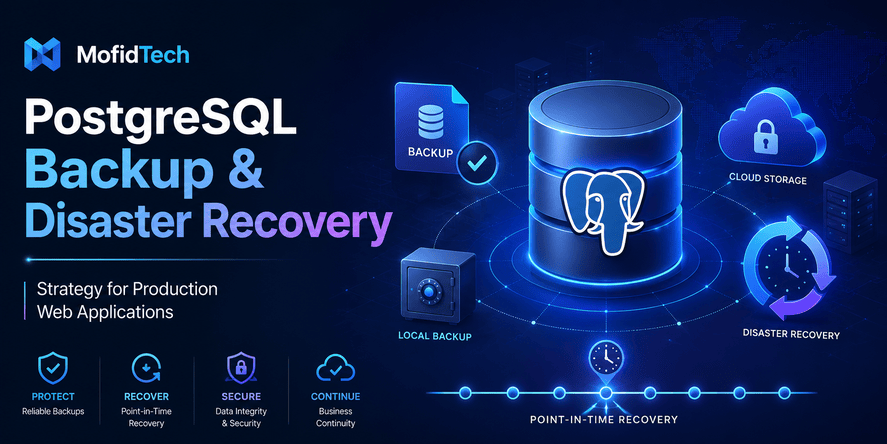
A PostgreSQL backup is not just a file that sits somewhere on a server. In a production web application, a backup is part of a complete disaster recovery strategy. It protects your users, your business, your application reputation, and your ability to recover after mistakes or failures.
Many teams believe they are safe because they have “a backup.” But a backup that is stored on the same server, never tested, not encrypted, or not aligned with recovery objectives can fail exactly when it is needed most. A reliable PostgreSQL backup strategy must answer practical questions: how much data can you afford to lose, how fast must the application return online, where are backups stored, who can access them, how often are they tested, and what happens when the primary database is corrupted or unavailable?
PostgreSQL officially documents several backup approaches, including SQL dump, file-system-level backup, and continuous archiving. Each approach has different strengths, limitations, and recovery implications. A serious production strategy often combines multiple methods rather than depending on only one.
This article explains how to design a PostgreSQL backup and disaster recovery strategy for production web applications without using code or copy-paste commands. It focuses on architecture, decisions, risks, workflows, best practices, security, monitoring, testing, and real-world recovery planning.
Table of Contents
- What Is a PostgreSQL Backup and Disaster Recovery Strategy?
- Why Production Web Applications Need Database Recovery Planning
- Key Terms: Backup, Restore, RPO, RTO, WAL, and PITR
- Main PostgreSQL Backup Types Explained
- Logical Backups Versus Physical Backups
- Continuous Archiving and Point-in-Time Recovery
- How to Choose the Right Backup Strategy
- Designing a Backup Schedule
- Backup Storage and Retention Planning
- Security Considerations for PostgreSQL Backups
- Performance Considerations
- Restore Testing and Recovery Drills
- Disaster Recovery Workflow for Production Incidents
- PostgreSQL Backup Strategy for Django and Web Applications
- Common Backup Mistakes Developers Should Avoid
- Production Checklist
- Troubleshooting Backup and Recovery Problems
- FAQ
- Conclusion
What Is a PostgreSQL Backup and Disaster Recovery Strategy?
A PostgreSQL backup strategy defines how your database is copied, stored, protected, monitored, and restored. A disaster recovery strategy goes further: it defines how your team brings the application back to a usable state after a serious failure.
The difference matters. A backup answers: “Do we have a copy of the data?” A disaster recovery plan answers: “Can we restore the right data, at the right time, within an acceptable delay, with minimal damage?”
A complete PostgreSQL backup and disaster recovery strategy should define:
| Area | What It Answers |
|---|---|
| Backup type | What kind of backups are created? |
| Backup frequency | How often are backups taken? |
| Recovery objective | How much data loss and downtime is acceptable? |
| Storage location | Where are backups stored? |
| Retention policy | How long are backups kept? |
| Security | Who can access backups and how are they protected? |
| Monitoring | How do you know backups are working? |
| Restore testing | How do you prove recovery is possible? |
| Documentation | Who does what during an incident? |
A good strategy is not the most complex one. It is the one that fits your application risk, data value, team maturity, infrastructure, budget, and recovery expectations.
Why Production Web Applications Need Database Recovery Planning
A production web application depends on data. Users can often tolerate temporary downtime, but they usually cannot tolerate losing their accounts, orders, invoices, messages, uploaded content, payment history, or business records.
PostgreSQL is reliable, mature, and widely used, but reliability does not remove the need for backups. PostgreSQL describes itself as a powerful open-source object-relational database system with a long development history and a reputation for reliability, feature robustness, and performance. Still, even reliable databases can be affected by human error, infrastructure failure, storage corruption, software bugs, failed migrations, or security incidents.
Common Causes of PostgreSQL Data Loss
Production data loss often comes from ordinary mistakes, not dramatic disasters. Common causes include:
| Cause | Example |
|---|---|
| Human error | Someone deletes the wrong records or modifies production data by mistake |
| Failed deployment | A migration damages data or changes schema unexpectedly |
| Server failure | Disk failure, file system corruption, or virtual machine loss |
| Cloud misconfiguration | Storage volume deleted, wrong snapshot lifecycle, or missing permissions |
| Security incident | Ransomware, stolen credentials, malicious deletion, or insider misuse |
| Application bug | Incorrect business logic changes large amounts of data |
| Bad import process | Duplicate, incomplete, or corrupted data is inserted |
| Maintenance mistake | Wrong environment selected during cleanup or migration |
| Backup failure | Scheduled backups silently stop working |
The most dangerous assumption is thinking: “The hosting provider probably handles this.” Managed database providers may offer snapshots or automated backups, but your team still needs to understand recovery windows, retention, restore process, access control, and whether application files are included.
Why Backups Alone Are Not Enough
A backup file is only useful if it can be restored. A backup strategy without restore testing is incomplete because you do not know whether:
- The backup is complete.
- The backup is readable.
- The backup contains the expected data.
- The correct database version is available.
- The restore process is documented.
- The team knows who is responsible.
- The restored database works with the application.
- The recovery time is acceptable.
A database backup is not proven until it has been restored successfully in a controlled environment.
Key Terms: Backup, Restore, RPO, RTO, WAL, and PITR
Before designing a PostgreSQL backup strategy, developers should understand the basic recovery vocabulary.
What Is a Backup?
A backup is a copy of database data created so it can be restored later. A backup can be logical, physical, or part of a continuous recovery system.
What Is a Restore?
A restore is the process of rebuilding a database from a backup. Restore quality matters more than backup existence. In production, the real question is not “Do we have backups?” but “Can we restore safely and quickly?”
What Is RPO?
RPO means Recovery Point Objective. It defines the maximum amount of data loss the business can tolerate.
For example:
| RPO | Meaning |
|---|---|
| 24 hours | Losing up to one day of data may be acceptable |
| 1 hour | Losing more than one hour of data is unacceptable |
| 5 minutes | The application needs near-current recovery |
| Near zero | The system needs advanced replication and continuity planning |
A blog may tolerate a longer RPO than a payment platform, hospital system, or school registration system.
What Is RTO?
RTO means Recovery Time Objective. It defines how quickly the service must be restored after a failure.
For example:
| RTO | Meaning |
|---|---|
| 24 hours | Manual recovery during business hours may be acceptable |
| 4 hours | Recovery must be planned and practiced |
| 1 hour | Automation and clear runbooks are needed |
| Minutes | High availability architecture is likely required |
RPO focuses on data loss. RTO focuses on downtime.
What Is WAL?
WAL means Write-Ahead Log. It is PostgreSQL’s mechanism for recording database changes before they are fully written into data files. WAL is central to crash recovery, replication, and point-in-time recovery.
What Is PITR?
PITR means Point-in-Time Recovery. It allows a PostgreSQL database to be restored to a specific moment, such as just before accidental deletion or a failed migration. PostgreSQL continuous archiving depends on a continuous sequence of archived WAL files for successful recovery.
Main PostgreSQL Backup Types Explained
PostgreSQL supports several backup approaches. The right choice depends on database size, recovery requirements, operational complexity, hosting environment, and acceptable downtime.
The official PostgreSQL backup documentation groups backup approaches into SQL dump, file-system-level backup, and continuous archiving. Modern production environments often combine these approaches.
Logical Backups
A logical backup exports the database structure and data in a portable format. It represents the content of the database rather than copying the raw database storage files.
Logical backups are useful for:
- Small and medium databases
- Migration between environments
- Moving data between PostgreSQL versions
- Creating readable backup archives
- Restoring selected parts of a database
- Development and staging refreshes
- Long-term archival
PostgreSQL documentation notes that one important advantage of SQL dump backups is that their output can generally be reloaded into newer PostgreSQL versions, while file-level backups and continuous archiving are more server-version-specific.
However, logical backups may become slow for very large databases. They may also be insufficient when the application needs very low data loss or rapid recovery.
Physical Backups
A physical backup copies the actual database files or creates a base backup of the database cluster. This approach is closer to the internal structure of PostgreSQL.
Physical backups are useful for:
- Large databases
- Faster full-cluster restoration
- Disaster recovery planning
- Replication-based environments
- Production systems that need consistent base backups
Physical backups are usually less portable than logical backups. They are tied more closely to PostgreSQL version, operating system architecture, and database cluster configuration.
Continuous Archiving
Continuous archiving stores the ongoing stream of WAL files so the database can be replayed to a desired recovery point. This is the foundation for point-in-time recovery.
Continuous archiving is useful for:
- Recovering to a precise moment
- Reducing data loss
- Recovering after accidental deletion
- Recovering from failed migrations
- Protecting business-critical applications
- Supporting stronger disaster recovery objectives
PostgreSQL’s current backup documentation includes continuous archiving and point-in-time recovery as a core backup and restore topic.
Logical Backups Versus Physical Backups
Logical and physical backups are not enemies. They solve different problems. A mature PostgreSQL backup strategy may use both.
| Criteria | Logical Backup | Physical Backup |
|---|---|---|
| Best for | Portability, migration, smaller databases | Full production recovery, larger databases |
| Recovery speed | Can be slower for large databases | Often faster for full-cluster recovery |
| Portability | More portable | Less portable |
| PostgreSQL version flexibility | Better for version upgrades | More version-specific |
| Selective restore | Easier for selected objects | Usually full-cluster focused |
| Complexity | Easier to understand | More operationally complex |
| PITR support | Not by itself | Works with WAL archiving |
| Best use case | Data export, migration, periodic backup | Disaster recovery and production resilience |
When Logical Backups Are Enough
Logical backups may be enough when:
- The database is small.
- The application can tolerate longer restore time.
- Losing data since the last backup is acceptable.
- The application is not business-critical.
- The team mainly needs portability and simplicity.
For example, a small educational blog with occasional updates may use scheduled logical backups combined with off-site storage and regular restore testing.
When Logical Backups Are Not Enough
Logical backups may not be enough when:
- The database changes frequently.
- Losing even one hour of data is unacceptable.
- The database is large.
- Restore time must be short.
- The application handles financial, academic, medical, operational, or customer-critical data.
- You need point-in-time recovery.
In those cases, physical backups and WAL archiving become much more important.
Continuous Archiving and Point-in-Time Recovery
Point-in-time recovery is one of the most important concepts in PostgreSQL disaster recovery.
What Problem Does PITR Solve?
PITR solves a problem that normal backups cannot solve well: restoring the database to a specific moment.
Imagine that a bad deployment corrupts data at 10:15. A daily backup from midnight may be too old, and a backup taken after the problem may already include corrupted data. PITR can help restore the database to a moment just before the bad operation, provided the required base backup and WAL archive are available.
How PITR Works Conceptually
PITR usually depends on two parts:
| Component | Role |
|---|---|
| Base backup | Provides a starting copy of the database |
| Archived WAL files | Replay database changes after the base backup |
The database is restored from the base backup, then PostgreSQL replays archived WAL records until the desired recovery target is reached. PostgreSQL documentation emphasizes that successful recovery requires a continuous sequence of archived WAL files.
When PITR Is Especially Useful
PITR is valuable when the incident has a clear time window. Examples include:
- A destructive migration was applied.
- An administrator accidentally removed important data.
- A synchronization process overwrote valid records.
- A compromised account modified production data.
- A batch import inserted incorrect values.
- A scheduled task damaged data gradually.
- A database corruption issue was detected after deployment.
PITR Is Not a Replacement for Good Operations
PITR is powerful, but it is not magic. It requires planning, testing, monitoring, storage, and documentation. If WAL archiving stops silently, PITR may not work. If backups are not retained long enough, the desired recovery point may no longer be available. If the team has never practiced recovery, downtime may be much longer than expected.
How to Choose the Right PostgreSQL Backup Strategy
The best PostgreSQL backup strategy depends on business requirements, not only technical preference.
Step 1: Classify the Application
Start by classifying the application risk.
| Application Type | Example | Backup Priority |
|---|---|---|
| Low-risk content site | Static blog, personal site | Basic backups may be enough |
| Moderate-risk web app | SaaS dashboard, internal tool | Scheduled backups and restore testing |
| High-risk transactional app | E-commerce, finance, school platform | PITR, monitoring, off-site backups |
| Critical system | Healthcare, public services, core business platform | Advanced DR, replication, strict testing |
Step 2: Define RPO and RTO
A backup strategy should begin with two decisions:
- How much data can we lose?
- How fast must we recover?
These decisions should not be guessed by developers alone. They should involve business owners, product managers, technical leads, and security stakeholders.
Step 3: Choose Backup Layers
A practical production strategy often includes multiple layers:
| Layer | Purpose |
|---|---|
| Logical backups | Portability, migration, human-readable recovery |
| Physical backups | Faster full recovery |
| WAL archiving | Point-in-time recovery |
| Cloud or off-site copy | Protection from server loss |
| Restore testing | Proof that backups work |
| Monitoring | Detection of failed backups |
| Documentation | Faster response during incidents |
Step 4: Match Strategy to Team Capacity
A complex backup system that nobody understands can be risky. Choose a strategy your team can operate. For small teams, managed database backups may be helpful, but they still need restore tests and documentation.
Designing a Backup Schedule
Backup frequency should reflect data value and change frequency.
Daily, Weekly, and Monthly Backups
A common retention model includes:
| Backup Type | Purpose |
|---|---|
| Daily backups | Recover from recent mistakes |
| Weekly backups | Recover from issues discovered later |
| Monthly backups | Long-term reference and compliance |
| Pre-deployment backups | Protection before risky changes |
| Pre-migration backups | Safety before schema or data changes |
The correct schedule depends on how often data changes. An application with thousands of daily transactions needs more frequent recovery points than a small portfolio website.
Backup Schedule by Application Risk
| Risk Level | Suggested Strategy |
|---|---|
| Low risk | Regular logical backups, off-site copy, monthly restore test |
| Medium risk | Daily backups, retention policy, restore test, monitoring |
| High risk | Physical backups, WAL archiving, PITR, off-site encrypted storage, frequent restore drills |
| Critical | PITR, replication, tested failover, strict access control, formal incident response |
Backup Before Dangerous Operations
Some operations deserve special protection:
- Database migrations
- Bulk imports
- Data cleaning
- Large administrative changes
- Major application deployments
- PostgreSQL upgrades
- Hosting migration
- Schema redesign
- Permission changes
- Maintenance scripts
Before these operations, take a backup or confirm that a recent verified backup exists. A normal scheduled backup may not be enough if the operation is risky.
Backup Storage and Retention Planning
A backup stored in the wrong place can be useless during a disaster.
Why Same-Server Backups Are Dangerous
Keeping backups only on the same server as the database is risky. If the server is deleted, compromised, encrypted by ransomware, or damaged, the backups may disappear with the database.
A strong strategy uses separation:
| Storage Type | Risk |
|---|---|
| Same disk | Very high risk |
| Same server, different folder | High risk |
| Same provider, different storage service | Better |
| Different region | Stronger |
| Different provider or offline copy | Stronger for severe incidents |
Off-Site and Cloud Storage
Off-site storage protects against server failure and local disasters. For cloud deployments, this may mean storing backups in object storage, a different region, or a separate account. For self-hosted deployments, it may mean remote storage, dedicated backup servers, or secure external storage.
Retention Policy
Retention defines how long backups are kept. A retention policy should balance storage cost, recovery needs, legal requirements, and risk.
Example retention thinking:
| Retention Window | Why It Matters |
|---|---|
| 7 days | Quick recovery from recent mistakes |
| 30 days | Recovery from issues discovered late |
| 90 days | Long investigation window |
| 1 year or more | Compliance, audit, or historical needs |
Do not keep backups forever without a reason. Long retention increases storage cost and may increase privacy and security risk.
Security Considerations for PostgreSQL Backups
Backups contain sensitive production data. In many organizations, backups are as sensitive as the live database.
Encrypt Backups
Backup encryption protects data if storage is exposed, stolen, copied, or misconfigured. Encryption should cover both stored backups and data transferred between systems.
Restrict Access
Only authorized people and systems should access backups. Backup access should be more restricted than normal application access because backups may contain complete historical data.
Access control should consider:
- Who can create backups
- Who can read backups
- Who can restore backups
- Who can delete backups
- Who can change retention rules
- Who can access encryption keys
Protect Backup Credentials
Backup systems often need credentials to access the database and storage. These credentials must be protected carefully. A stolen backup credential can expose large amounts of data.
Separate Backup Permissions
The system that creates backups should not always have permission to delete old backups immediately. Separation can reduce the damage caused by compromised credentials.
Protect Against Ransomware
Ransomware can target backups. To reduce risk:
- Keep immutable or versioned backups where possible.
- Store copies outside the production server.
- Restrict deletion permissions.
- Monitor unusual backup deletion activity.
- Keep at least one backup copy isolated from normal application infrastructure.
Consider Privacy and Compliance
Backups may include personal data, emails, addresses, logs, payments, or academic records. Privacy rules may require retention limits, access logging, encryption, and deletion workflows.
A backup strategy should not only ask “Can we restore?” It should also ask “Are we storing sensitive data responsibly?”
Performance Considerations
Backups can affect production performance if poorly planned.
Backup Timing
Schedule heavier backups during lower-traffic periods when possible. However, avoid assuming that “night” is always safe. Global applications may have users in different time zones.
Database Size
Large databases need different planning from small databases. A logical backup may work well for a small application but become slow and difficult for a larger one. As the database grows, teams should review whether their backup method still meets RPO and RTO.
Storage and Network Load
Backups consume disk, network, CPU, and memory resources. If backups are transferred to remote storage, they can also affect bandwidth. Monitor backup duration and resource usage over time.
Restore Performance Matters Too
Backup performance is only half the problem. Restore time is often more important during an incident. A backup that takes two hours to create but twenty hours to restore may not meet production requirements.
Growth Planning
Backup strategy should evolve with database growth. Review backup design when:
- Database size increases significantly.
- Traffic grows.
- More users depend on the application.
- The application becomes revenue-critical.
- New compliance requirements appear.
- Infrastructure changes.
- The team adds more services or databases.
Restore Testing and Recovery Drills
A backup is not reliable until it has been restored successfully.
Why Restore Testing Is Essential
Restore testing verifies that:
- Backup files are complete.
- Backup files are readable.
- Required database roles and permissions can be restored.
- The restored database works with the application.
- The recovery process is documented.
- The team can meet RTO.
- The backup contains the expected data.
- WAL archives are available if PITR is used.
Without testing, backup confidence is only an assumption.
How Often Should Restores Be Tested?
Restore testing frequency depends on risk.
| Application Risk | Restore Test Frequency |
|---|---|
| Low risk | Every few months |
| Medium risk | Monthly or after major changes |
| High risk | Monthly or more often |
| Critical | Regular scheduled drills and incident simulations |
What to Validate After Restore
After restoring a backup in a safe environment, validate:
- Database starts correctly.
- Expected tables and records exist.
- Application can connect.
- User login or core flows work.
- Recent data appears as expected.
- Permissions are correct.
- Extensions and database settings are available.
- Uploaded files or external assets are aligned.
- Monitoring confirms healthy behavior.
Recovery Drills
A recovery drill is a practice incident. The team simulates a failure and follows the disaster recovery plan. The goal is not to blame people; it is to find gaps before a real incident happens.
A useful drill should answer:
- Who declares the incident?
- Who performs recovery?
- Who communicates with users?
- Which backup is selected?
- How is data integrity checked?
- How is the application pointed to the restored database?
- How is the root cause investigated?
- How is normal operation resumed?
Disaster Recovery Workflow for Production Incidents
During a real incident, stress is high. A clear workflow prevents confusion.
Step 1: Detect and Confirm the Incident
First, confirm whether the issue is truly a database disaster or another problem. Not every outage requires restoring from backup.
Examples:
- Application cannot connect to database.
- Data appears missing or corrupted.
- Database server is unavailable.
- A migration failed.
- Users report incorrect records.
- Monitoring shows abnormal database behavior.
Step 2: Stop Further Damage
If data is actively being corrupted, stop the process causing damage. This may involve pausing application writes, disabling a faulty worker, stopping a bad deployment, or restricting access.
The priority is to prevent the incident from getting worse.
Step 3: Identify the Recovery Target
Determine the point to which you need to recover. For PITR, this may be just before the harmful event. For normal backup restore, it may be the latest valid backup.
Ask:
- When did the issue start?
- Was data corrupted gradually or instantly?
- Is the latest backup clean?
- Do we need to preserve the current damaged state for investigation?
- Are there valid WAL archives available?
- Can some data be repaired without full restore?
Step 4: Choose the Recovery Method
Possible recovery methods include:
| Situation | Possible Response |
|---|---|
| Small accidental deletion | Selective restore or data repair |
| Bad migration | PITR or restore from pre-migration backup |
| Server failure | Restore full backup to new infrastructure |
| Ransomware | Restore from isolated clean backup |
| Data corruption | Restore to last known good state |
| Cloud region failure | Restore in another region or provider |
Step 5: Restore in a Controlled Environment
Whenever possible, restore first in an isolated environment to validate the backup. Avoid overwriting production until you are confident the restored data is correct.
Step 6: Validate the Restored Database
Check core business flows, data integrity, permissions, and application compatibility.
Step 7: Reconnect Application Safely
Once the restored database is validated, reconnect the application carefully. Make sure users do not write to two different databases accidentally.
Step 8: Communicate Clearly
For user-facing incidents, communication matters. Explain the impact, expected recovery, and any data loss honestly. Avoid technical details that confuse users, but do not hide serious issues.
Step 9: Perform Post-Incident Review
After recovery, document:
- What happened
- When it started
- How it was detected
- Which backup was used
- How long recovery took
- Whether RPO and RTO were met
- What failed in the process
- What will be improved
PostgreSQL Backup Strategy for Django and Web Applications
A Django or web application usually stores more than database rows. A complete recovery plan must consider the whole application state.
Database Data
The PostgreSQL database may contain:
- User accounts
- Permissions
- Sessions
- Orders
- Articles
- Comments
- Profiles
- Payment records
- Notifications
- Logs
- Application settings
- Business data
This is usually the most important part of recovery.
Uploaded Files
Many web applications store uploaded files outside PostgreSQL. Examples include:
- Profile images
- Documents
- Article images
- Attachments
- User uploads
- Generated reports
- Media files
If the database is restored to yesterday but media files are from today, the application may reference missing files. If media files are restored but database records are old, there may be orphaned files.
A serious recovery strategy should coordinate database backups with media storage backups.
Application Configuration
Configuration is also part of disaster recovery. A database backup alone cannot restore an application if the team lost:
- Environment settings
- Domain configuration
- storage configuration
- Email settings
- Secret management
- Deployment documentation
- DNS access
- SSL certificate renewal process
- External service credentials
Migrations and Schema Changes
For Django and similar frameworks, database schema changes are common. Backup strategy should be connected to migration strategy.
Before major migrations, verify:
- A recent backup exists.
- Restore process is documented.
- The migration has been tested.
- Rollback strategy is clear.
- The team knows whether data changes are reversible.
- The application version and database schema are compatible.
Staging Restore Environment
A staging restore environment is extremely valuable. It allows the team to test backups without touching production. It also helps developers test migrations, performance, and data cleaning workflows.
Common Backup Mistakes Developers Should Avoid
Mistake 1: Keeping Backups on the Same Server
If the server is lost, backups are lost too. Always keep backups outside the primary server.
Mistake 2: Never Testing Restores
Many teams discover during an emergency that backups are incomplete, corrupted, or impossible to restore quickly.
Mistake 3: Confusing Snapshots With a Full Strategy
Snapshots can be useful, but they are not automatically a complete disaster recovery plan. You still need retention, access control, restore testing, documentation, and monitoring.
Mistake 4: Ignoring WAL Archiving
If your application needs point-in-time recovery, normal daily backups are not enough. WAL archiving is essential for PITR. PostgreSQL documentation stresses that recovery through continuous archiving depends on a continuous sequence of archived WAL files.
Mistake 5: Not Defining RPO and RTO
Without RPO and RTO, backup decisions become random. You cannot know whether your backup frequency is enough.
Mistake 6: Not Backing Up Media Files
For web applications, database records often reference uploaded files. Restoring the database without media files may leave the application incomplete.
Mistake 7: Giving Too Many People Backup Access
Backups often contain all production data. Backup access should be restricted and audited.
Mistake 8: Forgetting Encryption
Unencrypted backups can expose sensitive data if storage is misconfigured or compromised.
Mistake 9: Not Monitoring Backup Jobs
A backup process that fails silently is dangerous. Monitoring should alert the team when backups fail, take too long, or are missing.
Mistake 10: Not Updating the Strategy as the Application Grows
A backup plan that worked for a small database may fail for a larger one. Review the strategy regularly.
Best Practices for PostgreSQL Backup and Disaster Recovery
Use Multiple Backup Layers
Use different backup types for different goals. Logical backups are useful for portability. Physical backups are useful for full recovery. WAL archiving enables point-in-time recovery.
Store Backups Off-Site
Keep backups away from the primary database server. Use remote, secure, and reliable storage.
Encrypt Sensitive Backups
Treat backups as production data. Encrypt them and protect encryption keys.
Monitor Backup Success
Track backup completion, duration, size, storage usage, and failures.
Test Restores Regularly
Schedule restore tests and document the result. A restore test should be treated as part of maintenance, not an optional task.
Document the Recovery Plan
Create a recovery runbook that explains responsibilities, decision points, and validation steps.
Align Backups With Deployment Process
Before risky deployments or migrations, confirm that a valid backup exists.
Protect Against Deletion
Use retention controls, versioning, or immutability where possible. Do not allow one compromised account to delete all backups.
Review Access Permissions
Audit who can access backups. Remove unnecessary permissions.
Include Application Files
Back up media files, configuration references, and other state required to restore the application.
Production PostgreSQL Backup Checklist
Technical Checklist
| Item | Status |
|---|---|
| Backup type selected based on RPO and RTO | To verify |
| Logical backup process defined | To verify |
| Physical backup process defined if needed | To verify |
| WAL archiving configured if PITR is required | To verify |
| Backup schedule documented | To verify |
| Retention policy defined | To verify |
| Restore process documented | To verify |
| Restore environment available | To verify |
| Backup size monitored | To verify |
| Backup duration monitored | To verify |
Security Checklist
| Item | Status |
|---|---|
| Backups encrypted | To verify |
| Backup storage access restricted | To verify |
| Encryption keys protected | To verify |
| Backup deletion permissions limited | To verify |
| Off-site backup copy available | To verify |
| Sensitive data retention reviewed | To verify |
| Access logs reviewed | To verify |
| Backup credentials rotated when needed | To verify |
Recovery Checklist
| Item | Status |
|---|---|
| RPO defined | To verify |
| RTO defined | To verify |
| Restore test performed | To verify |
| PITR test performed if applicable | To verify |
| Application tested against restored database | To verify |
| Media files included in recovery plan | To verify |
| Incident roles assigned | To verify |
| Communication plan prepared | To verify |
Deployment Checklist
| Item | Status |
|---|---|
| Backup confirmed before migration | To verify |
| Rollback plan documented | To verify |
| Data migration risk reviewed | To verify |
| Maintenance window planned if needed | To verify |
| Post-deployment data validation planned | To verify |
Troubleshooting PostgreSQL Backup and Recovery Problems
Problem: The Backup Exists but Restore Fails
Possible causes:
- Backup file is incomplete.
- Backup was not copied correctly.
- Required database roles are missing.
- PostgreSQL version mismatch exists.
- Extensions are missing.
- Storage is full.
- Backup was corrupted.
- Restore documentation is incomplete.
Recommended response: restore in a controlled environment, identify the missing dependency, update the recovery runbook, and schedule another test.
Problem: Backups Are Too Slow
Possible causes:
- Database has grown significantly.
- Backup method no longer fits database size.
- Storage is slow.
- Network transfer is slow.
- Backup runs during high-traffic periods.
- Compression or encryption adds overhead.
Recommended response: review backup method, schedule, infrastructure, and performance monitoring. Consider physical backups or managed backup features for larger databases.
Problem: Backup Storage Is Growing Too Fast
Possible causes:
- Retention policy is too long.
- Old backups are not removed.
- WAL archives are accumulating.
- Database has many large objects or frequent changes.
- Media files are included without lifecycle planning.
Recommended response: review retention rules, storage lifecycle policies, compression, and backup frequency.
Problem: PITR Cannot Reach the Desired Time
Possible causes:
- WAL archive is incomplete.
- WAL archiving stopped.
- Base backup is too recent or too old.
- Retention deleted needed files.
- Recovery target was selected incorrectly.
Recommended response: monitor WAL archiving, test PITR regularly, and ensure retention covers realistic recovery windows.
Problem: Restored Application Has Missing Images or Files
Possible causes:
- Media files were not backed up.
- Database and file storage backups are from different times.
- File paths changed.
- Object storage permissions are wrong.
Recommended response: include media storage in the disaster recovery plan and validate application-level workflows after restore.
Real-World Use Cases
Use Case 1: Small Educational Blog
A small blog may not need complex PITR. The strategy can include scheduled logical backups, off-site storage, periodic restore testing, and media file backups. The key is simplicity and reliability.
Use Case 2: Django SaaS Dashboard
A SaaS dashboard with daily users needs more protection. It should define RPO and RTO, keep off-site backups, test restores, monitor backup jobs, and take extra backups before migrations.
Use Case 3: E-Commerce Platform
An e-commerce database changes constantly. Orders, payments, inventory, and customer records are sensitive. This type of application should strongly consider physical backups, WAL archiving, PITR, encryption, strict access control, and frequent recovery drills.
Use Case 4: University or Administrative System
Systems handling student records, academic data, institutional emails, or administrative workflows need careful retention, access control, auditability, and restore testing. The recovery plan should include both technical and organizational responsibilities.
Use Case 5: Data Migration Project
During data migration, backups are essential before transformation, cleaning, deduplication, and import operations. The team should be able to return to a known valid state if the migration introduces errors.
Comparison Table: Backup Strategy by Application Maturity
| Maturity Level | Backup Approach | Recovery Risk |
|---|---|---|
| Beginner project | Occasional manual backup | High |
| Small production app | Scheduled logical backup and off-site copy | Medium |
| Growing production app | Logical backup, physical backup, monitoring, restore tests | Lower |
| Business-critical app | Physical backups, WAL archiving, PITR, encryption, recovery drills | Much lower |
| Enterprise-grade system | PITR, replication, immutable backups, formal DR plan, compliance controls | Lowest practical risk |
No backup strategy eliminates all risk, but each maturity level reduces the probability of catastrophic loss.
FAQ: PostgreSQL Backup and Disaster Recovery
1. What is the best PostgreSQL backup strategy?
The best PostgreSQL backup strategy combines multiple layers: scheduled logical backups, physical backups when needed, continuous WAL archiving for point-in-time recovery, encrypted off-site storage, monitoring, retention rules, and regular restore testing. The right combination depends on database size, RPO, RTO, business risk, and team capacity.
2. Are PostgreSQL logical backups enough for production?
Logical backups can be enough for small or low-risk production applications, especially when restore time and data loss tolerance are flexible. For larger or business-critical applications, logical backups alone may not be enough because they may be slow to restore and do not provide point-in-time recovery by themselves.
3. What is point-in-time recovery in PostgreSQL?
Point-in-time recovery is the ability to restore a PostgreSQL database to a specific moment. It usually relies on a base backup plus archived WAL files. PostgreSQL documentation explains that successful continuous archive recovery requires a continuous sequence of archived WAL files.
4. How often should PostgreSQL backups be created?
Backup frequency should be based on RPO. If the business can lose one day of data, daily backups may be acceptable. If the business can only lose a few minutes, the strategy needs more frequent recovery points, likely involving WAL archiving and PITR.
5. How often should PostgreSQL restores be tested?
Restore testing should happen regularly. Low-risk applications may test every few months, while business-critical applications should test more often. A restore should also be tested after major infrastructure changes, PostgreSQL upgrades, backup process changes, or disaster recovery plan updates.
6. Where should PostgreSQL backups be stored?
PostgreSQL backups should be stored outside the primary database server. Stronger strategies use encrypted off-site storage, separate cloud storage, different regions, restricted access, and protection against accidental or malicious deletion.
7. Should PostgreSQL backups be encrypted?
Yes, production PostgreSQL backups should usually be encrypted because they may contain sensitive user, business, financial, academic, or operational data. Encryption should be combined with strong access control and secure key management.
8. What is the difference between backup and disaster recovery?
A backup is a copy of data. Disaster recovery is the full plan for restoring service after an incident. Disaster recovery includes backup selection, restore steps, validation, communication, roles, recovery objectives, and post-incident review.
9. What is RPO in database recovery?
RPO means Recovery Point Objective. It defines how much data loss is acceptable. For example, an RPO of one hour means the organization should be able to recover data to a point no older than one hour before the incident.
10. What is RTO in database recovery?
RTO means Recovery Time Objective. It defines how quickly the system must be restored after an incident. For example, an RTO of two hours means the team should be able to return the application to an acceptable working state within two hours.
11. Do managed PostgreSQL services remove the need for a backup strategy?
No. Managed services can simplify backup operations, but the team still needs to understand retention, restore process, access control, region failure risk, recovery time, data loss window, and whether application files are included.
12. Should media files be backed up with the database?
Yes, if the application depends on uploaded files. Many web applications store media files outside PostgreSQL, so database backups alone may not restore the complete application state.
Conclusion
A PostgreSQL backup strategy is not complete just because a backup file exists. A real production strategy defines how backups are created, stored, protected, monitored, tested, and restored. It also defines how the team responds during incidents.
For small applications, scheduled logical backups with off-site storage and restore testing may be enough. For larger or business-critical applications, a stronger approach should include physical backups, WAL archiving, point-in-time recovery, encryption, monitoring, and recovery drills.
The most important lesson is simple: backup success is not measured when the backup is created. It is measured when the database is restored successfully, the application works again, and the business impact is controlled.
A strong PostgreSQL backup and disaster recovery strategy gives developers and organizations confidence. It reduces panic during incidents, protects users, and helps production applications survive mistakes, failures, attacks, and unexpected infrastructure problems.











💬 Comments
No comments yet. Be the first to comment!
Login to comment.