Introduction
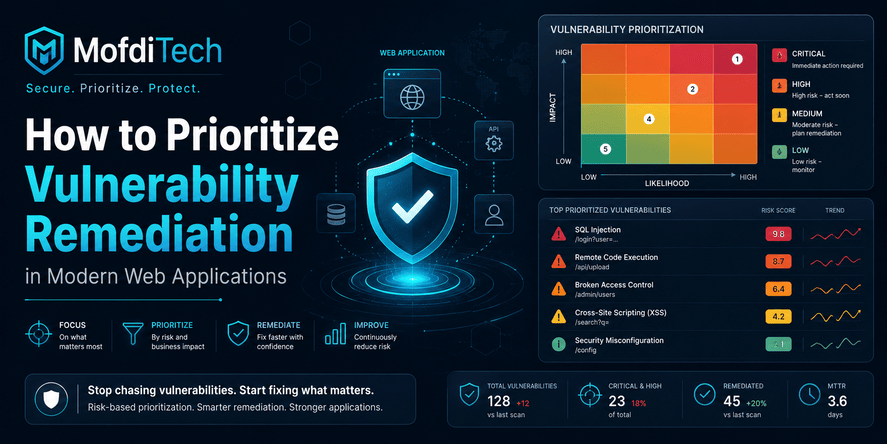
Modern web applications depend on frameworks, packages, APIs, databases, cloud services, containers, authentication systems, CI/CD pipelines, third-party libraries, and infrastructure components. Every layer can contain vulnerabilities. Some vulnerabilities are minor. Some are theoretical. Some are already being exploited. Some affect internal systems with limited access. Others expose sensitive customer data through a public-facing application.
The real challenge is not only finding vulnerabilities. The harder challenge is deciding what to fix first.
A vulnerability scanner can produce hundreds or thousands of findings. Dependency tools can report outdated packages every week. Cloud dashboards can mark several configurations as risky. Security teams may classify issues as critical, high, medium, or low. Developers may feel pressure to fix everything immediately, but real projects have limited time, limited people, release deadlines, compatibility constraints, and business priorities.
This is why vulnerability remediation must be risk-based.
Vulnerability remediation is the process of fixing, mitigating, validating, and tracking security weaknesses until the risk is reduced to an acceptable level. Vulnerability prioritization is the decision-making process that tells a team which issues should be handled first. A strong remediation process does not treat every scanner alert equally. It considers exploitability, exposure, business impact, affected data, technical impact, available fixes, compensating controls, and the likelihood that attackers will use the weakness in the real world.
Current security guidance is also moving in this direction. CISA’s 2026 Binding Operational Directive 26-04 focuses on prioritizing security updates based on risk rather than relying only on a flat severity model. CISA’s Known Exploited Vulnerabilities catalog is designed to help organizations use evidence of active exploitation as an input to vulnerability management. FIRST’s Exploit Prediction Scoring System, commonly called EPSS, estimates the probability that a published CVE will be exploited in the wild in the next 30 days. OWASP also continues to provide developers with a practical view of critical web application security risks through the OWASP Top 10, whose 2025 version includes risks such as broken access control, security misconfiguration, software supply chain failures, cryptographic failures, and injection.
For developers and engineering teams, the message is clear: security remediation is no longer just a compliance task. It is an engineering prioritization problem.
This guide explains how to prioritize vulnerability remediation in modern web applications without relying on code examples, commands, or technical snippets. It focuses on concepts, workflows, decision frameworks, mistakes to avoid, and practical security thinking that teams can apply to real projects.
Table of Contents
- What Is Vulnerability Remediation?
- Vulnerability Remediation vs Vulnerability Management
- Why Prioritization Matters in Modern Web Applications
- Why Scanner Severity Is Not Enough
- The Main Factors Used to Prioritize Vulnerabilities
- A Practical Risk-Based Prioritization Model
- How to Triage Vulnerability Scanner Results
- How to Prioritize Web Application Vulnerabilities
- How to Prioritize Dependency and Supply Chain Vulnerabilities
- How to Prioritize Cloud and Infrastructure Vulnerabilities
- How to Decide Between Fixing, Mitigating, Accepting, or Deferring Risk
- Real-World Vulnerability Remediation Scenarios
- Common Mistakes in Vulnerability Remediation
- Best Practices for Secure Remediation Workflows
- Security Considerations
- Performance and Availability Considerations
- Troubleshooting Vulnerability Remediation Problems
- Vulnerability Remediation Checklist
- FAQ
- Conclusion
What Is Vulnerability Remediation?
Vulnerability remediation is the process of reducing or eliminating security risk caused by a known weakness in software, infrastructure, configuration, dependencies, authentication, authorization, data handling, or operational processes.
A vulnerability is a weakness that can potentially be exploited. Remediation is the action taken to address that weakness. In some cases, remediation means applying a patch. In other cases, it means changing a configuration, updating a dependency, improving access control, disabling an unsafe feature, strengthening monitoring, adding compensating controls, or redesigning a risky workflow.
A simple definition is:
Vulnerability remediation means identifying a security weakness, deciding how urgent it is, fixing or mitigating it, verifying the result, and documenting the final risk state.
Good remediation is not complete when someone says, “We updated the package,” or “We changed the setting.” It is complete when the team has reasonable evidence that the vulnerability is no longer exploitable or that the remaining risk is understood and accepted by the right owner.
What Counts as a Vulnerability in a Web Application?
In a modern web application, vulnerabilities can appear in many areas:
- Application logic
- Authentication and session management
- Authorization and access control
- Input handling
- File uploads
- API endpoints
- Dependency packages
- Database access patterns
- Secrets management
- Cloud storage configuration
- Container images
- Server settings
- CI/CD pipelines
- Logging and monitoring
- Third-party integrations
- Admin dashboards
- Backup and recovery processes
A vulnerability does not need to be dramatic to matter. A weak password reset flow, an exposed admin page, a misconfigured storage bucket, an outdated package, excessive user permissions, or missing audit logs can all become serious when combined with the right attack path.
Remediation Is More Than Patching
Many people use “patching” and “remediation” as if they mean the same thing. Patching is only one remediation method.
Remediation may involve:
- Updating a vulnerable component
- Replacing an unsafe library
- Changing insecure application behavior
- Removing unnecessary public exposure
- Restricting access to sensitive functionality
- Improving validation and authorization rules
- Rotating leaked credentials
- Disabling an unused feature
- Adding monitoring for suspicious activity
- Improving security testing before future releases
- Documenting a temporary risk acceptance
A mature team thinks about remediation as a lifecycle, not as a single technical action.
Vulnerability Remediation vs Vulnerability Management
Vulnerability management is the broader program. Vulnerability remediation is one part of that program.
| Area | Meaning | Example |
|---|---|---|
| Vulnerability discovery | Finding weaknesses | Scanner detects outdated dependency |
| Vulnerability assessment | Understanding the weakness | Team checks whether the dependency is used in production |
| Vulnerability prioritization | Deciding urgency | Internet-facing affected system gets higher priority |
| Vulnerability remediation | Fixing or reducing risk | Team updates, mitigates, or removes the vulnerable component |
| Validation | Confirming the fix worked | Retest confirms the issue is no longer present |
| Reporting | Tracking status and accountability | Security dashboard shows closure and evidence |
A small project may handle all of this informally. A larger organization may use a full vulnerability management platform, ticketing system, security team, asset inventory, risk register, and remediation service-level agreements.
The principle is the same: finding vulnerabilities is not enough. Teams need a repeatable process for turning findings into secure outcomes.
Why Prioritization Matters in Modern Web Applications
Vulnerability prioritization matters because teams never have unlimited remediation capacity. Developers are already handling features, bug fixes, performance work, maintenance, refactoring, deployment issues, technical debt, and support requests. Security tasks compete with all of this.
Without prioritization, teams often fall into one of two bad patterns.
The first pattern is panic. Every scanner alert becomes urgent. Developers are interrupted constantly. Releases slow down. Security becomes frustrating. Over time, the team stops trusting security reports.
The second pattern is delay. The backlog grows. Critical issues remain open next to minor findings. Nobody knows what matters most. Attackers do not care that the team had too many alerts.
Risk-based prioritization creates balance. It helps the team answer:
- Which vulnerabilities could realistically be exploited?
- Which affected systems are exposed to the internet?
- Which issues could compromise sensitive data?
- Which vulnerabilities are already known to be exploited?
- Which issues could give an attacker administrative control?
- Which fixes are urgent, and which can wait for a planned release?
- Which risks can be mitigated temporarily while a full fix is prepared?
A good prioritization process does not ignore lower-risk vulnerabilities. It simply ensures that the most dangerous issues are handled first.
Why Scanner Severity Is Not Enough
Scanner severity is useful, but it is not enough.
A scanner may classify a vulnerability as critical because the theoretical impact is high. However, the affected component may not be reachable, may not be enabled, may not process untrusted input, or may exist only in a development environment. In that case, the real-world urgency may be lower.
The opposite can also happen. A medium-severity issue may be extremely dangerous in a specific business context. For example, a moderate access control weakness in a public API that exposes customer records may be more urgent than a high-severity issue in an isolated internal tool.
Severity Describes Technical Impact, Not Always Business Risk
A severity score usually describes the technical nature of a vulnerability. It may consider factors such as attack complexity, required privileges, user interaction, confidentiality impact, integrity impact, and availability impact.
Business risk adds more context:
- Is the affected system public?
- Does it process customer data?
- Does it handle payments?
- Does it support an important business operation?
- Is the asset used by administrators?
- Is exploitation already happening in the wild?
- Would exploitation damage trust, compliance, or availability?
Scanner severity is an input. It should not be the final decision.
A Simple Example
Imagine two findings:
- A critical vulnerability in a package installed on an internal prototype that is not deployed to production
- A high vulnerability in the authentication flow of a public customer portal
The first finding may have a higher scanner score. The second may be more urgent because it affects real users, real data, and a public attack surface.
Prioritization means making that distinction deliberately.
The Main Factors Used to Prioritize Vulnerabilities
A practical vulnerability prioritization model should combine technical severity with real-world context. The following factors are especially important for modern web applications.
1. Known Exploitation
A vulnerability that is already being exploited in the wild should move near the top of the remediation queue.
Known exploitation means there is evidence that attackers are using the vulnerability against real systems. This changes the situation completely. The risk is no longer theoretical.
CISA’s Known Exploited Vulnerabilities catalog is built around this idea and is intended to help organizations prioritize vulnerabilities that are known to be actively exploited.
For web application teams, this means that a vulnerability affecting a public-facing application should receive urgent attention when it appears in a trusted known-exploitation source.
2. Internet Exposure
An internet-facing vulnerability is usually more urgent than the same vulnerability on an isolated internal system.
Public exposure matters because attackers can reach the vulnerable surface without already being inside the organization. Web applications, APIs, admin panels, remote access portals, object storage endpoints, and exposed management interfaces require special attention.
A vulnerability on a public login page, public API, public file upload flow, or public administrative route should be treated with more urgency than the same weakness in a restricted test environment.
3. Exploitability
Exploitability describes how easy it is for an attacker to use the vulnerability.
A vulnerability is more urgent when exploitation is simple, reliable, automated, well-documented, or possible without authentication. It is less urgent when exploitation requires unusual conditions, privileged access, user interaction, or deep knowledge of the system.
FIRST’s EPSS is useful here because it estimates the probability that a published CVE will be exploited in the wild in the next 30 days.
Exploitability does not replace human judgment, but it helps teams avoid prioritizing based only on static severity.
4. Authentication Requirement
A vulnerability that can be exploited without authentication is often more dangerous than one that requires a valid user account.
Unauthenticated vulnerabilities are attractive because attackers can attempt exploitation at scale. Authenticated vulnerabilities still matter, especially in applications with open registration, weak user verification, compromised accounts, or many low-privilege users.
A useful question is:
Can an attacker reach this vulnerability before proving who they are?
If the answer is yes, urgency increases.
5. Privilege and System Control
Some vulnerabilities only expose limited information. Others allow attackers to change data, impersonate users, escalate privileges, or take full control of a system.
The more control an attacker gains, the higher the priority.
High-risk outcomes include:
- Administrator access
- Account takeover
- Unauthorized data modification
- Remote control of application servers
- Database access
- Secret extraction
- Malware deployment
- Persistent access
- Lateral movement into other systems
A vulnerability that leads to full system compromise should almost always be prioritized above a vulnerability that only causes limited information leakage.
6. Data Sensitivity
The value of the affected data matters.
A vulnerability affecting public marketing content is not the same as a vulnerability affecting personal data, financial records, authentication tokens, legal documents, student records, medical information, API keys, or internal business secrets.
Ask:
- What data could be exposed?
- Is the data personal, financial, regulated, confidential, or security-sensitive?
- Could the data be used for fraud, account takeover, phishing, or identity theft?
- Would disclosure create legal, contractual, or reputational damage?
The more sensitive the data, the faster remediation should move.
7. Business Criticality
Some systems are more important than others.
A vulnerability in a core production platform usually matters more than the same vulnerability in a low-use internal tool. A vulnerability in a payment workflow, booking system, authentication service, customer dashboard, legal case management system, or university information system may require immediate attention because the business depends on it.
Business criticality helps teams prioritize based on operational impact, not only technical severity.
8. Asset Reachability
An asset may be technically vulnerable but not reachable through any realistic attack path.
For example, a vulnerable component may exist inside an environment that is restricted, segmented, disabled, or unreachable from untrusted input. That does not mean the vulnerability can be ignored, but it may reduce urgency.
Reachability asks:
- Is the vulnerable component actually used?
- Can untrusted users interact with it?
- Is the affected function enabled?
- Does traffic reach this component?
- Is the asset isolated or connected to sensitive systems?
Reachability is one of the most important ways to reduce false urgency.
9. Availability Impact
Some vulnerabilities threaten service availability rather than data confidentiality.
Availability issues matter when downtime would harm users, revenue, operations, public services, or trust. For example, a denial-of-service weakness in a public API may be urgent if the API supports customer transactions or institutional operations.
A vulnerability that can take down a critical system deserves higher priority even if it does not expose data.
10. Availability of a Safe Fix
Sometimes a fix is straightforward. Sometimes it may break compatibility, require major testing, or affect critical business logic.
Priority should consider urgency, but remediation planning must also consider fix complexity. A high-risk vulnerability with a simple fix should be handled quickly. A high-risk vulnerability with a risky fix may require temporary mitigation while the full fix is tested.
This is not an excuse to delay serious issues. It is a reason to plan remediation responsibly.
A Practical Risk-Based Prioritization Model
A practical model should be easy enough for developers to use and structured enough for security teams to trust.
The following model can work for many web application teams.
Priority 1: Emergency Remediation
These vulnerabilities require immediate action.
Typical characteristics:
- Known exploitation in the wild
- Publicly exposed system
- Unauthenticated exploitation
- Full system compromise or administrative control
- Sensitive data exposure
- Active attack indicators
- No effective compensating controls
Recommended response:
- Assign an owner immediately
- Assess whether compromise may already have occurred
- Apply a fix or mitigation as soon as safely possible
- Increase monitoring
- Validate the fix
- Document evidence and final status
Emergency remediation is not just a development task. It may involve incident response, infrastructure, legal, communications, and management depending on the severity.
Priority 2: High-Risk Remediation
These vulnerabilities are serious and should be scheduled quickly.
Typical characteristics:
- High technical severity
- Public or semi-public exposure
- Exploitation is possible but not confirmed
- Sensitive feature or important workflow affected
- Authenticated exploitation with many possible users
- Limited compensating controls
Recommended response:
- Add to the current sprint or urgent maintenance plan
- Confirm exploitability and reachability
- Prepare fix and regression testing
- Apply temporary mitigation if needed
- Validate after deployment
High-risk findings should not disappear into a general backlog.
Priority 3: Planned Remediation
These vulnerabilities matter but may not require emergency handling.
Typical characteristics:
- Medium severity
- Internal exposure
- Exploitation requires privileges or unusual conditions
- Limited data or operational impact
- Compensating controls exist
- Fix requires planned testing
Recommended response:
- Track in a security backlog
- Assign a target remediation window
- Bundle with regular maintenance if appropriate
- Validate before closure
- Reassess if exposure or threat intelligence changes
Planned remediation helps avoid panic while still ensuring vulnerabilities do not remain open indefinitely.
Priority 4: Monitor, Mitigate, or Accept Temporarily
Some findings may be low risk, false positive, not reachable, or not immediately fixable.
Typical characteristics:
- Low severity
- No realistic attack path
- Development-only component
- Unused package
- Strong compensating controls
- Fix unavailable or unsafe at the moment
Recommended response:
- Document the reason for deferral
- Define an owner and review date
- Monitor for changes in exploitability
- Reassess if the asset becomes exposed
- Remove the risk when practical
Risk acceptance should never be silent. It should be visible, justified, and time-limited.
Vulnerability Prioritization Matrix
| Factor | Low Urgency Signal | High Urgency Signal |
|---|---|---|
| Exploitation status | No known exploitation | Active exploitation reported |
| Exposure | Internal only | Internet-facing |
| Authentication | Requires privileged access | No authentication required |
| Technical impact | Limited information leak | Full control or data modification |
| Data sensitivity | Public or low-value data | Personal, financial, legal, or secret data |
| Business impact | Non-critical system | Core production service |
| Exploit complexity | Difficult and unreliable | Simple, public, or automated |
| Compensating controls | Strong controls exist | No effective controls |
| Fix availability | No safe fix yet | Safe fix available |
| Asset reachability | Not reachable | Directly reachable by users or attackers |
This matrix helps teams move from emotional prioritization to structured decision-making.
How to Triage Vulnerability Scanner Results
Scanner results are useful, but they need triage. Triage is the process of reviewing findings, removing noise, adding context, and deciding what action is required.
Step 1: Remove Obvious Duplicates
Multiple tools may report the same underlying issue. A dependency scanner, container scanner, and cloud security tool may all flag the same vulnerable component. Without deduplication, the backlog becomes inflated and confusing.
Deduplication should group findings by affected asset, vulnerable component, vulnerability identifier, environment, and remediation action.
The goal is not to hide issues. The goal is to avoid making one vulnerability look like ten separate problems.
Step 2: Confirm the Affected Asset
A finding is only useful if the team knows where it exists.
For each vulnerability, identify:
- Application name
- Environment
- Owner
- Public or internal status
- Business function
- Data handled
- Deployment status
- Dependency or component affected
If the team does not know the asset, prioritization becomes guesswork.
Step 3: Validate Real Usage
A vulnerable package may be present but not used. A risky function may exist but not be reachable. A misconfiguration may exist in a test environment but not production.
Teams should ask:
- Is this component active?
- Is it deployed?
- Is it reachable by users?
- Does the vulnerable function matter in this application?
- Is the affected feature enabled?
This does not mean unused vulnerabilities are always safe. Unused components can become active later. But reachability changes urgency.
Step 4: Add Business Context
Technical teams should connect findings to business impact.
For example:
- A vulnerability in a student records system affects privacy and institutional trust.
- A vulnerability in an e-commerce checkout affects revenue and payments.
- A vulnerability in a booking platform affects customer appointments and business operations.
- A vulnerability in an admin dashboard affects control over the entire platform.
Business context helps prioritize the risk that matters most.
Step 5: Decide the Remediation Action
Each finding should lead to one of these outcomes:
- Fix now
- Fix in the current release cycle
- Fix in a planned maintenance window
- Mitigate temporarily
- Accept risk temporarily
- Mark as false positive with evidence
- Remove unused component
- Escalate for incident review
A scanner result without an action is just noise.
Step 6: Validate Closure
A vulnerability should not be closed only because someone changed something. Closure should require verification.
Validation may include:
- Retesting the affected area
- Confirming scanner results changed
- Reviewing application behavior
- Checking that no related weakness remains
- Confirming compensating controls are active
- Documenting the remediation evidence
Validation protects teams from false confidence.
How to Prioritize Web Application Vulnerabilities
Web application vulnerabilities require special judgment because they often depend on business logic, user roles, and data flow.
OWASP’s Top 10 remains one of the most recognized references for web application security awareness. The 2025 version lists risks including broken access control, security misconfiguration, software supply chain failures, cryptographic failures, injection, insecure design, authentication failures, software or data integrity failures, logging and alerting failures, and mishandling of exceptional conditions.
Broken Access Control
Access control weaknesses should often receive high priority because they can allow users to access data or actions they should not access.
Prioritize access control issues higher when:
- Users can access other users’ data
- A normal user can perform admin actions
- API endpoints expose unauthorized records
- Object identifiers can be manipulated
- Staff-only areas are accessible to customers
- Role boundaries are unclear
- Sensitive documents can be downloaded without permission
Broken access control is especially dangerous because it often appears in normal application behavior. It may not look like a technical crash or obvious exploit. It may look like a user simply opening a URL they should never be allowed to open.
Authentication and Account Takeover Risks
Authentication vulnerabilities deserve urgent attention when they can lead to account takeover.
Examples include:
- Weak password reset logic
- Missing protection against repeated login attempts
- Session tokens that remain valid too long
- Insecure account recovery workflows
- Missing verification for sensitive changes
- Poor handling of social login accounts
- Lack of protection for administrative users
Authentication issues should be prioritized higher when the application stores sensitive data, supports payments, manages institutional accounts, or gives users access to private documents.
Injection and Input Handling Risks
Injection vulnerabilities can be severe when untrusted input reaches interpreters, queries, templates, expressions, or command-processing logic.
Even without code examples, the remediation principle is clear: untrusted input should never be interpreted as trusted instructions. Developers should use safe frameworks, validation, parameterization, escaping, strict data handling, and defense-in-depth.
Prioritize injection risks higher when:
- The vulnerable path is public
- No authentication is required
- Sensitive data can be extracted
- Data can be modified
- The vulnerability affects administrative functionality
- The vulnerable system connects to critical databases
File Upload Vulnerabilities
File upload features are common in web applications: profile images, documents, support attachments, invoices, certificates, contracts, medical files, and academic records.
Prioritize file upload vulnerabilities higher when:
- Uploaded files are publicly accessible
- File types are not restricted
- Files can be executed or interpreted by the server
- Sensitive files are stored without proper access control
- Uploaded content can affect other users
- Malware scanning or validation is absent
- Storage locations are misconfigured
File upload risks are often underestimated because the feature appears simple. In reality, upload workflows combine input validation, storage security, access control, content handling, privacy, and infrastructure configuration.
Security Misconfiguration
Security misconfiguration can affect application frameworks, servers, cloud storage, databases, containers, error pages, admin dashboards, and headers.
Prioritize misconfiguration higher when:
- It exposes internal information
- It enables debug behavior in production
- It exposes management interfaces
- It weakens authentication
- It makes private storage public
- It disables important security controls
- It affects production systems
Misconfiguration is dangerous because it may not require a software bug. A single unsafe setting can expose an otherwise well-written application.
Logging and Alerting Failures
Logging weaknesses may not directly create the initial vulnerability, but they make attacks harder to detect and investigate.
Prioritize logging and alerting gaps higher when:
- The affected system handles sensitive data
- Authentication events are not logged
- Administrative actions are not auditable
- Security errors are invisible
- Suspicious access cannot be traced
- The team cannot determine whether exploitation happened
If a high-risk vulnerability exists and the application has weak logging, remediation should include detection and investigation improvements, not only a technical patch.
How to Prioritize Dependency and Supply Chain Vulnerabilities
Modern web applications depend on many third-party packages. Dependency vulnerabilities are common, but not all are equally urgent.
Important Questions for Dependency Vulnerabilities
When a dependency scanner reports a vulnerability, ask:
- Is the vulnerable package used in production?
- Is the vulnerable feature actually used?
- Is the affected component reachable by untrusted users?
- Is there known exploitation?
- Is a safe update available?
- Would updating create compatibility risks?
- Is the package maintained?
- Is there a safer alternative?
- Is this dependency direct or indirect?
- Does the package run in a sensitive environment?
A vulnerable dependency in a public authentication workflow is more urgent than the same dependency in a development-only tool.
Direct vs Transitive Dependencies
A direct dependency is intentionally added by the project. A transitive dependency is pulled in by another dependency.
Direct dependencies are usually easier to reason about because the team knows why they exist. Transitive dependencies can be harder because they may be buried deep in the dependency tree.
Prioritization should consider whether the vulnerable dependency is actually used in the runtime path of the application. However, teams should still track transitive vulnerabilities because they may become reachable through updates, plugins, or unexpected behavior.
Maintained vs Abandoned Packages
A vulnerability in an abandoned package deserves special attention. If a package is no longer maintained, a simple update may not be available. The team may need to replace the package, isolate the functionality, or redesign the feature.
Abandoned dependencies increase long-term risk because future vulnerabilities may remain unresolved.
When to Replace Instead of Patch
Sometimes updating a dependency is not enough. Replacement may be better when:
- The package is no longer maintained
- Security issues repeat frequently
- The package has excessive permissions
- The package is too complex for its purpose
- The project does not need most of its functionality
- The package creates supply chain risk
- The maintainers do not respond to security reports
Replacement may take longer, but it can reduce future remediation burden.
How to Prioritize Cloud and Infrastructure Vulnerabilities
Web application risk is not limited to application code. Cloud and infrastructure weaknesses can be just as serious.
Public Exposure Is a Major Signal
Cloud risks become more urgent when they expose systems or data publicly.
High-priority examples include:
- Public storage containing private files
- Exposed admin interfaces
- Databases reachable from the internet
- Weak remote access controls
- Public dashboards with sensitive information
- Insecure development environments exposed online
Public exposure expands the attacker pool. If anyone on the internet can reach the system, urgency increases.
Identity and Access Management Risks
Cloud identity mistakes can create large blast radius.
Prioritize identity risks higher when:
- Users or services have excessive permissions
- Administrative access is not protected
- Long-lived credentials are exposed
- Service accounts can access sensitive data unnecessarily
- Access reviews are missing
- Departed users still have active access
Identity issues matter because attackers often use stolen or excessive permissions to move deeper into systems.
Backup and Recovery Risks
Backup weaknesses may not appear urgent until an incident happens. But they are critical for ransomware, accidental deletion, corruption, and disaster recovery.
Prioritize backup risks higher when:
- Critical data has no reliable backup
- Backups are not tested
- Backups are accessible from compromised accounts
- Backup retention is too short
- Restoration time is unknown
- Sensitive backup data is not protected
A vulnerability that threatens production data becomes more serious if recovery is weak.
How to Decide Between Fixing, Mitigating, Accepting, or Deferring Risk
Not every vulnerability has the same remediation path. The right action depends on risk, fix availability, system constraints, and business impact.
Fix
Fixing means removing the vulnerability at the source.
Choose fixing when:
- A safe patch is available
- The vulnerable behavior can be corrected
- The affected dependency can be updated
- The configuration can be changed safely
- The issue affects a high-risk area
- The team can validate the result
Fixing is usually the preferred option when practical.
Mitigate
Mitigation reduces risk without fully removing the root cause.
Choose mitigation when:
- A full fix requires more time
- A patch is not yet available
- The system cannot be changed immediately
- Temporary protection can reduce exposure
- The vulnerability is actively dangerous
Mitigation may include restricting access, disabling a feature, isolating a system, increasing monitoring, or applying protective controls.
Mitigation should be treated as temporary unless the team explicitly decides it is an acceptable long-term control.
Accept
Risk acceptance means the team knowingly decides not to remediate immediately because the remaining risk is acceptable.
Accept risk only when:
- The issue is low impact
- Exploitation is unlikely
- Compensating controls are strong
- The affected system is not critical
- The decision is documented
- The right business owner approves it
- A review date is defined
Risk acceptance should never be a hidden way to ignore security work.
Defer
Deferral means the team agrees to fix later.
Deferral may be reasonable when:
- The issue is low or medium risk
- A fix is planned in a near release
- The affected asset is not exposed
- The update requires compatibility testing
- Temporary controls are in place
Deferred vulnerabilities should remain visible. Otherwise, they become forgotten risk.
Real-World Vulnerability Remediation Scenarios
Scenario 1: Public Login Vulnerability
A scanner flags a high-risk issue in a public login workflow. The affected application stores user profiles and private documents.
Priority should be high or emergency depending on exploitability. Authentication is a critical boundary. If exploitation could lead to account takeover, the team should act quickly, add monitoring, review recent suspicious login activity, and validate the fix carefully.
Scenario 2: Vulnerable Package in a Development Tool
A dependency scanner reports a critical vulnerability in a package used only by a local development tool. The package is not deployed to production and does not process user input.
The technical severity may be high, but real-world production risk may be lower. The team should still update or remove the dependency, but it may not need emergency handling unless the development environment has access to sensitive secrets or production systems.
Scenario 3: Public Storage Misconfiguration
A cloud storage container is accidentally public. It contains uploaded identity documents.
This is urgent even if no scanner assigns a traditional CVSS score. The issue affects sensitive data and public exposure. Remediation should include access restriction, exposure investigation, logging review, data impact assessment, and future prevention.
Scenario 4: Medium API Authorization Issue
An API endpoint allows authenticated users to view records belonging to other users by changing an identifier. The scanner marks it as medium because authentication is required.
This should be treated as high risk. The business impact is serious because user data isolation is broken. Scanner severity underestimates the issue because it does not fully understand the application’s business logic.
Scenario 5: Outdated Library With Known Exploitation
A production application uses an outdated library, and trusted sources show that the vulnerability is being exploited in the wild.
This should move to urgent remediation, especially if the application is internet-facing. Known exploitation changes the risk from possible to active.
Common Mistakes in Vulnerability Remediation
Mistake 1: Fixing by Scanner Score Alone
Scanner scores are useful, but they do not fully understand your architecture, business context, exposure, or compensating controls.
A better approach is to combine severity with exploitability, exposure, data sensitivity, asset criticality, and reachability.
Mistake 2: Ignoring Public Exposure
A vulnerability on an internet-facing system deserves special attention. Public exposure means attackers can reach the system without first compromising the internal network.
Teams should maintain a clear inventory of public assets and prioritize them accordingly.
Mistake 3: Treating Internal Systems as Automatically Safe
Internal does not mean safe. Internal systems may be reachable through VPN users, compromised accounts, third-party integrations, or lateral movement after an initial breach.
Internal vulnerabilities may have lower urgency than public ones, but they should still be evaluated carefully.
Mistake 4: Closing Findings Without Verification
A ticket should not be closed just because a developer applied a change. The fix should be validated.
Without validation, the team may believe the issue is fixed while the vulnerability remains exploitable.
Mistake 5: Ignoring Business Logic Vulnerabilities
Many serious web application vulnerabilities are not simple dependency problems. They involve business rules, authorization, workflows, and role boundaries.
Automated tools may miss or underestimate these issues. Human review is necessary.
Mistake 6: Allowing Temporary Mitigations to Become Permanent by Accident
Temporary mitigations are useful, but they should have owners and review dates.
If nobody tracks them, the organization may rely on fragile controls for years.
Mistake 7: Not Involving the Right People
Some vulnerabilities require developers. Others require infrastructure teams, product owners, legal teams, compliance teams, or management.
A high-risk data exposure is not only a technical issue. It may also be a business and legal issue.
Mistake 8: Not Learning From Repeated Findings
If the same type of vulnerability appears again and again, the team has a process problem.
Repeated findings may indicate missing secure design, weak review practices, insufficient testing, poor dependency governance, or unclear ownership.
Best Practices for Secure Remediation Workflows
Build a Clear Ownership Model
Every vulnerability should have an owner. Ownership may belong to a product team, application team, infrastructure team, DevOps team, security team, or vendor.
Without ownership, remediation becomes everyone’s responsibility and nobody’s responsibility.
A good ownership model answers:
- Who owns the asset?
- Who can fix it?
- Who can approve risk acceptance?
- Who validates closure?
- Who receives escalation?
Use Risk-Based Remediation Timelines
Not every vulnerability needs the same deadline. A risk-based model creates different expectations for emergency, high, planned, and low-risk findings.
Example remediation expectations may include:
| Priority | Typical Handling |
|---|---|
| Emergency | Immediate action, possible incident review |
| High | Current sprint or urgent maintenance window |
| Medium | Planned remediation within a defined period |
| Low | Backlog, maintenance cycle, or documented acceptance |
The exact timelines depend on the organization, but the principle should be clear: higher risk gets faster action.
Keep an Accurate Asset Inventory
Prioritization depends on knowing what exists.
A useful asset inventory should identify:
- Application name
- Business owner
- Technical owner
- Environment
- Public exposure status
- Data classification
- Criticality
- Dependencies
- Hosting location
- Authentication model
- Monitoring status
Without asset context, vulnerability prioritization becomes unreliable.
Combine Multiple Risk Signals
A strong prioritization process uses multiple inputs:
- Scanner severity
- Known exploitation
- Exploit probability
- Public exposure
- Asset criticality
- Data sensitivity
- Business impact
- Authentication requirements
- Compensating controls
- Fix availability
This creates better decisions than relying on one number.
Integrate Security Into Development Planning
Security remediation should not always be treated as emergency interruption. Many findings can be planned into normal engineering cycles.
Security work should appear in:
- Sprint planning
- Release readiness reviews
- Dependency maintenance
- Architecture reviews
- Production deployment checklists
- Incident retrospectives
- Technical debt planning
When security becomes part of normal engineering, remediation becomes more sustainable.
Validate and Document Fixes
Every significant remediation should include evidence.
Documentation may include:
- What was vulnerable
- Why it mattered
- What changed
- How the fix was validated
- Whether any risk remains
- Who approved closure
- What prevention step was added
This improves accountability and helps future audits or incident investigations.
Security Considerations
Remediation Can Introduce New Vulnerabilities
Fixes can create new problems if rushed or poorly tested. For example, a quick access control fix may block legitimate users, expose another path, or create inconsistent behavior across APIs.
Security fixes should be reviewed carefully, especially when they affect authentication, authorization, payment, data access, file handling, or administrative functions.
Patching Alone May Not Be Enough
If a vulnerability was already exploitable, patching does not prove the system was not compromised.
For high-risk issues, teams should consider:
- Whether suspicious access occurred
- Whether credentials need rotation
- Whether logs show exploitation attempts
- Whether affected data may have been accessed
- Whether attackers could have established persistence
- Whether related systems are also affected
A serious vulnerability may require investigation, not only a fix.
Secrets Must Be Treated Carefully
If a vulnerability may have exposed secrets, remediation should include secret rotation. Secrets include passwords, API keys, tokens, private keys, database credentials, cloud credentials, and signing keys.
A common mistake is fixing the vulnerable endpoint but leaving exposed credentials valid.
Access Control Fixes Need Broad Review
Access control issues often appear in multiple places. Fixing one endpoint may not fix the pattern.
Teams should review similar routes, API actions, object access rules, role checks, admin features, and background operations.
Monitoring Should Be Improved After Serious Findings
A serious vulnerability is a signal that detection may also need improvement.
After remediation, ask:
- Would we detect exploitation next time?
- Do logs contain enough detail?
- Are alerts meaningful?
- Can we trace user actions?
- Are admin actions recorded?
- Can we investigate suspicious behavior quickly?
Remediation should improve the system, not only remove one issue.
Performance and Availability Considerations
Security fixes can affect performance and availability. This does not mean teams should avoid fixing vulnerabilities. It means they should plan carefully.
Dependency Updates Can Affect Stability
A security update may change behavior, remove deprecated features, or affect compatibility. Teams should test critical workflows after updates.
Important workflows may include:
- Login
- Registration
- Password reset
- Checkout
- Booking
- Search
- File upload
- Admin actions
- API integrations
- Background jobs
- Email notifications
Access Restrictions Can Affect Users
Restricting access may be necessary, but it can accidentally block legitimate users or services. For example, a quick rule that protects an admin panel may also block internal support staff.
Security changes should be tested against real user roles and business workflows.
Mitigations Can Add Latency
Some protective controls may increase request processing time, especially if they inspect traffic, validate files, or enforce additional checks.
Teams should monitor performance after deploying security changes.
Emergency Fixes Need Rollback Thinking
Even urgent fixes should have a rollback or recovery plan. If a fix breaks production, the team needs a safe way to restore service without reopening the vulnerability unnecessarily.
Troubleshooting Vulnerability Remediation Problems
Problem: The Scanner Still Reports the Vulnerability After the Fix
Possible causes:
- The fix was not deployed to the scanned environment
- The scanner is detecting a different asset
- A vulnerable dependency still exists indirectly
- The scanner result is cached
- The vulnerability exists in another image or environment
- The fix did not address the root cause
- The scanner is reporting a false positive
Recommended response:
- Confirm the affected environment
- Confirm the asset identity
- Check whether duplicate components exist
- Review the scanner evidence
- Retest manually where appropriate
- Document false positives carefully if confirmed
Problem: The Fix Breaks the Application
Possible causes:
- Dependency compatibility changed
- Application logic relied on unsafe behavior
- Configuration changed too broadly
- Access control became too restrictive
- Tests did not cover affected workflows
Recommended response:
- Identify the broken workflow
- Compare expected and actual behavior
- Keep protective controls in place if possible
- Use temporary mitigation if the full fix needs adjustment
- Add regression coverage for the affected behavior
Problem: Nobody Knows Who Owns the Vulnerability
Possible causes:
- Poor asset inventory
- Shared infrastructure
- Legacy application
- Vendor-managed system
- Unclear team boundaries
Recommended response:
- Assign temporary ownership
- Identify the business owner
- Identify the technical owner
- Update the asset inventory
- Define future escalation rules
Problem: Too Many Vulnerabilities Are Open
Possible causes:
- No prioritization model
- Duplicate findings
- Old low-risk items mixed with urgent issues
- Lack of ownership
- No remediation time allocated
- Dependency maintenance neglected
Recommended response:
- Deduplicate findings
- Separate emergency and high-risk issues
- Archive or document false positives
- Assign owners
- Create a remediation calendar
- Track aging vulnerabilities
- Prevent recurrence through better maintenance
Problem: The Business Wants to Delay a High-Risk Fix
Possible causes:
- Fear of downtime
- Release pressure
- Lack of understanding of risk
- Compatibility concerns
- No safe patch path
Recommended response:
- Explain the risk in business language
- Describe possible impact
- Offer mitigation options
- Define a short review window
- Document risk acceptance if delay is approved
- Escalate when the risk exceeds acceptable limits
Vulnerability Remediation Checklist
Triage Checklist
Use this checklist when a new vulnerability appears.
- Is the affected asset known?
- Is the asset in production?
- Is the asset internet-facing?
- Is the vulnerability known to be exploited?
- Is exploitation likely or easy?
- Is authentication required?
- Could exploitation expose sensitive data?
- Could exploitation modify data?
- Could exploitation give administrative or system control?
- Is the vulnerable component actually used?
- Is a safe fix available?
- Are compensating controls already in place?
- Who owns the asset?
- Who owns the remediation task?
- What is the target remediation priority?
Emergency Remediation Checklist
Use this checklist for critical findings.
- Assign a clear owner immediately
- Confirm public exposure
- Check known exploitation sources
- Assess whether the system may already be compromised
- Apply a fix or temporary mitigation
- Restrict exposure if needed
- Increase monitoring
- Review logs for suspicious activity
- Rotate secrets if exposure is possible
- Validate the fix
- Document the timeline and evidence
- Review similar systems for the same issue
- Add prevention measures
Fix Validation Checklist
Before closing a vulnerability, confirm:
- The fix is deployed to the correct environment
- The vulnerable behavior is no longer present
- The scanner no longer reports the issue or the remaining alert is understood
- Related endpoints or workflows were checked
- No new major issue was introduced
- Logs and monitoring are adequate
- Evidence is attached to the ticket or record
- The asset owner agrees with closure
Risk Acceptance Checklist
Before accepting risk, confirm:
- The risk is clearly described
- The affected asset is identified
- Business impact is understood
- Technical impact is understood
- Compensating controls are documented
- The acceptance has an expiration or review date
- The decision is approved by the right owner
- The vulnerability remains visible for future review
Comparison: Severity-Based vs Risk-Based Remediation
| Approach | Severity-Based Remediation | Risk-Based Remediation |
|---|---|---|
| Main input | Scanner score | Severity plus business and threat context |
| Strength | Simple to start | More accurate and practical |
| Weakness | Can misprioritize real risk | Requires better asset context |
| Best for | Basic programs | Mature engineering and security workflows |
| Considers exploitability | Sometimes | Yes |
| Considers public exposure | Not always | Yes |
| Considers business impact | Rarely | Yes |
| Considers data sensitivity | Rarely | Yes |
| Handles limited resources | Poorly | Better |
| Developer usefulness | Medium | High |
The best remediation programs do not ignore severity. They use severity as one signal inside a broader risk-based process.
How Developers Can Make Remediation Easier Before Vulnerabilities Appear
The best vulnerability remediation strategy starts before vulnerabilities are discovered.
Keep Dependencies Understandable
Avoid unnecessary packages. Every dependency adds maintenance and potential attack surface.
Before adding a package, ask:
- Is it really needed?
- Is it maintained?
- Is it widely trusted?
- Does it have a history of security issues?
- Can the same goal be achieved with existing framework features?
A smaller dependency footprint makes future remediation easier.
Design Clear Authorization Rules
Access control should be designed early, not added as an afterthought.
Every application should clearly define:
- User roles
- Permissions
- Ownership rules
- Admin boundaries
- Data access rules
- Sensitive actions
- Approval workflows
When authorization is clear, access control vulnerabilities are easier to detect and fix.
Separate Public and Private Surfaces
Public endpoints, admin features, internal APIs, and background systems should not be treated the same.
Reducing public exposure lowers risk and simplifies prioritization.
Use Secure Defaults
Secure defaults reduce the number of vulnerabilities created by configuration mistakes.
Examples include:
- Private storage by default
- Minimal permissions by default
- Strong authentication by default
- Safe error handling by default
- Logging enabled for important events
- Debug behavior disabled in production
- Sensitive actions requiring verification
Secure defaults help teams avoid repeating the same remediation work.
Maintain Good Documentation
Documentation helps during urgent remediation.
Useful documentation includes:
- System architecture
- Data flow
- Asset ownership
- Deployment environments
- Dependency purpose
- Authentication model
- Access control rules
- Incident contacts
- Recovery process
When a serious vulnerability appears, teams should not waste time discovering basic system information.
FAQ
What is vulnerability remediation?
Vulnerability remediation is the process of fixing, mitigating, validating, and documenting a security weakness so that the risk is removed or reduced to an acceptable level. It can involve patching, configuration changes, access restrictions, dependency updates, monitoring improvements, or design changes.
What vulnerability should be fixed first?
The first vulnerability to fix is usually the one that combines known exploitation, public exposure, easy exploitability, sensitive data impact, and high business criticality. A publicly exposed vulnerability that attackers are already exploiting should normally be prioritized above a theoretical vulnerability in an internal or unused component.
Is CVSS enough to prioritize vulnerabilities?
No. CVSS and scanner severity are useful inputs, but they are not enough on their own. Teams should also consider exploitability, known exploitation, internet exposure, asset criticality, data sensitivity, authentication requirements, compensating controls, and business impact.
What is exploitability?
Exploitability describes how practical it is for an attacker to use a vulnerability. A vulnerability is more exploitable when it is easy to trigger, reliable, public, automated, unauthenticated, or already included in attacker tooling.
What is the difference between remediation and mitigation?
Remediation removes or fixes the vulnerability at the source. Mitigation reduces the risk without fully removing the root cause. For example, applying a safe update may be remediation, while restricting access to the vulnerable feature may be mitigation.
When is risk acceptance appropriate?
Risk acceptance is appropriate only when the remaining risk is understood, low enough to tolerate, documented, approved by the right owner, and reviewed later. It should not be used as a hidden way to ignore important security problems.
How should developers handle false positives?
Developers should not simply dismiss scanner findings. They should review the evidence, confirm whether the affected component exists and is reachable, document why the finding is false or not exploitable, and keep enough detail for future review.
How often should teams review vulnerabilities?
Teams should review vulnerabilities continuously or on a regular schedule depending on their risk level. Public-facing and critical systems should be reviewed more frequently. New high-risk findings should be triaged quickly instead of waiting for a long maintenance cycle.
Why do dependency scanners report so many issues?
Modern applications rely on many direct and transitive dependencies. A single application may include many packages, each with its own vulnerability history. Dependency scanners report known issues, but teams still need to determine whether the vulnerable package is used, reachable, exploitable, and relevant to production.
Should low-risk vulnerabilities be ignored?
No. Low-risk vulnerabilities should be tracked, reviewed, and fixed when practical. They may not require emergency action, but they can become more serious if the environment changes, the asset becomes public, exploit information appears, or multiple low-risk issues combine into a larger attack path.
What is a compensating control?
A compensating control is a security measure that reduces risk when the root vulnerability is not fully fixed. Examples include access restrictions, isolation, monitoring, additional authentication, feature disabling, or traffic filtering. Compensating controls should be documented and reviewed.
Why is business context important in vulnerability remediation?
Business context explains what the vulnerable system does, what data it handles, who uses it, and what damage exploitation could cause. Without business context, teams may fix technically severe but low-impact issues while delaying vulnerabilities that affect customers, revenue, privacy, or core operations.
Conclusion
Vulnerability remediation is not only about applying patches. It is about reducing real risk in a structured, practical, and verifiable way.
Modern web applications have many moving parts: application logic, APIs, dependencies, databases, cloud services, authentication systems, admin dashboards, storage, CI/CD pipelines, and third-party integrations. Vulnerabilities can appear anywhere in this ecosystem. A scanner can help find them, but it cannot fully decide what matters most for your business.
The best remediation programs combine technical severity with real-world context. They consider known exploitation, public exposure, exploitability, authentication requirements, system control, data sensitivity, business criticality, asset reachability, compensating controls, and fix availability.
For developers, the goal is not to become overwhelmed by every alert. The goal is to build a repeatable workflow that answers the most important question:
What should we fix first to reduce the most meaningful risk?
A strong vulnerability remediation process helps teams move faster, avoid panic, protect users, improve software quality, and build trust. It also turns security from a reactive burden into a disciplined engineering practice.










💬 Comments
No comments yet. Be the first to comment!
Login to comment.