Introduction
AI tools are changing how software teams write, review, test, deploy, and maintain applications. Developers now use AI coding assistants, AI search tools, internal chatbots, automated code review assistants, and agent-based workflows to move faster. But there is one important truth that many teams discover too late:
AI tools are only as useful as the knowledge they can access.
If a project has outdated documentation, unclear architecture notes, missing deployment explanations, scattered decisions, or incomplete troubleshooting guides, AI tools will not magically fix the problem. They may produce confident but wrong answers. They may recommend outdated workflows. They may misunderstand business rules. They may expose sensitive information if documentation is not properly controlled.
This is why modern software teams need AI-ready internal documentation.
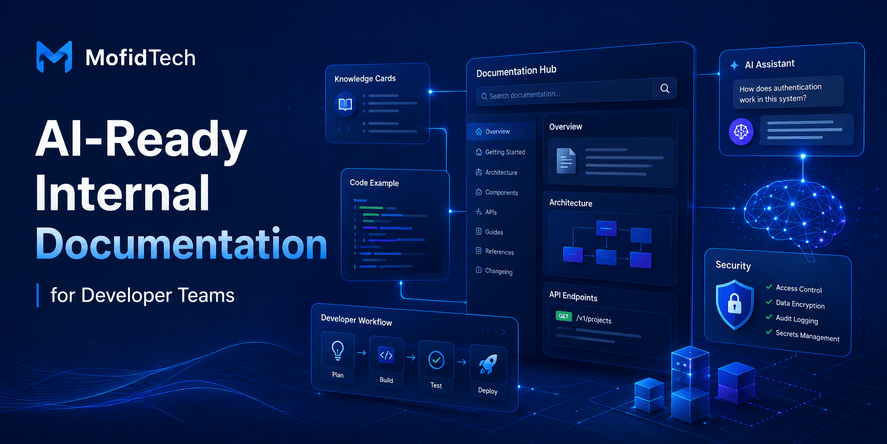
AI-ready documentation is not just normal documentation stored in a wiki. It is documentation written and organized so that developers, new team members, search tools, AI assistants, and AI coding agents can retrieve the right information quickly and safely.
For MofidTech readers, this topic is especially important because it connects software engineering, AI tools, developer productivity, security, architecture, DevOps, and knowledge management. Whether you are building a Django project, managing a cloud deployment, maintaining APIs, migrating databases, or working with AI coding tools, your internal documentation can become a serious advantage.
Table of Contents
- What Is AI-Ready Internal Documentation?
- Why Developer Teams Need AI-Ready Documentation
- Traditional Documentation vs AI-Ready Documentation
- Core Principles of AI-Ready Developer Documentation
- What Should Be Included in an AI-Ready Knowledge Base?
- How to Structure Documentation for AI Search
- Documentation Types Every Developer Team Should Maintain
- Security Risks of AI-Accessible Documentation
- How AI Coding Agents Use Internal Documentation
- Best Practices for Maintaining AI-Ready Documentation
- Common Mistakes to Avoid
- AI-Ready Documentation Checklist
- Real-World Use Cases
- Troubleshooting Poor Documentation Quality
- FAQ
- Conclusion
What Is AI-Ready Internal Documentation?
AI-ready internal documentation is structured, accurate, searchable, secure, and context-rich project knowledge that can be used effectively by both humans and AI tools.
It helps developers understand a system, but it also helps AI assistants answer questions, summarize workflows, explain architecture, detect inconsistencies, and support onboarding.
Traditional documentation often answers the question:
“What should a developer read?”
AI-ready documentation answers a broader question:
“What trusted knowledge should humans and AI tools use to understand this system correctly?”
That difference matters.
A normal internal wiki may contain useful information, but it is often messy. Some pages are outdated. Some decisions are hidden in meeting notes. Some deployment rules are stored in private messages. Some security warnings are known only by senior developers. Some troubleshooting steps exist only in someone’s memory.
AI-ready documentation tries to solve this by making important engineering knowledge explicit, organized, maintained, and safe to access.
Why Developer Teams Need AI-Ready Documentation
Developer teams need AI-ready documentation because AI tools are becoming part of daily engineering workflows. These tools need reliable context to provide useful answers.
A developer may ask an AI assistant:
- Why does this service exist?
- Which database table owns this business rule?
- What is the approved deployment workflow?
- Why was this architecture decision made?
- What security rules must be respected before changing this module?
- Which API behavior is expected by external clients?
- What should I check before modifying authentication logic?
If the documentation is incomplete or outdated, the answer may be wrong. Worse, the AI assistant may create a convincing explanation that sounds correct but does not reflect the real system.
AI-ready documentation helps teams reduce this risk.
It improves:
- Developer onboarding
- Code review quality
- Architecture consistency
- Incident response
- Security awareness
- Knowledge sharing
- AI assistant accuracy
- Team productivity
- Long-term maintainability
It also reduces repeated questions. When documentation is structured well, developers do not need to ask the same senior engineer the same question again and again.
Traditional Documentation vs AI-Ready Documentation
| Area | Traditional Documentation | AI-Ready Documentation |
|---|---|---|
| Main user | Human reader | Human reader and AI tool |
| Structure | Often page-based | Question-based, topic-based, and context-rich |
| Freshness | Updated irregularly | Reviewed and maintained intentionally |
| Search quality | Depends on keywords | Uses semantic clarity and direct answers |
| Security | Often broad access | Permission-aware and sensitive-content controlled |
| Ownership | Sometimes unclear | Each section has clear ownership |
| Usefulness for AI | Inconsistent | Designed for retrieval and summarization |
| Best format | Long pages only | Mix of explanations, FAQs, checklists, decisions, and glossaries |
The goal is not to replace human-readable documentation. The goal is to make documentation easier for both humans and AI systems to understand.
Good AI-ready documentation should still be readable, practical, and helpful for developers. It should not be written in a robotic style. It should be written clearly, with enough structure to support accurate retrieval.
Core Principles of AI-Ready Developer Documentation
1. Accuracy Comes Before Volume
Large documentation is not useful if it is wrong.
AI tools can amplify inaccurate documentation. If a page contains outdated deployment steps or old security rules, an AI assistant may repeat those mistakes confidently.
A smaller, accurate knowledge base is better than a large, outdated one.
Teams should prioritize correctness over quantity. Every important page should answer:
- Is this still true?
- Who owns this information?
- When was it last reviewed?
- Which system, service, or process does it apply to?
- What changed recently?
2. Documentation Must Be Structured Around Real Questions
Developers usually search documentation because they have a problem or decision to make.
AI-ready documentation should answer practical questions such as:
- How does authentication work in this project?
- What happens during deployment?
- Which data is sensitive?
- How should errors be handled?
- What should be checked before changing the database schema?
- What is the rollback strategy?
- How are permissions managed?
- Which services depend on this API?
Question-based sections make documentation easier for humans and AI systems to retrieve.
3. Context Matters More Than Isolated Instructions
AI tools need context. Developers need context too.
A documentation page should not only say what to do. It should also explain:
- Why the process exists
- When it applies
- What can go wrong
- Which risks are involved
- Who is responsible
- What should not be changed without review
- Which related pages should be read
This prevents blind execution and improves decision-making.
4. Documentation Should Be Safe to Retrieve
Not all internal documentation should be visible to every AI tool.
Some pages may contain:
- Credentials
- Infrastructure details
- Private endpoints
- Security weaknesses
- Customer data
- Internal business logic
- Incident reports
- Sensitive architecture decisions
AI-ready documentation requires access control. The right users and tools should access the right information, but sensitive data should not be exposed unnecessarily.
5. Each Important Page Needs Ownership
A page without an owner becomes outdated quickly.
Every important documentation area should have a clear owner, such as:
- Backend team
- DevOps team
- Security team
- Data team
- Product owner
- Technical lead
- Documentation maintainer
Ownership does not mean one person writes everything. It means someone is responsible for keeping the information trustworthy.
What Should Be Included in an AI-Ready Knowledge Base?
An AI-ready internal knowledge base should include the knowledge developers need to understand, modify, operate, and secure a system.
Architecture Overview
The architecture overview should explain how the system is organized.
It should include:
- Main applications and services
- Important modules
- External dependencies
- Data flow
- Authentication flow
- Deployment environment
- Background jobs or scheduled tasks
- Storage systems
- Third-party integrations
- High-risk areas
The goal is not to describe every technical detail. The goal is to help developers and AI assistants understand the system map.
Architecture Decision Records
Architecture decision records explain why important choices were made.
They are useful because software systems often contain decisions that look strange without historical context.
For example, a team may choose a specific database, deployment pattern, authentication flow, or integration method because of past constraints. Without documentation, a new developer or AI assistant may suggest reversing that decision without understanding the reason.
A strong architecture decision record should explain:
- The decision
- The problem it solved
- Alternatives considered
- Benefits
- Trade-offs
- Risks
- Current status
- When the decision should be reviewed again
Security Rules
Security documentation is one of the most important parts of an AI-ready knowledge base.
It should explain:
- Which data is sensitive
- Which actions require permission checks
- Which workflows need extra validation
- How authentication and authorization work
- How secrets are managed
- Which integrations are risky
- What developers must review before changing security-related areas
This is especially important when AI coding assistants are used. AI tools may suggest changes that look efficient but accidentally weaken security.
Deployment and Operations Knowledge
Deployment documentation should explain how software moves from development to production.
It should cover:
- Environments
- Release responsibilities
- Approval process
- Rollback logic
- Monitoring expectations
- Incident response ownership
- Known operational risks
- Post-deployment checks
This does not require exposing sensitive infrastructure details to every reader. Teams can separate general deployment knowledge from restricted operational secrets.
API and Integration Documentation
APIs often become difficult to maintain when behavior is undocumented.
AI-ready API documentation should explain:
- What each major API area does
- Who consumes the API
- Important business rules
- Authentication expectations
- Error behavior
- Versioning strategy
- Rate limits
- Data ownership
- Breaking-change risks
This helps developers avoid accidental changes that break clients.
Database and Data Knowledge
Database documentation should explain the meaning and ownership of important data, not only the table structure.
It should include:
- Main data entities
- Relationships
- Data ownership
- Sensitive fields
- Data quality rules
- Migration rules
- Retention expectations
- Common data problems
- Reporting dependencies
This is especially important for teams working with PostgreSQL, MySQL, analytics, data migration, or large institutional databases.
Troubleshooting Guides
Troubleshooting documentation should be written around symptoms.
Instead of only documenting systems, write pages that answer:
- Why is login failing?
- Why is deployment stuck?
- Why are emails not being sent?
- Why is the database connection failing?
- Why is the application slow?
- Why are background tasks not running?
- Why are images not loading?
- Why is a user receiving permission errors?
Symptom-based documentation is highly useful for AI search and human support.
Onboarding Guides
Onboarding documentation should help new developers become productive without asking dozens of repeated questions.
It should explain:
- Project purpose
- Main technologies
- Repository organization
- Local workflow expectations
- Team conventions
- Review process
- Communication rules
- Important documentation pages
- Common beginner mistakes
- Who to ask for what
AI-ready onboarding documentation also helps AI assistants answer beginner questions in a way that matches the team’s real workflow.
How to Structure Documentation for AI Search
AI search works best when information is clearly organized, specific, and semantically meaningful.
Use Direct Answers Near the Beginning
Each important page should start with a short direct answer.
For example:
“What is the purpose of this service?”
“This service manages user identity verification and password reset workflows for institutional accounts.”
This helps humans quickly understand the page. It also helps AI systems summarize the page accurately.
Use Question-Based Headings
Question-based headings match how developers search.
Useful examples include:
- What does this module do?
- When should this workflow be used?
- What should be checked before deployment?
- What can break if this API changes?
- Who owns this service?
- What are the security risks?
- How should errors be investigated?
- What should not be changed without review?
This structure is useful for People Also Ask, featured snippets, and internal AI search.
Add Glossaries for Important Terms
Every software team develops its own vocabulary.
A glossary helps both new developers and AI tools understand internal terms.
The glossary should define:
- Product terms
- Business rules
- Internal abbreviations
- System names
- Data entities
- Permission levels
- Workflow names
- Common error names
A glossary prevents confusion and improves retrieval accuracy.
Separate Current Knowledge from Historical Notes
One common documentation problem is mixing old and current information.
AI tools may not know which part is still valid.
Each page should make it clear whether information is:
- Current
- Deprecated
- Historical
- Experimental
- Under review
- Planned but not implemented
This reduces the risk of AI tools recommending outdated actions.
Link Related Pages Clearly
AI-ready documentation should behave like a connected knowledge graph.
Each important page should link to:
- Related architecture pages
- Security rules
- Troubleshooting guides
- API documentation
- Database documentation
- Deployment notes
- Decision records
- Ownership pages
Good internal linking improves both human navigation and AI retrieval.
Documentation Types Every Developer Team Should Maintain
System Overview Pages
These pages explain the system at a high level.
They should answer:
- What does the system do?
- Who uses it?
- What are the main components?
- What are the most important workflows?
- What are the major risks?
- Where should developers start?
Feature Documentation
Feature documentation explains how a specific feature works.
It should include:
- Purpose
- User flow
- Business rules
- Dependencies
- Known limitations
- Security concerns
- Testing expectations
- Ownership
Decision Records
Decision records explain why the team made specific technical choices.
They prevent future confusion and reduce repeated debates.
Runbooks
Runbooks explain how to respond to operational situations.
They should be clear, safe, and reviewed regularly.
Troubleshooting Pages
Troubleshooting pages help developers investigate problems using symptoms and likely causes.
Security Notes
Security notes explain what must be protected and which changes require extra review.
Data Documentation
Data documentation explains where important data comes from, how it is transformed, and how it should be interpreted.
Onboarding Guides
Onboarding guides help new developers understand the project, team workflow, and documentation structure.
Security Risks of AI-Accessible Documentation
AI-ready documentation must be secure. Making documentation easier for AI tools to retrieve can create new risks if access is not controlled.
Risk 1: Exposing Sensitive Information
Internal documentation may contain sensitive details such as credentials, private endpoints, security weaknesses, infrastructure names, customer information, or incident history.
This information should not be included in broadly accessible documentation.
A better approach is to separate documentation into access levels:
| Documentation Type | Access Level |
|---|---|
| General architecture overview | Broad internal access |
| Developer onboarding | Broad internal access |
| Security principles | Relevant engineering access |
| Secret management process | Restricted access |
| Incident reports | Restricted access |
| Infrastructure credentials | Should not be stored in documentation |
Risk 2: AI Tools Repeating Outdated Security Rules
If security documentation is outdated, AI assistants may recommend unsafe practices.
Security-related documentation should be reviewed more frequently than general documentation.
Risk 3: Over-Permissioned AI Assistants
Not every AI tool should access every internal page.
Teams should control:
- Which documents AI tools can index
- Which users can query sensitive documentation
- Which pages are excluded from AI retrieval
- Which security topics require human review
- Which AI outputs should be treated as suggestions, not authority
Risk 4: Hidden Prompt Injection in Documentation
If AI agents read internal documents, teams should be careful about untrusted content inside documentation sources.
Documentation should not include unreviewed external text that can instruct AI systems to ignore rules, leak data, or perform unsafe actions.
Risk 5: False Confidence
AI-generated answers can sound confident even when the documentation is incomplete.
Teams should teach developers that AI answers must be verified when they involve:
- Security
- Production deployment
- Database changes
- Authentication
- Payments
- User permissions
- Data deletion
- Legal or compliance requirements
How AI Coding Agents Use Internal Documentation
AI coding agents and assistants use documentation to understand context.
They may use it to:
- Explain how a project works
- Suggest changes
- Summarize architecture
- Identify relevant files or modules
- Generate review comments
- Help with onboarding
- Draft test plans
- Explain errors
- Suggest troubleshooting steps
- Compare implementation options
However, AI tools do not truly “understand” the project like a senior engineer. They infer meaning from available context.
That means documentation quality directly affects AI output quality.
Poor documentation can lead to:
- Wrong assumptions
- Unsafe recommendations
- Inconsistent terminology
- Incorrect architecture explanations
- Repeated outdated practices
- Confusion between old and new workflows
- Suggestions that break business rules
Strong documentation improves the quality of AI-assisted work.
Best Practices for Maintaining AI-Ready Documentation
Create a Documentation Ownership Model
Every important documentation area should have an owner.
Ownership can be assigned by:
- Product area
- System component
- Team
- Technical domain
- Security area
- Infrastructure area
The owner is responsible for keeping documentation accurate, not necessarily writing every word.
Review Documentation During Major Changes
Documentation should be updated when important changes happen.
Examples include:
- New feature release
- Authentication change
- Database migration
- API behavior change
- Deployment process change
- Infrastructure update
- Security policy update
- Incident resolution
- Architecture refactor
Documentation should not be treated as something separate from engineering work. It should be part of the change process.
Use Documentation Freshness Signals
Each page should include freshness indicators such as:
- Last reviewed date
- Owner
- Current status
- Related system
- Review frequency
- Deprecation warning if needed
This helps humans and AI systems understand whether the content is reliable.
Write for Retrieval, Not Just Reading
A developer may not read the entire documentation from start to finish. They may search for one specific answer.
Each section should be useful by itself.
Good documentation sections should:
- Start with a direct answer
- Define key terms
- Explain when the information applies
- Link to related pages
- Mention risks and exceptions
- Avoid vague language
Keep Sensitive Details Separate
Do not mix general documentation with secrets or restricted operational details.
A safe structure may include:
- Public internal documentation for general engineering knowledge
- Restricted documentation for sensitive security and infrastructure details
- Secret management systems for credentials
- Incident platforms for sensitive incident history
Build Documentation Into Team Culture
Documentation should not be an afterthought.
Teams can encourage documentation by:
- Including documentation updates in review checklists
- Asking for decision records during architecture changes
- Maintaining onboarding guides
- Reviewing stale pages regularly
- Rewarding clear explanations
- Treating documentation as engineering work
Common Mistakes to Avoid
Mistake 1: Writing Documentation Only for Experts
Many internal docs are written by people who already understand the system. As a result, they skip context.
AI-ready documentation should help someone who does not already know the system.
Mistake 2: Mixing Old and New Information
If a page contains old instructions and new instructions together, both humans and AI tools may become confused.
Clearly mark outdated content or remove it.
Mistake 3: Documenting Only the Happy Path
Real systems fail.
Documentation should include common problems, risks, edge cases, and troubleshooting logic.
Mistake 4: Storing Secrets in Documentation
Documentation is not a secret manager.
Avoid storing credentials, tokens, private keys, or sensitive infrastructure access details in documentation pages.
Mistake 5: Creating Too Many Pages Without Structure
A large documentation system without organization becomes a maze.
Use categories, ownership, tags, internal links, and clear naming.
Mistake 6: Letting AI Index Everything
AI tools should not automatically access every internal document.
Review which documentation is safe for AI retrieval.
Mistake 7: Ignoring Business Rules
Technical documentation should not only describe infrastructure. It should also explain business rules that affect software behavior.
Mistake 8: Not Updating Documentation After Incidents
Incidents often reveal missing knowledge.
After resolving an incident, update troubleshooting guides and runbooks so the same problem is easier to solve next time.
AI-Ready Documentation Checklist
Structure Checklist
| Question | Yes/No |
|---|---|
| Does each important page have a clear title? | |
| Does the page start with a direct answer or summary? | |
| Are headings written around real developer questions? | |
| Are important terms defined? | |
| Are related pages linked? | |
| Is outdated information removed or marked? | |
| Is the page easy to scan? | |
| Can a new developer understand the context? |
Accuracy Checklist
| Question | Yes/No |
|---|---|
| Is the page still current? | |
| Does it have an owner? | |
| Has it been reviewed recently? | |
| Does it match the actual system behavior? | |
| Are exceptions and limitations explained? | |
| Are business rules included? | |
| Are architecture decisions explained? |
Security Checklist
| Question | Yes/No |
|---|---|
| Does the page avoid secrets and credentials? | |
| Are sensitive details restricted? | |
| Are security risks clearly explained? | |
| Does the page mention required reviews for risky changes? | |
| Is AI access controlled? | |
| Are incident details handled carefully? | |
| Are permissions and data protection rules documented? |
AI Readiness Checklist
| Question | Yes/No |
|---|---|
| Can an AI assistant summarize the page accurately? | |
| Are key concepts written clearly? | |
| Are current and deprecated workflows separated? | |
| Are questions answered directly? | |
| Are vague terms avoided? | |
| Is the content specific to the project? | |
| Is there enough context to avoid wrong assumptions? |
Real-World Use Cases
Use Case 1: Faster Developer Onboarding
A new developer joins a team and needs to understand the system quickly.
With AI-ready documentation, the developer can ask questions such as:
- What does this service do?
- Which modules are risky to change?
- How does authentication work?
- What should I read first?
- What are the common beginner mistakes?
The AI assistant can provide useful answers because the knowledge base is structured and accurate.
Use Case 2: Safer AI Coding Assistance
A developer asks an AI coding assistant to help modify a feature.
If the assistant has access to clear documentation about business rules, security requirements, and architecture constraints, its suggestions are more likely to respect the project’s real design.
This reduces the risk of AI-generated changes that break hidden assumptions.
Use Case 3: Better Incident Response
During an incident, developers need quick answers.
AI-ready troubleshooting pages can help teams identify:
- Likely causes
- Affected systems
- Responsible owners
- Known recovery steps
- Related recent changes
- Escalation paths
This can reduce confusion during stressful situations.
Use Case 4: More Consistent Architecture Decisions
When decisions are documented, teams avoid repeating the same debates.
AI assistants can also summarize previous decisions and explain why the system works a certain way.
Use Case 5: Stronger Security Review
Security documentation helps developers understand which areas require extra caution.
For example:
- Authentication changes
- Permission checks
- User data handling
- External integrations
- Production deployment
- Secret management
- Database changes
AI-ready documentation makes these risks visible before changes are made.
Troubleshooting Poor Documentation Quality
Problem: Developers Still Ask the Same Questions
This usually means the documentation is hard to find, hard to understand, or incomplete.
Possible fixes:
- Add question-based headings
- Improve internal search titles
- Create FAQ sections
- Link related pages
- Add onboarding paths
- Make ownership clear
Problem: AI Assistants Give Wrong Answers
This often means the AI tool is retrieving outdated, incomplete, or conflicting documentation.
Possible fixes:
- Remove deprecated pages
- Mark old workflows clearly
- Add direct summaries
- Improve terminology consistency
- Restrict low-quality sources
- Review high-risk documentation
Problem: Documentation Exists but Nobody Uses It
This usually means documentation is not integrated into daily workflows.
Possible fixes:
- Link docs from project management tasks
- Include docs in onboarding
- Add documentation review to engineering changes
- Use docs during code review
- Make docs easier to scan
- Create short summaries for long pages
Problem: Documentation Is Too Long
Long documentation is not always bad, but unstructured long documentation is hard to use.
Possible fixes:
- Add a summary at the top
- Use a table of contents
- Break pages into clear sections
- Add checklists
- Use tables for comparisons
- Move historical notes to separate sections
Problem: Documentation Becomes Outdated Quickly
This usually means nobody owns it.
Possible fixes:
- Assign owners
- Add review dates
- Review docs after major changes
- Archive outdated pages
- Add documentation updates to release workflows
Best Practices for AI-Ready Internal Documentation
Start With the Most Valuable Areas
Do not try to document everything at once.
Start with areas where poor documentation creates the most pain:
- Onboarding
- Deployment
- Authentication
- Database changes
- API behavior
- Security rules
- Incident response
- Architecture decisions
- Troubleshooting
Use Clear and Consistent Language
AI tools work better when terminology is consistent.
Avoid using three names for the same system, module, or workflow.
Create a glossary when needed.
Write Pages That Answer One Main Question
A page should have a clear purpose.
Instead of creating one huge page called “Backend Notes,” create focused pages such as:
- How authentication works
- How user permissions are checked
- How deployment is approved
- How database migrations are reviewed
- How external integrations are monitored
Include Risks and Exceptions
Good documentation does not only describe the ideal workflow.
It explains:
- What can go wrong
- When not to use a process
- What requires review
- What exceptions exist
- What assumptions are important
Keep Documentation Close to Engineering Work
Documentation should be updated when the system changes.
If documentation is separated from engineering workflows, it becomes outdated.
Review AI Outputs Against Source Documentation
AI answers should not become the source of truth. The documentation should remain the source of truth.
Developers should verify AI-generated explanations when working on sensitive or production-critical areas.
Comparison: Poor Documentation vs AI-Ready Documentation
| Poor Documentation | AI-Ready Documentation |
|---|---|
| Scattered across chats and old notes | Organized in a clear knowledge base |
| No owner | Clear ownership |
| Outdated instructions mixed with current ones | Current, deprecated, and historical content separated |
| Written only for experts | Understandable for new developers |
| Hard to search | Structured around real questions |
| Contains sensitive details in broad-access pages | Uses access control and safe content separation |
| No troubleshooting logic | Includes symptom-based troubleshooting |
| AI tools produce unreliable answers | AI tools retrieve cleaner context |
Practical Framework: The AI-Ready Documentation Model
Developer teams can use a simple model with five layers.
Layer 1: System Understanding
This layer explains what the system does and how it is organized.
It includes architecture overviews, service maps, ownership, and high-level workflows.
Layer 2: Developer Workflows
This layer explains how developers work safely.
It includes onboarding, review expectations, deployment process, testing expectations, and team conventions.
Layer 3: Business and Data Rules
This layer explains the rules behind the software.
It includes data definitions, permission logic, user flows, validation rules, and important business constraints.
Layer 4: Operations and Troubleshooting
This layer explains how the system behaves in production.
It includes monitoring, common failures, incident response, rollback expectations, and runbooks.
Layer 5: Security and Governance
This layer explains what must be protected.
It includes access control, sensitive data handling, AI tool permissions, secret management principles, and security review requirements.
Together, these five layers create documentation that is useful for humans and safer for AI systems.
FAQ
1. What is AI-ready internal documentation?
AI-ready internal documentation is project knowledge organized so both humans and AI tools can understand and retrieve it accurately. It is structured, current, searchable, secure, and written with enough context to prevent wrong assumptions.
2. Why is AI-ready documentation important for developer teams?
It helps developers work faster and helps AI assistants provide better answers. It also reduces repeated questions, improves onboarding, supports safer code changes, and protects important engineering knowledge from being lost.
3. Can AI coding agents use normal documentation?
Yes, but normal documentation may not be enough. If it is outdated, vague, scattered, or missing context, AI coding agents may generate incorrect or unsafe suggestions. AI-ready documentation improves the quality of AI assistance.
4. What should an AI-ready knowledge base include?
It should include architecture overviews, decision records, onboarding guides, security rules, deployment knowledge, API behavior, database documentation, troubleshooting guides, ownership details, and important business rules.
5. How do you make documentation easier for AI search?
Use clear titles, question-based headings, direct summaries, consistent terminology, glossaries, internal links, status labels, and structured sections. Avoid mixing outdated and current information.
6. Should AI tools access all internal documentation?
No. AI tools should only access documentation that is appropriate for their purpose and permission level. Sensitive information, secrets, private infrastructure details, and restricted incident reports should be protected.
7. How often should internal documentation be reviewed?
Important documentation should be reviewed whenever major changes happen. Security, deployment, and incident response documentation should be reviewed more frequently than general explanatory pages.
8. Who should own developer documentation?
Ownership can belong to teams, technical leads, product owners, security teams, DevOps teams, or domain experts. The key is that every important area should have someone responsible for keeping it accurate.
9. What is the biggest mistake teams make with documentation?
The biggest mistake is treating documentation as a one-time task. Documentation must evolve with the system. If it is not maintained, it becomes technical debt.
10. How does AI-ready documentation improve onboarding?
It gives new developers a clear path to understand the project. AI assistants can also use the documentation to answer beginner questions in a way that matches the real system and team workflow.
11. Is AI-ready documentation only useful for large companies?
No. Small teams benefit too. In small teams, documentation reduces dependency on one or two experienced developers. It also helps when hiring, scaling, or using AI tools.
12. Can AI-ready documentation improve security?
Yes. It can make security rules easier to find, reduce unsafe changes, explain sensitive workflows, and help developers understand which areas require extra review. However, documentation itself must also be protected.
Conclusion
AI-ready internal documentation is becoming a core part of modern software engineering.
As AI coding assistants and AI search tools become more common, teams need more than scattered notes and outdated wiki pages. They need trusted, structured, secure, and maintainable knowledge that helps both humans and AI systems understand how software really works.
The goal is not to write documentation for robots. The goal is to write better documentation for people, while making it structured enough for AI tools to retrieve and summarize accurately.
A strong AI-ready documentation strategy helps teams:
- Onboard developers faster
- Reduce repeated questions
- Improve code review quality
- Make safer architecture decisions
- Prevent knowledge loss
- Support AI coding tools responsibly
- Improve incident response
- Protect sensitive engineering knowledge
- Build more maintainable software systems
For developer teams, documentation is no longer just a support activity. It is part of the engineering system itself.
The teams that prepare their documentation for AI will get more value from AI tools. The teams that ignore documentation quality will struggle with unreliable suggestions, repeated mistakes, and hidden technical debt.
AI-ready documentation is not only about productivity. It is about building software teams that can learn, scale, and make better decisions.










💬 Comments
No comments yet. Be the first to comment!
Login to comment.