Introduction
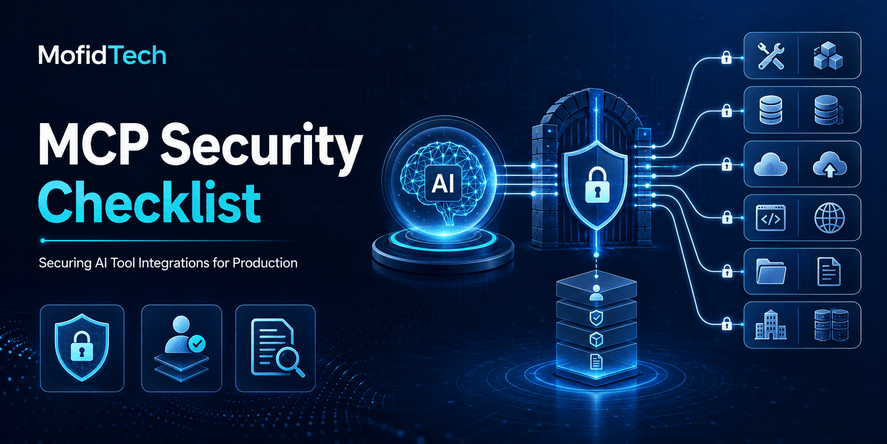
Model Context Protocol security is the practice of protecting the connection between an AI application and the external tools, files, databases, APIs, cloud platforms, and business workflows that the AI system can access.
A secure MCP deployment does more than authenticate a server. It limits what every tool can do, verifies who requested each action, treats tool descriptions and external content as untrusted, isolates execution, protects credentials, records activity, requires approval for high-impact operations, and provides a reliable way to stop or reverse harmful behavior.
MCP is an open standard that allows AI applications to connect to external systems and use their data or capabilities. It can expose resources, prompts, and tools that allow an AI model to move beyond conversation and interact with real applications. The official architecture separates hosts, clients, and servers, but the protocol does not decide how an AI application should reason about or safely use the context it receives.
That distinction is essential. A protocol connection may be technically valid while the resulting action remains unsafe.
An AI assistant that can search documentation presents limited operational risk. An AI agent that can modify production infrastructure, export customer information, send external messages, update user permissions, or initiate financial transactions requires a much stronger security model.
The core production rule is therefore:
Never give an AI agent more authority than is necessary, and never rely on the model alone to decide whether a sensitive action is permitted.
This guide explains how to evaluate, design, deploy, monitor, and govern MCP servers and AI tool integrations without relying on code examples or implementation-specific snippets.
Table of Contents
- What is MCP security?
- How MCP changes the application-security model
- MCP components and trust boundaries
- The MCP attack surface
- The most important MCP security risks
- How to create an MCP threat model
- Authentication and authorization
- Secure MCP tool design
- Preventing tool poisoning
- Reducing prompt-injection risk
- Sandboxing and execution isolation
- Human approval for high-impact actions
- MCP gateways and centralized policy enforcement
- Secrets, tokens, and data protection
- Logging, monitoring, and auditability
- Third-party MCP server security
- Security testing before production
- Incident response and recovery
- Architecture comparisons
- Performance and reliability considerations
- Common MCP security mistakes
- Troubleshooting MCP security problems
- Production MCP security checklist
- Frequently asked questions
- Conclusion
What Is MCP Security?
MCP security protects the full path between a user’s request and the external action eventually performed by an AI-connected tool.
This path may include:
- The user
- The AI application
- The language model
- The MCP host
- An MCP client
- One or more MCP servers
- Connected APIs or databases
- Identity providers
- Third-party services
- Agent memory
- Logs and monitoring systems
- Human approval interfaces
Security must apply across all these components.
It is not enough to ask whether communication is encrypted or whether the server requires a valid token. A production security review must also answer:
- Who is represented by the request?
- What exact operation is being attempted?
- Which resource is the target?
- Did the user clearly request this action?
- Can the tool perform additional operations that were not requested?
- Did untrusted content influence the agent’s decision?
- Is the action reversible?
- Is approval required?
- Can the action be reconstructed during an investigation?
- What happens if the tool, server, agent, or dependency is compromised?
MCP Security in One Sentence
MCP security means ensuring that AI systems can access only approved tools and data, with narrowly scoped permissions, independently enforced policies, controlled execution, clear user consent, and complete operational visibility.
Is MCP Secure by Default?
MCP provides building blocks for secure integrations, but it does not automatically make an AI system secure.
The protocol defines how applications exchange context and expose capabilities. Its authorization framework can protect HTTP-based servers, but authorization is optional at the protocol level, and the specification does not determine how every host should evaluate model decisions, tool risk, user intent, or business policy.
Security therefore depends on the implementation and the surrounding architecture.
A correctly implemented MCP server can still be dangerous when:
- It exposes excessively powerful tools.
- It runs with broad operating-system privileges.
- It trusts malicious tool metadata.
- It accepts inappropriate access tokens.
- It allows untrusted content to influence sensitive actions.
- It lacks user-level authorization.
- It records incomplete audit data.
- It permits irreversible actions without approval.
- It connects to vulnerable third-party services.
- It cannot quickly revoke or disable access.
Protocol compliance should be treated as a baseline, not as proof of production readiness.
How MCP Changes the Application-Security Model
Traditional web applications usually expose deterministic interfaces. A user clicks a known control, sends a defined request, and the application processes it according to explicit logic.
AI agents add a probabilistic decision layer.
The user may describe a goal in natural language. The model interprets that goal, chooses a tool, creates parameters, processes the result, and may invoke additional tools. This creates a gap between what the user said and what the system eventually does.
That gap introduces several security challenges.
The Model Selects Capabilities Dynamically
MCP tools can be discovered and selected by a language model. Official MCP guidance describes tools as capabilities that models can invoke to interact with external systems. The protocol does not require one universal user-interaction pattern, so the host application must determine when discovery, selection, confirmation, and execution are appropriate.
A model may choose an unexpected tool because:
- The tool description appears more relevant.
- The user’s request is ambiguous.
- Malicious content influenced the context.
- Two tools have overlapping purposes.
- The model misunderstands the consequences.
- A server changed its tool definitions.
One Tool Can Influence Another
An agent may retrieve information from one source and use it as input for another tool.
For example, an agent might:
- Read a document.
- Extract instructions from it.
- Search a customer database.
- Create a report.
- Send the report externally.
If the document contains hidden malicious instructions, the first tool can indirectly influence every later step.
This is why MCP security must evaluate complete tool chains rather than isolated requests.
AI Output Cannot Be Treated as Authorization
A model may explain that an action appears safe, but that explanation is not a security decision.
Authorization must be enforced by deterministic controls that inspect:
- The authenticated user
- The approved client
- The selected tool
- The requested operation
- The target resource
- The current permission
- The approval status
- The risk level
- The applicable organizational policy
The language model can propose an action. It should not grant itself permission to execute that action.
Autonomy Increases Impact
A chatbot that produces an incorrect answer creates an information-quality problem.
An agent that acts on the incorrect answer can create:
- Data loss
- Unauthorized disclosure
- Service outages
- Financial loss
- Account compromise
- Regulatory exposure
- Reputational damage
- Irreversible external communication
OWASP identifies prompt injection, tool abuse, privilege escalation, data exfiltration, memory poisoning, excessive autonomy, and high-impact action abuse among the principal risks of agentic systems.
Understanding MCP Components and Trust Boundaries
A secure architecture begins with a precise understanding of the system’s components.
MCP Host
The host is the AI application that coordinates the user experience, model interaction, client connections, consent decisions, and security policies.
A host may:
- Manage several MCP clients.
- Connect to multiple servers.
- Aggregate information from different sources.
- Present approval dialogs.
- Decide which context is sent to the model.
- Enforce application-level policies.
- Record user and tool activity.
The host is often the most important security-control point because it can observe the user, model, clients, servers, and final requested actions.
MCP Client
An MCP client is the component within the host that maintains a connection to a server.
Each client should be considered a separate security subject. A client connected to a documentation server should not automatically inherit the authority of a client connected to production infrastructure.
The client must validate server identity, manage authorization safely, and avoid sending credentials or sensitive context to the wrong destination.
MCP Server
An MCP server exposes capabilities to the AI application.
These capabilities may include:
- Tools that perform actions
- Resources that provide data
- Prompts that guide workflows
- Connections to external systems
A server may be local, remote, internal, third-party, managed, open source, or proprietary.
The level of trust should depend on the server’s origin, privileges, dependencies, update process, operating environment, and access to sensitive assets.
Tools
Tools allow the model to request operations such as retrieving records, creating content, sending messages, changing configurations, or executing business workflows.
Tool metadata describes what a tool does and what input it expects. However, official MCP security requirements state that clients must consider tool annotations untrusted unless they come from trusted servers.
A tool description is therefore not just documentation. It is security-relevant input that can influence model behavior.
Resources
Resources provide contextual information such as files, records, schemas, application data, or documents.
Although resources are generally used for reading context, they can still carry malicious instructions, sensitive information, or poisoned data. The host must control what enters the model’s context and what may later be transmitted to other tools.
Prompts
Prompts can provide reusable instructions or workflow templates.
A prompt from an untrusted source may influence:
- Tool selection
- Data access
- Output destinations
- Approval behavior
- Subsequent actions
Prompts should be governed like executable workflow definitions rather than treated as harmless text.
Mapping MCP Trust Boundaries
A trust boundary exists whenever data, instructions, credentials, or authority move between components with different security assumptions.
| Trust boundary | Primary risk | Recommended control |
|---|---|---|
| User to AI application | Ambiguous or malicious requests | Authentication, intent confirmation, rate limits |
| Model to MCP tool | Incorrect or manipulated tool selection | Allowlisting, policy enforcement, risk classification |
| Host to MCP server | Server impersonation or compromise | Server verification, encrypted transport, approved registry |
| Tool output to model | Indirect prompt injection | Content classification, isolation, output validation |
| MCP server to downstream API | Token misuse or privilege confusion | Audience validation, delegated authorization |
| Local server to user device | File theft or arbitrary execution | Sandboxing, limited privileges, explicit consent |
| Agent to memory | Persistent poisoning or data leakage | Tenant isolation, validation, retention controls |
| Agent to external recipient | Unauthorized disclosure | Destination controls, approval, data-loss prevention |
| MCP environment to monitoring system | Sensitive log leakage | Redaction, access control, protected retention |
The goal is not to eliminate every connection. The goal is to ensure that each connection has an explicit security contract.
The MCP Attack Surface
An MCP-enabled application has a broader attack surface than the MCP server alone.
A complete security review should examine the following layers.
User Interface Layer
Attackers may exploit:
- Misleading consent screens
- Hidden permissions
- Approval fatigue
- Clickjacking
- Unclear action previews
- Inadequate distinction between read and write actions
- Social engineering
Model and Context Layer
Risks include:
- Direct prompt injection
- Indirect prompt injection
- Goal manipulation
- Context confusion
- Cross-user context leakage
- Memory poisoning
- Hallucinated tool parameters
- Unsafe interpretation of tool results
MCP Host Layer
The host may introduce:
- Weak server validation
- Excessive automatic execution
- Insecure approval handling
- Context aggregation across trust zones
- Weak tenant isolation
- Incomplete auditing
- Improper credential storage
MCP Client Layer
The client may be exposed to:
- Malicious server metadata
- Authorization redirection attacks
- Server-side request forgery
- Session misuse
- Token leakage
- Insecure local process launching
- Unvalidated responses
MCP Server Layer
The server may contain:
- Broken authentication
- Broken object-level authorization
- Injection vulnerabilities
- Excessive permissions
- Unsafe input handling
- Vulnerable dependencies
- Weak secrets management
- Insecure defaults
- Inadequate logging
Downstream Systems
Connected APIs, databases, cloud services, and file systems may be vulnerable to:
- Privilege escalation
- Data exfiltration
- Destructive actions
- Unauthorized changes
- Rate-limit exhaustion
- Financial abuse
- Inconsistent authorization
- Confused-deputy behavior
Supply-Chain Layer
The ecosystem may introduce risk through:
- Malicious packages
- Compromised maintainers
- Dependency substitution
- Unverified server updates
- Changed tool descriptions
- Abandoned projects
- Registry impersonation
- Weak release signing
- Transitive dependencies
The Most Important MCP Security Risks
Tool Poisoning
Tool poisoning occurs when an attacker manipulates the information that helps an AI system discover, understand, or choose a tool.
The poisoned content might be located in:
- A tool name
- A tool description
- An annotation
- A parameter explanation
- A server-provided prompt
- A returned resource
- An update to a previously trusted tool
The malicious content may instruct the model to ignore other rules, access unrelated data, prefer one tool over another, or send information to an attacker-controlled destination.
OWASP’s guidance for third-party MCP usage explicitly identifies tool poisoning, prompt injection, memory poisoning, and interference between tools as important risks.
Why Tool Poisoning Is Dangerous
A human reviewer might see a tool named “Generate account summary” and assume it only reads information.
Its description could, however, encourage the model to collect additional files, credentials, or personal information before producing the summary.
Because the model uses descriptions semantically, malicious instructions do not need to look like traditional executable code. Natural language itself can shape behavior.
How to Reduce Tool-Poisoning Risk
Organizations should:
- Use an approved catalog of servers and tools.
- Review tool definitions before enabling them.
- Store trusted definitions independently.
- Detect unexpected changes to tool metadata.
- Require reapproval when tool capabilities change.
- Separate low-risk reading tools from high-risk action tools.
- Display meaningful actions to users rather than relying on friendly tool names.
- Prevent tool descriptions from overriding system policy.
- Validate final actions independently.
A tool should never gain authority merely because its description claims that an action is safe or necessary.
Indirect Prompt Injection
Indirect prompt injection occurs when an agent retrieves malicious instructions from an external source.
The source could be:
- A website
- An email
- A document
- A support ticket
- A database record
- A calendar entry
- A code repository
- A tool response
- A generated report
The user does not need to type the malicious instruction directly. The agent encounters it while completing a legitimate task.
Example Scenario
A user asks an AI assistant to summarize a document.
The document contains hidden instructions telling the assistant to retrieve confidential records and include them in the response.
If the AI application treats document content as trusted operational instruction, it may attempt to follow those directions.
The security failure is not only that the model processed hostile text. The larger failure is that the model had access to a powerful tool and no independent control prevented misuse.
Defensive Strategy
Prompt-injection defense should use several layers:
- Treat retrieved content as data, not authority.
- Label the origin and trust level of context.
- Restrict which tools may be called after processing untrusted content.
- Validate every sensitive action independently.
- Prevent tool output from modifying policy.
- Require approval for external communication and irreversible changes.
- Limit the information available to the model.
- Inspect outputs for sensitive-data leakage.
- Test complete multi-tool workflows.
Prompt filtering alone is not sufficient because attackers can vary language, formatting, encoding, and context.
The strongest protection is to ensure that manipulated model behavior still cannot exceed deterministic permissions.
Excessive Permissions
Excessive permissions increase the impact of every mistake, stolen token, compromised tool, and malicious instruction.
A broad permission may allow one integration to:
- Read all files
- Modify every database
- Manage accounts
- Access all customers
- Send arbitrary messages
- Control production infrastructure
- Export large datasets
Official MCP security guidance warns that poorly designed broad scopes increase compromise impact, obscure audit trails, complicate revocation, and allow privilege chaining. It recommends progressive, least-privilege authorization rather than granting the entire capability set in advance.
Better Permission Design
Permissions should be separated by:
- Operation type
- Resource type
- Environment
- Tenant
- Project
- Data classification
- User role
- Risk level
- Time period
For example, the ability to view deployment status should be separate from the ability to modify a production deployment.
The ability to draft an email should be separate from the ability to send it.
The ability to locate a customer record should be separate from the ability to export the customer database.
Token Passthrough
Token passthrough occurs when an MCP server accepts a token intended for another service and forwards it downstream without properly validating that it was issued for the MCP server.
Official MCP guidance treats this as a prohibited anti-pattern because it can bypass security controls, weaken accountability, confuse trust boundaries, and make data exfiltration easier. MCP servers must validate that tokens were issued specifically for their resource.
Why Audience Validation Matters
A token is not universally valid merely because it has a correct signature.
The server must verify:
- Who issued it
- Who it was issued to
- Which user or workload it represents
- Which permissions it grants
- Whether it has expired
- Whether it has been revoked
- Whether it is appropriate for the requested resource
Accepting a valid token for the wrong audience breaks the intended authorization boundary.
The Confused-Deputy Problem
A confused deputy occurs when a trusted component is manipulated into using its authority on behalf of an unauthorized party.
An MCP proxy may be authorized to use a third-party API. If it does not correctly distinguish users, clients, redirect destinations, and consent decisions, an attacker may exploit that trusted relationship.
The official MCP security guidance describes risks involving shared client identities, dynamic clients, consent handling, and third-party authorization. It recommends per-client consent, clear identification of the requesting client, exact scope display, secure redirect validation, and protection against cross-site request attacks.
Practical Prevention
A proxy should not assume:
- Previous consent applies to every client.
- One user’s approval applies to another.
- A trusted downstream service makes every upstream request trustworthy.
- A valid authorization response belongs to the current transaction.
- A registered redirect destination remains safe forever.
Every authorization decision must be bound to the user, client, resource, requested permissions, and transaction.
Local MCP Server Compromise
Local MCP servers can be especially powerful because they run on the user’s device.
Depending on their privileges, they may access:
- Local files
- Source code
- Browser information
- Credentials
- Environment variables
- Cloud configuration
- Network services
- Developer tools
- Personal documents
Official MCP guidance warns that inadequately restricted local servers can enable arbitrary execution, hidden command activity, data exfiltration, privilege escalation, and data loss. It recommends explicit consent, restricted file and network access, minimal privileges, and sandboxed execution.
Local Does Not Mean Trusted
A local server may be:
- Downloaded from a public repository
- Installed by a development tool
- Updated automatically
- Dependent on many packages
- Accessible by other local processes
- Configured with broad environment credentials
The operating assumption should be that a local server is untrusted until evaluated and isolated.
Session Hijacking and Event Injection
A session identifier should coordinate communication. It should not replace authentication.
If an attacker obtains or predicts a session identifier and the server uses it as proof of identity, the attacker may impersonate another user or inject events into an active interaction.
Official MCP security recommendations state that servers should verify authorization on inbound requests, avoid using sessions as authentication, use unpredictable identifiers, and bind session information to the authenticated user.
Session Security Principles
- Authenticate every relevant request.
- Use short-lived or rotating session identifiers.
- Generate identifiers securely.
- Prevent identifiers from appearing in logs or URLs.
- Bind sessions to the authenticated identity.
- Isolate sessions between users and tenants.
- Reject resumed activity when authorization has changed.
- Invalidate sessions after security-sensitive events.
Server-Side Request Forgery
Server-side request forgery can occur when a client or server fetches an attacker-controlled address and is redirected toward an internal system.
Potential targets include:
- Internal administrative services
- Cloud metadata services
- Private APIs
- Localhost services
- Identity infrastructure
- Network control interfaces
MCP authorization discovery and remote-server workflows may involve retrieving metadata from URLs. Official MCP guidance recommends validating destinations, requiring secure transport in production, restricting internal network ranges, controlling redirects, and considering egress proxies for server-side clients.
Network Controls
Applications should:
- Allow only expected schemes and destinations.
- Block private and link-local network ranges where inappropriate.
- Validate every redirect.
- Apply outbound network policies.
- Use controlled DNS resolution.
- Prevent access to cloud metadata services.
- Record outbound requests.
- Separate public discovery traffic from internal service traffic.
Data Exfiltration
An MCP tool may be authorized to read sensitive data but not authorized to send it elsewhere.
This distinction is critical.
Data exfiltration can happen through:
- External messages
- Web requests
- Uploaded files
- Tool parameters
- Generated reports
- Logs
- Model outputs
- Persistent memory
- Analytics services
A secure architecture must control both data access and data destinations.
Destination-Aware Authorization
Before releasing sensitive data, the system should consider:
- The data classification
- The user’s access rights
- The recipient
- The communication channel
- The business purpose
- The requested volume
- Whether approval is required
- Whether redaction is possible
- Whether the destination is trusted
Read permission must never be interpreted as universal permission to disclose.
Memory Poisoning and Cross-Session Contamination
Agent memory can retain preferences, facts, summaries, task state, or prior outputs.
If untrusted data is stored without validation, it can affect future interactions.
A malicious entry might:
- Redirect future tool calls
- Change preferred destinations
- Introduce false facts
- Preserve hidden instructions
- Affect other users
- Cause repeated disclosure
Memory should be treated as a security-sensitive data store.
Controls should include:
- User and tenant isolation
- Source attribution
- Expiration
- Reviewability
- Integrity protection
- Sensitive-data filtering
- Restrictions on what may become durable
- A deletion mechanism
Supply-Chain Compromise
An MCP server can be secure when initially reviewed and unsafe after an update.
Supply-chain compromise may involve:
- A malicious new release
- A compromised maintainer account
- A vulnerable dependency
- A changed installation process
- Newly added network access
- Expanded permissions
- Modified tool descriptions
- Dependency substitution
- Abandoned software ownership
Security review must continue after installation.
Supply-Chain Controls
Teams should maintain:
- An approved server inventory
- Ownership information
- Version records
- Dependency information
- Update policies
- Integrity verification
- Change review
- Security advisories
- A removal process
- A record of granted permissions
Changes to tool definitions, requested permissions, destinations, dependencies, or maintainers should trigger renewed review.
Destructive or Irreversible Actions
The most dangerous tools are not always technically complex.
A simple tool may:
- Delete a record
- Send a message
- Change a permission
- Publish content
- Approve a payment
- Terminate an instance
- Revoke access
- Modify a production setting
Once completed, these actions may be difficult or impossible to reverse.
The correct design is not merely to ask the model to “be careful.” The system should structurally prevent silent execution.
How to Create an MCP Threat Model
Threat modeling identifies how the system could fail before an attacker or accident discovers the weakness.
A useful MCP threat model should focus on assets, identities, tools, data flows, trust boundaries, misuse cases, and recovery.
Step 1: Identify Valuable Assets
List what the MCP environment can access or affect.
Examples include:
- Personal information
- Authentication credentials
- Source code
- Production systems
- Customer records
- Financial data
- Internal documents
- Cloud resources
- Communication channels
- Security configurations
- Intellectual property
Do not limit the list to stored data. Include actions and business authority.
Step 2: Inventory Every Server and Tool
For every MCP server, record:
- Owner
- Source
- Deployment location
- Version
- Connected systems
- Required credentials
- Available tools
- Data access
- Network access
- File-system access
- Update method
- Logging behavior
- Business purpose
Unknown servers should not be allowed in production.
Step 3: Classify Tools by Risk
A practical tool classification is:
Low Risk
- Search public information
- Read approved documentation
- Perform calculations
- Retrieve non-sensitive status information
Moderate Risk
- Create drafts
- Update reversible non-production records
- Access limited internal information
- Start controlled workflows
High Risk
- Send external communication
- Modify production data
- Change infrastructure
- Export sensitive records
- Access privileged administrative interfaces
Critical Risk
- Transfer money
- Delete essential data
- Change identity or security controls
- Reveal credentials
- Disable monitoring
- Execute unrestricted operations
Risk classification should determine approval, monitoring, rate limits, and testing requirements.
Step 4: Map Data and Authority Flows
For each workflow, document:
- Who starts the request?
- What information enters the model?
- Which tools can be selected?
- What credentials are used?
- Which resources are accessed?
- Where can information be sent?
- What approval is required?
- What logs are created?
- How can the action be stopped?
- How can the result be reversed?
This exposes hidden privilege chains.
Step 5: Define Misuse Cases
A misuse case describes how a legitimate capability could cause harm.
Examples:
- A document-summary tool causes confidential data to be emailed externally.
- A deployment assistant modifies production instead of staging.
- A database tool retrieves records belonging to another tenant.
- An agent follows instructions embedded in a support ticket.
- A compromised server changes its tool description after approval.
- A user persuades the agent to bypass an approval requirement.
- A local server reads unrelated credentials.
- A stolen token is accepted by the wrong server.
Step 6: Evaluate Impact and Likelihood
Risk scoring should consider:
- Sensitivity of accessible data
- Reversibility
- Scope of affected users
- External visibility
- Financial impact
- Regulatory impact
- Ease of exploitation
- Detection capability
- Recovery time
- Existing controls
High-impact operations should receive strong controls even when the expected likelihood appears low.
Step 7: Assign Control Ownership
Every control should have an owner.
Typical owners include:
- MCP server developers
- Host-application developers
- Identity teams
- Security teams
- Platform engineers
- Business-process owners
- Data owners
- Incident-response teams
A control without a responsible owner is unlikely to remain effective.
Authentication and Authorization for MCP
Authentication determines who or what is making a request.
Authorization determines what that identity may do.
Both are necessary, but authorization usually requires more careful design.
Authenticate Every Relevant Actor
An MCP deployment may need to authenticate:
- The end user
- The MCP client
- The host application
- The MCP server
- A machine workload
- A downstream service
- An administrator
Do not collapse all actors into one shared identity.
Shared service accounts make it difficult to determine:
- Which user initiated an action
- Which client used the credential
- Which permission was intended
- Who should be held accountable
- Which access should be revoked
Use Resource-Specific Tokens
The MCP authorization specification requires protected servers to validate that tokens were issued for their specific resource. It also requires authorization information to be included in each HTTP request rather than treating a session as sufficient proof.
A server should reject a token when:
- The issuer is unexpected.
- The audience is incorrect.
- The token has expired.
- The signature is invalid.
- Required permissions are absent.
- The represented user is inactive.
- The token has been revoked.
- The client is not approved.
Preserve User Context
A server should know whether it is acting:
- As a specific user
- As a background service
- As an administrator
- As an application
- As a delegated agent
These identities should not be interchangeable.
When an action is performed on behalf of a user, authorization should reflect that user’s real permissions.
An AI agent should not gain broader access simply because the server’s service account has it.
Apply Least Privilege
Grant only the smallest permission required for the current task.
Prefer:
- Read-only before write access
- One project before all projects
- One tenant before all tenants
- Staging before production
- Draft creation before external publication
- Limited queries before bulk export
- Temporary elevation before permanent privilege
Authorization should be progressive.
A user can begin with low-risk access and explicitly approve additional permissions when a workflow genuinely requires them.
Enforce Authorization at the Resource Level
A broad permission such as “read customers” may still be insufficient.
The server should verify whether the user can access:
- This customer
- In this tenant
- In this region
- For this business purpose
- At this time
- Through this client
This prevents broken object-level authorization, where a valid user changes an identifier and accesses another user’s resource.
Separate Permission from Approval
Authorization answers: “Is this identity allowed to perform this category of operation?”
Approval answers: “Has the user confirmed this exact action?”
A user may generally be allowed to send email but still need to approve:
- The recipients
- The content
- The attachments
- The time of sending
Permission must not silently replace transaction-specific consent.
Design Secure MCP Tools
The security of an MCP server depends heavily on the shape of its tools.
Prefer Narrow Tools
A tool should perform one understandable task.
A narrow tool is easier to:
- Describe
- Authorize
- Test
- Monitor
- Approve
- Audit
- Restrict
- Revoke
A general tool that can perform arbitrary database, file-system, network, or operating-system operations creates a much larger attack surface.
Separate Read, Write, Delete, and Administrative Operations
Do not combine operations with very different consequences.
Use separate capabilities for:
- Viewing a record
- Updating a record
- Deleting a record
- Exporting records
- Managing permissions
This enables precise permissions and clearer approval.
Make Effects Predictable
A tool should clearly define:
- What it changes
- Which resource it affects
- Whether the action is reversible
- Whether it creates external side effects
- Whether it communicates with third parties
- What data it returns
- Which failures are possible
Unexpected hidden behavior is a design defect.
Validate Inputs Independently
The server must validate all parameters even when they were generated by a trusted model.
Validation should cover:
- Type
- Format
- Length
- Allowed values
- Resource ownership
- Destination
- Data classification
- Business rules
- Rate limits
- Permission requirements
A model-generated request should be treated like any other untrusted client input.
Limit Outputs
Return only the information required to complete the task.
Avoid returning:
- Full records when a summary is sufficient
- Secrets
- Internal identifiers
- Authentication information
- Unrelated customer data
- Debugging details
- Excessive system metadata
Minimal output reduces the information available for exfiltration or prompt manipulation.
Design for Reversibility
When possible:
- Create drafts instead of immediately publishing.
- Use soft deletion before permanent deletion.
- Allow changes to be reviewed.
- Preserve prior versions.
- Require confirmation before final execution.
- Provide rollback procedures.
- Delay irreversible operations briefly when practical.
Reversibility reduces the consequences of both attacks and ordinary agent mistakes.
Apply Operational Limits
Every tool should have limits on:
- Requests
- Records
- Data volume
- Financial value
- Execution duration
- Retries
- Tool-chain depth
- External recipients
- Concurrent actions
Limits contain failures and prevent uncontrolled loops.
Preventing Tool Poisoning
A robust tool-governance process should include four stages.
Stage 1: Review Before Approval
Review:
- Tool purpose
- Tool description
- Input fields
- Output structure
- Required permissions
- Connected destinations
- Dependencies
- Server owner
- Data handling
- Update mechanism
The reviewer should compare the tool’s claimed purpose with its actual authority.
Stage 2: Record a Trusted Baseline
Store a trusted record of:
- Tool names
- Descriptions
- Input expectations
- Output expectations
- Permissions
- Server identity
- Version
- Integrity information
This allows the host or gateway to detect drift.
Stage 3: Monitor Changes
Trigger review when:
- A new tool appears.
- A tool disappears.
- A description changes.
- Required permissions expand.
- A dependency changes.
- A new destination is introduced.
- A server owner changes.
- A server version updates.
Silent semantic changes should not be accepted automatically.
Stage 4: Validate at Execution
Even approved tools must pass runtime controls.
The system should verify:
- The tool is still approved.
- The requested operation matches its purpose.
- The parameters are allowed.
- The user has permission.
- The destination is approved.
- Required consent exists.
- The operation remains within established limits.
Reducing Prompt-Injection Risk
Prompt injection cannot be addressed by one filter or one system instruction.
Use defense in depth.
Separate Data from Instructions
The AI application should identify whether context came from:
- The user
- A system policy
- An approved administrator
- A tool
- A retrieved document
- An external website
- Agent memory
Untrusted content should not gain authority because it appears inside a document or tool response.
Restrict Tool Chaining
A low-trust source should not automatically enable a high-risk action.
For example:
- Reading a public webpage should not authorize sending confidential files.
- Processing an email should not authorize changing account permissions.
- Summarizing a document should not authorize external network requests.
Define which tool transitions are permitted.
Use Independent Policy Enforcement
Before a sensitive action executes, a policy component should verify:
- User identity
- Tool identity
- Target
- Data classification
- Permission
- Approval
- Risk level
- Destination
- Rate and volume limits
The policy must not depend solely on the model’s explanation.
Minimize Context
Do not provide the model with every available secret, document, tool, and record.
Give it only the context required for the current step.
Context minimization improves:
- Privacy
- Model focus
- Cost
- Performance
- Resistance to poisoning
- Auditability
Validate Outputs
Before model output is:
- Sent externally
- Stored in memory
- Used as a tool parameter
- Published
- Used to change a system
It should be checked for:
- Sensitive information
- Unsupported claims
- Hidden instructions
- Unexpected destinations
- Prohibited operations
- Policy violations
Sandboxing and Execution Isolation
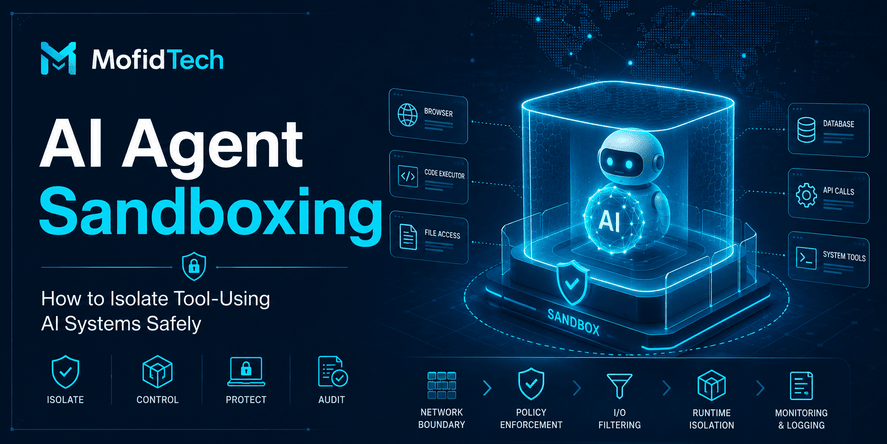
Sandboxing limits what a compromised or malfunctioning MCP server can access.
It is particularly important for local servers, third-party servers, and tools that interact with operating-system resources.
Official MCP guidance recommends restricted file, network, and process access for local servers and notes that these servers may otherwise run with the same privileges as the client.
File-System Isolation
A server should access only approved directories.
Avoid unrestricted access to:
- Home directories
- Credential stores
- Browser profiles
- Secure keys
- Cloud configuration
- Operating-system directories
- Unrelated projects
Use explicit grants rather than broad default access.
Network Isolation
Restrict outbound communication to necessary destinations.
A server that only reads a local project should not require unrestricted internet access.
Network policy should control:
- Allowed hosts
- Allowed ports
- Internal networks
- Public destinations
- DNS behavior
- Redirects
- Data-transfer volume
Process Isolation
A server should run with:
- A dedicated identity
- Minimal operating-system privileges
- Resource limits
- Restricted process creation
- Controlled temporary storage
- Protected environment variables
Do not run an untrusted server with administrator privileges.
Secret Isolation
Only provide a server with the credential it needs.
Avoid exposing an entire environment containing unrelated secrets.
Prefer:
- Short-lived credentials
- Resource-specific credentials
- Read-only credentials
- Dynamic retrieval
- Automatic rotation
- Revocation capability
Environment Separation
Development, testing, staging, and production should have separate:
- Servers
- Credentials
- data
- permissions
- approval policies
- monitoring
- network access
Testing an agent against production merely because it is convenient creates unnecessary risk.
Human Approval for High-Impact Actions
Human approval should be based on risk, not applied equally to every operation.
OWASP recommends explicit approval for irreversible or high-impact actions, previews before execution, clear autonomy boundaries, audit trails, and the ability to interrupt or roll back agent operations.
Actions That Usually Require Approval
- Deleting data
- Modifying production systems
- Sending external messages
- Publishing public content
- Exporting sensitive records
- Changing identity or permissions
- Transferring money
- Making purchases
- Creating legal commitments
- Disabling security controls
- Accessing newly requested sensitive data
- Running a newly installed server
What a Good Approval Screen Should Show
An approval interface should identify:
- The requesting user
- The AI application
- The selected tool
- The exact action
- The target resource
- The destination
- The data involved
- The expected effect
- Whether the action is reversible
- The requested permission
- The approval expiration
Avoid vague messages such as “Allow the assistant to continue?”
A meaningful approval message should allow the user to understand the actual consequence.
Bind Approval to the Exact Action
An approval for one operation should not authorize a different operation later.
Approval should be limited to:
- One actor
- One tool
- One target
- One set of normalized parameters
- One time window
- One purpose
If the action changes, approval should be requested again.
Avoid Approval Fatigue
Too many approval prompts cause users to approve automatically.
Reduce fatigue by:
- Keeping low-risk reads automatic
- Grouping clearly related reversible actions
- Requesting elevation only when needed
- Explaining risk concisely
- Avoiding repeated prompts for identical safe operations
- Requiring stronger approval for exceptional actions
MCP Gateways and Centralized Policy Enforcement
An MCP gateway sits between hosts and servers.
It can provide a centralized point for:
- Server discovery
- Identity enforcement
- Permission policy
- Tool allowlisting
- Metadata verification
- Rate limiting
- Logging
- Data-loss prevention
- Network controls
- Version management
- Revocation
The official 2026 MCP roadmap identifies audit trails, identity integration, gateway behavior, and configuration portability as important enterprise concerns.
When a Gateway Is Valuable
A gateway is useful when an organization has:
- Many MCP servers
- Many AI clients
- Multiple identity systems
- Sensitive data
- Central compliance requirements
- Shared approval policies
- Strict audit requirements
- Third-party integrations
- Several business units
Gateway Benefits
Consistent Policies
Without a gateway, every server may implement permissions, logging, and limits differently.
A gateway can standardize controls.
Central Revocation
Security teams can disable:
- A server
- A tool
- A user
- A client
- A permission
- A destination
without updating every host.
Better Visibility
A gateway can correlate:
- User requests
- Model-selected tools
- Server activity
- Data access
- Final outcomes
Controlled Discovery
Only approved servers and tools are exposed to clients.
Gateway Risks
A gateway can become:
- A single point of failure
- A high-value target
- A performance bottleneck
- An overly privileged component
- A source of sensitive logs
- A source of policy errors
It must be hardened, monitored, scaled, and designed for failure.
Secrets, Tokens, and Data Protection
MCP servers often connect to sensitive systems, making credentials a primary target.
Use Short-Lived Credentials
Short-lived credentials reduce the period in which stolen credentials remain useful.
They should be:
- Scoped
- Rotatable
- Revocable
- Bound to the expected resource
- Stored securely
- Excluded from prompts and logs
Never Expose Secrets to the Model Without Necessity
A model generally does not need to see raw credentials.
The execution layer should use the credential without including it in:
- The conversation
- Tool descriptions
- Tool results
- Agent memory
- Error messages
- Logs
Protect Refresh Credentials
Long-lived refresh credentials require stronger protection than ordinary short-lived access tokens.
They should be encrypted, access-controlled, monitored, rotated, and revoked when a client or user is compromised.
Classify Data
At minimum, classify data as:
- Public
- Internal
- Confidential
- Highly restricted
Tool permissions and output controls should reflect classification.
A tool permitted to process public documentation should not automatically be permitted to process health, financial, identity, or authentication data.
Minimize Retention
Do not retain:
- Full prompts
- Complete tool outputs
- Sensitive parameters
- Credentials
- Personal data
longer than required.
Retention should support legitimate operational, security, and legal needs without creating an unnecessary data repository.
Logging, Monitoring, and Auditability
MCP systems need more than ordinary application logs.
An investigation should reconstruct the chain from user intent to final effect.
What to Record
For each significant operation, record:
- Timestamp
- Authenticated user
- Client identity
- Host identity
- Server identity
- Tool name and version
- Requested action
- Target resource
- Risk classification
- Permission decision
- Approval decision
- Execution outcome
- Failure reason
- Data-volume summary
- External destination
- Correlation identifier
- Policy version
Do not log secrets or unnecessary personal information.
Record Intent and Effect Separately
The audit trail should distinguish:
- What the user asked
- What the model proposed
- What the policy allowed
- What the tool attempted
- What the downstream system completed
These may not be identical.
Monitor Behavioral Patterns
Useful alerts include:
- Unusual tool combinations
- Large data access
- Repeated permission escalation
- New external destinations
- Increased failure rates
- Tool-definition changes
- Use outside expected hours
- Access to unusual tenants
- Disabled approvals
- Excessive retries
- Sudden cost increases
- Unexpected local file access
Protect Audit Logs
Logs should be:
- Access-controlled
- Tamper-resistant
- Time-synchronized
- Retained appropriately
- Searchable
- Correlated across components
- Redacted
- Monitored for deletion or modification
An attacker who controls a tool should not be able to erase its audit trail.
Third-Party MCP Server Security
A third-party server expands your trust boundary to include another organization, repository, maintainer, deployment environment, and dependency chain.
OWASP recommends strong authentication, least privilege, sandboxing, secure server discovery, governance workflows, and human oversight when using third-party MCP servers.
Evaluate the Provider
Review:
- Organization identity
- Maintainer history
- Support channels
- Security documentation
- Vulnerability-reporting process
- Update history
- Privacy policy
- Data location
- Incident disclosure
- Business continuity
Evaluate the Software
Review:
- Source availability
- Dependency structure
- Release integrity
- Installation behavior
- Network destinations
- File-system access
- Requested permissions
- Telemetry
- Update mechanism
- Default configuration
Evaluate the Server’s Authority
Ask:
- What data can it read?
- What can it modify?
- Can it send information externally?
- Can it access other tenants?
- Does it require administrator privileges?
- Can permissions be reduced?
- Can it operate in a sandbox?
- Can it be disabled centrally?
Start With a Restricted Pilot
Before full deployment:
- Use non-sensitive data.
- Use a test environment.
- Grant read-only permissions.
- Disable high-risk tools.
- Limit network access.
- Observe behavior.
- Perform adversarial tests.
- Review logs.
- Expand access gradually.
Security Testing Before Production
Testing should cover more than whether the tool produces the expected result.
OWASP recommends structured adversarial testing after changes to prompts, tools, memory, retrieval systems, or providers, and warns against relying solely on model output for authorization.
Functional Security Testing
Verify that:
- Authorized users can perform permitted actions.
- Unauthorized users are rejected.
- Resource-level authorization works.
- Expired credentials fail.
- Revoked access stops working.
- Approval is enforced.
- Limits are respected.
- Sensitive fields are redacted.
Prompt-Injection Testing
Place malicious instructions in:
- Documents
- Web content
- Emails
- Database entries
- Tool results
- Memory
- Metadata
Then verify that the agent cannot exceed policy.
Tool-Poisoning Testing
Test whether changes to:
- Names
- Descriptions
- Annotations
- Parameters
- Outputs
can cause unsafe selection or execution.
Multi-Tool Testing
Evaluate chains where:
- One tool reads untrusted data.
- Another tool accesses sensitive data.
- A third tool sends information externally.
Security often fails at the interaction between individually acceptable tools.
Tenant-Isolation Testing
Verify that:
- One user cannot access another user’s context.
- One tenant cannot access another tenant’s resources.
- Cached results are isolated.
- Sessions are isolated.
- Memory is isolated.
- Logs do not expose cross-tenant information.
Failure Testing
Simulate:
- Server timeout
- Partial completion
- Duplicate execution
- Lost approval response
- Network interruption
- Credential expiration
- Gateway failure
- Downstream service failure
- Model retry loops
The system should fail safely.
Incident Response for MCP Systems
An MCP incident may involve a compromised server, stolen token, malicious tool, poisoned context, unauthorized action, or data disclosure.
Preparation should happen before production.
Immediate Containment
Teams should be able to:
- Disable a server
- Disable a tool
- Revoke credentials
- End sessions
- Block a destination
- Stop an agent
- Pause automation
- Restrict a user
- Isolate an environment
These actions should not require a full application deployment.
Investigation
Determine:
- Which user or workload was represented
- Which server and tool were involved
- Which version was active
- Which inputs influenced the model
- Which resources were accessed
- Which actions were attempted
- Which actions completed
- Which data left the environment
- Which credentials were exposed
- Whether memory was poisoned
- Whether other users were affected
Recovery
Recovery may require:
- Restoring data
- Reverting configuration
- Reissuing credentials
- Removing malicious memory
- Updating policies
- Reapproving tools
- Rebuilding servers
- Notifying affected parties
- Increasing monitoring
- Repeating security testing
Lessons Learned
After an incident:
- Update the threat model.
- Add new abuse cases.
- Improve audit coverage.
- Reduce permissions.
- Improve approval interfaces.
- Review related servers.
- Update incident procedures.
- Record accepted residual risk.
MCP Security Architecture Comparison
| Architecture | Advantages | Main risks | Suitable use |
|---|---|---|---|
| Local server | Low latency, direct local access, useful for developer workflows | Device compromise, broad file access, hidden execution | Controlled individual development |
| Remote managed server | Central updates, easier monitoring, consistent policy | Internet exposure, centralized breach impact | Shared business services |
| Direct client-to-server | Simple architecture, fewer components | Inconsistent policy, weak central visibility | Small low-risk deployments |
| Gateway-managed | Central policy, discovery, logging, revocation | Gateway compromise or outage | Enterprise environments |
| Shared service identity | Easy integration | Poor accountability, broad privilege | Limited machine-only workflows |
| Delegated user identity | Better accountability and least privilege | More complex authorization | User-facing enterprise workflows |
| Automatic execution | Fast user experience | High impact from model error | Low-risk reversible actions |
| Approval-controlled execution | Stronger user control | Added friction | Sensitive or irreversible actions |
| General-purpose tool | Flexible | Large attack surface | Isolated testing only |
| Task-specific tool | Predictable and governable | More design effort | Production systems |
Recommended Production Architecture
For sensitive enterprise use, a strong architecture commonly includes:
- An authenticated host
- Separate clients for distinct trust zones
- Approved and versioned servers
- Central identity integration
- Resource-specific authorization
- A gateway or policy-enforcement layer
- Narrow task-specific tools
- Sandboxed server execution
- Human approval for high-risk actions
- Protected audit logs
- Continuous monitoring
- Emergency revocation
- Tested recovery procedures
No single component should be trusted to guarantee safety.
Performance and Reliability Considerations
Security controls should not make the system unusable, but performance should not be improved by removing critical protections.
Avoid Excessive Context
Large context increases:
- Latency
- Cost
- Privacy exposure
- Injection surface
- Model confusion
Retrieve only the information required for the current step.
Use Risk-Based Approval
Do not require manual approval for every harmless read operation.
Reserve stronger controls for operations with meaningful consequences.
Cache Carefully
Cached information must respect:
- User identity
- Tenant
- Permission changes
- Data sensitivity
- Expiration
- Revocation
Never reuse sensitive results across users.
Design Idempotent Operations
When possible, repeated execution should not create duplicate side effects.
This protects against:
- Network retries
- Model repetition
- Client reconnection
- Timeout ambiguity
- Partial failures
Set Execution Budgets
Limit:
- Total tool calls
- Retries
- Duration
- Data volume
- Financial cost
- Chain depth
A useful agent should also have a controlled stopping condition.
Common MCP Security Mistakes
Mistake 1: Trusting Every Listed Server
A registry or marketplace can aid discovery, but listing does not eliminate the need for security review.
Mistake 2: Granting Full Access During Setup
Broad initial permissions are convenient but dramatically increase blast radius.
Mistake 3: Using One Credential for Every User
This weakens accountability and resource-level authorization.
Mistake 4: Trusting Tool Descriptions
Descriptions can be inaccurate, manipulated, or changed.
Mistake 5: Treating the Model as a Policy Engine
Models can assist with classification but should not make final authorization decisions.
Mistake 6: Running Local Servers Without Isolation
A local process may access far more than its intended data.
Mistake 7: Approving a Server Forever
Permissions and behavior can change after updates.
Mistake 8: Logging Only Final Answers
Final answers do not reveal the full sequence of tool calls and policy decisions.
Mistake 9: Ignoring Output Destinations
Data access controls are incomplete when an agent can send data anywhere.
Mistake 10: Assuming Read-Only Is Harmless
Read access can expose sensitive data, support reconnaissance, or enable exfiltration.
Mistake 11: Mixing Production and Development
Development agents often use experimental tools and broad debugging access.
Mistake 12: Failing to Test Tool Chains
The dangerous behavior may appear only when several tools interact.
Mistake 13: Keeping Credentials in Prompts or Memory
Sensitive credentials may leak through outputs, logs, or future sessions.
Mistake 14: Lacking a Kill Switch
Teams must be able to disable a tool or server immediately.
Troubleshooting MCP Security Problems
A User Can Connect but Cannot Use a Tool
Check:
- Whether the token is intended for the correct server
- Whether the required permission is present
- Whether resource-level authorization allows the target
- Whether the tool is approved
- Whether an elevation request was denied
- Whether the user’s role changed
- Whether the policy cache is stale
Do not solve the issue by granting broad access without identifying the missing permission.
A Tool Requests More Permission Than Expected
Investigate:
- Tool-definition changes
- Server updates
- Newly added features
- Dependency changes
- Incorrect permission mapping
- Malicious metadata
- Configuration drift
Keep the tool disabled until the expansion is reviewed.
An Agent Repeats the Same Action
Review:
- Retry logic
- Timeout behavior
- Idempotency
- Tool-result interpretation
- Completion signals
- Maximum call limits
Add a circuit breaker rather than allowing unlimited repetition.
Different Users See the Same Results
This may indicate:
- Shared cache keys
- Shared sessions
- Missing tenant filters
- Shared memory
- Incorrect service-account authorization
- Incomplete resource checks
Treat cross-user data exposure as a security incident.
A Local Server Accesses Unexpected Files
Immediately:
- Disable the server
- Revoke its credentials
- Preserve relevant logs
- Review file and network activity
- Inspect the installed package
- Determine whether data left the device
- Rebuild the environment when integrity cannot be confirmed
Logs Contain Sensitive Information
Review:
- Prompt logging
- Tool parameters
- Tool results
- Error details
- Authentication headers
- Memory dumps
- Debug modes
Redact existing data where possible and update logging policy.
Approval Appears After the Action Occurs
This is a serious control failure.
Approval must be verified before execution. Redesign the workflow so the pending action cannot reach the execution component until a valid approval is bound to it.
Production MCP Security Checklist
Governance and Inventory
- Every MCP server has an identified owner.
- Every server has a documented business purpose.
- All tools and resources are inventoried.
- Approved versions are recorded.
- Third-party dependencies are reviewed.
- An update and removal process exists.
- Security responsibilities are assigned.
Architecture and Threat Modeling
- Trust boundaries are documented.
- Data and authority flows are mapped.
- Tools are classified by risk.
- Misuse cases have been identified.
- High-value assets are documented.
- Production and development are separated.
- Failure and recovery scenarios are tested.
Authentication and Authorization
- Users, clients, servers, and workloads have distinct identities.
- Tokens are validated for the intended resource.
- Expired and revoked tokens are rejected.
- Least privilege is applied.
- Wildcard permissions are avoided.
- Resource-level authorization is enforced.
- User identity is preserved across tool calls.
- Permission elevation is explicit and temporary.
Tool Security
- Tools have narrow purposes.
- Read, write, delete, and administrative tools are separated.
- Inputs are validated by the server.
- Outputs are minimized.
- Tool metadata is treated as untrusted.
- Tool changes trigger review.
- Tools have rate and volume limits.
- Irreversible actions have stronger controls.
Prompt-Injection Defense
- External content is treated as untrusted data.
- Context sources are labeled.
- Untrusted content cannot override policy.
- Sensitive actions receive independent validation.
- Tool chains are restricted.
- Outputs are checked before external release.
- Memory is protected from poisoning.
- Adversarial prompt testing has been completed.
Sandboxing and Infrastructure
- Local and third-party servers are isolated.
- File-system access is restricted.
- Network access is restricted.
- Servers run with minimal privileges.
- Resource limits are configured.
- Secrets are isolated.
- Outbound destinations are monitored.
- Production infrastructure is segmented.
Human Approval
- High-risk actions require approval.
- Approval occurs before execution.
- The exact target and effect are displayed.
- Approval is bound to one action.
- Approvals expire.
- Replays are prevented.
- Approval fatigue has been considered.
- Users can interrupt or cancel operations.
Data Protection
- Sensitive data is classified.
- Context is minimized.
- Data destinations are controlled.
- Credentials are excluded from model context.
- Logs are redacted.
- Retention is limited.
- Tenant data is isolated.
- Data-export limits are enforced.
Monitoring and Audit
- User, client, server, and tool identities are recorded.
- Requested actions and completed effects are distinguishable.
- Permission and approval decisions are logged.
- Tool changes are monitored.
- Unusual tool sequences generate alerts.
- Large data access is detected.
- Logs are tamper-resistant.
- Correlation across systems is possible.
Third-Party and Supply-Chain Security
- Server origin is verified.
- Maintainer history is reviewed.
- Releases are verified.
- Dependencies are inventoried.
- Automatic updates are controlled.
- Permission expansion triggers reapproval.
- Abandoned servers can be replaced.
- A vulnerability-reporting channel exists.
Incident Response
- Servers can be disabled centrally.
- Individual tools can be disabled.
- Credentials can be revoked quickly.
- Sessions can be terminated.
- External destinations can be blocked.
- Audit evidence is preserved.
- Data restoration is tested.
- Tool and memory integrity can be revalidated.
- Incident roles are assigned.
- Post-incident review is required.
Frequently Asked Questions
1. What is Model Context Protocol security?
Model Context Protocol security is the protection of AI applications, MCP clients, servers, tools, resources, credentials, data, and connected systems. It ensures that agents can use only approved capabilities under narrowly defined permissions and independently enforced policies.
2. Is MCP secure by default?
No protocol can make every integration secure by default. MCP provides standardized communication and an authorization framework, but organizations must still implement server verification, least privilege, resource-level authorization, sandboxing, approval, monitoring, and incident response.
3. What is MCP tool poisoning?
MCP tool poisoning is the manipulation of tool metadata, descriptions, prompts, or outputs to influence an AI model into selecting a malicious tool or performing unintended actions. Tool metadata should be treated as untrusted unless its server and integrity have been verified.
4. Can prompt injection compromise an MCP server?
Prompt injection may not directly exploit the server’s software, but it can manipulate the agent into misusing legitimate tools. The impact depends on the agent’s permissions and the strength of independent authorization and approval controls.
5. Should MCP servers be sandboxed?
Local, third-party, and high-risk MCP servers should generally be sandboxed. Sandboxing can restrict file-system access, network destinations, process privileges, resource usage, and access to secrets.
6. What permissions should an MCP server have?
An MCP server should have only the permissions required for its documented purpose. Read, write, delete, export, and administrative access should be separated. Permissions should also be limited by user, tenant, environment, resource, and time.
7. Should MCP actions require human approval?
High-impact, irreversible, financial, administrative, externally visible, or security-sensitive actions should require human approval. Low-risk and reversible read operations may be automated when strong monitoring and authorization are present.
8. What is the difference between MCP authentication and authorization?
Authentication verifies the identity of a user, client, server, or workload. Authorization determines which tools, resources, and operations that identity may access. A valid identity does not automatically have permission to perform every action.
9. How do you evaluate a third-party MCP server?
Verify its provider, maintainers, source, dependencies, release process, permissions, network access, data handling, update mechanism, logging, and incident-response process. Test it in an isolated non-production environment before granting sensitive access.
10. What should MCP audit logs contain?
Audit logs should connect the authenticated user, client, server, tool, requested operation, target resource, permission decision, approval decision, execution result, external destination, tool version, and applicable policy.
11. What is token passthrough in MCP?
Token passthrough is the unsafe practice of accepting a token intended for another service and forwarding it without validating that it was issued for the MCP server. This can bypass security controls, weaken accountability, and break trust boundaries.
12. When should an organization use an MCP gateway?
An MCP gateway is valuable when an organization needs centralized identity, server discovery, policy enforcement, tool approval, monitoring, revocation, and consistent controls across many AI clients and MCP servers.
Conclusion
MCP can make AI applications significantly more useful by connecting them to real tools, data, and workflows. The same capability also turns model errors, malicious instructions, weak permissions, and compromised integrations into operational security risks.
The safest approach is not to place complete trust in the model, server, client, or user interface.
Production security requires layered controls:
- Maintain an approved inventory of servers and tools.
- Authenticate every relevant actor.
- Apply narrow, resource-specific authorization.
- Reject token passthrough and validate token audience.
- Treat external content and tool metadata as untrusted.
- Isolate local and third-party servers.
- Require approval for high-impact actions.
- Control data destinations as well as data access.
- Record the entire path from user intent to system effect.
- Test malicious tool chains before production.
- Prepare rapid revocation and recovery procedures.
- Review servers continuously after deployment.
The key question is not simply whether an AI agent can use a tool.
The key question is whether the organization can prove that the right identity used the right tool, with the right permission, against the right resource, for an approved purpose—and whether the action can be detected, stopped, investigated, and recovered when something goes wrong.










💬 Comments
No comments yet. Be the first to comment!
Login to comment.