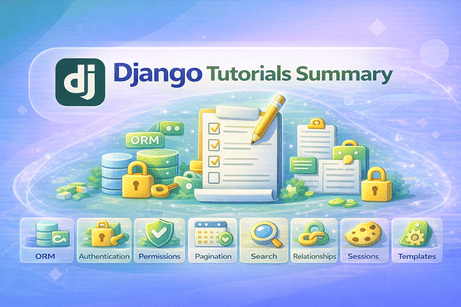
📘 Complete Summary — Topics Covered in Each Tutorial
Here is a clear and structured recap of all the topics covered before the quiz. This is perfect to place just before your QCM in your blog.
🧠 Tutorials Summary (1 → 15)
🔹 Tutorial 1 — Class-Based Views (CBV)
Introduces the concept of using classes instead of functions to build views. You learned how CBVs improve code organization, reuse, and scalability, and how to use base classes like TemplateView.
🔹 Tutorial 2 — Generic Class-Based Views
Explores Django’s ready-made views such as ListView, DetailView, CreateView, UpdateView, and DeleteView. These views reduce boilerplate code and simplify CRUD operations.
🔹 Tutorial 3 — QuerySets and ORM Deep Dive
Focuses on advanced database operations using Django ORM, including filtering, chaining queries, annotations, aggregations, and optimization with select_related and prefetch_related.
🔹 Tutorial 4 — Relationships in Django Models
Covers how models are connected using:
ForeignKey(one-to-many)ManyToManyField(many-to-many)OneToOneField(one-to-one)
These relationships allow building structured and relational data models.
🔹 Tutorial 5 — Model Methods and Properties
Shows how to add logic directly inside models using:
- custom methods
@property
This keeps your code clean and moves business logic closer to the data.
🔹 Tutorial 6 — Django Slugs and Clean URLs
Introduces SEO-friendly URLs using slugs. You learned how to generate slugs automatically and use them in URLs instead of IDs for better readability.
🔹 Tutorial 7 — File Uploads in Django
Explains how to handle file uploads using FileField and ImageField, configure MEDIA_ROOT, and display uploaded files in templates.
🔹 Tutorial 8 — User Authentication in Django
Covers the built-in authentication system:
- login
- logout
- user sessions
and how Django manages user identity securely.
🔹 Tutorial 9 — User Registration System (Advanced)
Builds a custom registration system with additional fields (email, profile info), validation, and user profile creation.
🔹 Tutorial 10 — Login Required Pages and Permissions
Focuses on securing your app by:
- restricting access with
login_required - using permissions and groups
- protecting views based on roles and ownership
🔹 Tutorial 11 — Django Sessions and Cookies
Explains how Django stores user data:
- sessions (server-side)
- cookies (client-side)
Used for login persistence, preferences, and temporary data.
🔹 Tutorial 12 — Pagination in Django
Shows how to split large datasets into pages using Paginator, improving performance and user experience in lists like blogs or products.
🔹 Tutorial 13 — Search Functionality in Django
Teaches how to implement search using:
- QuerySets
icontainsQobjects
and how to combine search with pagination.
🔹 Tutorial 14 — Django Context Processors
Introduces global template variables using context processors, allowing you to share data (like site name or categories) across all templates.
🔹 Tutorial 15 — Custom Template Filters and Tags
Covers how to extend Django templates by creating:
- custom filters (data transformation)
- custom tags (logic and reusable components)
to keep templates clean and powerful.
✅ Final Tip
This set of tutorials moves you from intermediate to advanced Django, helping you:
- structure large applications
- manage data efficiently
- build secure systems
- improve user experience
- write clean, reusable code













💬 Comments
No comments yet. Be the first to comment!
Login to comment.