Introduction
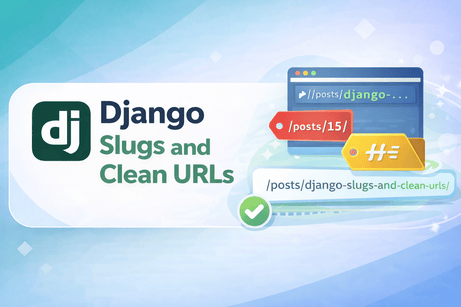
A good URL should be easy to read, easy to share, and meaningful for both users and search engines. Compare these two URLs:
/posts/15/and
/posts/django-slugs-and-clean-urls/The second one is much clearer. It tells the user what the page is about before even opening it. This is where slugs come in.
In Django, a slug is a short, URL-friendly string, usually based on a title. Slugs are commonly used to create clean and SEO-friendly URLs for blog posts, products, categories, courses, and many other objects.
In this tutorial, you will learn how slugs work in Django, how to create them, how to use them in URLs and views, and how to handle common problems such as duplicate slugs.
What You Will Learn
By the end of this tutorial, you will understand:
- what a slug is
- why slugs are useful
- how to add a slug field to a model
- how to generate slugs automatically
- how to use slugs in URLs
- how to retrieve objects using slugs
- how to avoid duplicate slugs
- best practices for clean URLs in Django
Prerequisites
Before starting, you should already know:
- Django models
- views and URLs
- generic views like
DetailView - basic templates
1. What Is a Slug?
A slug is a URL-safe text string.
Example:
- Title:
Introduction to Django Forms - Slug:
introduction-to-django-forms
A slug usually contains:
- lowercase letters
- numbers
- hyphens
It should not contain:
- spaces
- special characters
- accents or symbols in most cases
Django provides a built-in field for this: SlugField.
2. Why Use Slugs?
Slugs are useful because they make URLs:
- more readable
- easier to remember
- better for SEO
- easier to share
- more professional
For example:
/products/42/is less clear than:
/products/wireless-keyboard/3. Adding a Slug Field to a Model
Let us start with a simple blog post model.
models.py
from django.db import models

class Post(models.Model):
    title = models.CharField(max_length=200)
    slug = models.SlugField(unique=True)
    content = models.TextField()

    def __str__(self):
        return self.title
Explanation
titlestores the post titleslugstores the clean URL versionunique=Trueensures no two posts have the same slug
After adding the field, run:
python manage.py makemigrations
python manage.py migrate
4. Creating Slugs Manually
You can enter slugs manually in Django admin or forms.
Example:
- title:
Django Models Guide - slug:
django-models-guide
This works, but it is not ideal because users may forget to enter the slug or enter it incorrectly.
That is why automatic slug generation is often better.
5. Generating Slugs Automatically with slugify
Django provides a utility called slugify.
Example
from django.utils.text import slugify

title = "Django Slugs and Clean URLs"
print(slugify(title))
Output:
django-slugs-and-clean-urlsIt converts text into a URL-friendly slug.
6. Auto-Generating Slugs in save()
A common approach is to generate the slug automatically when saving the object.
models.py
from django.db import models
from django.utils.text import slugify

class Post(models.Model):
    title = models.CharField(max_length=200)
    slug = models.SlugField(unique=True, blank=True)
    content = models.TextField()

    def __str__(self):
        return self.title

    def save(self, *args, **kwargs):
        if not self.slug:
            self.slug = slugify(self.title)
        super().save(*args, **kwargs)
How it works
- if the slug is empty, Django creates it from the title
- if the slug already exists, Django keeps it
blank=Trueallows the form/admin to leave it empty
7. Using Slugs in URLs
Now that each post has a slug, we can use it in the URL.
urls.py
from django.urls import path
from .views import post_detail

urlpatterns = [
    path('posts/<slug:slug>/', post_detail, name='post_detail'),
]
Explanation
<slug:slug>means Django expects a slug in the URL- the captured value is passed to the view as
slug
Example URL:
/posts/django-slugs-and-clean-urls/8. Retrieving Objects by Slug in a Function-Based View
views.py
from django.shortcuts import render, get_object_or_404
from .models import Post

def post_detail(request, slug):
    post = get_object_or_404(Post, slug=slug)
    return render(request, 'blog/post_detail.html', {'post': post})
Explanation
- Django receives the slug from the URL
get_object_or_404()searches for a matching post- if not found, Django returns a 404 page
9. Using Slugs with DetailView
Slugs work very well with class-based views too.
views.py
from django.views.generic import DetailView
from .models import Post

class PostDetailView(DetailView):
    model = Post
    template_name = 'blog/post_detail.html'
    context_object_name = 'post'
    slug_field = 'slug'
    slug_url_kwarg = 'slug'
urls.py
from django.urls import path
from .views import PostDetailView

urlpatterns = [
    path('posts/<slug:slug>/', PostDetailView.as_view(), name='post_detail'),
]
Explanation
slug_field = 'slug'tells Django which model field to useslug_url_kwarg = 'slug'tells Django which URL parameter contains the slug
10. Adding Links in Templates
Once your URLs use slugs, links should also use slugs.
Example in post_list.html
{% for post in posts %}
    <h2>
        <a href="{% url 'post_detail' post.slug %}">
            {{ post.title }}
        </a>
    </h2>
{% endfor %}
Now each post link points to a clean URL.
11. The Problem of Duplicate Slugs
Suppose you create two posts with the same title:
Django TutorialDjango Tutorial
Both would generate:
django-tutorial
But if slug is unique, the second one will fail.
So you need a way to make slugs unique.
12. Making Slugs Unique
A simple approach is to add a number when the slug already exists.
Example
- first post →
django-tutorial - second post →
django-tutorial-1 - third post →
django-tutorial-2
models.py
from django.db import models
from django.utils.text import slugify

class Post(models.Model):
    title = models.CharField(max_length=200)
    slug = models.SlugField(unique=True, blank=True)
    content = models.TextField()

    def __str__(self):
        return self.title

    def save(self, *args, **kwargs):
        if not self.slug:
            base_slug = slugify(self.title)
            slug = base_slug
            counter = 1

            while Post.objects.filter(slug=slug).exists():
                slug = f"{base_slug}-{counter}"
                counter += 1

            self.slug = slug

        super().save(*args, **kwargs)
Explanation
- start with the basic slug
- check if it already exists
- if yes, append
-1,-2, etc. - keep trying until a unique slug is found
13. Using get_absolute_url() with Slugs
A very useful Django convention is get_absolute_url().
Example
from django.db import models
from django.urls import reverse
from django.utils.text import slugify

class Post(models.Model):
    title = models.CharField(max_length=200)
    slug = models.SlugField(unique=True, blank=True)
    content = models.TextField()

    def __str__(self):
        return self.title

    def get_absolute_url(self):
        return reverse('post_detail', kwargs={'slug': self.slug})

    def save(self, *args, **kwargs):
        if not self.slug:
            self.slug = slugify(self.title)
        super().save(*args, **kwargs)
Why it is useful
- generic views like
CreateViewandUpdateViewcan redirect automatically - you can call
post.get_absolute_url() - it centralizes the object’s URL logic inside the model
14. Real Example: Blog Post Workflow
models.py
from django.db import models
from django.urls import reverse
from django.utils.text import slugify

class Post(models.Model):
    title = models.CharField(max_length=200)
    slug = models.SlugField(unique=True, blank=True)
    content = models.TextField()
    created_at = models.DateTimeField(auto_now_add=True)

    def __str__(self):
        return self.title

    def get_absolute_url(self):
        return reverse('post_detail', kwargs={'slug': self.slug})

    def save(self, *args, **kwargs):
        if not self.slug:
            base_slug = slugify(self.title)
            slug = base_slug
            counter = 1

            while Post.objects.filter(slug=slug).exists():
                slug = f"{base_slug}-{counter}"
                counter += 1

            self.slug = slug

        super().save(*args, **kwargs)
views.py
from django.views.generic import ListView, DetailView
from .models import Post

class PostListView(ListView):
    model = Post
    template_name = 'blog/post_list.html'
    context_object_name = 'posts'

class PostDetailView(DetailView):
    model = Post
    template_name = 'blog/post_detail.html'
    context_object_name = 'post'
    slug_field = 'slug'
    slug_url_kwarg = 'slug'
urls.py
from django.urls import path
from .views import PostListView, PostDetailView

urlpatterns = [
    path('posts/', PostListView.as_view(), name='post_list'),
    path('posts/<slug:slug>/', PostDetailView.as_view(), name='post_detail'),
]
post_list.html
<h1>Blog Posts</h1>

{% for post in posts %}
    <h2>
        <a href="{% url 'post_detail' post.slug %}">
            {{ post.title }}
        </a>
    </h2>
{% endfor %}
post_detail.html
<h1>{{ post.title }}</h1>
<p>{{ post.content }}</p>
This gives you a complete clean-URL blog structure.
15. Slugs in the Django Admin
If you register the model in admin:
from django.contrib import admin
from .models import Post

admin.site.register(Post)
you can manually edit slugs there.
A more user-friendly admin setup is:
from django.contrib import admin
from .models import Post

@admin.register(Post)
class PostAdmin(admin.ModelAdmin):
    list_display = ['title', 'slug']
    prepopulated_fields = {'slug': ('title',)}
What this does
- when typing the title in admin, Django auto-fills the slug field
- this saves time and reduces mistakes
16. Best Practices for Slugs
Keep slugs short and meaningful
Good:
django-class-based-viewsLess ideal:
this-is-a-very-long-post-title-about-learning-django-class-based-views-in-2026Use unique slugs
Avoid conflicts between objects.
Do not change slugs too often
Changing slugs can break old links and hurt SEO.
Use slugs for public content
They are especially useful for blog posts, products, categories, courses, and public profiles.
17. Common Mistakes
Forgetting unique=True
Without it, two objects may get the same slug.
Forgetting blank=True when auto-generating
If the slug is created in save(), forms/admin usually need blank=True.
Not handling duplicates
If two titles are the same, save may fail.
Using spaces or special characters manually
Slugs should remain URL-safe.
Retrieving by id while URL uses slug
Make sure your view and URL match.
Wrong:
post = get_object_or_404(Post, id=slug)Correct:
post = get_object_or_404(Post, slug=slug)18. Slugs vs IDs
Sometimes developers use both.
Example:
/posts/15/django-slugs-and-clean-urls/This combines:
- the database ID for uniqueness
- the slug for readability
This is common in larger applications, but for beginners, using just the slug is simpler and easier to understand.
19. Mini Project Example: Product Pages
Let us imagine an online store.
models.py
from django.db import models
from django.urls import reverse
from django.utils.text import slugify

class Product(models.Model):
    name = models.CharField(max_length=150)
    slug = models.SlugField(unique=True, blank=True)
    description = models.TextField()
    price = models.DecimalField(max_digits=8, decimal_places=2)

    def __str__(self):
        return self.name

    def get_absolute_url(self):
        return reverse('product_detail', kwargs={'slug': self.slug})

    def save(self, *args, **kwargs):
        if not self.slug:
            base_slug = slugify(self.name)
            slug = base_slug
            counter = 1

            while Product.objects.filter(slug=slug).exists():
                slug = f"{base_slug}-{counter}"
                counter += 1

            self.slug = slug

        super().save(*args, **kwargs)
urls.py
path('products/<slug:slug>/', product_detail, name='product_detail')Now product pages become:
/products/wireless-mouse/
/products/gaming-keyboard/
/products/usb-c-hub/
These are much better than numeric-only URLs.
20. Summary
In this tutorial, you learned that:
- a slug is a URL-friendly text string
- slugs create clean and SEO-friendly URLs
- Django provides
SlugFieldandslugify - slugs can be auto-generated in
save() - slugs can be used in function-based views and generic views
- duplicate slugs must be handled properly
get_absolute_url()works very well with slugs- clean URLs improve user experience and project quality
21. Mini Quiz
1. What is a slug?
A. A database password
B. A URL-friendly string
C. A template tag
D. A file path
2. Which Django field is used for slugs?
A. TextField
B. CharField
C. SlugField
D. URLField
3. Which Django utility converts text into a slug?
A. reverse()
B. slugify()
C. clean_url()
D. pathify()
4. Why is blank=True often used with slug fields?
A. To make the field invisible
B. To allow auto-generation when the form leaves it empty
C. To delete old slugs
D. To shorten URLs
5. Which URL pattern correctly captures a slug?
A. <int:id>
B. <str:name>
C. <slug:slug>
D. <url:path>
22. What Comes Next?
The next ideal tutorial is:
Tutorial: File Uploads in Django
Subject: uploading images and documents, configuring media files, and handling user-uploaded content.













💬 Comments
No comments yet. Be the first to comment!
Login to comment.