Introduction
AI crawlers and LLM bots are changing how websites are discovered, analyzed, summarized, and reused across the modern web. Traditional search crawlers still matter, but they are no longer the only automated visitors that website owners need to understand. Today, websites may be visited by search engine crawlers, AI training crawlers, AI answer-engine bots, retrieval bots, commercial scrapers, security scanners, and automated agents that behave more like users than classic bots.
For website owners, this creates a difficult question: should AI crawlers be allowed, blocked, limited, monitored, or treated differently depending on their purpose?
The best answer is not to block everything or allow everything. A modern website needs an AI crawler management strategy. That strategy should protect original content, server resources, analytics quality, security, and ad revenue while still allowing useful discovery by search engines and AI answer engines.
This article explains how AI crawlers and LLM bots work, how they affect SEO, what robots.txt can and cannot do, how to think about security risks, and how to build a practical crawler policy for a modern technical website like MofidTech.
This article follows the MofidTech content requirements: it is a complete, publish-ready, no-code educational guide designed for traditional SEO and AI search optimization. The uploaded MofidTech brief specifically requires long-form, practical, SEO-ready content without code examples, terminal commands, configuration snippets, database queries, or copy-paste technical blocks.
Table of Contents
- What are AI crawlers and LLM bots?
- Why AI crawlers matter for SEO
- The main types of AI bots website owners should know
- Should you allow or block AI crawlers?
- How robots.txt fits into AI crawler management
- The difference between AI search bots and AI training bots
- Security risks of unmanaged AI bot traffic
- How AI crawlers affect analytics and ad revenue
- How to monitor AI crawler activity
- Practical decision framework for website owners
- Best practices for technical blogs and developer websites
- Common mistakes to avoid
- Troubleshooting AI crawler problems
- AI crawler management checklist
- FAQ
- Conclusion
What Are AI Crawlers and LLM Bots?
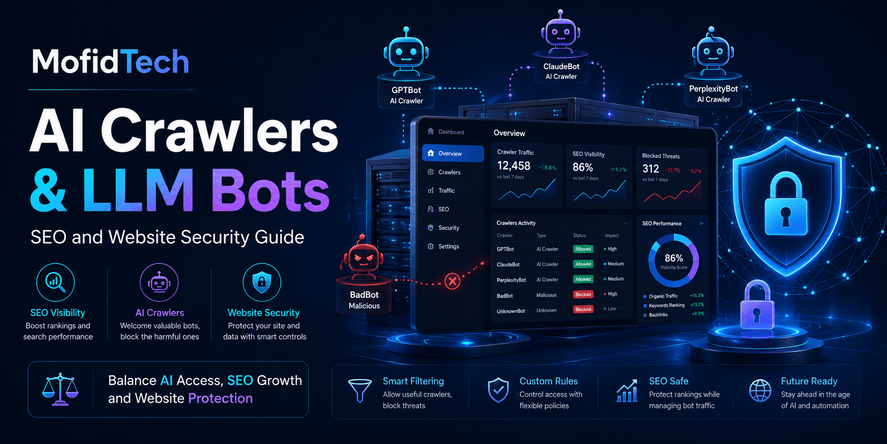
AI crawlers and LLM bots are automated systems that visit websites to collect, retrieve, analyze, summarize, or index content for artificial intelligence systems. Some are used to train large language models. Others are used to discover and cite content in AI-powered search results. Some are used by AI assistants to retrieve fresh information when a user asks a question.
A traditional search crawler usually visits pages to index them for search results. An AI crawler may have a different purpose. It may collect public text for model training, fetch pages to answer user questions, inspect pages for snippets, or help an AI system understand what a website contains.
This difference matters because not all AI crawlers provide the same value to a website owner. A bot that helps your content appear in AI search results may be useful. A bot that consumes large amounts of content without sending traffic, citations, or value back may be less attractive. A fake bot pretending to be a trusted crawler may be a security risk.
Simple Definition
An AI crawler is an automated visitor that accesses web content for use by artificial intelligence systems. An LLM bot is a crawler or retrieval agent associated with large language model workflows, such as training, search, summarization, or answer generation.
Why the Definition Matters
Website owners need to know the purpose of a bot before deciding whether to allow it. Blocking all AI bots can reduce future visibility in AI-powered search systems. Allowing all AI bots can create security, performance, analytics, and content protection risks.
The correct strategy is selective access.
Why AI Crawlers Matter for SEO
AI crawlers matter for SEO because search is becoming more answer-driven. Users increasingly receive direct summaries from AI Overviews, AI assistants, and answer engines before clicking a traditional search result. This does not eliminate SEO, but it changes how visibility works.
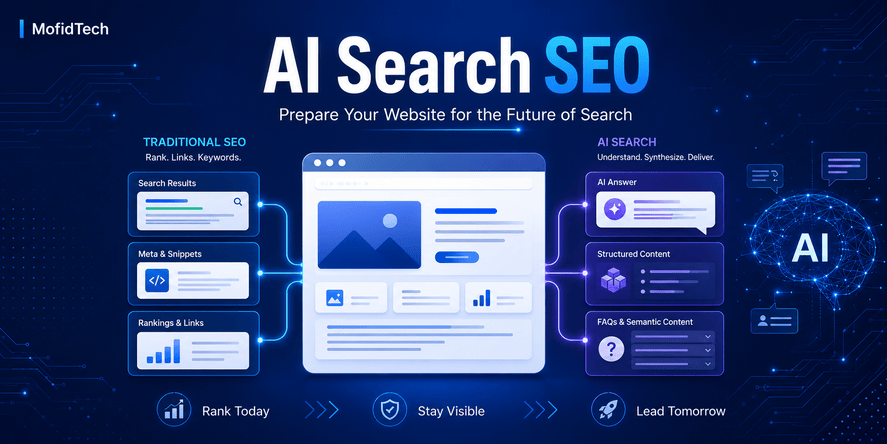
In traditional SEO, ranking on the first page of search results is a primary goal. In AI search, visibility may depend on whether your content can be discovered, understood, trusted, summarized, and cited by AI systems. A website that blocks the wrong crawlers may lose potential AI search visibility. A website that allows too much access may lose control over its content.
Google’s own documentation explains that robots.txt is used to manage crawler traffic, but it does not enforce security because crawler compliance depends on the crawler obeying the file. Google recommends stronger methods for protecting private content.
This means robots.txt is useful for crawler instructions, but it is not a security system.
AI Search Creates a New SEO Layer
Traditional SEO asks:
| Traditional SEO Question | AI Search Question |
|---|---|
| Can Google crawl and index this page? | Can AI systems understand, summarize, and cite this content? |
| Does the page target the right keyword? | Does the page answer the user’s question clearly? |
| Does the page have strong internal links? | Is the content structured enough for AI answer extraction? |
| Does the page attract clicks? | Does the page appear as a source in AI-generated answers? |
| Is the page technically crawlable? | Is the page accessible to the right AI retrieval bots? |
AI search does not replace traditional SEO. It adds another layer of visibility.
The Main Types of AI Bots Website Owners Should Know
Not all AI-related bots are the same. A good crawler policy starts by separating bots according to purpose.
1. Traditional Search Crawlers
Traditional search crawlers discover, crawl, and index pages for search engines. Examples include common search engine crawlers that help pages appear in standard web search results.
For most public websites, blocking major search crawlers is usually harmful because it can remove pages from organic search visibility.
2. AI Search and Retrieval Bots
AI search bots may access pages so AI-powered search tools can generate answers, summaries, citations, or links. These bots are more closely connected to discovery and referral potential than pure training crawlers.
OpenAI documentation, for example, distinguishes crawler roles and states that site owners can use robots.txt tags such as OAI-SearchBot and GPTBot independently. OpenAI’s publisher FAQ says public websites can appear in ChatGPT search and that site owners should avoid blocking OAI-SearchBot when they want content to be discovered and cited in ChatGPT search.
This distinction is important. A site may choose to allow a search-related bot while limiting a training-related bot.
3. AI Training Crawlers
AI training crawlers collect public web content that may be used to improve or train AI models. These bots may not send direct traffic to the original website. Their value to publishers is therefore more debated.
Some publishers allow them because they want broader AI ecosystem visibility. Others restrict them because they see content collection as extraction without enough return.
4. Common Web Corpus Crawlers
Some organizations crawl public web pages to build open web datasets. Common Crawl’s CCBot is one example. Common Crawl explains that CCBot respects robots.txt and provides guidance for site owners who want to prevent crawling. It also warns that some crawlers may falsely identify themselves as CCBot, so verification matters.
5. AI Agents
AI agents may browse websites on behalf of users or systems. They may compare products, summarize content, perform research, monitor pages, or interact with online workflows. This category is likely to become more important because AI agents can behave less like traditional crawlers and more like automated users.
6. Malicious or Fake Bots
Some bots pretend to be legitimate crawlers. They may copy user-agent names, scrape aggressively, test vulnerabilities, overload servers, or harvest content. These should not be trusted based only on the user-agent string.
A user-agent name is a claim, not proof.
Should You Allow or Block AI Crawlers?
You should not automatically allow or block all AI crawlers. The best approach is to classify crawlers by purpose, business value, trust level, and risk. Public educational websites usually benefit from allowing reputable search and discovery crawlers while carefully limiting aggressive, unknown, or purely extractive bots.
When Allowing AI Crawlers Makes Sense
Allowing AI crawlers may be useful when:
| Situation | Why Allowing May Help |
|---|---|
| You want visibility in AI search results | AI systems need access to understand and cite your content |
| Your website publishes educational content | Clear guides can be surfaced in answer engines |
| Your brand benefits from authority | AI citations can increase trust and recognition |
| Your content answers practical questions | AI Overviews and answer engines prefer direct explanations |
| You want future search resilience | AI search visibility may become increasingly important |
For MofidTech, allowing selected AI search and discovery bots can be valuable because the site publishes educational technology content. Articles that answer developer questions clearly may perform well in AI Overviews, featured snippets, and answer engines.
When Blocking AI Crawlers Makes Sense
Blocking or limiting AI crawlers may be reasonable when:
| Situation | Why Blocking May Help |
|---|---|
| The bot is unknown or unverifiable | It may be spoofed or malicious |
| The bot creates heavy server load | It can harm performance for real users |
| The content is premium or sensitive | Public crawling may conflict with business goals |
| The bot does not provide referral value | It may extract content without benefit |
| The bot ignores crawl limits | It may consume resources aggressively |
| The website has legal or licensing constraints | Access control may be required |
Blocking is not always anti-SEO. It is part of governance. The key is to block based on purpose and risk, not fear.
The Difference Between AI Search Bots and AI Training Bots
The most important distinction is between AI search bots and AI training bots.
AI search bots are more likely to support discovery, citations, summaries, and links. AI training bots are more likely to collect public content for model improvement or training. A website owner may choose to allow one and restrict the other.
OpenAI’s documentation is useful because it separates crawler roles. OAI-SearchBot is related to search and surfacing content, while GPTBot is managed independently for other AI-related use cases.
Why This Difference Matters for Publishers
A publisher may want:
- Search visibility in AI-generated answers
- Citations and links from answer engines
- Protection against unlimited training collection
- Control over premium or original content
- Cleaner analytics
- Better server performance
These goals can conflict. Allowing every crawler may maximize access but reduce control. Blocking every crawler may protect content but reduce visibility.
A balanced policy is usually better.
How robots.txt Fits Into AI Crawler Management
robots.txt is a public file that tells crawlers which parts of a website they are allowed or not allowed to access. It is one of the first tools website owners think about when managing AI bots.
However, robots.txt has limits.
Google explains that robots.txt instructions cannot enforce crawler behavior because compliance depends on the crawler. Respectful crawlers may obey it, but other crawlers may ignore it. Google also recommends stronger protection, such as authentication, when content must remain private.
What robots.txt Can Do
robots.txt can help you:
- Give instructions to reputable crawlers
- Reduce unnecessary crawler traffic
- Separate access rules by user-agent
- Prevent crawling of low-value public areas
- Communicate your crawler policy
- Manage crawl budget for public content
- Reduce duplicate crawling of unimportant pages
What robots.txt Cannot Do
robots.txt cannot reliably:
- Protect private data
- Stop malicious bots
- Prevent all scraping
- Verify crawler identity
- Replace authentication
- Replace server-side access control
- Prevent someone from accessing a public URL manually
- Guarantee that AI systems will never use your content
This is why robots.txt should be treated as a crawler policy tool, not a security barrier.
A Better Mental Model
Think of robots.txt as a sign on a door, not a lock.
Respectful visitors may follow the sign. Malicious visitors may ignore it. If something must be protected, it should not rely only on a sign.
Security Risks of Unmanaged AI Bot Traffic
Unmanaged AI bot traffic can create real security and operational problems. These risks are not only theoretical. As bot traffic grows, website owners need monitoring, verification, and traffic control.
Recent reporting based on Cloudflare statements indicates that automated bot and AI traffic has become a major share of web traffic, with AI agents and bots increasingly reshaping how websites are accessed. Cloudflare has also published analysis on AI crawler traffic and the growing need to understand bot purpose and industry-specific patterns.
1. Server Overload
Aggressive bots can request many pages quickly. This can slow down the site, increase hosting costs, and reduce performance for real users.
For small websites, even moderate bot traffic can become expensive if the site uses dynamic pages, database-heavy queries, large media files, or uncached pages.
2. Content Scraping
Some crawlers copy large amounts of content. This can harm publishers when copied content appears elsewhere, feeds competing AI systems, or reduces the uniqueness of the original site.
For educational websites, this is especially important because long-form guides require effort and expertise.
3. Fake Bot Identity
A request may claim to be from a trusted crawler, but that does not prove it is legitimate. Malicious bots can spoof user-agent names. Common Crawl warns that some crawlers falsely identify themselves as CCBot and recommends verification.
4. Analytics Pollution
Bot traffic can distort page views, bounce rates, session counts, geography reports, referral data, and engagement metrics. This makes it harder to understand real users.
A website owner may think an article is performing well when the traffic is mostly automated. The opposite can also happen: real user patterns may be hidden by crawler noise.
5. Security Scanning and Vulnerability Probing
Some bots search for exposed admin panels, outdated software, vulnerable endpoints, backup files, or misconfigured public directories. AI-powered automation may make this scanning more scalable.
6. Business Model Pressure
AI-generated answers can reduce clicks to source websites when users get enough information directly in the answer interface. This does not mean websites should avoid AI search, but it does mean publishers should optimize for citation, brand recognition, and click-worthy depth.
How AI Crawlers Affect Analytics and Ad Revenue
AI crawlers can affect analytics and ad revenue in two ways: by increasing non-human traffic and by changing how users consume information.
Bot Traffic Can Distort Metrics
If analytics tools do not filter bots correctly, site owners may misread performance. This can affect decisions about content strategy, SEO, advertising, and hosting.
For example:
| Analytics Signal | How AI Bots Can Distort It |
|---|---|
| Page views | May increase without real readers |
| Average session duration | May become misleading |
| Bounce rate | May change because bots do not behave like humans |
| Geographic reports | May reflect data centers instead of real audience locations |
| Conversion rate | May decrease if bot sessions are counted |
| Popular content reports | May show crawler interest instead of reader interest |
AI Answers Can Reduce Clicks
AI Overviews and answer engines may satisfy some user queries before users click a website. This is especially likely for simple definitions, basic instructions, and short factual answers.
To respond, publishers should create content that goes beyond simple answers. The article should provide frameworks, comparisons, decision logic, mistakes, checklists, real-world examples, and original practical value.
AI can summarize simple answers. It is harder to replace deep, trustworthy, well-structured expertise.
How to Protect Ad Revenue
AdSense-friendly websites should focus on:
- High-quality educational content
- Clear article structure
- Original explanations
- Useful internal links
- Strong topical authority
- Human-friendly reading experience
- Avoiding thin AI-generated filler
- Monitoring bot traffic separately from human traffic
- Building tools that attract direct visits
For MofidTech, tools can be very powerful. A useful “AI Bot Access Checker” can attract visitors who need practical diagnosis, not only information.
How to Monitor AI Crawler Activity
Monitoring AI crawler activity means checking which automated visitors access your website, what they request, how often they crawl, whether they obey rules, and whether they create risk.
What Website Owners Should Monitor
| Monitoring Area | Why It Matters |
|---|---|
| User-agent names | Helps identify claimed crawler identity |
| IP ranges and verification | Helps detect fake bots |
| Request frequency | Reveals aggressive crawling |
| Requested URLs | Shows which content bots value |
| Error rates | Reveals broken crawling or blocked resources |
| Bandwidth usage | Shows cost and performance impact |
| Server response times | Detects performance degradation |
| Crawl patterns | Helps distinguish search bots from scrapers |
| Referrals from AI search | Helps measure value |
| Cache behavior | Shows whether bots hit expensive dynamic pages |
Why Logs Matter
Server logs show what actually happened. Analytics platforms may hide or filter bot traffic, but logs can reveal crawler behavior directly.
For serious websites, log review should become part of technical SEO and security monitoring. Developers and site owners should periodically check whether AI bots are accessing important pages, whether they are hitting unnecessary URLs, and whether suspicious bots are pretending to be trusted crawlers.
What Good Monitoring Looks Like
A healthy crawler monitoring workflow should answer these questions:
- Which AI crawlers visited the site?
- Which pages did they request?
- Were the requests useful or wasteful?
- Did they respect the site’s crawler policy?
- Did they create performance issues?
- Did AI search platforms send referral traffic later?
- Are fake bots pretending to be trusted crawlers?
- Are important pages blocked accidentally?
- Are low-value pages consuming too much crawler attention?
Practical Decision Framework: Allow, Limit, or Block?
A website owner can classify each crawler into one of three decisions: allow, limit, or block.
Allow
Allow a crawler when it is reputable, verifiable, useful for discovery, and not harmful to performance.
Good candidates for allowing may include:
- Major search crawlers
- AI search crawlers that can cite and link to content
- Crawlers that respect robots.txt
- Bots with clear documentation
- Bots that do not overload the server
- Crawlers that support your visibility goals
Limit
Limit a crawler when it may provide value but creates some risk.
Limiting may be appropriate when:
- The crawler requests too many pages
- The crawler accesses low-value or duplicate areas
- The crawler consumes excessive bandwidth
- The crawler is useful but too aggressive
- The crawler should access articles but not internal search pages
- The crawler should access public content but not media-heavy sections
Block
Block a crawler when it is suspicious, unverifiable, harmful, irrelevant, or incompatible with your content policy.
Blocking may be appropriate when:
- The bot ignores crawler rules
- The bot spoofs trusted names
- The bot causes performance problems
- The bot targets sensitive areas
- The bot provides no clear value
- The bot scrapes aggressively
- The bot behaves like an attack tool
Decision Table
| Bot Type | Recommended Action | Reason |
|---|---|---|
| Major search crawler | Usually allow | Supports organic search visibility |
| AI search/retrieval bot | Usually allow selectively | May support AI citations and answer visibility |
| AI training bot | Decide based on business goals | May not provide direct traffic |
| Open dataset crawler | Allow or block depending on policy | Useful for open web research but may not send traffic |
| Unknown crawler | Limit or verify first | Identity and purpose are unclear |
| Aggressive scraper | Block | High risk and low value |
| Fake trusted bot | Block | Spoofing indicates risk |
| Security scanner | Block or route through security policy | May indicate probing or attack preparation |
Best Practices for Technical Blogs and Developer Websites
Technical blogs have special opportunities in AI search because they often answer specific questions. MofidTech articles about AI, cybersecurity, Django, DevOps, databases, and software engineering can be useful to AI answer engines if they are clear, structured, and accessible.
1. Keep Important Content Crawlable
If an article is public and designed to rank, it should be accessible to search crawlers and selected AI discovery bots. Blocking important articles can reduce visibility.
2. Make Each Section Answer-Focused
AI answer engines often extract concise explanations. Each major section should answer a clear question quickly, then provide deeper explanation.
For example, a section titled “Should you block AI crawlers?” should answer the question directly in the first paragraph before expanding into details.
3. Use Clear Definitions
Definitions help both human readers and AI systems. Technical terms such as AI crawler, LLM bot, robots.txt, user-agent, crawl budget, scraping, indexing, and retrieval should be explained clearly.
4. Add Comparison Tables
Comparison tables are useful for featured snippets, AI summaries, and human readers. They help transform complex decisions into structured information.
5. Build Internal Links Around Topic Clusters
MofidTech should connect this article to related content about:
- AI search SEO
- Technical SEO
- Website security
- API security
- Observability
- Server logs
- Content strategy
- Deployment security
This helps search engines understand topical authority.
6. Avoid Publishing Thin AI-Generated Content
AI search systems and traditional search engines both reward useful, original, well-structured content. Repeating generic advice is not enough.
A strong technical article should include:
- Clear explanations
- Practical decision frameworks
- Risk analysis
- Mistake prevention
- Checklists
- Real-world scenarios
- Internal linking
- Human editorial quality
7. Monitor After Publishing
Publishing is not the end. Site owners should monitor crawler activity, AI referrals, search impressions, ranking changes, and server performance.
AI crawler strategy should evolve over time.
Real-World Use Cases
Use Case 1: A Technical Blog Wants AI Search Visibility
A developer blog publishes detailed guides about Python, Django, Docker, cybersecurity, and databases. The owner wants articles to appear in Google, ChatGPT search, Bing Copilot, and Perplexity-style answers.
Best approach:
- Allow major search crawlers
- Allow reputable AI search crawlers
- Keep public articles accessible
- Structure content with direct answers and FAQ sections
- Monitor AI referrals and bot traffic
- Limit crawlers from low-value pages such as internal search results
Use Case 2: A Publisher Wants to Protect Original Content
A website publishes long, original research articles. The owner worries that AI training crawlers may collect content without sending traffic.
Best approach:
- Separate search-related bots from training-related bots
- Allow bots that support citation and discovery
- Restrict crawlers that are purely extractive if that matches the business policy
- Use licensing, syndication, and clear content terms
- Monitor copied content and unusual scraping
Use Case 3: A Small Website Has Hosting Cost Problems
A small website notices high bandwidth usage and slow performance. Server logs show many automated requests.
Best approach:
- Identify top crawlers by request volume
- Separate legitimate crawlers from suspicious bots
- Cache public content
- Limit high-frequency crawlers
- Block fake or aggressive scrapers
- Avoid exposing expensive dynamic pages to unlimited crawling
Use Case 4: An E-Commerce Website Faces AI Agent Traffic
An online store receives automated comparison and product research traffic. Some agents browse product pages, check prices, and compare availability.
Best approach:
- Protect checkout and account areas
- Allow product discovery where useful
- Monitor automated scraping of prices and inventory
- Rate-limit suspicious behavior
- Keep structured product information accurate
- Ensure analytics separate human buyers from automated agents
Common Mistakes Website Owners Make
Mistake 1: Blocking Every AI Bot Without Understanding the Consequences
Blocking everything may feel safe, but it can reduce visibility in AI answer engines. If your business depends on discovery, a blanket block may be too aggressive.
A better approach is selective control.
Mistake 2: Allowing Every Bot Because “More Crawling Means More SEO”
More crawling does not automatically mean better SEO. Some bots consume resources without improving visibility. Others may scrape content, distort analytics, or create security risks.
Mistake 3: Treating robots.txt as a Security System
robots.txt is not a security barrier. It is a public instruction file. Private content should require real access control.
Mistake 4: Trusting User-Agent Names Without Verification
A bot can claim to be anything. User-agent strings should not be trusted blindly. Important crawler decisions should include verification when possible.
Mistake 5: Ignoring Server Logs
Analytics tools are not enough. Server logs reveal real crawler behavior, including suspicious traffic that may not appear clearly in dashboards.
Mistake 6: Blocking AI Search Bots but Expecting AI Search Visibility
If you block bots that AI search systems use for discovery, your content may be less likely to appear in AI-generated answers or citations.
Mistake 7: Forgetting About Crawl Waste
Crawlers may spend time on low-value pages, archives, filters, duplicate URLs, internal search pages, or old content. This can waste crawl attention and server resources.
Mistake 8: Not Updating the Policy Over Time
The AI crawler ecosystem changes quickly. A policy that made sense last year may not be enough today.
Security Considerations
AI crawler management should be part of website security planning. Even if a bot claims to be legitimate, you should think carefully about what it can access and how it behaves.
Protect Sensitive Areas
Sensitive areas should not rely on crawler rules. They should require authentication, authorization, and proper server-side protection.
Examples of areas that deserve stronger protection include:
- Admin pages
- User dashboards
- Private documents
- Account settings
- Payment pages
- Internal APIs
- Uploaded private files
- Staging environments
- Debug pages
- Backup files
Watch for Automated Abuse
AI-powered automation can make abuse more scalable. Website owners should watch for:
- Repeated access to unusual URLs
- Attempts to discover hidden files
- High request rates from unknown sources
- Fake crawler identities
- Repeated failed access attempts
- Crawling of forms and search pages
- Large downloads of media or documents
Separate Public Content from Private Systems
Public educational articles can be crawlable. Internal systems should not be exposed. A good architecture separates public content from sensitive application functionality.
Use Defense in Depth
Crawler policy is only one layer. A safer website combines:
- Clear crawler rules
- Server-side access control
- Bot verification
- Rate limiting
- Caching
- Monitoring
- Security headers
- Application security best practices
- Regular review of logs and alerts
Performance Considerations
AI crawlers can affect performance because they may request many pages, revisit content frequently, or fetch large resources.
Why Performance Matters
Poor performance affects:
- User experience
- Search rankings
- Hosting cost
- Conversion rates
- Server stability
- Crawl efficiency
- Ad revenue
A bot management strategy should protect real users first.
Performance-Friendly AI Crawler Strategy
A performance-aware strategy includes:
- Serving cached pages where possible
- Avoiding expensive dynamic responses for every crawler request
- Preventing crawling of duplicate or low-value pages
- Monitoring bandwidth usage
- Watching database load during crawler spikes
- Keeping images and media optimized
- Limiting aggressive crawlers
- Ensuring important pages remain fast
Crawl Budget and AI Bots
Crawl budget is often discussed in traditional SEO, but the idea also applies more broadly. Server resources are limited. If bots spend too much time on low-value pages, they may waste resources that could support real users and important crawlers.
Troubleshooting AI Crawler Problems
Problem 1: Important Articles Are Not Appearing in AI Search
Possible causes:
- AI search crawler is blocked
- Page is not publicly accessible
- Content is too thin or unclear
- Page lacks direct answers
- Internal linking is weak
- The article is not trusted or authoritative enough
- The page is difficult to parse
- The content is not unique enough
Recommended response:
- Confirm the page is publicly accessible
- Review crawler policy
- Improve headings and direct answers
- Add FAQ sections and comparison tables
- Strengthen internal links
- Improve authoritativeness and originality
Problem 2: Bot Traffic Is Too High
Possible causes:
- Aggressive crawlers
- Duplicate URLs
- Uncontrolled archives or filters
- Media-heavy pages being crawled
- Fake bots pretending to be trusted crawlers
- Weak caching
Recommended response:
- Identify top bots by request volume
- Separate legitimate bots from suspicious ones
- Limit or block aggressive bots
- Reduce duplicate crawl paths
- Improve caching
- Monitor server load over time
Problem 3: Analytics Reports Look Strange
Possible causes:
- Bot traffic counted as human traffic
- AI crawlers visiting many pages
- Data centers appearing as user locations
- Abnormal referral patterns
- Automated agents behaving like browsers
Recommended response:
- Compare analytics with server logs
- Filter known bots where appropriate
- Track human engagement separately
- Monitor AI search referrals
- Avoid making content decisions from unfiltered bot-heavy data
Problem 4: A Bot Claims to Be Trusted but Behaves Suspiciously
Possible causes:
- User-agent spoofing
- Malicious scraping
- Proxy-based crawling
- Poorly configured crawler
- Unauthorized automation
Recommended response:
- Verify identity when possible
- Check request patterns
- Limit suspicious traffic
- Block fake crawlers
- Avoid trusting user-agent names alone
Problem 5: Blocking AI Crawlers Reduced Visibility
Possible causes:
- Search-related AI bots were blocked
- Important pages became inaccessible
- The site lost eligibility for AI summaries or citations
- Search crawlers were accidentally affected
Recommended response:
- Review which bots were blocked
- Separate training bots from search bots
- Allow useful discovery crawlers
- Recheck important public pages
- Monitor impressions, referrals, and rankings
AI Crawler Management Checklist
Content Access Checklist
- Identify which content should be public.
- Decide which content should not be crawled.
- Separate public articles from private areas.
- Keep important SEO pages accessible.
- Avoid exposing sensitive files.
- Review old, duplicate, or low-value pages.
- Decide whether AI training access matches your business goals.
- Decide whether AI search access supports your visibility goals.
SEO Visibility Checklist
- Allow major search crawlers.
- Allow selected AI search and retrieval bots when visibility matters.
- Use clear article headings.
- Add concise answers near the beginning of key sections.
- Include FAQ sections.
- Use comparison tables where useful.
- Build internal links between related articles.
- Keep pages fast and mobile-friendly.
- Monitor search impressions and AI referrals.
- Update content when crawler policies change.
Security Checklist
- Do not rely on robots.txt for private content.
- Verify suspicious bots.
- Monitor server logs.
- Watch request frequency.
- Block fake or aggressive scrapers.
- Protect admin and account areas.
- Use authentication for sensitive content.
- Monitor unusual traffic spikes.
- Separate bot analytics from human analytics.
- Review crawler policy regularly.
Performance Checklist
- Cache public content.
- Optimize media files.
- Reduce duplicate URL crawling.
- Limit expensive dynamic pages.
- Monitor bandwidth usage.
- Watch database load.
- Prioritize real user performance.
- Review crawler traffic after publishing large content sections.
Best Practices for AI Search Optimization Without Losing SEO Traffic
Answer the Main Question Early
Each major section should begin with a direct answer. This helps readers, featured snippets, and AI summaries.
Add Depth After the Direct Answer
AI search may summarize a short answer, but human readers need depth. After the concise answer, provide explanation, examples, risks, and practical recommendations.
Use Natural Question Headings
Question-based headings match how people search and how AI systems interpret intent.
Good examples include:
- Should you block AI crawlers?
- Do AI crawlers help SEO?
- Can robots.txt stop AI training?
- How do you detect fake AI bots?
Build Topical Authority
One article is useful. A topic cluster is stronger. MofidTech should connect this article to related guides on AI search SEO, technical SEO, website security, observability, server logs, and content protection.
Make the Article Worth Clicking
If AI answers summarize simple definitions, your article must offer more value than the summary. Add checklists, frameworks, comparisons, decision tables, and troubleshooting sections.
Keep Human Readers First
Do not write only for AI extraction. Human readers should feel that the article solves a real problem clearly and professionally.
Comparison: Allowing vs Blocking AI Crawlers
| Strategy | Advantages | Disadvantages | Best For |
|---|---|---|---|
| Allow all AI crawlers | Maximum discoverability | High scraping, performance, and content control risk | Very open sites with low risk |
| Block all AI crawlers | Maximum restriction | Lower AI search visibility and fewer citations | Private, premium, or sensitive content |
| Allow search bots, limit training bots | Balanced visibility and control | Requires policy management | Most public educational websites |
| Case-by-case crawler policy | Most precise control | Requires monitoring and maintenance | Serious publishers and technical websites |
| Ignore AI crawlers | No management effort | Security, analytics, and SEO risks | Not recommended |
For most MofidTech-style websites, the best option is case-by-case management with a bias toward allowing reputable search and discovery crawlers while limiting suspicious, aggressive, or purely extractive bots.
FAQ: AI Crawlers and LLM Bots
1. What is an AI crawler?
An AI crawler is an automated system that visits websites to collect, retrieve, analyze, or summarize content for artificial intelligence systems. It may be used for AI search, model training, content discovery, or answer generation.
2. What is an LLM bot?
An LLM bot is a crawler or automated agent associated with large language model systems. It may collect content for training, retrieve pages for fresh answers, or help AI assistants generate responses.
3. Should I block AI crawlers?
You should not block all AI crawlers automatically. A better approach is to allow reputable search and discovery crawlers when visibility matters, limit training crawlers according to your content policy, and block suspicious or aggressive bots.
4. Do AI crawlers help SEO?
AI crawlers can help visibility in AI-powered search and answer engines when they are used for discovery, retrieval, citation, or summarization. However, not every AI crawler improves SEO. Some may collect content without sending traffic.
5. Can robots.txt stop AI crawlers?
robots.txt can instruct respectful crawlers, but it cannot enforce behavior. Malicious or non-compliant bots may ignore it. Private content should be protected with real access control, not only robots.txt.
6. What is the difference between AI search bots and AI training bots?
AI search bots help discover, retrieve, cite, or summarize content in AI-powered search results. AI training bots collect public content that may be used to improve or train AI models. Website owners may choose different policies for each type.
7. Can a fake bot pretend to be GPTBot, CCBot, or another trusted crawler?
Yes. User-agent strings can be spoofed. A bot name alone is not proof of identity. Suspicious crawlers should be verified using request patterns, published verification methods, and server-side monitoring.
8. Will blocking AI crawlers protect my content from being copied?
Blocking reputable crawlers may reduce authorized crawling, but it will not stop all copying. Public content can still be accessed by humans, scrapers, or non-compliant bots. Stronger protection is needed for private or premium content.
9. Should technical blogs allow AI search crawlers?
In many cases, yes. Technical blogs often benefit from discovery in AI search because they answer specific developer questions. However, they should monitor bot activity and avoid allowing aggressive or suspicious crawlers without limits.
10. How do I know if AI bots are visiting my website?
You can review server logs, hosting analytics, CDN reports, security dashboards, and bot monitoring tools. Look for user-agent names, request patterns, IP verification, crawl frequency, and unusual traffic spikes.
11. Can AI crawlers affect website speed?
Yes. Heavy crawler traffic can increase bandwidth usage, server load, database activity, and response times. Caching, monitoring, crawler limits, and performance optimization can reduce the impact.
12. What is the safest AI crawler strategy?
The safest strategy is selective access: allow reputable search and discovery crawlers, evaluate training crawlers based on your business goals, block suspicious bots, protect private areas with real security, and monitor logs regularly.
Conclusion
AI crawlers and LLM bots are now part of the modern web. They influence how content is discovered, summarized, cited, copied, and consumed. For website owners, the challenge is to stay visible in AI-powered search without losing control over content, security, analytics, performance, and business value.
The wrong strategy is to ignore the issue. Another wrong strategy is to block everything without understanding the consequences. The best strategy is selective, practical, and monitored.
For a technical website like MofidTech, the recommended approach is to keep public educational content accessible to trusted search and AI discovery crawlers, use clear article structures that perform well in AI search, limit or block suspicious and aggressive bots, and monitor crawler behavior through logs and analytics.
AI search does not remove the need for SEO. It makes technical SEO, content quality, structure, authority, and crawler governance even more important.
A website that manages AI crawlers wisely can protect its content while still gaining visibility in the next generation of search.










💬 Comments
No comments yet. Be the first to comment!
Login to comment.