Introduction
AI coding tools are no longer experimental toys used only by curious developers. They are becoming part of everyday software engineering work: writing explanations, suggesting refactors, generating tests, reviewing logic, summarizing documentation, and helping developers move faster through repetitive tasks.
But speed is not the same as safety.
A software team that uses AI coding tools without clear rules can create serious risks: insecure code, accidental data exposure, weak testing, dependency problems, unclear ownership, compliance issues, and overconfidence in generated suggestions. A team that blocks AI completely may also fall behind competitors, reduce developer productivity, and miss useful opportunities.
The right approach is not blind trust and not total rejection. The right approach is a clear, practical AI coding tools policy.
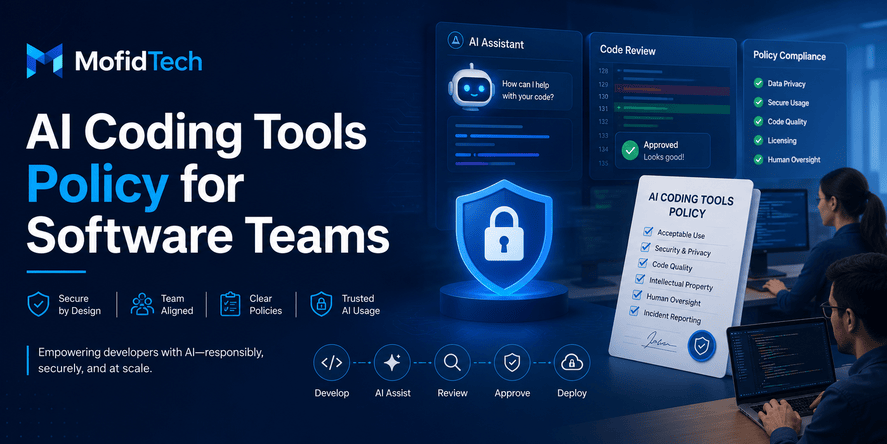
An AI coding tools policy explains how developers are allowed to use AI assistants, what information they must never share, how AI-generated work should be reviewed, when human approval is required, and how the team protects security, privacy, code quality, and business knowledge.
This topic is highly relevant for MofidTech because your content strategy prioritizes practical, SEO-ready, AI-search-friendly technical guides that are useful for developers, engineers, students, and technology professionals while avoiding shallow or generic topics.
AI coding adoption is also a current industry issue. The 2025 Stack Overflow Developer Survey reported that a large majority of respondents were either using or planning to use AI tools in their development workflow, which shows that AI assistance is now part of mainstream software development rather than a niche activity. At the same time, security and quality concerns are increasing as organizations ship more AI-assisted code and as AI systems become more capable in software-related tasks.
This guide explains how to create a useful AI coding tools policy for a real software team without turning the policy into a long legal document that nobody reads.
Table of Contents
- What Is an AI Coding Tools Policy?
- Why Software Teams Need an AI Coding Policy
- What an AI Coding Tools Policy Should Include
- Approved, Restricted, and Prohibited AI Use Cases
- Security Rules for AI Coding Tools
- Privacy and Data Protection Rules
- Code Quality Rules for AI-Generated Work
- Testing Requirements for AI-Assisted Code
- Human Review and Accountability
- AI Coding Tools Policy for Different Team Roles
- How to Choose Approved AI Tools
- How to Introduce the Policy Inside a Team
- Common Mistakes to Avoid
- Practical AI Coding Policy Checklist
- Example Policy Structure Without Code
- FAQ
- Conclusion
What Is an AI Coding Tools Policy?
An AI coding tools policy is a set of rules that explains how software teams can use AI assistants safely, responsibly, and productively during software development.
It usually covers:
| Policy Area | What It Controls |
|---|---|
| Approved tools | Which AI coding assistants developers may use |
| Data protection | What information must never be pasted into AI tools |
| Security | How to avoid insecure AI-generated suggestions |
| Code review | How AI-assisted changes must be checked |
| Testing | What validation is required before merging |
| Accountability | Who is responsible for AI-generated work |
| Compliance | How the team respects legal, contractual, and internal rules |
| Documentation | When developers must disclose AI assistance |
| Escalation | When sensitive changes need approval |
The policy does not need to ban AI. It should help developers use AI in a controlled way.
A good AI coding tools policy answers one simple question:
How can our team benefit from AI coding tools without weakening security, privacy, quality, or accountability?
Why Software Teams Need an AI Coding Policy
Software teams need an AI coding policy because AI tools can improve productivity, but they can also introduce risks that are difficult to detect if the team uses them without structure.
AI assistants can generate convincing explanations, but convincing does not always mean correct. They can suggest code patterns that look professional but may contain security weaknesses, outdated assumptions, licensing risks, weak error handling, or architecture decisions that do not fit the project.
Recent research on AI-generated code has found that AI-assisted code can contain identifiable security weaknesses and that weak human review can allow AI-introduced defects to persist longer. This does not mean teams should avoid AI completely. It means teams need strong review, testing, and governance.
An AI coding policy helps teams:
- Reduce accidental exposure of secrets and private data.
- Prevent unreviewed AI-generated code from reaching production.
- Clarify who is responsible for AI-assisted changes.
- Keep code quality consistent.
- Create shared expectations across developers.
- Support compliance and audit requirements.
- Avoid confusion between safe experimentation and production work.
- Encourage productivity without sacrificing engineering discipline.
What Should an AI Coding Tools Policy Include?
An AI coding tools policy should include approved tools, allowed use cases, restricted use cases, prohibited data sharing, code review requirements, testing expectations, security rules, accountability rules, documentation expectations, and escalation procedures.
A practical policy should not be written only for lawyers or executives. It should be clear enough that developers can follow it during daily work.
Core Sections of the Policy
| Section | Purpose |
|---|---|
| Purpose | Explains why the policy exists |
| Scope | Defines who and what the policy applies to |
| Approved tools | Lists allowed AI tools and environments |
| Allowed use cases | Describes safe everyday uses |
| Restricted use cases | Defines tasks needing extra review |
| Prohibited use cases | Defines actions that are not allowed |
| Data privacy rules | Protects secrets, customer data, and internal information |
| Security review | Ensures generated code is reviewed for vulnerabilities |
| Testing rules | Prevents untested AI-generated work |
| Human accountability | Makes clear that developers remain responsible |
| Documentation | Explains when AI assistance should be disclosed |
| Monitoring and improvement | Keeps the policy updated over time |
Approved, Restricted, and Prohibited AI Use Cases
A strong AI coding policy should divide AI usage into three categories: approved, restricted, and prohibited.
This makes the policy easier to follow than a vague statement like “use AI responsibly.”
Approved Use Cases
Approved use cases are low-risk tasks where AI can help developers without exposing sensitive data or making unsupervised production decisions.
Examples include:
- Explaining general programming concepts.
- Summarizing public documentation.
- Brainstorming architecture questions at a high level.
- Creating learning plans for new technologies.
- Suggesting test scenarios.
- Helping write non-sensitive documentation.
- Reviewing public error messages.
- Generating naming suggestions.
- Creating checklists.
- Explaining common design patterns.
- Helping compare technology choices conceptually.
These uses are generally safe when developers avoid sharing private code, secrets, customer data, or confidential business logic.
Restricted Use Cases
Restricted use cases are allowed only with extra review, approval, or use of an approved enterprise AI environment.
Examples include:
- Generating production code.
- Refactoring sensitive application logic.
- Reviewing authentication or authorization flows.
- Suggesting database schema changes.
- Creating security-related logic.
- Working with payment, identity, healthcare, education, finance, or legal data.
- Analyzing private repositories.
- Reviewing infrastructure decisions.
- Designing API permission models.
- Working on encryption, token handling, or secret management.
- Generating tests for critical business workflows.
These tasks can benefit from AI, but they require human review, testing, and often security validation.
Prohibited Use Cases
Prohibited use cases should be clearly listed because developers need to know what is never acceptable.
Examples include:
- Pasting API keys, passwords, tokens, or private certificates into public AI tools.
- Sharing customer personal data with unapproved AI services.
- Uploading confidential source code to tools not approved by the organization.
- Asking AI to bypass security controls.
- Using AI-generated code in production without review.
- Letting AI make final security decisions.
- Generating legal, compliance, or contractual interpretations without expert review.
- Using AI to create malicious code, exploit systems, or evade detection.
- Copying AI output blindly without understanding it.
- Using AI tools that violate company, client, or regulatory requirements.
A policy becomes much easier to enforce when developers understand the difference between “allowed,” “allowed with review,” and “not allowed.”
Security Rules for AI Coding Tools
Security is one of the most important parts of an AI coding tools policy.
AI coding tools can suggest insecure patterns because they learn from broad sources, including public examples that may be outdated, incomplete, or unsafe. Developers should treat AI output as a draft, not as trusted final code.
OWASP identifies risks such as prompt injection, sensitive information disclosure, insecure plugin design, and other LLM-related security concerns in its guidance for large language model applications. These risks are especially important when AI tools are connected to development environments, repositories, plugins, browsers, terminals, databases, or internal systems.
Security Rule 1: Never Share Secrets
Developers must never paste secrets into AI tools.
This includes:
- Passwords
- API keys
- Access tokens
- Private keys
- Session cookies
- Database credentials
- Cloud credentials
- Internal admin URLs
- Production logs containing sensitive values
- Security incident details not approved for external sharing
Even if a tool claims not to train on user data, secrets should still be handled according to internal security rules.
Security Rule 2: Review All AI-Generated Code
AI-generated code should always be reviewed by a human developer.
The reviewer should ask:
- Does this code solve the correct problem?
- Does it match the project architecture?
- Does it follow internal standards?
- Does it introduce security weaknesses?
- Does it handle errors safely?
- Does it validate input properly?
- Does it expose sensitive data?
- Does it use dependencies safely?
- Is it understandable and maintainable?
- Could it fail in production?
The developer who submits AI-assisted work remains responsible for the result.
Security Rule 3: Use Extra Review for Sensitive Areas
Some areas should always receive deeper review.
High-risk areas include:
- Authentication
- Authorization
- Password reset flows
- User roles and permissions
- Payment logic
- File uploads
- API access control
- Admin dashboards
- Database migrations
- Encryption
- Token handling
- Webhooks
- Third-party integrations
- Cloud infrastructure
- Logging and monitoring
- Data export features
AI can help with these areas, but it should never replace careful engineering judgment.
Security Rule 4: Validate Dependencies
AI tools may suggest libraries, packages, or frameworks that are outdated, unmaintained, insecure, or unnecessary.
Before accepting any AI-suggested dependency, the team should check:
- Is the package actively maintained?
- Does it have known vulnerabilities?
- Is it necessary?
- Does it fit the project license requirements?
- Does it create supply chain risk?
- Does it duplicate functionality already available?
- Is the source trustworthy?
- Does the team understand how to update and monitor it?
Dependency decisions should not be delegated blindly to AI.
Privacy and Data Protection Rules
Privacy rules define what developers can and cannot share with AI tools.
The safest default is simple:
Do not paste private, personal, confidential, regulated, or client-owned data into public AI tools.
Data That Should Not Be Shared
Developers should avoid sharing:
- Customer names
- Email addresses
- Phone numbers
- Identification numbers
- Financial records
- Medical data
- Education records
- Employee information
- Private source code
- Internal business logic
- Unreleased product plans
- Security architecture
- Internal tickets
- Private logs
- Contractual information
- Client project details
- Credentials or tokens
Public AI Tools vs Enterprise AI Tools
Not all AI tools have the same risk level.
| Tool Type | Typical Risk Level | Suitable For |
|---|---|---|
| Public chat-based AI tools | Higher | General learning, public documentation, conceptual questions |
| Enterprise AI coding tools | Medium | Internal coding assistance with approved settings |
| Self-hosted AI tools | Variable | Teams with strong infrastructure and security controls |
| Internal AI assistants | Lower if well governed | Private documentation, internal knowledge, approved workflows |
A company may allow public tools for general questions while requiring enterprise-approved tools for private repositories.
Anonymization Is Helpful but Not Enough
Some developers try to remove names, credentials, and identifiers before using AI. This can reduce risk, but it does not remove all risk.
A code sample may still reveal:
- Business logic
- Security design
- System architecture
- Data model structure
- Internal workflows
- Client-specific implementation details
The policy should explain when anonymization is acceptable and when information is still too sensitive to share.
Code Quality Rules for AI-Generated Work
AI-generated code should meet the same quality standards as human-written code.
The policy should clearly say:
AI assistance does not lower the quality bar.
AI-generated work should be:
- Clear
- Maintainable
- Secure
- Tested
- Consistent with project standards
- Easy to review
- Appropriate for the architecture
- Free from unnecessary complexity
- Documented when needed
- Understandable by the team
Developers Must Understand the Output
A developer should not submit AI-generated work that they cannot explain.
Before submitting AI-assisted changes, the developer should be able to answer:
- What problem does this solve?
- Why is this approach appropriate?
- What are the risks?
- What alternatives were considered?
- How was it tested?
- What edge cases exist?
- What could break?
- What parts came from AI assistance?
This rule protects the team from “black-box development,” where code enters the project without real understanding.
Avoid AI-Generated Complexity
AI tools sometimes produce solutions that are more complex than necessary.
Developers should watch for:
- Over-engineered abstractions
- Unnecessary layers
- Excessive configuration
- Repeated logic
- Confusing naming
- Hidden assumptions
- Poor error handling
- Unclear dependencies
- Long explanations that hide weak design
A good AI policy should encourage simplicity.
Maintain Project Consistency
AI tools may suggest patterns that do not match the existing project.
The team should reject output that conflicts with:
- Existing architecture
- Naming conventions
- Error handling style
- Logging standards
- Testing practices
- Security requirements
- Database design principles
- API design rules
- Documentation style
Consistency matters because software is maintained over time by teams, not by one AI conversation.
Testing Requirements for AI-Assisted Code
AI-generated code should never be merged only because it looks correct.
Testing is essential.
Reports about organizations deploying untested AI-generated code highlight why teams need strong quality gates around AI-assisted development.
Required Testing Areas
AI-assisted changes should be tested for:
- Correct behavior
- Edge cases
- Invalid input
- Permission boundaries
- Security behavior
- Performance impact
- Error handling
- Backward compatibility
- Integration with existing systems
- User experience impact
Testing Should Match Risk Level
Not all changes need the same level of testing.
| Change Type | Testing Level |
|---|---|
| Documentation improvement | Basic review |
| Internal helper logic | Unit and peer review |
| User-facing feature | Functional, integration, and regression testing |
| Authentication or authorization | Security review and deeper testing |
| Payment or identity feature | High-risk review and approval |
| Infrastructure or deployment change | Environment-specific validation |
| Database change | Migration, rollback, and data integrity review |
The more sensitive the change, the stronger the review.
AI Can Suggest Tests, But Humans Must Validate Them
AI can help brainstorm test scenarios. However, generated tests may miss important business rules.
Developers should verify:
- Do the tests check real requirements?
- Are important edge cases included?
- Do tests only confirm the generated logic instead of the intended behavior?
- Are negative cases included?
- Are permission checks included?
- Are failure scenarios included?
Tests should validate the product, not just the AI’s assumptions.
Human Review and Accountability
The most important rule in an AI coding tools policy is accountability.
The developer who submits AI-assisted work is responsible for it.
AI cannot be the accountable author of production code. It cannot understand your business context completely. It cannot attend incident reviews. It cannot explain architectural trade-offs to clients. It cannot own the long-term maintenance burden.
What Human Accountability Means
Human accountability means:
- Developers must understand the changes they submit.
- Reviewers must review AI-assisted code seriously.
- Teams must not accept “the AI suggested it” as a justification.
- Managers must not pressure developers to bypass review for speed.
- Security teams must define high-risk areas clearly.
- Production incidents remain human responsibility.
Should Developers Disclose AI Assistance?
Teams should define when disclosure is required.
For example, disclosure may be required when:
- AI generated a significant part of a feature.
- AI helped design architecture.
- AI suggested a new dependency.
- AI was used for security-sensitive logic.
- AI summarized or transformed private internal content.
- AI output influenced customer-facing documentation.
- AI was used during incident investigation.
Disclosure does not need to shame developers. It helps reviewers understand where extra attention may be needed.
AI Coding Tools Policy for Different Team Roles
A useful policy should explain responsibilities by role.
Developers
Developers should:
- Use only approved AI tools.
- Avoid sharing sensitive information.
- Review and understand AI output.
- Test AI-assisted changes.
- Document significant AI assistance when required.
- Ask for help when working on sensitive systems.
- Reject suggestions they cannot verify.
Tech Leads
Tech leads should:
- Define acceptable use cases.
- Review high-risk AI-assisted changes.
- Maintain coding standards.
- Help developers understand risks.
- Decide when a change needs deeper review.
- Update the policy as tools evolve.
Security Teams
Security teams should:
- Define prohibited data sharing.
- Review AI usage risks.
- Approve tools for sensitive work.
- Create secure coding checklists.
- Monitor new AI-related threats.
- Train developers on secure AI use.
Engineering Managers
Engineering managers should:
- Encourage responsible adoption.
- Avoid speed pressure that weakens quality.
- Support training.
- Track productivity and risk realistically.
- Make sure the policy is practical.
- Balance innovation with governance.
Legal and Compliance Teams
Legal and compliance teams should:
- Review data handling rules.
- Define client and regulatory constraints.
- Clarify intellectual property concerns.
- Approve policy language for regulated industries.
- Support audit and documentation requirements.
How to Choose Approved AI Coding Tools
A team should not approve an AI tool only because it is popular.
The approval process should consider security, privacy, integration, reliability, admin controls, data handling, and developer experience.
Tool Evaluation Criteria
| Criteria | Key Question |
|---|---|
| Data handling | What happens to prompts and outputs? |
| Training usage | Is user data used to train models? |
| Access control | Can the company manage users and permissions? |
| Logging | Are activity logs available? |
| Repository access | Can access be limited by project or team? |
| Security certifications | Does the vendor provide security documentation? |
| Enterprise controls | Are admin settings available? |
| Model behavior | Does the tool produce reliable output? |
| Integration | Does it work with the development workflow? |
| Cost | Is the value worth the price? |
| Support | Is vendor support available? |
| Compliance | Does it fit legal and contractual requirements? |
Questions to Ask Before Approving a Tool
Before approving an AI coding assistant, ask:
- Can developers use it without exposing private data?
- Does the vendor provide enterprise privacy controls?
- Can the organization disable training on company data?
- Can access be managed centrally?
- Can usage be audited?
- Does the tool respect project permissions?
- Can the tool access files automatically?
- Does it connect to external systems?
- Can it execute actions or only suggest content?
- What happens when an employee leaves?
- What contractual protections exist?
- What are the risks for regulated data?
The stronger the tool’s access, the stronger the governance should be.
AI Coding Assistants vs AI Coding Agents
Modern software teams should distinguish between AI assistants and AI agents.
| Type | Description | Risk Level |
|---|---|---|
| AI coding assistant | Suggests or explains code while the developer remains in control | Medium |
| AI code reviewer | Comments on changes and highlights risks | Medium |
| AI documentation assistant | Helps write or summarize documentation | Low to Medium |
| AI coding agent | Plans, edits, runs tools, and may complete tasks with more autonomy | Higher |
| AI DevOps agent | Interacts with deployment, infrastructure, or monitoring workflows | Higher |
AI agents require stricter rules because they may act across files, tools, repositories, or systems. Industry concern about autonomous AI agents is increasing because systems that can act through tools create broader security and operational risks.
A policy should define whether autonomous agents are allowed, what permissions they may have, and what actions require human approval.
How to Introduce the Policy Inside a Team
A policy works only if people understand it and can follow it.
Do not introduce the policy as a punishment. Introduce it as a way to help developers use AI confidently and safely.
Step 1: Start with a Practical Draft
The first version should be short, clear, and focused on daily behavior.
It should answer:
- Which tools can we use?
- What data can we share?
- What data is prohibited?
- When do we need review?
- Who is responsible?
- What testing is required?
- What should we do when unsure?
Step 2: Discuss With Developers
Developers should be included in the policy process.
Ask them:
- Which AI tools do they already use?
- Where does AI help most?
- Where does AI create risk?
- What rules are unclear?
- What workflows would be annoying?
- What training do they need?
A policy written without developer input often becomes unrealistic.
Step 3: Train the Team
Training should include real examples:
- Safe AI prompts
- Unsafe AI prompts
- Examples of sensitive data
- AI-generated security mistakes
- Review checklist examples
- Testing expectations
- Dependency review examples
- Escalation scenarios
Training should be repeated when tools or risks change.
Step 4: Add the Policy to Engineering Workflow
The policy should be connected to daily work.
For example:
- Include AI review questions in pull request templates.
- Add security checklist items for high-risk changes.
- Create approved tool documentation.
- Add onboarding guidance for new developers.
- Include AI usage expectations in code review standards.
- Create a simple escalation path.
Step 5: Review and Update Regularly
AI tools change quickly.
The policy should be reviewed regularly, especially when:
- The team adopts a new AI tool.
- A vendor changes data handling terms.
- A security incident occurs.
- A new regulation affects the business.
- AI agents gain new permissions.
- Developers report confusion.
- Reviewers notice recurring issues.
A policy that is never updated becomes outdated quickly.
Common Mistakes Companies Make With AI Coding Tools
Mistake 1: Allowing AI Use Without Rules
Some teams allow AI tools informally because developers are already using them. This creates hidden risk.
Without rules, developers may not know:
- What data is safe to share.
- Which tools are approved.
- Whether AI-generated code needs disclosure.
- How to review generated output.
- What testing is required.
- Who is responsible if something breaks.
Informal usage can become a security and compliance problem.
Mistake 2: Blocking AI Completely
A complete ban may seem safe, but it can create other problems.
Developers may:
- Use tools secretly.
- Lose productivity opportunities.
- Miss learning benefits.
- Fall behind modern workflows.
- Become frustrated by unrealistic rules.
A controlled policy is usually better than a blanket ban.
Mistake 3: Treating AI Output as Automatically Correct
AI output can be fluent, confident, and wrong.
Teams should avoid trusting output because:
- The explanation sounds professional.
- The generated solution is long.
- The tool is popular.
- The answer includes technical terms.
- The code “looks clean.”
- The assistant says it is secure.
Correctness must be verified.
Mistake 4: Ignoring Data Privacy
Many AI risks start with what developers paste into tools.
A small copied log, error message, database sample, or source file can contain sensitive information. The policy should make data-sharing rules extremely clear.
Mistake 5: Not Updating Review Processes
AI can increase the amount of generated work. If code review practices stay the same, reviewers may become overloaded.
Teams should adapt review processes by:
- Prioritizing high-risk changes.
- Using checklists.
- Improving automated testing.
- Requiring explanation from submitters.
- Tracking recurring AI-related defects.
Mistake 6: Measuring Only Speed
AI adoption should not be measured only by how fast developers produce code.
Teams should also measure:
- Defect rates
- Rework
- Security findings
- Review time
- Test coverage
- Maintainability
- Developer understanding
- Incident frequency
- Long-term support cost
Speed without quality can create expensive future problems.
Best Practices for a Strong AI Coding Tools Policy
1. Make the Policy Simple Enough to Use
A policy that is too long will be ignored.
Keep the main rules visible:
- Use approved tools.
- Do not share sensitive data.
- Review all AI output.
- Test AI-assisted changes.
- Own what you submit.
- Escalate high-risk work.
Detailed explanations can live in a longer internal document.
2. Use Risk Levels
Not all AI usage has the same risk.
A general explanation request is different from generating authentication logic. A documentation summary is different from changing production infrastructure.
Classify work by risk level and adjust review requirements.
3. Keep Humans in Control
AI should assist the developer, not replace engineering judgment.
Human control is especially important for:
- Architecture decisions
- Security-sensitive logic
- Customer data
- Production incidents
- Deployment decisions
- Dependency choices
- Legal or compliance topics
4. Encourage Learning, Not Blind Copying
AI tools can be excellent for learning. Developers can ask for explanations, comparisons, and review questions.
But copying without understanding should be prohibited.
5. Align AI Use With Secure Development
AI policy should connect to existing secure development practices.
This includes:
- Secure coding standards
- Code review rules
- Testing strategy
- Dependency management
- Incident response
- Access control
- Logging and monitoring
- Privacy policy
- Compliance requirements
AI governance should not exist separately from engineering governance.
Security Considerations for AI Coding Policies
Security should be embedded across the entire policy.
Sensitive Data Exposure
The policy should clearly define sensitive data and explain that developers must not paste it into unapproved AI tools.
Prompt Injection
Prompt injection is a risk when AI systems consume untrusted content that can influence model behavior. OWASP describes prompt injection as manipulating model responses through specific inputs that alter behavior.
This matters when AI tools read:
- Issues
- Documentation
- Web pages
- Emails
- Logs
- User-submitted content
- Repository files
- Support tickets
A malicious instruction hidden inside untrusted content could influence an AI agent or assistant.
Excessive Permissions
AI tools should not receive more access than necessary.
For example:
- A code assistant may not need production access.
- A documentation assistant may not need repository write access.
- A review tool may not need access to secrets.
- An AI agent should not deploy without approval.
Least privilege applies to AI tools too.
Supply Chain Risk
AI can suggest packages, plugins, and integrations. These suggestions must be reviewed like any other dependency decision.
Insecure Generated Patterns
AI may generate patterns that are outdated or unsafe.
Developers should pay extra attention to:
- Input validation
- Access control
- Error messages
- File handling
- Authentication
- Authorization
- Cryptography
- Logging
- Dependency usage
- Session handling
- API permissions
Performance Considerations for AI-Assisted Development
AI-generated code may work but still perform poorly.
Performance review should consider:
- Does the solution scale?
- Does it use unnecessary processing?
- Does it create inefficient database access?
- Does it increase memory usage?
- Does it add unnecessary dependencies?
- Does it slow down page load or API response?
- Does it create hidden background work?
- Does it increase cloud cost?
AI tools may optimize for a correct-looking answer, not for your system’s performance constraints.
Teams should review AI-assisted work with performance in mind, especially for high-traffic applications, APIs, data pipelines, and cloud deployments.
Troubleshooting AI-Assisted Code Problems
When AI-assisted code causes problems, teams should avoid blaming only the tool. The better question is: where did the workflow fail?
Problem: The AI Output Was Incorrect
Possible causes:
- The prompt lacked context.
- The developer accepted output too quickly.
- The reviewer did not check assumptions.
- The test suite was weak.
- Requirements were unclear.
- The AI used an outdated pattern.
Solution:
- Improve review checklists.
- Ask developers to explain changes.
- Strengthen tests.
- Add examples of unacceptable AI usage.
- Train developers on verification.
Problem: Sensitive Data Was Shared
Possible causes:
- The policy was unclear.
- Developers did not understand what counts as sensitive.
- Approved tools were not available.
- There was pressure to solve issues quickly.
- Logs contained hidden sensitive values.
Solution:
- Clarify prohibited data.
- Provide safe debugging workflows.
- Train developers on log redaction.
- Use approved enterprise tools.
- Review access and incident response procedures.
Problem: Reviewers Are Overloaded
Possible causes:
- AI increased code volume.
- Pull requests became too large.
- Generated code was submitted without explanation.
- Review standards were unclear.
Solution:
- Require smaller changes.
- Ask for AI usage disclosure.
- Add risk-based review.
- Require developer self-review before peer review.
- Improve automated testing and scanning.
Problem: Developers Ignore the Policy
Possible causes:
- The policy is too long.
- Rules are unrealistic.
- Approved tools are not useful.
- Managers reward speed over quality.
- There is no training.
Solution:
- Simplify the policy.
- Involve developers in updates.
- Provide better approved tools.
- Align incentives with quality.
- Add policy reminders to workflow.
Practical AI Coding Policy Checklist
Use this checklist when creating or reviewing your team policy.
Tool Approval Checklist
- Approved AI tools are listed.
- Public and enterprise tools are separated.
- Tool access is controlled.
- Data handling rules are reviewed.
- Vendor privacy terms are understood.
- Admin controls are available when needed.
- Logging and audit options are considered.
- Tool permissions follow least privilege.
Data Protection Checklist
- Secrets are prohibited.
- Customer data is prohibited unless explicitly approved.
- Private source code rules are defined.
- Internal documentation rules are defined.
- Logs must be sanitized before sharing.
- Regulated data receives special protection.
- Developers know how to ask for help safely.
Security Checklist
- AI-generated code requires review.
- Sensitive areas require deeper review.
- Dependency suggestions require validation.
- Authentication and authorization changes require approval.
- Security-critical logic cannot be blindly generated.
- AI agents have limited permissions.
- Prompt injection risks are considered.
- Tool access is reviewed regularly.
Code Quality Checklist
- Developers must understand AI output.
- Generated code follows project standards.
- Changes are small enough to review.
- Unnecessary complexity is rejected.
- Documentation is updated when needed.
- Maintainability is considered.
- Reviewers can request explanation.
Testing Checklist
- AI-assisted code is tested.
- Edge cases are reviewed.
- Negative cases are included.
- Security behavior is validated.
- Regression risk is considered.
- High-risk areas receive deeper testing.
- Tests check requirements, not just generated logic.
Accountability Checklist
- Developers own submitted changes.
- AI assistance is disclosed when required.
- Reviewers know what to check.
- Managers do not reward unsafe shortcuts.
- Escalation paths are defined.
- Incidents involving AI-assisted work are reviewed constructively.
Example AI Coding Tools Policy Structure Without Code
Below is a practical structure that a software team can adapt.
1. Purpose
This policy defines how our team uses AI coding tools safely and responsibly. The goal is to improve developer productivity while protecting security, privacy, quality, and compliance.
2. Scope
This policy applies to all developers, contractors, reviewers, technical leads, and team members who use AI tools during software development, documentation, testing, review, troubleshooting, or architecture planning.
3. Approved Tools
The organization maintains a list of approved AI tools. Developers may use only approved tools for work involving private repositories, internal systems, client projects, or confidential information.
4. Allowed Uses
Developers may use AI tools for general explanations, public documentation summaries, brainstorming, learning, test ideas, documentation drafting, and low-risk development assistance.
5. Restricted Uses
Developers must apply extra review when using AI for production code, sensitive logic, authentication, authorization, payment features, infrastructure, database changes, security-related work, or client-specific projects.
6. Prohibited Uses
Developers must not paste secrets, credentials, customer data, private keys, production logs with sensitive values, confidential source code, or regulated data into unapproved AI tools.
7. Review Requirements
All AI-assisted code must be reviewed by a human. The developer submitting the change is responsible for understanding, testing, and explaining it.
8. Testing Requirements
AI-assisted changes must be tested according to their risk level. High-risk changes require stronger validation and may require security review.
9. Security Requirements
Developers must review AI output for insecure patterns, unsafe dependencies, access control issues, data exposure, and architecture risks.
10. Documentation Requirements
Significant AI assistance should be disclosed when it affects production code, architecture, security-sensitive logic, or customer-facing documentation.
11. Incident Handling
If AI-assisted work contributes to a defect, security issue, or data exposure, the team will review the workflow and improve the policy, training, or controls.
12. Policy Review
This policy should be reviewed regularly as AI tools, security risks, and team workflows evolve.
Comparison Table: Weak Policy vs Strong Policy
| Area | Weak AI Policy | Strong AI Policy |
|---|---|---|
| Tool usage | “Use AI responsibly” | Lists approved tools and risk levels |
| Data privacy | Vague warning | Clear prohibited data categories |
| Code review | Optional | Required for all AI-assisted changes |
| Testing | Depends on developer | Defined by risk level |
| Security | General reminder | Specific review requirements |
| Accountability | Unclear | Developer remains responsible |
| AI agents | Not mentioned | Permissions and approvals defined |
| Updates | Rare | Reviewed regularly |
| Training | None | Practical examples and onboarding |
| Productivity | Speed-focused | Balanced with quality and safety |
FAQ
1. What is an AI coding tools policy?
An AI coding tools policy is a set of rules that explains how developers may use AI assistants during software development. It defines approved tools, safe use cases, data protection rules, review expectations, testing requirements, and accountability.
2. Should developers be allowed to use AI coding tools?
Yes, developers can use AI coding tools when the team has clear rules. AI tools can help with learning, documentation, brainstorming, refactoring ideas, test planning, and repetitive tasks. However, production code and sensitive work should always be reviewed and tested.
3. Can AI-generated code be used in production?
AI-generated code can be used in production only after human review, testing, and validation. Developers should understand the code, confirm that it meets requirements, check for security issues, and ensure it follows project standards.
4. Who is responsible for AI-generated code?
The developer who submits the AI-assisted work is responsible for it. AI tools can assist, but they cannot take responsibility for correctness, security, maintainability, or production incidents.
5. What should developers never paste into AI tools?
Developers should never paste passwords, API keys, access tokens, private keys, customer data, confidential source code, regulated data, internal security details, or production logs containing sensitive information into unapproved AI tools.
6. Do AI coding tools create security risks?
Yes, AI coding tools can create security risks if teams use them without review. Risks include insecure suggestions, sensitive data exposure, unsafe dependencies, weak access control, and overconfidence in generated output.
7. How should teams review AI-generated code?
Teams should review AI-generated code like any other code, but with extra attention to assumptions, security, dependencies, error handling, edge cases, and consistency with project architecture. High-risk changes should receive deeper review.
8. Should AI usage be disclosed in pull requests?
Teams should require disclosure when AI significantly contributes to production code, architecture decisions, security-sensitive logic, or customer-facing documentation. Disclosure helps reviewers know where to focus.
9. Are public AI tools safe for company code?
Public AI tools may be acceptable for general learning and public information, but they are usually not appropriate for private source code, secrets, customer data, or confidential business logic unless the organization has approved their use.
10. How often should an AI coding tools policy be updated?
The policy should be reviewed regularly, especially when the team adopts new AI tools, vendors change privacy terms, AI agents gain new permissions, security risks evolve, or developers report unclear rules.
11. What is the biggest mistake teams make with AI coding tools?
The biggest mistake is treating AI output as automatically correct. AI suggestions should be considered drafts that require human understanding, testing, and review.
12. Can AI tools help with testing?
Yes, AI tools can suggest test scenarios, edge cases, and review questions. However, developers must validate that the tests reflect real requirements and do not simply confirm the AI’s own assumptions.
Conclusion
AI coding tools can help software teams work faster, learn more effectively, and reduce repetitive tasks. But without a clear policy, they can also create security, privacy, quality, and compliance risks.
A strong AI coding tools policy does not need to block innovation. It should help teams use AI safely by defining approved tools, allowed use cases, restricted work, prohibited data sharing, review requirements, testing expectations, and human accountability.
The best policy is practical. Developers should understand it. Reviewers should be able to apply it. Managers should support it. Security teams should help maintain it. And the whole team should update it as AI tools evolve.
The central principle is simple:
AI can assist software development, but humans remain responsible for secure, reliable, maintainable software.
For modern software teams, an AI coding tools policy is no longer optional. It is part of responsible engineering.










💬 Comments
No comments yet. Be the first to comment!
Login to comment.