Introduction
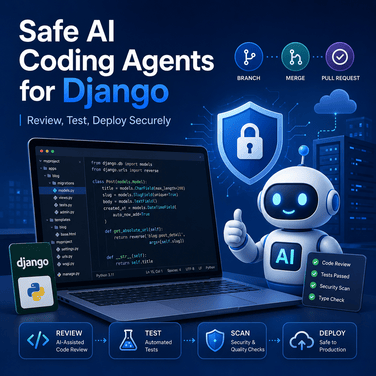
AI coding agents are changing the way developers build software. Tools such as Claude, Gemini, GitHub Copilot, Cursor, Antigravity, and other AI-powered development environments can generate views, models, templates, tests, Docker files, API endpoints, documentation, and even complete features in minutes.
For Django developers, this is extremely useful. A coding agent can help you build a dashboard, fix a template bug, generate a REST API, write model tests, improve SEO metadata, configure Docker, or create a new tool for your website.
But there is a serious problem.
AI coding agents can also break your project.
They can modify unrelated files, remove working code, introduce insecure logic, change database migrations incorrectly, expose secrets, damage deployment settings, or create code that works locally but fails in production.
This is especially dangerous for a real website such as MofidTech, which publishes practical content about Django, Python, DevOps, Docker, cybersecurity, SEO for developers, AI tools, IoT, robotics, computer science, and software engineering. This topic fits directly with MofidTech’s content strategy and audience.
The goal of this guide is simple:
You will learn how to use AI coding agents in a Django project safely, professionally, and without losing control of your codebase.
This article covers Git workflows, prompt design, testing, Django security checks, code review, database migration safety, environment variables, deployment protection, rollback strategies, and practical checklists.
Table of Contents
- Why AI coding agents are useful for Django developers
- Why AI-generated code can be risky
- The golden rule: never let AI modify production directly
- Prepare your Django project before using an AI agent
- The safest Git workflow for AI-generated changes
- How to write a safe prompt for an AI coding agent
- Django-specific checks after AI modifies your project
- Security checklist for AI-generated Django code
- Database migration safety
- Testing AI-generated changes
- How to review AI-generated code like a senior developer
- Safe deployment workflow
- Rollback strategy if the AI breaks something
- Practical example: adding a Django feature with an AI agent
- Common mistakes to avoid
- Best practices checklist
- FAQ
- Conclusion
1. Why AI Coding Agents Are Useful for Django Developers
Django is a powerful web framework, but real Django projects often involve many moving parts:
- Models
- Views
- Forms
- Templates
- Static files
- Media files
- Authentication
- Permissions
- Admin customization
- Middleware
- Context processors
- URL routing
- Database migrations
- Deployment settings
- Docker configuration
- Nginx configuration
- Security headers
- SEO metadata
- Sitemap and robots.txt logic
An AI coding agent can help with many of these tasks.
For example, you can ask an AI agent to:
- Create a new Django app
- Generate CRUD views
- Build Bootstrap or Tailwind templates
- Add Open Graph meta tags
- Write unit tests
- Fix a form validation issue
- Add Redis caching
- Improve a Dockerfile
- Generate a custom management command
- Create an API endpoint with Django REST Framework
- Refactor repeated template code
- Write documentation
- Explain an error message
This can save a lot of time.
The Stack Overflow 2025 Developer Survey reported that many professional developers use AI tools daily, but it also showed that security and privacy concerns are among the main reasons developers reject technologies.
That is the key lesson: AI coding tools are useful, but developers still need discipline, review, and security awareness.
2. Why AI-Generated Code Can Be Risky
AI coding agents do not truly understand your full project context like a senior developer who has maintained the codebase for years.
Even when an AI agent produces code that looks correct, it may still introduce hidden problems.
Common risks include:
- Modifying files that were not part of the request
- Breaking existing templates
- Creating duplicate URL names
- Adding insecure views
- Removing CSRF protection
- Adding unsafe redirects
- Hardcoding secrets
- Creating migrations that damage existing data
- Changing production settings accidentally
- Installing unnecessary dependencies
- Generating code that only works in development
- Ignoring performance problems
- Breaking static or media file handling
- Creating inconsistent naming conventions
- Removing custom business logic
In Django projects, one small change can affect many areas.
For example, changing a model field may require a migration. That migration may affect forms, templates, admin panels, serializers, tests, and production data.
This is why AI-generated code should be treated like code written by a junior developer: useful, but always reviewed.
3. The Golden Rule: Never Let AI Modify Production Directly
The most important rule is:
Never allow an AI coding agent to modify production directly.
Do not give the AI direct access to your production server and let it edit files without review.
Do not run AI-generated commands blindly on a production database.
Do not let the AI change your .env, settings.py, Docker Compose production file, Nginx config, or deployment scripts without carefully reviewing the changes.
A safe workflow looks like this:
- Work locally or in a development environment.
- Create a Git branch.
- Ask the AI to make a limited change.
- Review the diff.
- Run Django checks and tests.
- Test manually.
- Commit the approved changes.
- Deploy to staging if available.
- Backup production before risky changes.
- Deploy carefully.
- Monitor logs.
- Roll back if necessary.
Django’s official deployment checklist reminds developers to review settings with security, performance, and operations in mind before deployment. It also says clearly that the internet is a hostile environment.
That mindset is essential when working with AI-generated code.
4. Prepare Your Django Project Before Using an AI Agent
Before giving your project folder to an AI coding agent, prepare it properly.
4.1 Make sure Git is initialized
Run:
git statusIf your project is not a Git repository, initialize it:
git init
git add .
git commit -m "Initial clean project state"
If the project already uses Git, make sure the working tree is clean:
git statusYou want to see something like:
nothing to commit, working tree cleanThis is important because you need to know exactly what the AI changed.
4.2 Create a new branch for the AI task
Never let the AI modify your main branch directly.
Create a new branch:
git checkout -b ai/add-dashboard-featureUse clear branch names:
git checkout -b ai/fix-profile-image-preview
git checkout -b ai/improve-seo-meta-tags
git checkout -b ai/add-security-headers-tool
git checkout -b ai/refactor-django-settings
This makes the AI work isolated and reversible.
4.3 Commit your current state before AI changes
Before asking the AI to modify anything, commit your stable version:
git add .
git commit -m "Stable version before AI changes"
If you already have uncommitted changes that you want to keep, commit them first or stash them:
git stash push -m "Work before AI experiment"4.4 Protect sensitive files
Your AI agent should not need access to secrets.
Be careful with files such as:
.env
.env.prod
.env.local
db.sqlite3
*.pem
*.key
credentials.json
service-account.json
private_key.json
Make sure these are in .gitignore:
.env
.env.*
db.sqlite3
*.sqlite3
*.pem
*.key
credentials.json
service-account.json
__pycache__/
*.pyc
media/
staticfiles/
Do not paste API keys, database passwords, secret keys, OAuth credentials, or private tokens into an AI chat unless you are fully aware of the security implications.
OWASP’s LLM security guidance includes risks such as prompt injection, insecure output handling, and supply chain vulnerabilities. These are important reminders that AI-assisted workflows need security boundaries.
5. The Safest Git Workflow for AI-Generated Changes
Git is your safety net.
If you use AI coding agents without Git, you are taking unnecessary risk.
Here is a safe workflow.
Step 1: Check your current status
git statusMake sure you know whether your project has uncommitted changes.
Step 2: Create a new branch
git checkout -b ai/my-featureExample:
git checkout -b ai/add-local-llm-calculatorStep 3: Let the AI make the change
Give the AI a limited task.
Do not say:
Improve my whole project.Say:
Add a Django tool page that calculates local LLM memory requirements.
Do not modify authentication, deployment settings, database connection settings, or existing unrelated templates.
Before editing, explain the files you plan to change.
Step 4: Review changed files
After the AI finishes, run:
git statusThen inspect the changes:
git diffTo see only changed file names:
git diff --name-onlyTo review staged changes:
git diff --stagedStep 5: Restore unwanted changes
If the AI changed a file it should not have touched:
git restore path/to/file.pyExample:
git restore mofidtech/settings.pyTo discard all uncommitted AI changes:
git restore .Be careful: this removes all uncommitted changes.
Step 6: Commit only approved changes
Add files selectively:
git add app/views.py app/urls.py templates/tool.htmlCommit:
git commit -m "Add local LLM memory calculator tool"Step 7: Merge only after testing
Switch back to main:
git checkout mainMerge:
git merge ai/add-local-llm-calculatorOr use a pull request if you work with GitHub/GitLab.
6. How to Write a Safe Prompt for an AI Coding Agent
The quality of your prompt affects the quality of the generated code.
A vague prompt produces risky results.
A safe prompt gives:
- Project context
- Exact task
- Files that can be edited
- Files that must not be edited
- Coding style
- Testing requirements
- Security requirements
- Output expectations
Bad prompt
Improve my Django website and make it better.This is dangerous because the AI may modify many unrelated files.
Better prompt
You are working on my Django project.

Task:
Add a new tool page called "HTTP Security Headers Checker".

Requirements:
- Create a Django view for the tool.
- Create a template using Bootstrap 5.
- Add a URL route.
- The user enters a website URL.
- The backend checks common security headers:
  - Content-Security-Policy
  - Strict-Transport-Security
  - X-Frame-Options
  - X-Content-Type-Options
  - Referrer-Policy
  - Permissions-Policy
- Show results in a clean table.

Important rules:
- Do not modify production settings.
- Do not modify Docker files.
- Do not modify authentication.
- Do not modify existing models unless necessary.
- Do not expose secrets.
- Do not install new dependencies without explaining why.
- Before editing, list the files you plan to change.
- After editing, summarize every modified file.
- Provide commands to test the feature.
This prompt gives the AI boundaries.
Prompt template for safe AI modifications
You can reuse this template:
You are a senior Django developer working on my existing project.

Goal:
[Describe the feature or bug fix clearly]

Allowed changes:
- [File/app/template area allowed]
- [Specific app allowed]
- [Specific templates allowed]

Do not change:
- Production settings
- .env files
- Database credentials
- Docker production files
- Nginx configuration
- Authentication logic
- Existing unrelated templates
- Existing migrations unless required and explained

Technical requirements:
- Follow existing project style.
- Keep changes minimal.
- Use Django best practices.
- Preserve existing functionality.
- Avoid unnecessary dependencies.
- Add comments only where useful.

Security requirements:
- Do not expose secrets.
- Validate user input.
- Keep CSRF protection.
- Avoid unsafe redirects.
- Avoid raw SQL unless necessary.
- Avoid disabling Django security features.

Before coding:
1. Explain your plan.
2. List files you intend to modify.
3. Ask before making destructive changes.

After coding:
1. Summarize changed files.
2. Explain how to test.
3. Mention possible risks.
4. Provide rollback instructions.
7. Django-Specific Checks After AI Modifies Your Project
After AI changes your Django code, run Django checks.
7.1 Basic Django check
python manage.py checkThis checks for configuration and application issues.
7.2 Deployment security check
For production settings, run:
python manage.py check --deployThis command is especially important before deployment. Django’s official documentation recommends reviewing deployment settings with security, performance, and operations in mind.
If your project uses separate settings files:
python manage.py check --deploy --settings=mofidtech.settings.prod7.3 Check migrations
python manage.py makemigrations --check --dry-runThis tells you whether model changes require migrations.
If migrations are needed:
python manage.py makemigrationsThen inspect the generated migration file before applying it.
Apply locally:
python manage.py migrate7.4 Run the development server
python manage.py runserver
Open the affected pages manually.
Check:
- Page loads correctly
- Forms submit correctly
- Login still works
- Logout still works
- Static files load
- Images load
- URLs are correct
- No template errors
- No console errors
- No broken links
8. Security Checklist for AI-Generated Django Code
Security review is not optional.
AI-generated code may look clean but still contain vulnerabilities.
8.1 Check for exposed secrets
Search for common secret patterns:
grep -R "SECRET_KEY" .
grep -R "PASSWORD" .
grep -R "API_KEY" .
grep -R "TOKEN" .
You can also use:
git diff | grep -i "secret\|password\|token\|api_key"Make sure the AI did not hardcode something like:
SECRET_KEY = "django-insecure-..."
DATABASE_PASSWORD = "my-password"
GEMINI_API_KEY = "..."
Use environment variables instead:
import os

GEMINI_API_KEY = os.environ.get("GEMINI_API_KEY")
8.2 Check CSRF protection
Django protects forms with CSRF tokens.
Your templates should include:
<form method="post">
    {% csrf_token %}
    <!-- form fields -->
</form>
Be careful if the AI adds:
@csrf_exemptOnly use @csrf_exempt when absolutely necessary and well justified.
8.3 Check user permissions
If the AI creates views that modify data, make sure they require authentication.
Example:
from django.contrib.auth.decorators import login_required

@login_required
def create_resource(request):
    ...
For class-based views:
from django.contrib.auth.mixins import LoginRequiredMixin
from django.views.generic import CreateView

class ResourceCreateView(LoginRequiredMixin, CreateView):
    ...
If objects belong to users, check ownership:
resource = get_object_or_404(Resource, id=resource_id, user=request.user)Do not allow users to edit objects they do not own.
8.4 Check redirects
Unsafe redirects can create phishing risks.
Avoid:
return redirect(request.GET.get("next"))Use Django’s safety utilities:
from django.utils.http import url_has_allowed_host_and_scheme
from django.shortcuts import redirect

next_url = request.GET.get("next")

if next_url and url_has_allowed_host_and_scheme(
    url=next_url,
    allowed_hosts={request.get_host()},
    require_https=request.is_secure()
):
    return redirect(next_url)

return redirect("dashboard")
8.5 Check raw SQL
Avoid raw SQL unless necessary.
Risky:
cursor.execute(f"SELECT * FROM blog_article WHERE title = '{title}'")Safer:
Article.objects.filter(title=title)If raw SQL is necessary, use parameters:
cursor.execute(
    "SELECT * FROM blog_article WHERE title = %s",
    [title]
)
8.6 Check file uploads
If the AI modifies image or file upload logic, validate:
- File extension
- File size
- MIME type
- Storage location
- User permissions
Example validation:
from django.core.exceptions import ValidationError

def validate_image_size(image):
    max_size = 2 * 1024 * 1024  # 2 MB
    if image.size > max_size:
        raise ValidationError("Image size must not exceed 2 MB.")
8.7 Check dependencies
If the AI adds a package to requirements.txt, ask:
- Is this dependency necessary?
- Is it maintained?
- Is it popular and trusted?
- Can Django already do this without a new package?
- Does it increase the attack surface?
Recent reports have shown malicious packages targeting developers and AI coding workflows, which makes dependency review even more important.
9. Database Migration Safety
Database migrations are one of the most dangerous areas where AI can make mistakes.
A bad migration can:
- Delete columns
- Drop tables
- Lose production data
- Rename fields incorrectly
- Break foreign keys
- Create downtime
- Fail halfway during deployment
9.1 Always inspect migration files
After running:
python manage.py makemigrationsOpen the migration file.
Look for dangerous operations:
migrations.RemoveField(...)
migrations.DeleteModel(...)
migrations.AlterField(...)
migrations.RenameField(...)
migrations.RunSQL(...)
migrations.RunPython(...)
These are not always bad, but they require review.
9.2 Use dry-run checks
python manage.py makemigrations --check --dry-runThis helps detect unintended model changes.
9.3 Backup before production migrations
Before applying migrations in production, backup the database.
For PostgreSQL:
pg_dump -U your_user -h localhost your_database > backup_before_ai_migration.sqlFor Docker Compose:
docker compose exec db pg_dump -U postgres your_database > backup_before_ai_migration.sqlFor SQLite:
cp db.sqlite3 db_backup_before_ai_change.sqlite39.4 Avoid AI-generated destructive migrations
If the AI suggests deleting a field, do not apply it immediately.
A safer approach is:
- Add the new field.
- Copy data.
- Update code.
- Deploy.
- Confirm everything works.
- Remove the old field later.
This reduces production risk.
10. Testing AI-Generated Changes
Testing is your second safety net after Git.
10.1 Run existing tests
python manage.py testIf you use pytest:
pytest10.2 Add tests for the AI feature
If the AI adds a new view, ask it to add a test.
Example:
from django.test import TestCase
from django.urls import reverse

class SecurityHeadersToolTests(TestCase):
    def test_tool_page_loads(self):
        response = self.client.get(reverse("security_headers_tool"))
        self.assertEqual(response.status_code, 200)
        self.assertContains(response, "Security Headers")
10.3 Test forms
Example:
from django.test import TestCase
from django.urls import reverse

class ContactFormTests(TestCase):
    def test_contact_form_requires_email(self):
        response = self.client.post(reverse("contact"), {
            "name": "Youssef",
            "message": "Hello"
        })
        self.assertEqual(response.status_code, 200)
        self.assertContains(response, "This field is required")
10.4 Test permissions
Example:
from django.test import TestCase
from django.urls import reverse
from django.contrib.auth.models import User

class DashboardPermissionTests(TestCase):
    def test_dashboard_requires_login(self):
        response = self.client.get(reverse("dashboard"))
        self.assertEqual(response.status_code, 302)

    def test_logged_in_user_can_access_dashboard(self):
        user = User.objects.create_user(
            username="testuser",
            password="StrongPassword123"
        )
        self.client.login(username="testuser", password="StrongPassword123")
        response = self.client.get(reverse("dashboard"))
        self.assertEqual(response.status_code, 200)
11. How to Review AI-Generated Code Like a Senior Developer
A senior developer does not ask only:
“Does it work?”
A senior developer asks:
- Is this change necessary?
- Is it minimal?
- Is it secure?
- Is it maintainable?
- Does it follow the existing architecture?
- Does it break old behavior?
- Does it introduce hidden dependencies?
- Does it handle errors correctly?
- Does it scale?
- Is it easy to rollback?
11.1 Review file scope
Run:
git diff --name-onlyAsk yourself:
- Did the AI modify only expected files?
- Did it touch settings unexpectedly?
- Did it edit migrations unnecessarily?
- Did it change authentication?
- Did it modify deployment files?
If the answer is yes, review carefully.
11.2 Review code diff
Run:
git diffLook for suspicious changes:
DEBUG = True
ALLOWED_HOSTS = ["*"]
CSRF_COOKIE_SECURE = False
SESSION_COOKIE_SECURE = False
These are dangerous in production.
11.3 Review template changes
Check for unsafe output.
Django templates escape variables by default:
{{ article.title }}Be careful with:
{{ user_input|safe }}The safe filter can expose your site to cross-site scripting if used with untrusted input.
11.4 Review JavaScript added by AI
If the AI adds JavaScript, check:
- Does it use unsafe
innerHTML? - Does it process user input?
- Does it depend on external CDNs?
- Does it conflict with your Content Security Policy?
- Does it break mobile layout?
- Does it expose tokens?
Risky:
document.getElementById("result").innerHTML = userInput;Safer:
document.getElementById("result").textContent = userInput;12. Safe Deployment Workflow
After local testing, deploy carefully.
12.1 Before deployment
Run:
python manage.py check
python manage.py check --deploy
python manage.py test
If using Docker:
docker compose config
docker compose build
docker compose up -d
docker compose logs -f web
12.2 Collect static files
python manage.py collectstatic --noinputIn Docker:
docker compose exec web python manage.py collectstatic --noinput12.3 Apply migrations carefully
python manage.py migrateIn Docker:
docker compose exec web python manage.py migrateFor risky migrations, backup first.
12.4 Restart services
For Gunicorn systemd:
sudo systemctl restart gunicorn
sudo systemctl restart nginx
For Docker Compose:
docker compose restart web nginx12.5 Check logs
docker compose logs -f web
docker compose logs -f nginx
Or:
sudo journalctl -u gunicorn -f
sudo tail -f /var/log/nginx/error.log
13. Rollback Strategy If the AI Breaks Something
Even with careful review, problems can happen.
You need a rollback plan.
13.1 Roll back uncommitted local changes
git restore .13.2 Roll back a specific file
git restore path/to/file.py13.3 Undo the last commit but keep changes
git reset --soft HEAD~113.4 Undo the last commit and discard changes
git reset --hard HEAD~1Be careful. This deletes changes from your working tree.
13.5 Revert a committed change safely
git revert <commit_hash>This creates a new commit that reverses the previous one.
This is safer than rewriting history on shared branches.
13.6 Roll back production code
On the server:
git log --onelineChoose the previous stable commit:
git checkout <stable_commit_hash>Then restart services:
docker compose restart web nginxOr if using systemd:
sudo systemctl restart gunicorn
sudo systemctl restart nginx
13.7 Roll back database
If the issue is related to migrations, rollback is more complex.
You can migrate backward:
python manage.py migrate app_name previous_migration_nameExample:
python manage.py migrate blog 0005_previous_migrationBut this can be dangerous if data has changed.
For serious database problems, restore from backup.
14. Practical Example: Adding a Django Feature with an AI Agent
Imagine you want to add a tool to MofidTech:
MofidTech Local LLM Resource Calculator
The tool helps users estimate GPU VRAM and RAM requirements for running local AI models.
This is a good use case for an AI coding agent, but you must control the workflow.
Step 1: Create a branch
git checkout -b ai/local-llm-resource-calculatorStep 2: Give the AI a safe prompt
You are a senior Django developer.

I want to add a new tool to my Django website called:
"MofidTech Local LLM Resource Calculator"

Goal:
Users enter:
- Number of model parameters
- Quantization type
- Context length
- Estimated overhead

The tool returns:
- Estimated GPU VRAM
- Estimated system RAM
- A short explanation
- Deployment recommendation

Allowed files:
- tools/views.py
- tools/urls.py
- templates/tools/local_llm_calculator.html
- static/tools/js/local_llm_calculator.js if needed

Do not modify:
- production settings
- Docker files
- Nginx files
- authentication
- existing unrelated templates
- database models unless absolutely necessary

Requirements:
- Use Django templates.
- Use Bootstrap 5 style.
- Validate user input.
- Keep calculations transparent.
- Do not use external APIs.
- Do not install dependencies.
- Add comments explaining the formula.
- After coding, summarize every modified file.
- Provide test commands.
Step 3: Review changed files
git status
git diff --name-only
Expected files might be:
tools/views.py
tools/urls.py
templates/tools/local_llm_calculator.html
Unexpected files might be:
mofidtech/settings.py
docker-compose.prod.yml
.env
If the AI changed these unexpectedly, restore them:
git restore mofidtech/settings.py docker-compose.prod.ymlStep 4: Run checks
python manage.py check
python manage.py runserver
Open the page and test different inputs.
Step 5: Commit approved changes
git add tools/views.py tools/urls.py templates/tools/local_llm_calculator.html
git commit -m "Add local LLM resource calculator tool"
15. Common Mistakes to Avoid
Mistake 1: Asking the AI to “improve everything”
This usually creates messy changes.
Better:
Improve only the profile image preview in settings.html.
Do not modify other templates.
Mistake 2: Not using Git
Without Git, you cannot easily see or revert what the AI changed.
Always use:
git status
git diff
Mistake 3: Accepting all changes blindly
AI-generated code must be reviewed.
Never commit code you do not understand.
Mistake 4: Letting AI modify .env
Your .env file may contain secrets.
Do not upload it.
Do not let AI edit it unless you fully understand the risk.
Mistake 5: Ignoring migrations
Migrations can break production data.
Always inspect migration files.
Mistake 6: Not testing authentication
AI changes can accidentally break login, logout, password reset, profile pages, permissions, or user-specific data access.
Mistake 7: Installing too many dependencies
Each new dependency increases maintenance and security risk.
Prefer Django built-in features when possible.
Mistake 8: Deploying immediately after AI changes
Test locally first.
For important projects, use staging.
16. Best Practices Checklist
Before using an AI coding agent:
[ ] Git repository is clean
[ ] New branch created
[ ] Stable version committed
[ ] Sensitive files protected
[ ] Clear prompt written
[ ] AI task is limited
[ ] Production files are restricted
After AI modifies code:
[ ] Run git status
[ ] Run git diff
[ ] Review changed files
[ ] Restore unrelated changes
[ ] Run python manage.py check
[ ] Run python manage.py check --deploy
[ ] Check migrations
[ ] Run tests
[ ] Test manually in browser
[ ] Review security implications
[ ] Commit approved changes
Before deployment:
[ ] Backup database
[ ] Pull approved code
[ ] Install dependencies if needed
[ ] Run migrations
[ ] Collect static files
[ ] Restart services
[ ] Check logs
[ ] Test production pages
[ ] Keep rollback plan ready
17. FAQ
1. Can I use AI coding agents in a real Django project?
Yes. AI coding agents can be very useful in real Django projects, but you should use Git, review diffs, run tests, check security, and avoid direct production modifications.
2. Should I let an AI agent edit my entire Django project?
No. Give the AI one specific task at a time. Large vague tasks create risky and hard-to-review changes.
3. What is the most important command after AI changes my code?
The most important first command is:
git diffIt shows exactly what the AI changed.
4. Should I run python manage.py check --deploy?
Yes, especially before production deployment. Django’s deployment checklist recommends reviewing production settings with security, performance, and operations in mind.
5. Can AI-generated Django code be insecure?
Yes. AI-generated code can introduce unsafe redirects, missing permission checks, exposed secrets, weak validation, CSRF issues, raw SQL risks, or unsafe template rendering.
6. Should I allow AI to create migrations?
Yes, but only if needed. Always inspect migration files before applying them, especially in production.
7. What should I do if the AI breaks my project?
Use Git to restore files or revert commits:
git restore .or:
git revert <commit_hash>If a database migration caused damage, restore from backup or migrate backward carefully.
8. Should I give my .env file to an AI coding tool?
Usually no. Your .env file may contain secrets such as database passwords, API keys, OAuth credentials, and Django secret keys.
9. Is AI useful for Django deployment problems?
Yes. AI can help explain Docker, Nginx, Gunicorn, SSL, static files, and deployment errors. But commands should be reviewed before running them on a production server.
10. Can AI help write tests for Django?
Yes. This is one of the best uses of AI coding agents. You can ask the AI to write tests for views, forms, permissions, models, and API endpoints.
11. Is AI-generated code ready to deploy?
Not automatically. Treat AI-generated code as a draft. Review it, test it, secure it, and deploy only after verification.
12. What is the safest way to use AI in Django?
The safest workflow is:
Git branch → AI change → git diff → Django checks → tests → manual review → commit → staging → backup → production deploy18. Conclusion
AI coding agents can make Django development faster, but speed without control is dangerous.
A good AI workflow is not about letting the machine replace the developer. It is about using AI as an assistant while keeping human responsibility, review, testing, and security at the center of the process.
For Django projects, the safest approach is clear:
- Never modify production directly.
- Use Git branches.
- Give the AI limited tasks.
- Protect secrets.
- Review every diff.
- Run Django checks.
- Inspect migrations.
- Test locally.
- Deploy carefully.
- Keep rollback options ready.
AI coding agents are powerful, but your workflow must be stronger than the tool.
If you build that discipline, AI can become a serious productivity advantage for Django development, DevOps, SEO tools, cybersecurity utilities, and practical educational projects like those published on MofidTech.













💬 Comments
No comments yet. Be the first to comment!
Login to comment.